OpenClaw vs NanoClaw vs Claude Code: Which AI Assistant Should You Use?
The definitive three-way comparison of OpenClaw, NanoClaw, and Claude Code. Architecture, setup, skill ecosystems, messaging, security, pricing, and community compared side by side.

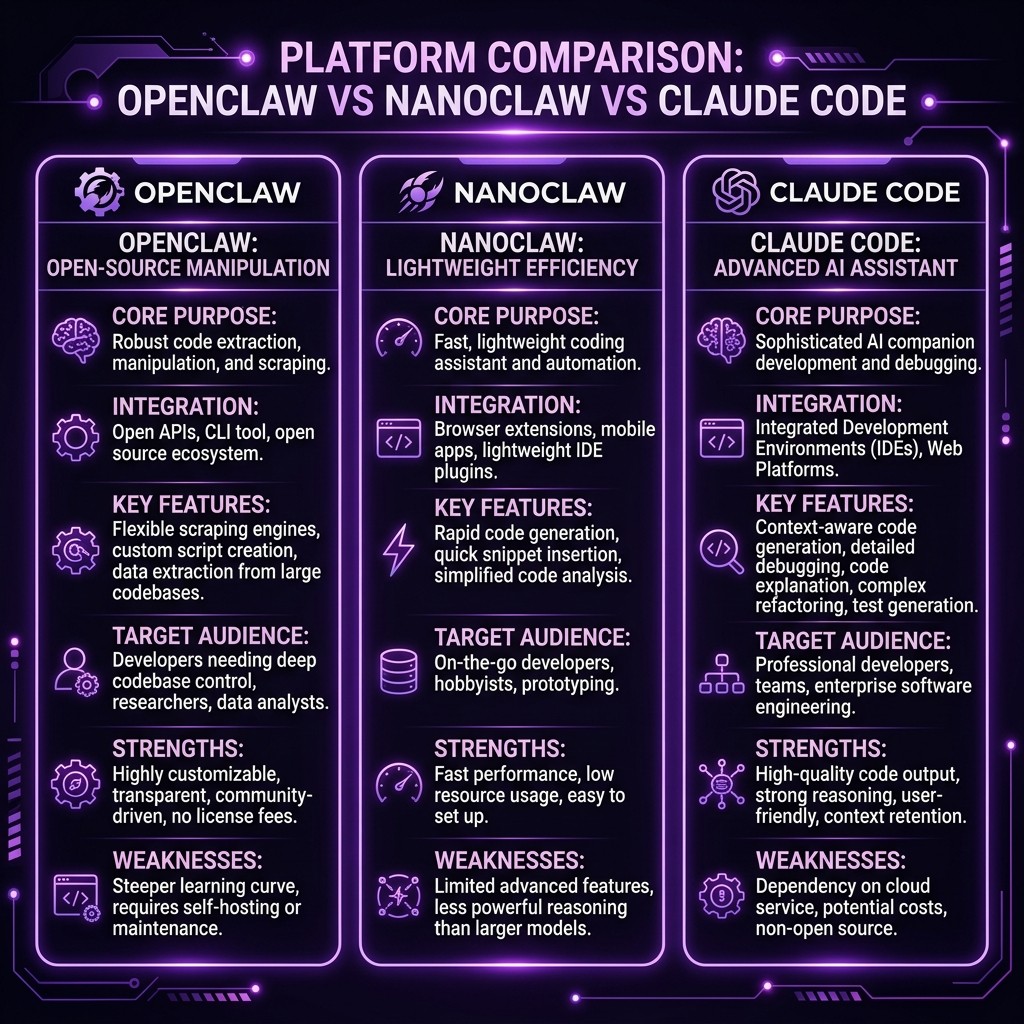
OpenClaw vs NanoClaw vs Claude Code: Which AI Assistant Should You Use?
By Matty Reid | March 26, 2026 | 15 min read
Table of Contents
- Why This Comparison Exists
- Architecture: How Each Tool Works
- Setup Complexity
- Skill Ecosystems
- Messaging Integrations
- Security Models
- Pricing
- Community and Support
- The Decision Framework
- Frequently Asked Questions
Why This Comparison Exists {#why-this-comparison}
I get asked this question at least twice a week. Someone discovers NanoClaw, then finds OpenClaw, then realizes both are built on top of Claude Code, and the natural question follows: which one should I actually use?
The confusion is understandable. All three tools use the same underlying Claude model. All three support skills and MCP servers. All three can execute code, interact with files, and automate workflows. From a distance, they look like three skins on the same engine.
They are not. The differences are architectural, and they lead to genuinely different use cases, strengths, and limitations. I have spent months using all three in production — Claude Code as my daily driver for development, NanoClaw as a persistent assistant running on a home server, and OpenClaw for client projects where I need pre-built solutions.
This is the comparison I wished existed when I started. No marketing fluff. Just an honest breakdown of what each tool does well, what it does poorly, and who should use it.
Architecture: How Each Tool Works {#architecture}
Understanding the architecture is essential because it determines everything else — what each tool can do, how secure it is, and where it runs.
Claude Code
Claude Code is Anthropic's official command-line interface for Claude. It runs directly in your terminal as a Node.js process. When you type a message, Claude Code sends it to the Anthropic API along with your project context (CLAUDE.md, active skills, file contents) and streams the response. Claude Code has direct access to your filesystem, your shell, and any MCP servers configured in your project.
The architecture is simple: your terminal > Claude Code process > Anthropic API. No intermediary layers. No containers. No abstraction. This gives Claude Code maximum power and maximum speed, but it also means Claude runs with your user permissions on your machine.
Claude Code supports the full feature set: skills, MCP servers, hooks, commands, agents, worktrees, voice mode, channels, and the /loop command. It is the reference implementation against which everything else is measured.
NanoClaw
NanoClaw is a lightweight, open-source AI assistant created by Gavriel Cohen. It is built on Anthropic's Claude Agent SDK and runs entirely inside a Docker container. The Docker isolation is the defining architectural choice — it means NanoClaw cannot accidentally (or maliciously) access your host filesystem, your credentials, or your running processes.
The architecture adds a layer: messaging platform > NanoClaw container > Claude Agent SDK > Anthropic API. NanoClaw sits between you and Claude, adding persistence, messaging integration, and sandboxing.
NanoClaw's killer feature is persistent execution. Claude Code runs when you open a terminal and stops when you close it. NanoClaw runs 24/7 as a Docker container, listening for messages on WhatsApp, Discord, Telegram, or Slack. It is an always-on assistant you can message from your phone.
For a full deep dive, see my NanoClaw review and setup guide.
OpenClaw
OpenClaw is a community-driven platform that packages Claude-powered solutions into ready-made business kits. It uses the Claude Agent SDK under the hood but wraps it in a higher-level abstraction focused on non-developer use cases.
The architecture is: OpenClaw platform > pre-built workflows > Claude Agent SDK > Anthropic API. OpenClaw adds the most abstraction of the three — you do not interact with Claude directly. Instead, you activate business kits that define specific workflows, and OpenClaw orchestrates Claude behind the scenes.
OpenClaw's strength is accessibility. You do not need to write skills, configure MCP servers, or understand the Claude Agent SDK. You pick a kit — restaurant automation, law firm management, freelance business — and it works out of the box.
For details on the kit ecosystem, see our OpenClaw Business Kits guide.
Setup Complexity {#setup-complexity}
How hard is it to go from zero to productive?
Claude Code: Medium
npm install -g @anthropic-ai/claude-code
export ANTHROPIC_API_KEY=sk-ant-...
claude
Three commands and you are running. But "running" and "productive" are different. To get real value from Claude Code, you need to:
- Write or install skills
- Configure MCP servers
- Set up project-specific CLAUDE.md files
- Understand the permission model
- Learn the command vocabulary
The initial install is trivial. The configuration curve is moderate. Full mastery takes weeks.
NanoClaw: Medium-High
NanoClaw requires Docker knowledge, API key configuration, and messaging platform setup:
git clone https://github.com/gavrielcohen/nanoclaw.git
cd nanoclaw
cp .env.example .env
# Edit .env with API keys, bot tokens, etc.
docker compose up -d
The Docker requirement filters out casual users. You need Docker installed, a basic understanding of containers, and you need to configure environment variables for:
- Anthropic API key
- Messaging platform bot tokens (WhatsApp/Discord/Telegram/Slack)
- Volume mounts for persistent data
- Network configuration for the container
The NanoClaw setup guide walks through every step, but expect thirty to sixty minutes for a first-time setup, more if you are new to Docker.
OpenClaw: Low
OpenClaw is designed for non-developers. You create an account, pick a business kit, enter your API key, and follow a guided setup wizard. Most kits are functional within ten to fifteen minutes.
The tradeoff for low setup complexity is low customization. OpenClaw kits are opinionated — they work a specific way, and changing that behavior requires editing the underlying skill files, which defeats the purpose of using OpenClaw over Claude Code.
Setup Comparison Table
| Factor | Claude Code | NanoClaw | OpenClaw |
|---|---|---|---|
| -------- | ------------- | ---------- | ---------- |
| Time to first run | 2 minutes | 30-60 minutes | 10-15 minutes |
| Time to productivity | 1-2 weeks | 1-3 days | 15 minutes |
| Technical prerequisite | Node.js, terminal comfort | Docker, messaging API knowledge | Web browser |
| Configuration depth | Very high | High | Low |
Skill Ecosystems {#skill-ecosystems}
All three tools support skills, but the ecosystems differ significantly.
Claude Code
Claude Code has the largest skill ecosystem by far. The Skiln directory catalogs over 60,000 community-contributed skills across every domain: development, writing, design, data analysis, DevOps, security, and more. Skills are plain markdown files, so they are trivially easy to write, share, and version control.
Claude Code also supports the full extension stack: skills, MCP servers, hooks, commands, and agents. This layered approach means you can customize behavior at every level. A comparison of these extension types explains how they interact.
If you want to build your own skill, the format is an open standard. There are no gatekeepers, no approval processes, and no marketplace fees.
NanoClaw
NanoClaw supports Claude Code skills natively — any skill that works with Claude Code works with NanoClaw. However, NanoClaw also has its own skill format optimized for messaging contexts, with additional metadata for platform-specific behavior.
The NanoClaw skill building guide covers the format differences. The key addition is messaging-aware instructions: how the skill should behave when receiving a WhatsApp message versus a Discord command versus a Slack slash command.
NanoClaw's skill library is smaller (roughly 2,000 community skills) but growing. The advantage is that these skills are tested in messaging contexts, which Claude Code skills often are not.
OpenClaw
OpenClaw packages skills into "kits" — bundled solutions for specific business use cases. You do not install individual skills. You activate a kit, and it comes with all the skills, workflows, and configurations needed for that use case.
The kit catalog is curated (roughly 150 kits as of March 2026) rather than open. This means higher average quality but less flexibility. You cannot mix and match skills from different kits, and creating custom kits requires developer-level knowledge.
Skill Ecosystem Comparison
| Factor | Claude Code | NanoClaw | OpenClaw |
|---|---|---|---|
| -------- | ------------- | ---------- | ---------- |
| Total skills available | 60,000+ | 2,000+ (plus Claude Code compatibility) | ~150 kits |
| Custom skill creation | Trivial (markdown files) | Moderate (messaging-aware format) | Difficult (kit packaging) |
| Skill format | Open markdown standard | Claude Code compatible + extended format | Proprietary kit format |
| Sharing mechanism | Git repos, Skiln directory | Git repos | OpenClaw marketplace |
Messaging Integrations {#messaging-integrations}
This is where the three tools diverge most dramatically.
Claude Code
Claude Code is terminal-first. It runs in your shell and communicates through stdin/stdout. The Channels feature adds messaging integration (Discord, Slack, Telegram, WhatsApp), but it requires Claude Code to be running on a machine. When you close the terminal, the messaging integration stops.
Channels is powerful — it inherits the full Claude Code configuration, including skills, MCP servers, and permissions. But it is not designed for always-on persistent messaging. It is designed for bringing messaging to an active development session.
NanoClaw
NanoClaw was built for messaging from the ground up. It runs as a Docker container that stays alive 24/7, listening on multiple messaging platforms simultaneously.
The messaging experience is polished. NanoClaw handles:
- WhatsApp: Full conversational interface with media support (setup guide)
- Discord: Bot with slash commands, thread support, and role-based permissions (setup guide)
- Telegram: Bot with inline keyboards and group chat support
- Slack: App with slash commands and channel integration
NanoClaw also handles message queuing, rate limiting, and conversation persistence across messaging sessions. When you message NanoClaw at 3 AM, it responds. When you continue the conversation the next morning, it remembers the context.
This is the primary reason to choose NanoClaw over Claude Code — if you want an AI assistant you can message from your phone at any time, NanoClaw delivers that experience in a way Claude Code does not.
OpenClaw
OpenClaw offers messaging through its web interface and limited integrations with Slack and email. The messaging is functional but not the core focus. OpenClaw is designed around workflows and kits, not conversational interaction.
Messaging Comparison
| Factor | Claude Code | NanoClaw | OpenClaw |
|---|---|---|---|
| -------- | ------------- | ---------- | ---------- |
| Always-on messaging | No (requires active terminal) | Yes (Docker container runs 24/7) | No (web interface) |
| Via Channels (session-bound) | Native (persistent) | No | |
| Discord | Via Channels (session-bound) | Native (persistent, slash commands) | No |
| Telegram | Via Channels (session-bound) | Native (persistent) | No |
| Slack | Via Channels (session-bound) | Native (persistent) | Limited |
| Conversation persistence | No (session-based) | Yes (across sessions) | Limited |
Security Models {#security-models}
Security is a critical differentiator, especially for production use.
Claude Code
Claude Code runs with your user permissions. It can read any file you can read, execute any command you can execute, and access any service your machine can reach. The security model relies on:
- Permission prompts: Claude asks before executing potentially dangerous commands
- Hooks: Custom lifecycle hooks that can block or modify actions
- MCP server scoping: Each MCP server has defined capabilities
- CLAUDE.md boundaries: Project instructions can restrict behavior
This is powerful but requires trust. A malicious skill or MCP server running in Claude Code has access to your entire development environment. The security perimeter is your user account.
NanoClaw
NanoClaw's Docker sandbox is its strongest security feature. The container runs with limited permissions, no host filesystem access (unless explicitly mounted), and network isolation. Even if a skill or MCP server inside NanoClaw behaves maliciously, the blast radius is contained to the Docker container.
The Docker sandbox guide details the security architecture:
- Container runs as non-root user
- Filesystem is ephemeral (destroyed on container restart unless volumes are mounted)
- Network access can be restricted at the Docker level
- Host resources are isolated by default
For teams handling sensitive data or running in regulated environments, NanoClaw's sandboxing provides a security guarantee that Claude Code does not.
OpenClaw
OpenClaw runs on managed infrastructure. Your data passes through OpenClaw's servers before reaching the Anthropic API. This adds a third-party trust dependency that neither Claude Code nor NanoClaw have.
OpenClaw implements role-based access control for team features, and kits have defined permission boundaries. But the fundamental security model is "trust OpenClaw's infrastructure," which may not be acceptable for enterprises or security-conscious teams.
Security Comparison
| Factor | Claude Code | NanoClaw | OpenClaw |
|---|---|---|---|
| -------- | ------------- | ---------- | ---------- |
| Execution isolation | None (your user permissions) | Docker container sandbox | Managed infrastructure |
| Data residency | Your machine + Anthropic API | Your Docker host + Anthropic API | OpenClaw servers + Anthropic API |
| Blast radius of compromise | Full user account | Docker container only | OpenClaw platform |
| Enterprise suitability | High (with hooks and policies) | High (with Docker security) | Medium (third-party dependency) |
| Secret exposure risk | Medium (host env vars accessible) | Low (container env isolation) | Medium (platform trust required) |
Pricing {#pricing}
All three tools require an Anthropic API key, so the base cost of Claude API usage is shared. The tools themselves have different pricing models.
Claude Code
Claude Code itself is included with a Claude Pro subscription ($20/month) or available through direct API access (pay per token). There is no separate fee for Claude Code.
Effective cost: $20/month (Pro) or API usage-based. For moderate development use, expect $30-80/month in API costs.
NanoClaw
NanoClaw is free and open source. You pay only for:
- Anthropic API usage (same rates as Claude Code)
- Server hosting costs if running on a VPS (a $5-10/month VPS handles NanoClaw comfortably)
- Messaging platform costs (most are free for bot accounts)
Effective cost: API usage + $5-10/month hosting. For a personal always-on assistant, expect $20-50/month total.
OpenClaw
OpenClaw has a tiered pricing model:
- Free: Limited kit access, community support
- Pro ($29/month): Full kit library, priority support
- Team ($79/month): Multi-user, shared kits, admin controls
- Enterprise ($149/month): Custom kits, SLA, dedicated support
Plus Anthropic API costs on top.
Effective cost: $29-149/month + API usage. The total cost is higher than Claude Code or NanoClaw for comparable functionality.
Pricing Comparison
| Factor | Claude Code | NanoClaw | OpenClaw |
|---|---|---|---|
| -------- | ------------- | ---------- | ---------- |
| Tool cost | $0 (included with Pro) or $0 (API) | $0 (open source) | $0-149/month |
| API cost | Pay per token | Pay per token | Pay per token |
| Hosting cost | $0 (runs locally) | $5-10/month (VPS optional) | $0 (managed) |
| Typical monthly total | $20-80 | $20-50 | $49-229 |
Community and Support {#community-support}
Claude Code
Claude Code has the largest community. Anthropic maintains official documentation, a Discord server, and a GitHub repository. The ecosystem of skills, MCP servers, and tutorials is vast. Third-party resources (including Skiln's directory and blog) provide additional depth.
When you hit an issue, you can usually find an answer within minutes. The community is active, helpful, and deeply technical. The MCP troubleshooting guide on this site alone has resolved thousands of issues.
NanoClaw
NanoClaw has a smaller but dedicated community. Gavriel Cohen is active in the project's Discord and GitHub issues. Community contributions are welcome, and the project moves fast — new features land weekly.
The documentation is good but not as comprehensive as Claude Code's. Community-contributed tutorials are growing but still limited compared to the Claude Code ecosystem.
OpenClaw
OpenClaw has a small community focused on business use cases rather than developer tooling. Support is primarily through the OpenClaw platform — email for free users, priority channels for paid users.
The community is less technical than Claude Code's, which makes it more accessible for business users but less useful for developers hitting edge cases.
The Decision Framework {#decision-framework}
After months of using all three, here is when I recommend each tool:
Choose Claude Code If:
- You are a developer who lives in the terminal
- You want maximum power and customization
- You need the full extension stack (skills, MCPs, hooks, commands, agents)
- You work on multiple projects with different configurations
- You want the largest community and ecosystem
- You are comfortable with the security responsibility of running Claude with your user permissions
Choose NanoClaw If:
- You want an always-on AI assistant you can message from any device
- Security isolation matters — you want Docker sandboxing
- You need persistent messaging on WhatsApp, Discord, Telegram, or Slack
- You are comfortable with Docker and basic server administration
- You want an open-source solution you can fully control and customize
- You run AI in environments where host-level access would be a security risk
Choose OpenClaw If:
- You are a non-developer who needs AI automation for a specific business use case
- You want a pre-built solution that works in fifteen minutes
- You do not want to write skills, configure MCP servers, or manage infrastructure
- You are willing to pay more for convenience and reduced setup time
- Your use case maps to an existing OpenClaw kit
The Hybrid Approach
I run all three. Claude Code is my development environment. NanoClaw runs on a home server for personal automation — I message it from WhatsApp to manage tasks, check on running processes, and interact with home automation. OpenClaw handles client-facing solutions where I need a polished, ready-made experience.
They are not competitors in any meaningful sense. They are different interfaces to the same underlying intelligence, optimized for different contexts. The Claude ecosystem is large enough that specialization makes sense.
Frequently Asked Questions {#faq}
Can I use NanoClaw skills in Claude Code and vice versa?
Yes. NanoClaw supports standard Claude Code skill format. Any .md skill file that works with Claude Code works with NanoClaw. NanoClaw's extended format (with messaging metadata) is NanoClaw-specific but degrades gracefully in Claude Code.
Is NanoClaw officially supported by Anthropic?
No. NanoClaw is a third-party, open-source project that uses the Claude Agent SDK. Anthropic does not officially support or endorse it. However, the Claude Agent SDK is a public, documented API, and NanoClaw uses it as intended.
Can OpenClaw kits be exported and used in Claude Code?
Some kits expose the underlying skill files, which can be extracted and used in Claude Code with modification. However, OpenClaw's kit format includes workflow orchestration that does not have a direct Claude Code equivalent. The core instructions port; the automation layer does not.
Which tool has the best WhatsApp integration?
NanoClaw, by a significant margin. It was designed for messaging from the ground up. Claude Code's Channels feature supports WhatsApp but is session-bound. OpenClaw does not support WhatsApp.
Do all three tools support the same MCP servers?
Claude Code and NanoClaw support the same MCP servers (NanoClaw runs them inside the Docker container). OpenClaw supports a curated subset of MCP servers that have been tested with its kit system. Not all MCP servers are available in OpenClaw.
Which is most secure for handling sensitive data?
NanoClaw's Docker sandbox provides the strongest isolation. Claude Code with properly configured hooks and permissions is also strong but requires more discipline. OpenClaw introduces a third-party dependency, which is a concern for highly sensitive data.