NanoClaw Review 2026: Features, Setup, Pros & Cons
1. [What is NanoClaw?](#what-is-nanoclaw) 2. [Key Features](#key-features) 3. [How to Get Started](#how-to-get-started) 4. [Pricing](#pricing) 5. [Pros and Cons](#pros-and-cons) 6. [Best NanoClaw Alternatives](#best-nanoclaw-alternatives) 7. [Final Verdict: Is NanoClaw Worth It?](#final-verdict-is-n
TL;DR — NanoClaw Review
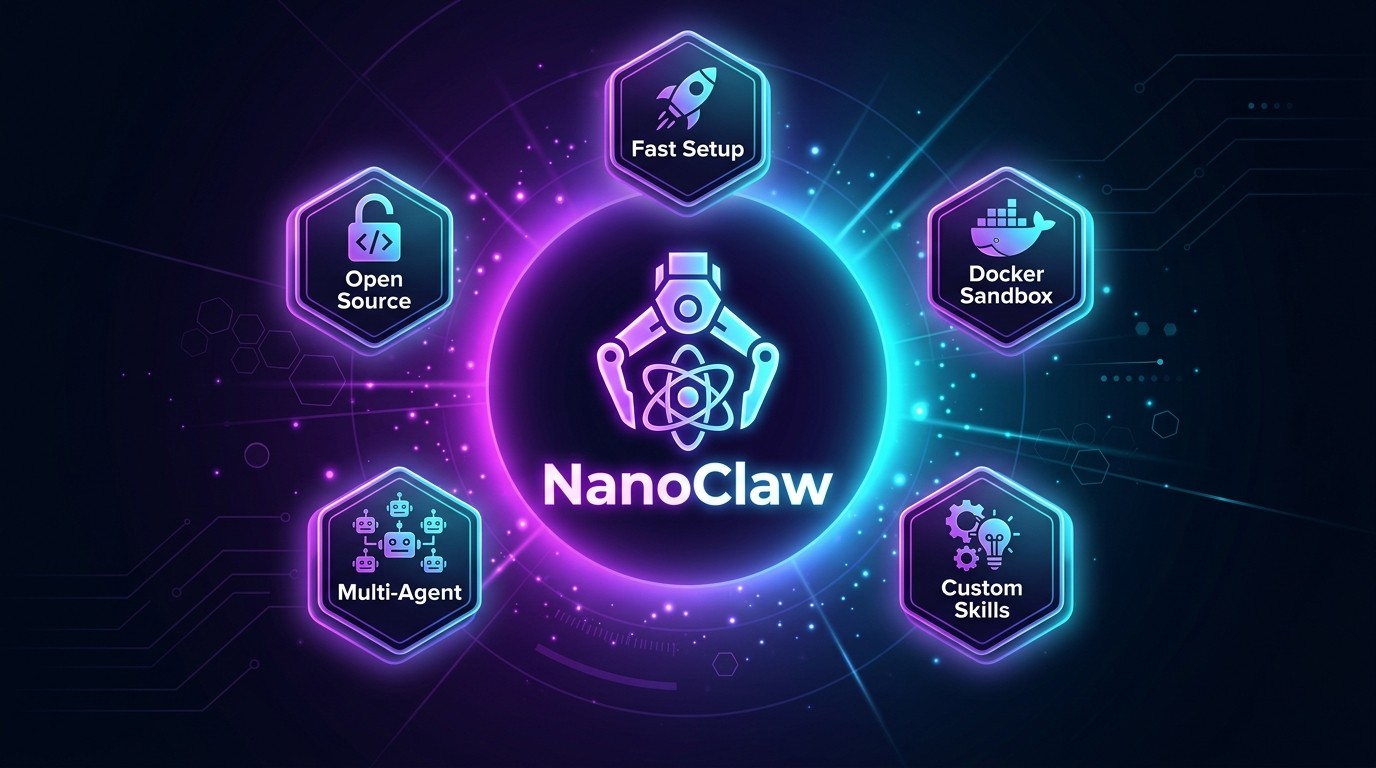
NanoClaw is the most auditable open-source AI assistant available in 2026. Built on the Claude Agent SDK in roughly 3,900 lines of TypeScript, it delivers container-isolated personal AI through WhatsApp, Telegram, Discord, and Slack. The Docker partnership (March 2026) gives it enterprise-grade sandboxing. The 18-skill library covers messaging, browsing, voice transcription, and email — with the ability to write new skills on the fly. The trade-off: it requires technical comfort with Docker and the command line, and its ecosystem is a fraction of OpenClaw's 13,700+ skills.
Rating: 4.3/5
Table of Contents
- What is NanoClaw?
- Key Features
- How to Get Started
- Pricing
- Pros and Cons
- Best NanoClaw Alternatives
- Final Verdict: Is NanoClaw Worth It?
- Frequently Asked Questions
What is NanoClaw?
NanoClaw is a lightweight, open-source personal AI assistant that runs on your own hardware with container-based security isolation. Created by Gavriel Cohen, a former Wix engineer based in Israel, NanoClaw launched on January 31, 2026 — one day after OpenClaw's public rebrand — and has since accumulated 24,700+ GitHub stars on its official repository.
Cohen built the initial version in a single weekend. The premise was simple: OpenClaw's codebase had ballooned to 434,000+ lines of code across 3,680 files, making it nearly impossible for security teams to audit. NanoClaw set out to deliver equivalent core functionality in under 4,000 lines. That constraint shaped every architectural decision — from the skill-based extension model to the reliance on OS-level container isolation instead of application-layer security checks.
The project went viral on Hacker News in February 2026, drawing attention from Andrej Karpathy, who publicly endorsed NanoClaw's approach to agent security. Six weeks after launch, Docker announced an official partnership to integrate Docker Sandboxes into NanoClaw, bringing enterprise-grade container isolation to every installation. TechCrunch, The New Stack, CNBC, Fortune, and VentureBeat have all covered the project.
NanoClaw runs under Qwibit AI (nanoco.ai), Cohen's company. The project is MIT-licensed, meaning anyone can fork, modify, and deploy it without restrictions. It runs as a single Node.js process on the Claude Agent SDK — Anthropic's official agent framework — and manages isolated containers for each conversation group.
Where OpenClaw positions itself as a full-featured platform with a massive ecosystem (13,700+ skills on ClawHub), NanoClaw positions itself as the tool you can actually read, understand, and trust. The entire codebase fits in about 15 source files. A security auditor can review every line in under 10 minutes. For regulated industries, compliance teams, and privacy-conscious developers, that readability is the primary selling point.
 NanoClaw.dev homepage — "Personal AI, but actually personal" with key architecture stats highlighted
Key Features
1. Container-Based Isolation (Docker Sandbox)
Every conversation in NanoClaw runs inside its own isolated container. On Linux, this means Docker containers. On macOS, NanoClaw supports Apple Containers. The March 2026 Docker partnership elevated this further with Docker Sandboxes — purpose-built MicroVMs that provide hardware-level isolation between the AI agent and the host system.
This is fundamentally different from how OpenClaw handles security. OpenClaw uses application-level permission checks — code within the same process decides what the agent can and cannot do. NanoClaw delegates security enforcement to the operating system. Even if the AI agent generates malicious code, the container boundary prevents it from accessing the host filesystem, network, or other containers.
For teams operating in finance, healthcare, or government — sectors where a single data leak can trigger regulatory action — this architecture provides a verifiable security boundary that application-layer checks cannot match. The container is not a suggestion. It is an OS-enforced wall.
2. Claude Agent SDK Integration
NanoClaw runs directly on Anthropic's Claude Agent SDK, the same framework that powers Claude Code. This is not a wrapper around an API. The agent inside each container is a full Claude Code instance with access to shell commands, file read/write operations, web search, Chromium-based browsing, and subagent delegation.
This deep integration means NanoClaw inherits every capability that Claude Code ships. When Anthropic releases new Claude Code features — improved tool use, better context handling, expanded browsing — NanoClaw gets them automatically. The agent does not need its own tool implementations. It leverages Claude Code's built-in tools and extends them through the skills system.
The practical benefit: NanoClaw agents are as capable as Claude Code itself. They can write code, browse the web, analyze documents, process images, and coordinate multi-agent workflows — all within the security boundary of their container.
3. Multi-Platform Messaging
NanoClaw connects to four major messaging platforms through dedicated skills: WhatsApp, Telegram, Discord, and Slack. Each integration is designed to make the AI assistant accessible where people already communicate.
WhatsApp integration uses the Baileys library with QR code or pairing code authentication. Each chat group gets its own isolated container and persistent memory. Telegram supports both standalone and multi-channel configurations, with a dedicated Telegram Swarm skill that gives each subagent its own bot identity in group chats. Discord handles text channels with attachment support and reply context. Slack uses Socket Mode, requiring no public URLs — a meaningful security advantage for enterprise deployments.
The messaging layer is not just a notification system. Full conversations happen within the messaging app. Users send text, images, voice notes, and files directly through WhatsApp or Telegram, and the agent processes everything within its container. No web interface required.
4. 18 Official Skills Library
NanoClaw ships with 18 official skills across four categories: messaging (5), email and tools (3), enhancement (5), and utility (5). Skills are not plugins in the traditional sense. They are sets of instructions — SKILL.md files stored in .claude/skills/ — that teach the Claude Code agent how to modify the NanoClaw codebase to add new capabilities.
The messaging skills cover the four platforms mentioned above plus a Telegram Swarm variant. The tools category includes Gmail (read, send, search, draft), Agent Browser (headless Chromium for web interaction), and PDF Reader (text extraction from attachments and URLs). Enhancement skills add Image Vision (process images sent via WhatsApp), Voice Transcription (via OpenAI Whisper), Local Whisper (on-device transcription without API calls), Ollama (local AI model deployment), and Reactions (emoji support).
Utility skills handle installation (/setup), context management (/compact), customization, debugging, and updates. The /update-nanoclaw skill is particularly well-designed — it previews upstream changes and offers rollback options before applying them.
5. Self-Extension Capability
The most architecturally interesting feature in NanoClaw is its ability to write its own skills. The /customize skill tells the Claude Code agent to analyze a user's request, then generate new SKILL.md files and modify source code to implement the requested capability.
This is possible because the entire codebase is small enough for the agent to hold in context. At ~3,900 lines across 15 files, Claude can read, understand, and modify every part of NanoClaw in a single session. An agent running on OpenClaw's 434,000-line codebase cannot do this — the codebase exceeds any model's context window.
Self-extension means NanoClaw users are not limited to the 18 official skills. If someone needs a custom integration — a Jira connector, a CRM sync, a specialized data pipeline — the agent can build it. The skill format is documented, the codebase is auditable, and the container isolation means experimental skills cannot damage the host system.
6. Scheduled Jobs and Automation
NanoClaw includes a built-in task scheduler (task-scheduler.ts) that supports recurring jobs. Users can configure daily briefings, automated reports, data checks, and periodic tasks that run without manual triggers.
The scheduler operates within the same container isolation model. Each scheduled job runs in its own container context with its own memory and filesystem. Jobs can be configured per conversation group, so a WhatsApp group for work gets different scheduled tasks than a personal Telegram chat.
Practical use cases include morning news digests, daily calendar summaries, automated database backups, scheduled social media posting, and periodic system health checks. The scheduler integrates with the messaging layer, so results are delivered directly to the relevant chat — no separate dashboard to check.
7. Memory and Context Persistence
Each conversation group in NanoClaw maintains its own CLAUDE.md memory file and isolated filesystem. This means the assistant remembers context between messages, between sessions, and across days. Conversations in a work WhatsApp group carry different context than conversations in a personal Telegram chat.
The memory model is file-based and transparent. Users can read, edit, and reset the CLAUDE.md file directly. There is no opaque vector database or proprietary memory format — just a markdown file that the agent reads at the start of each interaction. When context grows too large, the /compact skill performs manual compaction, summarizing older interactions while preserving key facts.
This approach trades sophistication for auditability. Users can see exactly what the agent "remembers" by reading a single file. For compliance-sensitive deployments, this transparency matters more than advanced retrieval algorithms.
8. Minimal Codebase (~3,900 Lines)
NanoClaw's entire source code spans approximately 3,900 lines across 15 TypeScript files. The core architecture lives in six files: index.ts (orchestration), container-runner.ts (container management), group-queue.ts (message queuing), ipc.ts (inter-process communication), db.ts (SQLite storage), and task-scheduler.ts (job scheduling).
The comparison to OpenClaw is stark. OpenClaw's codebase contains 434,453 lines across 3,680 files with approximately 70 dependencies. NanoClaw has fewer than 10 dependencies. A developer can read the entire NanoClaw source in roughly 8 minutes. Reading OpenClaw's source would take weeks.
This minimalism is not a limitation — it is a deliberate security architecture. Fewer lines mean fewer places for vulnerabilities to hide. Fewer dependencies mean a smaller attack surface. For organizations that require code audits before deploying AI agents, NanoClaw's size makes auditing practical rather than theoretical.
How to Get Started
Getting NanoClaw running requires a terminal, some comfort with command-line tools, and about 8-10 minutes. Here is the setup process.
1. Install Prerequisites — Ensure Node.js 20+ and Docker are installed on your machine. On macOS, Apple Container is an alternative to Docker. You also need a Claude API key from Anthropic or an active Claude Code subscription.
2. Clone the Repository — Run git clone https://github.com/qwibitai/nanoclaw.git and navigate into the directory with cd nanoclaw. The entire download is under 1 MB.
3. Run the Setup Skill — Execute claude /setup in the project directory. This launches the interactive setup skill, which guides you through API key configuration, container runtime selection (Docker or Apple Container), and initial database creation. The setup skill is itself a Claude Code skill — it reads your system configuration and adapts its instructions accordingly.
4. Connect a Messaging Platform — Install at least one messaging skill. For WhatsApp, run claude /add-whatsapp and scan the QR code displayed in your terminal with the WhatsApp app on your phone. For Telegram, run claude /add-telegram and provide your bot token from BotFather. Discord and Slack follow similar patterns with their respective skills.
5. Send Your First Message — Open the connected messaging app and send a message to the NanoClaw-linked chat. The agent will receive it, spin up a container, process it, and respond. The first message takes slightly longer (10-15 seconds) as the container initializes. Subsequent messages in the same conversation respond faster because the container stays warm.
Pricing
NanoClaw is free and open-source under the MIT license. There is no paid tier, no premium features, and no usage-based pricing from the NanoClaw project itself. The cost comes entirely from the underlying AI model.
Every NanoClaw interaction consumes Claude API tokens through Anthropic's billing. The actual cost depends on conversation length, complexity, and how many tool calls the agent makes per response. Here is a realistic cost breakdown based on typical usage patterns:
| Usage Level | Description | Estimated Monthly Cost | What It Covers |
|---|---|---|---|
| ------------ | ------------- | ---------------------- | ---------------- |
| Light | 10-20 messages/day, simple tasks | $5-15/month | Quick answers, reminders, basic automation |
| Moderate | 30-50 messages/day, mixed tasks | $20-50/month | Research, writing, scheduling, multi-step workflows |
| Heavy | 100+ messages/day, complex workflows | $75-200/month | Agent swarms, heavy browsing, code generation, document analysis |
| Team | Multiple users, multiple groups | $150-500+/month | Shared assistants, group chat agents, parallel workflows |
Alternative: Claude Code Subscription. Users with a Claude Max subscription ($100/month or $200/month) can use their existing subscription instead of direct API billing. This is often more cost-effective for moderate-to-heavy users, since the subscription includes a generous token allowance.
Additional infrastructure costs:
- Docker Desktop: Free for personal use, $5-21/user/month for business use
- VPS hosting (optional): $5-20/month for a cloud server to run NanoClaw 24/7
- Whisper API (if using voice transcription): ~$0.006/minute of audio
There is no free tier with limited features. Everything NanoClaw offers is available from day one. The only variable is how much Claude API usage accumulates.
Pros and Cons
Pros
- Auditable codebase — 3,900 lines across 15 files. A security team can review every line in under 10 minutes, making it viable for regulated industries.
- Container isolation — OS-enforced security boundaries via Docker Sandboxes prevent agent code from accessing the host system, a fundamentally stronger model than application-layer permission checks.
- Multi-platform messaging — WhatsApp, Telegram, Discord, and Slack support means the assistant lives where users already communicate, with no separate app to install.
- Self-extending architecture — The agent can write its own skills because the codebase fits within its context window, enabling custom integrations without waiting for official releases.
- MIT license with no vendor lock-in — Full source access, no proprietary dependencies beyond the Claude API, and the freedom to fork, modify, and redeploy without restrictions.
- Docker partnership — The March 2026 Docker deal brings enterprise-grade MicroVM isolation and signals long-term infrastructure investment from a major platform company.
- Transparent memory — CLAUDE.md-based memory is human-readable, editable, and auditable. Users see exactly what the agent remembers.
Cons
- Small skill ecosystem — 18 official skills versus OpenClaw's 13,700+ on ClawHub. Users needing niche integrations may have to build their own or wait for community contributions.
- Technical setup required — Installation requires Node.js, Docker, Git, and command-line familiarity. Non-technical users will struggle without guided support.
- No Windows support — NanoClaw runs on macOS and Linux only. Windows users need WSL2, which adds another layer of setup complexity.
- API cost unpredictability — Since pricing is entirely usage-based through Anthropic's API, costs can spike during complex workflows or heavy usage days without clear guardrails.
- Single-model dependency — NanoClaw runs exclusively on Claude via the Agent SDK. If Anthropic changes pricing, rate limits, or SDK terms, NanoClaw has no fallback model provider.
Best NanoClaw Alternatives
| Tool | Price | Key Differentiator | Best For |
|---|---|---|---|
| ------ | ------- | -------------------- | ---------- |
| OpenClaw | Free (open-source) + API costs | 13,700+ skills on ClawHub, largest ecosystem | Developers who want maximum extensibility and community support |
| Nanobot | Free (open-source) + API costs | Ultra-lightweight fork, even smaller than NanoClaw | Minimalists who want the absolute smallest agent footprint |
| AgentOS | $29/month (Pro) | Managed hosting, GUI dashboard, no CLI required | Non-technical users who want a personal AI assistant without terminal work |
| Dust.tt | $29/user/month | Enterprise agent platform, SSO, audit logs, team management | Companies deploying AI assistants across departments |
| AutoGPT | Free (open-source) + API costs | Multi-model support (GPT-4, Claude, Gemini), autonomous task chains | Users who need model flexibility and long-running autonomous tasks |
OpenClaw is the obvious comparison. It has a 220,000-star GitHub repository, a mature ecosystem with ClawHub's skill marketplace, and broad community support. The trade-off is its massive codebase — 434,000+ lines that no individual developer can realistically audit. For teams that prioritize ecosystem breadth over security auditability, OpenClaw remains the default choice.
Nanobot takes NanoClaw's minimalism further. Marketed as an "ultra-lightweight OpenClaw," it strips the codebase down to an even smaller footprint. It lacks NanoClaw's multi-platform messaging and Docker partnership but appeals to developers who consider even 3,900 lines excessive.
AgentOS targets the gap between open-source agents and commercial AI products. Its managed hosting and graphical interface eliminate the Docker/CLI setup barrier. At $29/month, it competes on convenience rather than transparency — users trade auditability for a smoother experience.
Dust.tt serves enterprise teams. Its multi-agent platform includes SSO, role-based access, audit logging, and team collaboration features that neither NanoClaw nor OpenClaw currently offer. At $29/user/month, pricing scales with team size, making it expensive for large organizations but well-suited for departments needing governed AI access.
AutoGPT occupies a different niche entirely. It supports multiple AI models (not just Claude), handles long-running autonomous task chains, and has a large community. Its architecture is less focused on security isolation and more focused on task autonomy — letting AI agents run complex multi-step workflows with minimal human oversight.
Final Verdict: Is NanoClaw Worth It?
NanoClaw earns its place as one of the most compelling open-source AI projects of 2026. The combination of container-based isolation, a genuinely minimal codebase, multi-platform messaging, and the Docker partnership creates a product that solves real problems for a specific audience.
Who should use NanoClaw: Developers and technical teams who want a personal AI assistant they can actually audit. Security-conscious organizations that need verifiable isolation between the AI agent and production systems. Privacy-focused individuals who want to run their assistant on their own hardware rather than trusting a cloud provider. Tinkerers who enjoy extending systems — the self-extension capability rewards experimentation.
Who should look elsewhere: Non-technical users who want a setup-and-forget AI assistant should consider managed alternatives like AgentOS. Teams that need hundreds of pre-built integrations should evaluate OpenClaw's ecosystem first. Organizations locked into the Windows ecosystem will find the macOS/Linux requirement a blocker without WSL2. And anyone who needs multi-model flexibility (Claude today, GPT-4 tomorrow) will hit NanoClaw's single-model dependency wall.
NanoClaw is not trying to replace OpenClaw for every use case. It is offering a radically different philosophy: fewer features, more trust. The 3,900-line codebase is not a limitation — it is the entire point. In a landscape where AI agents are gaining access to file systems, APIs, and credentials, NanoClaw's position is that security through simplicity beats security through complexity.
The Docker deal adds institutional credibility and a clear infrastructure roadmap. The Karpathy endorsement signals technical respect from the AI research community. And 24,700 GitHub stars in under two months proves the philosophy resonates beyond a niche audience.
At $0 for the software itself, the only real cost is Claude API usage and the time to set it up. For developers who value transparency and control, that is a trade worth making.
Rating: 4.3/5
Frequently Asked Questions
Is NanoClaw free?
NanoClaw is completely free and open-source under the MIT license. There are no paid tiers, premium features, or usage fees from the NanoClaw project. The only cost is Claude API usage through Anthropic, which typically runs $5-50/month for individual users depending on message volume and task complexity. Users with a Claude Max subscription can use their existing plan instead of direct API billing.
How does NanoClaw compare to OpenClaw?
NanoClaw prioritizes security auditability and minimalism — 3,900 lines of code versus OpenClaw's 434,000+. OpenClaw offers a far larger ecosystem with 13,700+ skills on ClawHub and broader community support. NanoClaw uses OS-level container isolation while OpenClaw relies on application-level permission checks. The right choice depends on whether you value ecosystem size (OpenClaw) or codebase transparency (NanoClaw).
Is NanoClaw safe to use?
NanoClaw's container isolation model is its primary safety feature. Each conversation runs in its own Docker container or Apple Container with no access to the host filesystem or network unless explicitly granted. The Docker Sandbox partnership adds MicroVM-level isolation. The small codebase makes security audits practical. That said, any AI agent with tool access carries inherent risk — users should review container permissions and avoid granting unnecessary host access.
Does NanoClaw work on Windows?
Not natively. NanoClaw requires macOS or Linux. Windows users can run it through WSL2 (Windows Subsystem for Linux) with Docker Desktop, but this adds setup complexity and is not officially supported. Native Windows support is not on the current roadmap. For Windows-only environments, consider OpenClaw or AgentOS as alternatives.
Can NanoClaw use models other than Claude?
Not currently. NanoClaw is built on Anthropic's Claude Agent SDK and runs exclusively on Claude models. There is an Ollama skill that deploys local AI models as supplementary tools, but the core agent logic requires Claude. Users who need multi-model flexibility should consider AutoGPT or similar frameworks that support model switching.
What messaging platforms does NanoClaw support?
NanoClaw supports four messaging platforms through dedicated skills: WhatsApp (via Baileys library with QR code authentication), Telegram (standalone or multi-channel, including a Swarm mode for multi-agent groups), Discord (text channels with attachment support), and Slack (Socket Mode, no public URLs required). Additional platforms can be added through the self-extension capability.
How many skills does NanoClaw have?
NanoClaw ships with 18 official skills across four categories: messaging (WhatsApp, Telegram, Telegram Swarm, Discord, Slack), email and tools (Gmail, Agent Browser, PDF Reader), enhancement (Image Vision, Voice Transcription, Local Whisper, Ollama, Reactions), and utility (Setup, Compact, Customize, Debug, Update). The Customize skill allows the agent to build new skills on demand, extending this list as needed.
Who created NanoClaw?
Gavriel Cohen, a former Wix engineer based in Israel, created NanoClaw in a single weekend in late January 2026. The project operates under Qwibit AI (nanoco.ai). Cohen built NanoClaw as a lightweight, auditable alternative to OpenClaw after observing that OpenClaw's codebase had grown too large for practical security review. The project gained rapid traction with Hacker News front-page appearances, an Andrej Karpathy endorsement, and a Docker partnership within six weeks of launch.
Explore more AI agent reviews and comparisons at skiln.co/blog. Browse the full Claude Skills directory at skiln.co/skills.