How to Build Your Own Claude Skill: Complete Tutorial (2026)
1. [Why Build Custom Skills?](#why-build-custom-skills) 2. [Understanding the SKILL.md Format](#understanding-the-skillmd-format) 3. [Tutorial: Build a Code Review Skill](#tutorial-build-a-code-review-skill) 4. [Advanced Skill Patterns](#advanced-skill-patterns) 5. [Real-World Skill Examples](#real-
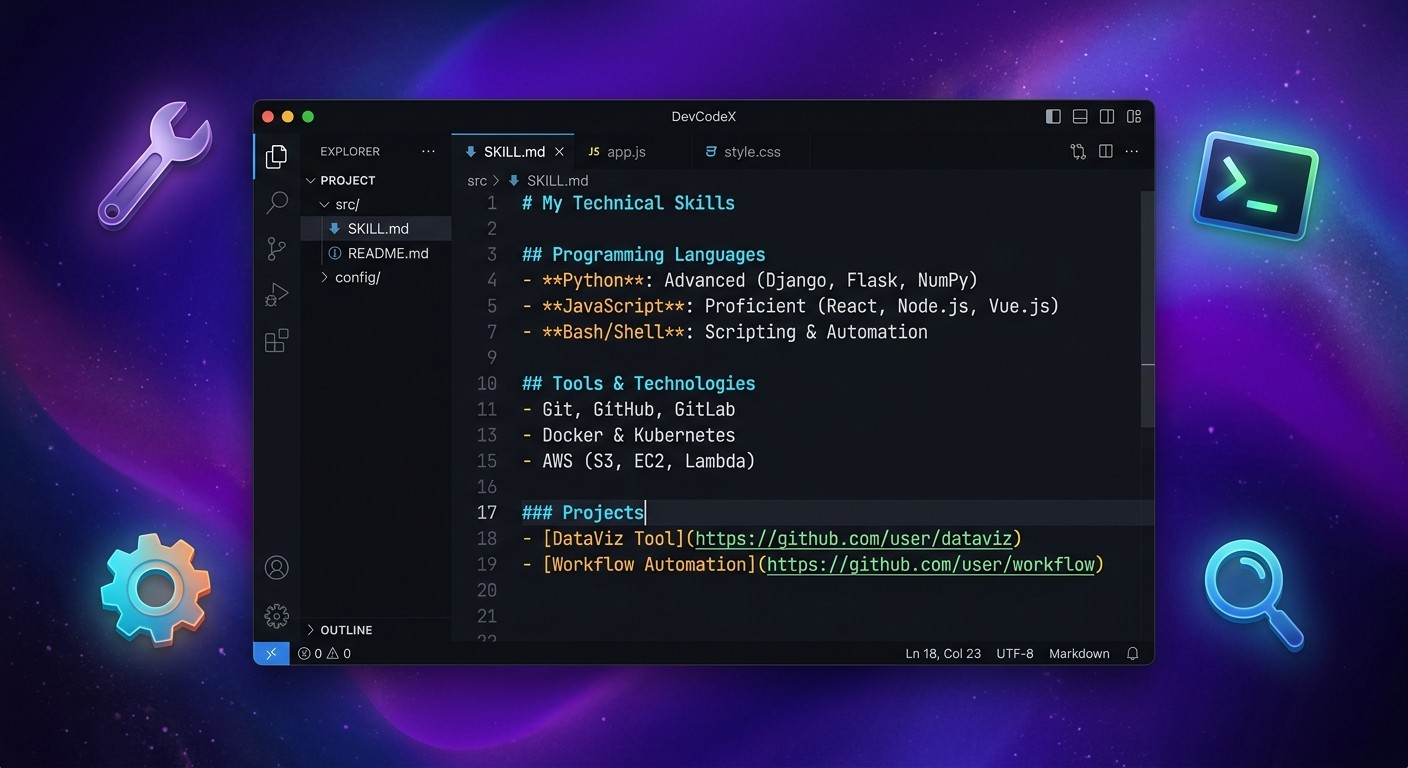
How to Build Your Own Claude Skill: Complete Tutorial (2026)
Table of Contents
- Why Build Custom Skills?
- Understanding the SKILL.md Format
- Tutorial: Build a Code Review Skill
- Advanced Skill Patterns
- Real-World Skill Examples
- Publishing Your Skill
- Skill Development Best Practices
- Common Mistakes to Avoid
- Frequently Asked Questions
Why Build Custom Skills?
Claude Code is powerful out of the box, but every team has unique workflows, standards, and preferences. Custom skills turn repetitive prompts into reusable, shareable automation. Instead of typing the same multi-paragraph instruction every time a pull request needs reviewing, a skill encapsulates that instruction once and invokes it with a single slash command.
There are three broad reasons developers build custom skills in 2026:
Enforcing Team Standards
A frontend team that mandates Tailwind CSS utility classes over inline styles can encode that rule into a skill. Every time a developer asks Claude to review their code, the skill ensures the feedback includes Tailwind compliance checks — without anyone needing to remember to ask for it. The same applies to naming conventions, test coverage thresholds, documentation requirements, and architecture patterns.
Project-Specific Workflows
A monorepo with a particular deployment pipeline, a Next.js project with custom file conventions, or an API service with specific error handling patterns — these all benefit from skills that carry project context. Skills can reference specific directories, file patterns, and toolchains so that Claude's responses are grounded in the actual project structure rather than generic advice.
Sharing with the Community
The skiln.co directory already lists hundreds of community-built skills. Publishing a skill that solves a common problem — linting Dockerfiles, generating OpenAPI specs, auditing accessibility — helps other developers and builds visibility for the author. Skills published to skiln.co are discoverable, installable, and rated by the community.
Understanding the SKILL.md Format
Every Claude Skill is a Markdown file named SKILL.md (or a custom name with the .md extension placed in the .claude/skills/ directory). The file uses a specific structure that Claude Code parses to understand what the skill does, when to activate it, and what tools it can use.
Here is the anatomy of a skill file:
File Structure Overview
---
name: skill-name
description: One-line description of what this skill does
triggers:
  - /slash-command
  - keyword trigger
tools:
  - Read
  - Edit
  - Bash
  - Glob
  - Grep
---

# Skill Name

## System Prompt

The detailed instructions that define the skill's behavior.
This is where the bulk of the skill's logic lives.

## Rules

- Specific constraints and guidelines
- What the skill should and should not do

## Examples

### Example 1: [Scenario]
**User:** [sample input]
**Assistant:** [expected behavior description]
Breaking Down Each Section
Frontmatter contains the metadata. The name field is the identifier (lowercase, hyphenated). The description appears in skill listings and helps Claude understand when to suggest the skill. The triggers array defines slash commands (prefixed with /) and keyword phrases that activate the skill. The tools array explicitly declares which Claude Code tools the skill needs access to.
System Prompt is the core of the skill. This section tells Claude how to behave when the skill is active. It should be specific, actionable, and structured. Vague instructions produce vague results. The best system prompts read like a detailed brief to a senior developer — they specify the "what," the "how," and the "why."
Rules act as guardrails. They define boundaries: what the skill must always do, what it must never do, and any constraints on output format, file handling, or interaction style.
Examples are optional but strongly recommended. They ground the skill's behavior in concrete scenarios. Claude uses these examples as few-shot demonstrations, making responses more consistent and predictable.
Tutorial: Build a Code Review Skill
This walkthrough builds a practical Code Review Skill that analyzes pull request diffs, checks for common issues, and produces structured feedback. It is a useful skill for any development team and demonstrates all the key concepts.
Step 1: Plan the Skill's Purpose and Triggers
Before writing any Markdown, define three things:
- What does this skill do? — Reviews code changes for bugs, style issues, security concerns, and performance problems. Outputs structured feedback with severity levels.
- When should it activate? — When a user types
/review,/code-review, or asks Claude to "review this code" or "review my changes." - What tools does it need? —
Read(to examine files),Bash(to run git commands),Glob(to find files),Grep(to search for patterns).
Write these decisions down. They become the frontmatter.
Step 2: Create the SKILL.md File
Create the directory structure first. Skills live in the .claude/skills/ directory at the root of a project:
mkdir -p .claude/skills
touch .claude/skills/code-review.md
Now add the frontmatter:
---
name: code-review
description: Reviews code changes for bugs, style issues, security concerns, and performance problems
triggers:
  - /review
  - /code-review
  - review this code
  - review my changes
tools:
  - Read
  - Bash
  - Glob
  - Grep
---
Step 3: Define the System Prompt
The system prompt is where the skill becomes useful. A weak system prompt produces generic feedback. A strong one produces feedback that feels like it came from a senior engineer who knows the codebase.
Add this below the frontmatter:
# Code Review Skill

## System Prompt

You are a senior code reviewer. When activated, perform a thorough code review
of the current changes (staged, unstaged, or a specific file/directory the user
points to).

### Review Process

1. **Gather Context**
   - Run `git diff` to see unstaged changes
   - Run `git diff --cached` to see staged changes
   - If the user specifies a file or directory, focus there
   - Read relevant files to understand the surrounding code context

2. **Analyze Changes**
   For each changed file, evaluate against these categories:
   - **Bugs**: Logic errors, off-by-one errors, null/undefined risks, race conditions
   - **Security**: SQL injection, XSS, hardcoded secrets, insecure dependencies
   - **Performance**: N+1 queries, unnecessary re-renders, missing memoization, large bundle imports
   - **Style**: Naming conventions, code organization, dead code, inconsistent patterns
   - **Testing**: Missing test coverage, untested edge cases, brittle assertions

3. **Produce Output**
   Format the review as a structured report:
## Code Review Summary
Files reviewed: [count] Overall assessment: [PASS / PASS WITH NOTES / NEEDS CHANGES]
### Critical Issues (must fix)
- [ ] [file:line] Description of issue — Why it matters
### Warnings (should fix)
- [ ] [file:line] Description — Suggestion
### Suggestions (nice to have)
- [ ] [file:line] Description — Rationale
### What Looks Good
- Positive observations about the code
## Rules

- NEVER approve code with hardcoded secrets, API keys, or passwords
- ALWAYS check for proper error handling in async operations
- ALWAYS verify that new dependencies are necessary and from trusted sources
- Flag any TODO or FIXME comments that appear to be unresolved
- If no changes are detected, inform the user and ask what they want reviewed
- Keep feedback actionable — every issue must include a concrete suggestion for fixing it
- Do not nitpick formatting if a linter/formatter is configured in the project
- Limit the review to the actual changes — do not audit the entire codebase unless asked
Step 4: Add Tool Permissions
The tools declared in the frontmatter are already set. However, for skills that run potentially destructive commands, it is wise to add explicit constraints in the Rules section. The code review skill only reads and analyzes — it never modifies files — so the current setup is appropriate.
For skills that do modify files, add rules like:
- NEVER run `git push` or `git commit` without explicit user confirmation
- NEVER delete files unless the user specifically requests it
Step 5: Test Locally
Save the file and open Claude Code in the project directory. Test the skill by typing the trigger:
/reviewClaude should detect the skill, gather the git diff, and produce a structured review. If the output does not match expectations, the system prompt needs refinement.
Testing checklist:
- Does the skill activate on all defined triggers?
- Does it handle the case where there are no changes?
- Does the output follow the specified format?
- Does it correctly identify issues in a known-bad diff?
- Does it avoid false positives on clean code?
Create a test branch with deliberate issues to verify:
git checkout -b test/skill-review
# Add a file with a hardcoded API key, an unused import, and a missing null check
# Run /review and verify it catches all three
Step 6: Iterate and Refine
The first version of any skill is a draft. After testing, common refinements include:
- Tightening the output format — If Claude adds sections not in the template, add a rule: "Follow the output format exactly. Do not add extra sections."
- Adding edge cases — If the skill behaves oddly with binary files or very large diffs, add rules to handle those cases.
- Tuning severity — If everything shows up as "Critical," refine the definitions of each severity level in the system prompt.
- Adding examples — Include 1-2 example interactions to anchor the behavior.
Here is an example section to add:
## Examples

### Example 1: Simple Bug Detection
**User:** /review
**Assistant:** Runs git diff, finds a null pointer risk in `src/api/users.ts` line 42
where `user.profile.name` is accessed without checking if `profile` exists.
Reports it as a Warning with the suggestion to add optional chaining:
`user.profile?.name`.

### Example 2: Security Issue
**User:** review my changes
**Assistant:** Detects a hardcoded API key in `.env.example` that appears to be
a real key (starts with `sk_live_`). Reports it as Critical with instructions
to rotate the key immediately and add the file to `.gitignore`.
Step 7: Share on GitHub and Submit to skiln.co
Once the skill works reliably, it is ready to share. The publishing section below covers the full process, but the short version is:
- Push the
.claude/skills/code-review.mdfile to a public GitHub repository - Write a README explaining what the skill does and how to install it
- Submit the repository URL to skiln.co/submit
Advanced Skill Patterns
Once the basics are comfortable, these four patterns unlock more powerful skills.
Pattern 1: Multi-File Skills
A skill does not have to live in a single Markdown file. Complex skills can reference supporting files — configuration templates, schema definitions, or reference documents.
---
name: api-scaffolder
description: Scaffolds new API endpoints following team conventions
triggers:
  - /scaffold-api
  - /new-endpoint
tools:
  - Read
  - Write
  - Bash
  - Glob
---

# API Scaffolder

## System Prompt

When creating a new API endpoint, follow these steps:

1. Read the template from `.claude/skills/templates/api-endpoint.ts.template`
2. Read the schema definitions from `.claude/skills/templates/api-schema.json`
3. Ask the user for: endpoint name, HTTP method, request/response types
4. Generate the endpoint file, test file, and schema update
5. Register the route in `src/routes/index.ts`

Always read the templates before generating — never hardcode the template content.
The supporting files sit alongside the skill:
.claude/
  skills/
    api-scaffolder.md
    templates/
      api-endpoint.ts.template
      api-schema.json
This pattern keeps the skill maintainable. When team conventions change, update the templates — not the skill logic.
Pattern 2: Skills That Use MCP Servers
Skills can leverage MCP (Model Context Protocol) servers to access external tools and data sources. An MCP server might provide database access, API integrations, or specialized analysis capabilities.
---
name: db-analyzer
description: Analyzes database schema and suggests optimizations
triggers:
  - /analyze-db
  - /db-review
tools:
  - Read
  - Bash
  - mcp__supabase__execute_sql
  - mcp__supabase__list_tables
---

# Database Analyzer

## System Prompt

You are a database performance specialist. When activated:

1. Use `mcp__supabase__list_tables` to enumerate all tables
2. For each table, use `mcp__supabase__execute_sql` to:
   - Check row counts
   - Identify missing indexes (columns in WHERE clauses without indexes)
   - Find unused indexes (indexes with zero scans)
   - Detect N+1 query patterns in recent slow query logs
3. Produce a prioritized list of optimizations with estimated impact

## Rules

- NEVER run DROP, DELETE, or TRUNCATE statements
- NEVER modify schema — only read and analyze
- Always explain WHY an optimization matters, not just what to do
The key detail: MCP tool names are prefixed with mcp__ followed by the server name and method. The MCP server must be configured in the project's Claude Code settings before the skill can use it.
Pattern 3: Skills with Custom Slash Commands
A single skill can register multiple slash commands, each triggering a different mode of the same underlying capability:
---
name: test-helper
description: Generates, runs, and analyzes tests
triggers:
  - /test-gen
  - /test-run
  - /test-coverage
tools:
  - Read
  - Write
  - Bash
  - Glob
  - Grep
---

# Test Helper

## System Prompt

This skill operates in three modes based on the trigger:

### Mode: /test-gen
Generate test files for the specified source file or directory.
- Detect the testing framework (Jest, Vitest, Pytest, Go test) from project config
- Generate tests that cover: happy path, edge cases, error handling
- Place test files adjacent to source files or in the project's test directory

### Mode: /test-run
Execute tests and parse the results.
- Run the project's test command (detected from package.json, Makefile, etc.)
- Parse failures and provide explanations for each
- Suggest fixes for failing tests

### Mode: /test-coverage
Analyze test coverage and identify gaps.
- Run coverage report
- Identify files with less than 80% coverage
- Prioritize untested files by risk (files with recent changes, complex logic)
- Generate a coverage improvement plan
This pattern avoids creating three separate skills for closely related functionality. Users get focused behavior from each command while the skill maintains shared context about the project's test setup.
Pattern 4: Skills That Chain Other Skills
More advanced skills can reference and invoke other skills, creating pipelines:
---
name: pr-ready
description: Prepares a branch for pull request by running review, tests, and docs
triggers:
  - /pr-ready
  - /prepare-pr
tools:
  - Read
  - Write
  - Bash
  - Glob
  - Grep
---

# PR Ready

## System Prompt

This skill prepares the current branch for a pull request by running a
multi-step pipeline:

1. **Code Review** — Invoke the `/review` skill behavior. Analyze all changes
   on the current branch compared to main. If critical issues are found,
   report them and stop.

2. **Test Check** — Run the project's test suite. If tests fail, report
   failures with suggested fixes and stop.

3. **Documentation** — Check if any new public functions/classes lack
   documentation. If so, generate doc comments.

4. **PR Description** — Generate a pull request title and description based
   on the commit history and changes. Include:
   - Summary of changes
   - Testing notes
   - Breaking changes (if any)
   - Checklist of reviewer focus areas

5. **Final Report** — Present a summary:
   - Review status (pass/fail)
   - Test status (pass/fail)
   - Docs updated (yes/no)
   - Draft PR description (ready to paste)

## Rules

- Stop the pipeline at the first failure — do not skip steps
- Always show the user what will happen before executing destructive actions
- The PR description must be concise: under 300 words
Chaining skills creates powerful workflows that would otherwise require multiple manual invocations and context switching.
Real-World Skill Examples
These three complete SKILL.md files solve common development problems. Each can be copied directly into a .claude/skills/ directory and used immediately.
Example 1: Strict TypeScript Skill
This skill enforces rigorous type safety in TypeScript projects, catching patterns that standard tsc --strict misses.
---
name: strict-typescript
description: Enforces strict TypeScript patterns beyond compiler defaults
triggers:
  - /strict-ts
  - /type-check
  - check typescript types
tools:
  - Read
  - Bash
  - Glob
  - Grep
---

# Strict TypeScript

## System Prompt

You are a TypeScript type safety enforcer. When activated, scan the codebase
(or specified files) for type safety violations that go beyond what the
TypeScript compiler catches with `strict: true`.

### Checks to Perform

1. **`any` Usage Audit**
   - Search for explicit `any` types in source files (not in node_modules or .d.ts)
   - Flag each instance with file, line, and a suggested concrete type
   - Distinguish between "lazy any" (developer shortcut) and "necessary any"
     (third-party interop)

2. **Type Assertion Abuse**
   - Find `as` casts and non-null assertions (`!`)
   - Flag assertions that bypass safety (e.g., `as unknown as TargetType`)
   - Suggest type guards or runtime checks as alternatives

3. **Unsafe Object Access**
   - Detect property access on types that include `undefined` or `null`
     without narrowing
   - Check for bracket notation access without `Record` or index signatures

4. **Function Signature Gaps**
   - Find exported functions with implicit return types
   - Flag callbacks and event handlers typed as `Function` instead of
     specific signatures

5. **Generic Constraints**
   - Identify unconstrained generics (`<T>` instead of `<T extends Base>`)
   - Flag generic functions where the type parameter is used only once
     (unnecessary generic)

### Output Format
TypeScript Strictness Report
Files scanned: [count] Issues found: [count] Strictness score: [percentage of clean files]
Critical (type safety holes)
- [ ]
src/api/client.ts:45—response as anybypasses error type.
Fix: Define ApiError type and use type guard.
Warning (could be stricter)
- [ ]
src/utils/format.ts:12— Implicit return type on exported function.
Fix: Add : string return annotation.
Info (style improvements)
- [ ]
src/hooks/useAuth.ts:8— Single-use generic
Fix: Replace with concrete type or add constraint.
## Rules

- Only scan `.ts` and `.tsx` files in the `src/` directory (unless user specifies otherwise)
- Ignore `node_modules/`, `dist/`, `.next/`, and generated files
- Do not modify any files — report only
- If the project lacks `strict: true` in tsconfig, mention it as the first recommendation
- Limit output to 30 issues maximum; if more exist, summarize and offer to continue
Example 2: Documentation Writer Skill
This skill generates comprehensive documentation from source code, producing API docs, README sections, and inline comments.
---
name: doc-writer
description: Generates documentation from source code — API docs, READMEs, and inline comments
triggers:
  - /document
  - /write-docs
  - /generate-docs
  - document this code
tools:
  - Read
  - Write
  - Glob
  - Grep
---

# Documentation Writer

## System Prompt

You are a technical documentation specialist. When activated, analyze the
specified code and generate clear, accurate documentation.

### Documentation Modes

**Mode 1: API Documentation** (default for functions/classes)
- Generate JSDoc/TSDoc/docstring comments for all public exports
- Include: description, @param with types and descriptions, @returns,
  @throws, @example with realistic usage
- Match the existing doc style in the project if one exists

**Mode 2: README Generation** (when user asks for README or overview)
- Generate a structured README section covering:
  - What the module/package does
  - Installation/setup
  - Quick start with code example
  - API reference table (function | params | returns | description)
  - Configuration options

**Mode 3: Inline Comments** (when user asks to explain complex code)
- Add explanatory comments to complex logic blocks
- Focus on the "why" not the "what" — don't comment obvious code
- Add section headers for long functions

### Process

1. Read the target file(s) to understand the code
2. Read related files (imports, types, tests) for context
3. Detect the language and existing documentation style
4. Generate documentation in the appropriate format
5. Present the documentation for user review before writing files

## Rules

- NEVER generate documentation that contradicts the actual code behavior
- ALWAYS read the code before generating docs — never guess at functionality
- Match existing project doc style (JSDoc vs TSDoc, Google style vs NumPy style)
- If a function already has good docs, skip it — do not overwrite
- Include at least one realistic @example per public function
- Keep descriptions concise: first sentence is the summary, details follow
- Present docs for approval before writing them to files
Example 3: Security Auditor Skill
This skill checks code for vulnerabilities mapped to the OWASP Top 10, suitable for pre-commit or pre-PR security reviews.
---
name: security-auditor
description: Audits code for OWASP Top 10 vulnerabilities and common security issues
triggers:
  - /security
  - /audit-security
  - /owasp
  - check for security issues
tools:
  - Read
  - Bash
  - Glob
  - Grep
---

# Security Auditor

## System Prompt

You are an application security auditor. When activated, perform a security
review of the specified code (or recent changes) against the OWASP Top 10
(2025 edition) and common vulnerability patterns.

### Audit Checklist

1. **Injection (A03:2021)**
   - SQL: parameterized queries vs string concatenation
   - NoSQL: operator injection in MongoDB queries
   - Command injection: user input in shell commands
   - Template injection: user input in template engines

2. **Broken Authentication (A07:2021)**
   - Hardcoded credentials, API keys, tokens
   - Weak password requirements
   - Missing rate limiting on auth endpoints
   - Session tokens in URLs

3. **Sensitive Data Exposure (A02:2021)**
   - Secrets in source code, logs, or error messages
   - Missing encryption for sensitive fields
   - PII in debug output or analytics

4. **XSS / Injection in Frontend (A03:2021)**
   - `dangerouslySetInnerHTML` without sanitization
   - `eval()`, `Function()`, `innerHTML` with user data
   - Missing CSP headers

5. **Insecure Dependencies (A06:2021)**
   - Run `npm audit` or equivalent and parse results
   - Flag direct dependencies with known CVEs
   - Check for outdated packages with security patches available

6. **Security Misconfiguration (A05:2021)**
   - CORS set to `*` in production
   - Debug mode enabled in production configs
   - Default credentials in configuration files
   - Missing security headers (HSTS, X-Frame-Options, etc.)

7. **Broken Access Control (A01:2021)**
   - Missing authorization checks on API endpoints
   - Direct object references without ownership validation
   - Role/permission bypasses

### Output Format
Security Audit Report
Scope: [files/directories reviewed] Risk Level: [CRITICAL / HIGH / MEDIUM / LOW]
Critical Vulnerabilities
🔴 [VULN-001] SQL Injection in user search
- File:
src/api/search.ts:34 - Description: User input directly concatenated into SQL query
- Impact: Full database access, data exfiltration
- Fix: Use parameterized query —
db.query('SELECT * FROM users WHERE name = $1', [input])
High Risk
🟠 [VULN-002] Hardcoded API key
- File:
.env.example:12
...
Recommendations
- [Ordered by priority]
## Rules

- ALWAYS report hardcoded secrets as CRITICAL regardless of context
- NEVER execute potentially harmful commands — analyze code statically
- Check both source code AND configuration files (Dockerfiles, CI configs, env files)
- Do not flag test files that intentionally use weak values for testing
- If no issues found, explicitly state "No security issues detected" with scope summary
- Provide fix examples, not just problem descriptions
Publishing Your Skill
A skill sitting in a local .claude/skills/ directory helps one developer. A published skill helps thousands. Here is how to get a skill from a local file to a discoverable listing on skiln.co.
Structure the GitHub Repository
The recommended repository structure for a published skill:
claude-skill-code-review/
├── .claude/
│   └── skills/
│       └── code-review.md      # The skill file
├── README.md                    # Installation and usage docs
├── LICENSE                      # MIT recommended for skills
├── examples/                    # Example inputs and outputs
│   ├── sample-diff.patch
│   └── expected-review.md
└── CHANGELOG.md                 # Version history
For repositories containing multiple related skills:
claude-skills-testing/
├── .claude/
│   └── skills/
│       ├── test-gen.md
│       ├── test-run.md
│       └── test-coverage.md
├── README.md
└── LICENSE
Write a Good README
The README is the first thing potential users see. It should answer five questions in under 60 seconds of reading:
- What does this skill do? — One paragraph, concrete examples.
- How do I install it? — Copy command or git clone instruction.
- How do I use it? — The slash command and what to expect.
- What are the requirements? — Claude Code version, MCP servers, language runtimes.
- Can I customize it? — Which parts are meant to be modified.
Include a screenshot or GIF of the skill in action. A 30-second demo video is even better.
Submit to skiln.co
Navigate to skiln.co/submit and provide:
- GitHub repository URL — Must be public
- Skill category — Code Quality, Security, Testing, Documentation, DevOps, Productivity, or Other
- Tags — Up to 5 descriptive tags (e.g.,
typescript,code-review,testing) - Short description — Under 160 characters, appears in search results
- Screenshot — At least one image showing the skill's output
The skiln.co team reviews submissions within 48 hours. Skills that follow the standard format, include a README, and solve a clear use case are approved quickly.
Getting Discovered
After publishing, there are a few ways to increase visibility:
- Use descriptive tags — Tags drive skiln.co's search and filtering. Use specific tags (
react-testing,api-security) rather than generic ones (useful,cool). - Write a clear description — The first sentence of the description appears in search results. Make it count.
- Keep the skill updated — Skills with recent commits rank higher in skiln.co's default sort.
- Link to the skill from blog posts, tweets, and READMEs — External links signal value and improve discoverability.
- Respond to issues and PRs — Active maintenance builds trust and community engagement.
Skill Development Best Practices
These eight practices separate polished skills from rough drafts.
1. Start with the output, then work backwards. Write the exact output format the skill should produce before writing the system prompt. This grounds every instruction in a concrete goal.
2. Be specific about what the skill should NOT do. Rules that say "do not modify files" or "do not run destructive commands" prevent surprises. Negative constraints are as important as positive instructions.
3. Include at least two examples. Examples are the most effective way to anchor Claude's behavior. One example shows the happy path; the second shows an edge case or error condition.
4. Test with adversarial inputs. Feed the skill empty files, binary files, enormous diffs, and files in unexpected languages. A robust skill handles these gracefully rather than producing garbage output.
5. Scope the tools narrowly. Only declare the tools the skill actually needs. A documentation skill that requests Bash access raises unnecessary risk. Fewer tools mean fewer potential failure modes.
6. Version the skill alongside the project. Commit .claude/skills/ to version control. When team conventions change, the skill changes with them. The git history shows why the skill evolved.
7. Use descriptive trigger phrases, not clever ones. /review is better than /hawk-eye. /generate-docs beats /scribble. Users should be able to guess the command without reading a manual.
8. Keep the system prompt under 1,000 words. If the prompt exceeds this, the skill is probably trying to do too much. Split it into multiple skills or use the multi-file pattern with supporting documents.
Common Mistakes to Avoid
Five pitfalls that trip up first-time skill builders:
1. Writing Vague System Prompts
"Review the code and give feedback" produces generic output. "Analyze the git diff for null pointer risks, missing error handling in async functions, and hardcoded strings that should be environment variables, then produce a checklist grouped by severity" produces useful output. Specificity is the difference between a toy and a tool.
2. Forgetting to Handle Edge Cases
What happens when there are no changes to review? When the user points to a directory instead of a file? When the project uses an unfamiliar language? Every unhandled case is a confusing experience for the user. Add rules for the common edge cases discovered during testing.
3. Requesting Too Many Tools
A skill that declares every available tool looks suspicious and is harder to audit. It also gives Claude more freedom than necessary, increasing the chance of unintended behavior. Request only what is needed, and document why each tool is included.
4. Hardcoding Project-Specific Details
A skill that references src/components/ directly only works for projects with that exact structure. Use instructions like "detect the project's source directory from the config" or "ask the user for the target directory" to make skills portable across projects.
5. Skipping the README
A skill without documentation is a skill nobody installs. Even a 10-line README with installation instructions and one example makes the difference between a skill that gets used and one that gets scrolled past on skiln.co.
Frequently Asked Questions {#faq}
Where do SKILL.md files go in a project? Skill files belong in the .claude/skills/ directory at the root of the project. Claude Code automatically detects and loads skills from this location when starting a session. Skills can also be installed globally in ~/.claude/skills/ for cross-project availability.
Can a skill call external APIs or services? Yes, through MCP servers. A skill itself is a Markdown file with instructions — it does not execute code directly. However, by declaring MCP tools in the frontmatter (e.g., mcpsupabaseexecute_sql), the skill can instruct Claude to use those tools, which connect to external services. The MCP server must be configured separately in the Claude Code settings.
How do skills differ from CLAUDE.md project instructions? CLAUDE.md contains project-wide instructions that are always active. Skills are scoped, activatable capabilities triggered by slash commands or keywords. Think of CLAUDE.md as the project constitution and skills as specialized departments — each has a focused role and is invoked on demand.
Can skills be shared across a team? Absolutely. Since skills are files in the .claude/skills/ directory, they are version-controlled alongside the code. Every team member who clones the repository gets the same skills. This is one of the most powerful aspects of the skill system — team conventions are encoded and enforced automatically.
What happens if two skills have the same trigger? Claude Code will list both skills and ask the user to clarify which one to use. To avoid this, use unique trigger phrases. If two skills in the same project share a trigger, rename one of them or combine them into a single multi-mode skill using the pattern described in the Advanced Skill Patterns section.
Is there a size limit for SKILL.md files? There is no hard file size limit, but practical limits apply. Skills with system prompts exceeding 2,000 words consume significant context window space, leaving less room for the actual conversation. The recommended maximum is 1,000 words for the system prompt, with supporting details moved to referenced files using the multi-file pattern.