Claude Skills vs MCP Servers vs Plugins: What's the Difference?
What's the difference between Claude Skills, MCP Servers, Plugins, Hooks, and Commands? Clear comparison with examples, tables, and a decision guide.
Claude Skills vs MCP Servers vs Plugins: What's the Difference?
Last updated: March 21, 2026 | Reading time: 19 minutes
TL;DR — Quick Comparison
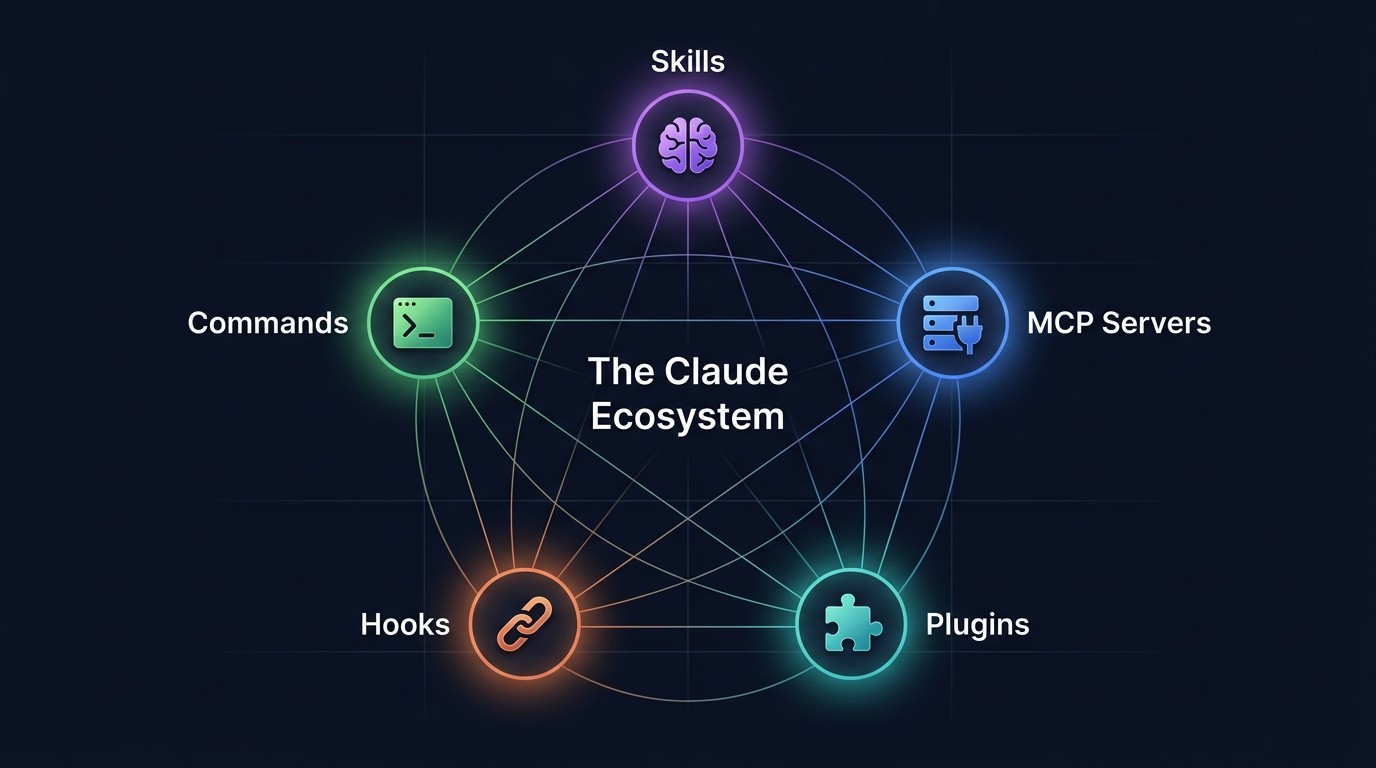
The Claude Code ecosystem has five distinct extension types. Here is what each one does in one sentence:
| Type | What It Does | Install Method | Scope | Example |
|---|---|---|---|---|
| ------ | ------------- | ---------------- | ------- | --------- |
| Skills | Teaches Claude how to do something via a markdown instruction file | Add .md file to project or ~/.claude/skills/ | Per-project or global | Superpowers, Frontend Design, Playwright Pro |
| MCP Servers | Gives Claude access to external tools and data sources via a standardized protocol | Configure in claude_desktop_config.json or .mcp.json | Per-project or global | GitHub, Postgres, Filesystem, Slack |
| Plugins | Deprecated term — what people usually mean is a Skill or an MCP Server | N/A | N/A | N/A |
| Hooks | Runs your code automatically before or after Claude events (like commits or file edits) | Define in .claude/settings.json | Per-project or global | Pre-commit linting, notification webhooks, auto-formatting |
| Commands | Shortcuts that inject predefined prompts into Claude via /slash syntax | Add .md files to .claude/commands/ | Per-project or global | /review-pr, /deploy, /generate-tests |
Bottom line: Skills shape Claude's behavior. MCP Servers expand Claude's capabilities. Hooks automate workflows. Commands create shortcuts. "Plugins" is not an official category — it is a catch-all term people use when they mean one of the other four.
Table of Contents
- Why This Confusion Exists
- What Are Claude Skills?
- What Are MCP Servers?
- What Are Claude Code Plugins?
- What Are Hooks?
- What Are Custom Commands?
- Full Comparison Table
- Which Should You Use? A Decision Guide
- How They Work Together: A Real Workflow
- Frequently Asked Questions
Why This Confusion Exists {#why-this-confusion-exists}
The Claude Code ecosystem did not ship all at once. It evolved in waves, and each wave introduced a new extension mechanism with its own terminology, file format, and mental model.
The timeline looked roughly like this:
- Late 2024: Claude Desktop launched with MCP (Model Context Protocol) support — the first way to connect Claude to external tools. Developers immediately started building MCP servers for GitHub, databases, file systems, and APIs.
- Early 2025: Claude Code arrived as a CLI agent. It introduced
CLAUDE.mdfiles — markdown documents that instruct Claude how to behave in a project. This planted the seed for what would become Skills. - Mid 2025: Anthropic formalized Skills as sharable, reusable markdown instruction sets. The community exploded. Thousands of skills appeared on GitHub within weeks.
- Late 2025: Hooks and Custom Commands shipped, giving developers lifecycle automation and prompt shortcuts.
- 2026: The ecosystem now has 60,000+ published skills and 12,000+ MCP servers. But the documentation is spread across Anthropic docs, GitHub READMEs, and Medium posts — and nowhere explains all five types in one place.
The confusion is understandable. "Skill" and "MCP server" sound like they might do the same thing. "Plugin" is a term borrowed from ChatGPT and VS Code that people apply loosely. Hooks and Commands are less well-known but equally important.
This guide clears it up — permanently.
What Are Claude Skills? {#what-are-claude-skills}
A Claude Skill is a markdown file that teaches Claude how to do something. It does not give Claude new tools or API access. It gives Claude knowledge, rules, and patterns that shape how it approaches a task.
Think of it this way: if Claude is a new developer joining a team, a Skill is the onboarding document that says "here is how we do things here."
How Skills Work
A skill is a .md file placed in one of two locations:
- Project-level:
.claude/skills/in any repository — applies only to that project. - Global:
~/.claude/skills/— applies to every Claude Code session.
When Claude starts a session, it reads all available skill files and incorporates their instructions into its behavior. No API calls, no server processes, no configuration beyond dropping the file in the right folder.
Anatomy of a Skill File
A typical skill file contains:
- Role definition — who Claude should act as (e.g., "You are a senior frontend engineer specializing in React Server Components")
- Rules and constraints — what to do and what to avoid (e.g., "Never use
anytypes in TypeScript," "Always write tests before implementation") - Workflow steps — ordered procedures for complex tasks (e.g., step-by-step deployment checklist)
- Examples — sample inputs and outputs that demonstrate expected behavior
- Tool preferences — which tools or patterns to prefer (e.g., "Use
pnpminstead ofnpm," "Prefer Tailwind over inline styles")
Popular Skill Examples
Superpowers — One of the most widely-installed Claude skills. It unlocks Claude's full toolkit: parallel sub-agents, extended thinking, and autonomous multi-step workflows. It effectively removes the guardrails that make Claude overly cautious, letting it operate like a senior engineer rather than a junior assistant.
Frontend Design — Instructs Claude to produce production-quality UI code with specific design system tokens, accessibility standards, and component patterns. Developers use it to go from a design mockup to pixel-accurate React components.
Playwright Pro — Teaches Claude to write, debug, and run end-to-end browser tests using Playwright. It includes patterns for handling flaky tests, managing test fixtures, and structuring page object models.
AutoResearch — Gives Claude a systematic research methodology: define the question, search multiple sources, cross-reference findings, synthesize into structured output. Used by content teams and analysts.
Skills are pure text. They have zero dependencies, require no build step, and work immediately. That simplicity is their greatest strength.
Browse 60,000+ skills at skiln.co/skills.
What Are MCP Servers? {#what-are-mcp-servers}
An MCP (Model Context Protocol) Server is a program that gives Claude access to external tools and data sources through a standardized interface. Where Skills teach Claude how to think, MCP Servers give Claude new things it can do.
Think of it this way: a Skill is an instruction manual. An MCP Server is a power tool.
How MCP Servers Work
MCP is an open protocol created by Anthropic that defines how AI models communicate with external systems. An MCP server is a small program (usually written in TypeScript or Python) that:
- Exposes tools — functions Claude can call, like
create_github_issue,query_database, orsend_slack_message. - Provides resources — data Claude can read, like file contents, database schemas, or API documentation.
- Handles authentication — manages API keys, OAuth tokens, and connection details so Claude does not need to.
MCP Servers run as background processes. Claude communicates with them over stdio or HTTP using a JSON-RPC protocol. The key design decision: Claude never gets raw API credentials. The MCP server mediates all access.
Configuration
MCP Servers are configured in one of two places:
- Per-project:
.mcp.jsonin the project root. - Global:
claude_desktop_config.jsonin the Claude config directory.
A typical configuration entry looks like this:
{
  "mcpServers": {
    "github": {
      "command": "npx",
      "args": ["-y", "@modelcontextprotocol/server-github"],
      "env": {
        "GITHUB_PERSONAL_ACCESS_TOKEN": "ghp_xxxxxxxxxxxx"
      }
    }
  }
}
When Claude starts, it launches configured MCP servers and discovers their available tools. Claude can then call those tools during a session — creating pull requests, querying databases, reading files, or hitting APIs.
Popular MCP Server Examples
GitHub MCP Server — Lets Claude create issues, open pull requests, review code, manage branches, and search repositories. One of the most-installed MCP servers in the ecosystem.
Postgres MCP Server — Gives Claude read/write access to PostgreSQL databases. Claude can explore schemas, write queries, create tables, and analyze data — all without the developer writing SQL manually.
Filesystem MCP Server — Provides controlled file system access with configurable read/write permissions and directory restrictions. Essential for sandboxed environments where Claude needs to work with files outside the project directory.
Slack MCP Server — Enables Claude to read channels, post messages, search conversations, and manage threads. Used for building AI-powered team assistants and notification systems.
Brave Search MCP Server — Gives Claude real-time web search capabilities. Claude can search the internet, retrieve results, and synthesize information from current sources.
MCP Servers require more setup than Skills — they need dependencies installed, sometimes API keys configured, and a running process. But they unlock capabilities that are impossible with Skills alone. Claude cannot query a database through a markdown file.
Browse 12,000+ MCP servers at skiln.co/mcps.
What Are Claude Code Plugins? {#what-are-claude-code-plugins}
Here is the direct answer: "Plugin" is not an official Claude Code concept. There is no plugin system, no plugin registry, and no plugin API in Claude Code.
So why does everyone keep saying "plugins"?
Where the Term Comes From
The word "plugin" is deeply ingrained in developer vocabulary. VS Code has plugins. ChatGPT had plugins (before deprecating them in favor of GPTs and Actions). WordPress has plugins. Chrome has plugins. When developers encounter a new extensibility system, "plugin" is the first word that comes to mind.
In the Claude ecosystem, people use "plugin" to mean different things depending on context:
- "I installed a Claude plugin" — Almost certainly means they installed an MCP Server.
- "I wrote a Claude plugin" — Could mean they created a Skill (markdown instructions) or an MCP Server (code that exposes tools).
- "Where can I find Claude plugins?" — They are looking for the broader ecosystem: Skills + MCP Servers + Commands combined.
Why the Distinction Matters
Conflating Skills and MCP Servers under the "plugin" umbrella causes real problems:
- Wrong expectations. Someone installs a Skill expecting it to give Claude API access. It does not — it only changes Claude's behavior. The actual API integration requires an MCP Server.
- Wrong debugging. When something is not working, knowing whether the issue is in a Skill (wrong instructions) or an MCP Server (connection/auth failure) determines the fix.
- Wrong recommendations. Telling someone to "install a plugin" when they need a Skill wastes their time searching for something that does not exist in the format they expect.
The Claude ecosystem has five clearly defined extension types. "Plugin" is not one of them. When encountering the term in forums, blog posts, or conversations, ask: "Do they mean a Skill or an MCP Server?" — and the answer becomes clear.
Explore all extension types at skiln.co/browse.
What Are Hooks? {#what-are-hooks}
Hooks are shell commands or scripts that Claude executes automatically at specific lifecycle events. They run your code — not Claude's reasoning — at predefined trigger points during a Claude Code session.
Think of them like Git hooks, but for Claude's workflow.
How Hooks Work
Hooks are defined in .claude/settings.json (project-level) or the global Claude settings file. Each hook specifies:
- A trigger event — when the hook fires (e.g., before a commit, after a file edit, on session start).
- A command — the shell command or script to execute.
- Optional conditions — filters that determine whether the hook runs (e.g., only for
.tsfiles, only on themainbranch).
Available Hook Events
| Event | When It Fires | Common Use Case |
|---|---|---|
| ------- | -------------- | ----------------- |
PreToolUse | Before Claude calls any tool | Validate tool parameters, block dangerous operations |
PostToolUse | After Claude calls any tool | Log tool usage, post-process results |
Notification | When Claude produces a notification | Send alerts to Slack, Discord, or email |
Stop | When Claude finishes a response turn | Auto-format output, trigger follow-up workflows |
SubagentStop | When a sub-agent completes | Coordinate multi-agent workflows |
Practical Hook Examples
Auto-lint on file save:
{
  "hooks": {
    "PostToolUse": [
      {
        "matcher": "write_file|edit_file",
        "command": "npx eslint --fix $CLAUDE_FILE_PATH"
      }
    ]
  }
}
Block destructive Git commands:
{
  "hooks": {
    "PreToolUse": [
      {
        "matcher": "bash",
        "command": "python .claude/hooks/block-force-push.py"
      }
    ]
  }
}
Slack notification on task completion:
{
  "hooks": {
    "Stop": [
      {
        "command": "curl -X POST $SLACK_WEBHOOK -d '{\"text\": \"Claude finished the task.\"}'"
      }
    ]
  }
}
Hooks fill a critical gap. Skills control Claude's reasoning. MCP Servers control Claude's tools. Hooks control what happens around Claude — the automated guardrails, validations, and integrations that keep workflows safe and productive.
Learn more about hooks at skiln.co/hooks.
What Are Custom Commands? {#what-are-custom-commands}
Custom Commands are predefined prompts that can be triggered with a /slash syntax in Claude Code. They are the simplest extension type — essentially saved prompts that reduce repetitive typing.
How Commands Work
A command is a .md file placed in:
- Project-level:
.claude/commands/— available only in that project. - Global:
~/.claude/commands/— available in every session.
The filename becomes the slash command name. A file named review-pr.md creates the command /review-pr. When invoked, Claude reads the file contents as its prompt and executes accordingly.
Anatomy of a Command File
A command file is plain markdown. It can include:
- Instructions — what Claude should do when the command is invoked.
- Template variables — placeholders like
$ARGUMENTSthat get replaced with whatever the user types after the command. - Multi-step workflows — complex procedures Claude follows in sequence.
Example: /review-pr command
File: .claude/commands/review-pr.md
Review the current pull request. Follow this checklist:

1. Check for security vulnerabilities (SQL injection, XSS, auth bypasses)
2. Verify error handling — no silent failures
3. Check test coverage — are new code paths tested?
4. Review naming conventions and code style
5. Look for performance issues (N+1 queries, unnecessary re-renders)
6. Verify documentation is updated if public APIs changed

Format your review as:
- **Critical:** Must fix before merge
- **Warning:** Should fix, but not blocking
- **Suggestion:** Nice to have improvements

If $ARGUMENTS is provided, focus the review on that specific area.
Commands vs Skills: The Overlap
Commands and Skills both use markdown files and both influence Claude's behavior. The difference is scope and trigger:
| Skills | Commands | |
|---|---|---|
| --- | -------- | ---------- |
| When active | Always loaded in every session | Only when explicitly invoked with /name |
| Purpose | Persistent behavior rules | On-demand task execution |
| Analogy | A team's coding standards document | A specific checklist for a specific task |
A Skill says "always follow these rules." A Command says "when I ask you to, do this specific thing."
The two work well together. A Skill might define general coding standards. A Command might trigger a detailed code review that applies those standards in a structured way.
Explore custom commands at skiln.co/commands.
Full Comparison Table {#full-comparison-table}
| Feature | Skills | MCP Servers | Hooks | Commands |
|---|---|---|---|---|
| --------- | -------- | ------------- | ------- | ---------- |
| What it is | Markdown instruction file | Background server process | Shell command/script | Markdown prompt template |
| File format | .md | TypeScript/Python + config JSON | JSON config + scripts | .md |
| Install location | .claude/skills/ or ~/.claude/skills/ | .mcp.json or global config | .claude/settings.json | .claude/commands/ or ~/.claude/commands/ |
| Activation | Auto-loaded on session start | Auto-started on session start | Auto-triggered on events | Manual — user types /command |
| Gives Claude new tools? | No | Yes | No | No |
| Changes Claude's behavior? | Yes | Indirectly (new tools = new capabilities) | No (runs external code) | Yes (when invoked) |
| Requires dependencies? | No | Yes (Node.js, Python, etc.) | Depends on script | No |
| Requires API keys? | No | Often yes | Depends on script | No |
| Runs code? | No | Yes (server process) | Yes (shell commands) | No |
| Scope | Project or global | Project or global | Project or global | Project or global |
| Complexity to create | Low — write markdown | Medium to High — write code | Medium — write scripts | Low — write markdown |
| Ecosystem size (2026) | 60,000+ | 12,000+ | Hundreds | Thousands |
| Best for | Coding standards, workflows, role specialization | External integrations, data access, API tools | Automation, validation, guardrails | Repetitive tasks, team workflows |
Which Should You Use? A Decision Guide {#which-should-you-use}
Start with the problem. The right extension type follows from what needs to happen.
Decision Flowchart
"I want Claude to follow specific rules or patterns in my project." Use a Skill. Write a markdown file describing the rules. Drop it in .claude/skills/. Done.
"I want Claude to access an external service (GitHub, database, API, Slack)." Use an MCP Server. Find a pre-built one at skiln.co/mcps or build a custom one. Configure it in .mcp.json.
"I want something to happen automatically when Claude performs an action." Use a Hook. Define the trigger event, write the script, configure in .claude/settings.json.
"I want a reusable shortcut for a specific task I do repeatedly." Use a Command. Write the prompt in a markdown file. Save it to .claude/commands/. Invoke with /name.
"I want Claude to both follow specific patterns AND access external tools." Use a Skill + MCP Server together. The Skill defines the workflow. The MCP Server provides the tooling.
Common Mistakes
Mistake 1: Using a Skill when an MCP Server is needed. A Skill cannot give Claude database access. If the task requires connecting to an external system, an MCP Server is required.
Mistake 2: Using an MCP Server when a Skill would suffice. Building an MCP Server to enforce coding standards is over-engineering. A markdown file with rules is simpler, faster, and easier to maintain.
Mistake 3: Ignoring Hooks entirely. Many developers skip Hooks because they seem niche. But Hooks are the only way to enforce automated guardrails — like preventing force pushes or auto-linting files. They are the safety net.
Mistake 4: Recreating Commands as Skills. If the behavior should only activate on demand (not always), use a Command. Skills are always-on. Commands are on-demand.
How They Work Together: A Real Workflow {#how-they-work-together}
Here is a concrete example of all four extension types working together in a single development workflow.
Scenario: Full-Stack Feature Development
A team is building a SaaS application with a Next.js frontend, a PostgreSQL database, and CI/CD through GitHub. Here is how their Claude Code setup uses each extension type:
Skill: full-stack-standards.md Loaded at session start. Tells Claude to:
- Use TypeScript strict mode everywhere.
- Follow the team's component naming conventions (
PascalCasefor components,camelCasefor utilities). - Write Zod schemas for all API request/response types.
- Include error boundaries in all page-level components.
- Always create a migration file when modifying database schemas.
MCP Servers: GitHub + Postgres Configured in .mcp.json. Give Claude the ability to:
- Read and write to the GitHub repository (create branches, open PRs, review code).
- Query the PostgreSQL database (explore schemas, test queries, verify data).
Hook: Auto-lint + Type-check Configured in .claude/settings.json. After every file edit:
- Runs
eslint --fixon modified files. - Runs
tsc --noEmitto catch type errors immediately. - If either fails, Claude sees the error output and self-corrects.
Command: /new-feature A markdown file in .claude/commands/new-feature.md. When the developer types /new-feature add user avatar upload, Claude:
- Creates a new Git branch (
feature/user-avatar-upload). - Generates the database migration (adding an
avatar_urlcolumn). - Creates the API endpoint with Zod validation.
- Builds the React component with drag-and-drop upload.
- Writes integration tests.
- Opens a pull request with a description.
The result: A single /new-feature command triggers a workflow where Claude's coding standards (Skill) guide its approach, external tools (MCP Servers) let it interact with GitHub and the database, automated checks (Hooks) catch errors in real-time, and the entire multi-step process (Command) runs from a single prompt.
That is the power of the ecosystem working as a system — not as isolated pieces.
Frequently Asked Questions {#frequently-asked-questions}
Are Claude Skills the same as ChatGPT plugins?
No. ChatGPT plugins (now deprecated) were server-side integrations that gave ChatGPT access to external APIs — functionally closer to MCP Servers. Claude Skills are markdown instruction files that shape behavior without providing tool access. The closest ChatGPT equivalent to a Claude Skill would be a Custom GPT's system instructions.
Can a single file be both a Skill and a Command?
No. Skills are always loaded automatically on session start. Commands are invoked manually with /name. They live in different directories (.claude/skills/ vs .claude/commands/) and serve different purposes. However, a Command can reference and build upon the patterns defined in a Skill.
Do MCP Servers work with Claude Desktop or only Claude Code?
Both. MCP was first introduced in Claude Desktop and later adopted by Claude Code. The configuration format differs slightly — Claude Desktop uses claude_desktop_config.json while Claude Code uses .mcp.json — but the same MCP servers work in both environments.
How many Skills can Claude load at once?
There is no hard limit on the number of Skill files, but there is a practical limit based on context window size. Each Skill consumes tokens from the available context. For most projects, 5-15 focused Skills work well. Loading 50+ large Skill files may degrade performance as they compete for context space.
Are Hooks a security risk?
Hooks execute shell commands on the local machine, so they carry the same risk as any script. Claude Code prompts for user approval before running Hooks that have not been previously approved. Project-level Hooks in .claude/settings.json should be reviewed before trusting a repository — just like reviewing a Makefile or package.json scripts.
Can MCP Servers access the internet?
Yes, if the server is designed to do so. MCP Servers like Brave Search and Fetch provide web access. However, an MCP Server only has the capabilities its developer built into it. A Postgres MCP Server connects to databases, not the web. The available tools are determined by the server's implementation.
Where should team-shared Skills and Commands live?
In the project repository. Skills in .claude/skills/ and Commands in .claude/commands/ are version-controlled alongside the codebase. This means the entire team gets the same Claude behavior when they clone the repo — no manual setup required. Global skills in ~/.claude/skills/ are for personal preferences that should not be shared.
Is CLAUDE.md a Skill?
CLAUDE.md is the original mechanism for project-level instructions and is functionally similar to a Skill. The key difference: CLAUDE.md sits in the project root and is automatically loaded by Claude Code. Skills in .claude/skills/ are a more organized, modular approach — each file covers one concern. Many teams use CLAUDE.md for high-level project context and Skills for specific workflows.
What Comes Next
The Claude Code ecosystem is still evolving. Anthropic ships new capabilities regularly, and the community builds on them faster. Understanding the five extension types — Skills, MCP Servers, Hooks, Commands, and the deprecated "plugin" concept — is foundational to using Claude Code effectively in 2026 and beyond.
For those just getting started: install one Skill and one MCP Server. See how they change the Claude Code experience. Then layer in Hooks and Commands as workflows get more complex.
The full ecosystem is browsable at skiln.co/browse.
This guide is maintained by the Skiln editorial team and updated as the Claude ecosystem evolves. Last verified: March 2026.