Claude Code Channels: Telegram & Discord Setup Guide (2026)
Set up Claude Code Channels for Telegram and Discord in 7 steps. Full 2026 guide covering security, threading, Fakechat testing, and advanced configuration.

TL;DR — Claude Code Channels
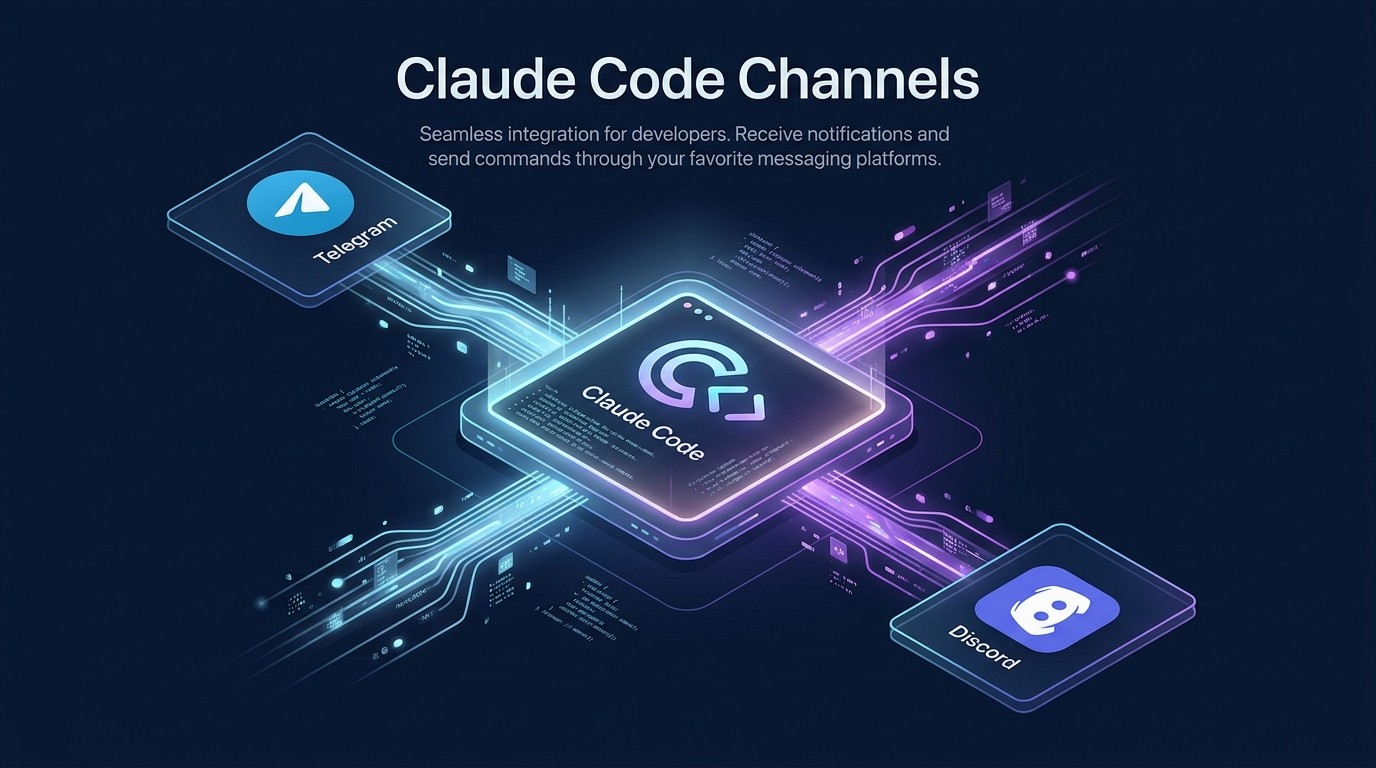
Claude Code Channels, released March 2026, turns Anthropic's CLI into a messaging bot that connects natively to Telegram and Discord. It uses MCP (Model Context Protocol) under the hood, which means the bot has access to every MCP server and skill already configured in the Claude Code environment — not just chat responses, but tool execution, file analysis, web search, and multi-step workflows. Setup takes under 15 minutes per platform. VentureBeat called it an "OpenClaw killer" because it eliminates the need for a third-party agent framework to bridge Claude into messaging apps. The Fakechat testing mode lets developers validate bot behavior locally before going live. This guide covers the full setup for both Telegram and Discord, advanced configuration, and how Channels compares to NanoClaw and OpenClaw integrations.
Table of Contents
- What Are Claude Code Channels?
- Key Features
- Step-by-Step Setup Guide
- Channels vs NanoClaw vs OpenClaw
- Advanced Configuration
- Troubleshooting
- Pros and Cons
- Frequently Asked Questions
What Are Claude Code Channels?
On March 11, 2026, Anthropic shipped one of the most significant updates to Claude Code since the CLI's initial launch: Channels. The feature is a built-in messaging bridge that connects a running Claude Code instance to external messaging platforms — starting with Telegram and Discord, with Slack and Microsoft Teams on the public roadmap.
The announcement landed differently than a typical feature update. VentureBeat ran a piece titled "Anthropic's Channels could kill the third-party agent bot market," and within 48 hours, the Claude Code repository on GitHub saw a 22% spike in stars. The reason for the strong reaction is straightforward: until Channels, connecting Claude to a messaging app required an intermediary — a framework like NanoClaw, OpenClaw, or a custom bot built on top of the Claude Agent SDK. Channels removes that intermediary entirely.
Under the hood, Channels is an MCP transport layer. It exposes each connected messaging platform as an MCP server, which means Claude Code treats incoming messages as tool inputs and outgoing responses as tool outputs. This is not a bolt-on integration. Every MCP server already configured in the Claude Code environment — file access, web search, database queries, code execution — becomes available through the messaging interface. A Telegram user asking Claude Code to "search for the latest OWASP guidelines and summarize them" triggers the exact same MCP tool chain as running that request directly in the terminal.
The architecture decision has three important consequences:
No capability gap between CLI and messaging. In most bot frameworks, the messaging integration is a stripped-down version of the full product. The developer builds a chat handler, connects it to the model API, and manually wires up whichever tools they want accessible through chat. Channels skips this entirely. The messaging surface inherits the full Claude Code configuration, including custom skills, CLAUDE.md project instructions, and permission boundaries.
Zero additional infrastructure. Channels runs as a process within the existing Claude Code session. There is no separate bot server, no webhook endpoint to host, no database for session management. The Claude Code process itself handles the WebSocket connections (Discord) and long-polling (Telegram). For developers already running Claude Code on a server or VPS, adding Channels is a configuration change, not an infrastructure project.
First-party security model. Because Channels runs inside Claude Code's existing permission sandbox, it inherits every security boundary already in place. If Claude Code is configured to deny file system writes outside a specific directory, that restriction applies equally to requests from Telegram and Discord. The security posture does not weaken when the interface changes from a terminal to a chat app.
The Channels feature shipped as part of Claude Code v1.14.0. It requires an active Anthropic API key with Claude Sonnet 4 or Claude Opus 4 access. At the time of writing in March 2026, Channels supports Telegram Bot API and Discord Gateway API, with both operating as stateful connections that persist message history within the Claude Code session.
Key Features
Telegram Integration
Channels connects to Telegram through the official Bot API using long-polling, which means no public webhook URL is needed. The bot registers with Telegram's servers and pulls new messages at sub-second intervals. It supports private chats, group chats, and supergroups. In group settings, the bot responds when mentioned by name or when a message starts with a configurable trigger prefix (default: /claude). Every Telegram message type is handled — text, images, documents, voice messages (transcribed via Whisper), and reply chains.
The Telegram integration includes inline keyboard support for interactive workflows. When Claude Code returns a multi-option response — such as a list of search results or a confirmation prompt — it renders as a Telegram inline keyboard rather than plain text. Users tap a button instead of typing a response, which cuts round-trip time and reduces ambiguity.
Discord Integration
The Discord integration uses the Gateway API with WebSocket connections, which provides real-time bidirectional communication. Channels registers as a Discord bot application and responds to messages in designated channels, threads, and direct messages. It supports Discord's slash command system: developers can register custom slash commands (e.g., /ask, /search, /summarize) that map to specific Claude Code skills or MCP tool chains.
Thread awareness is automatic. When a user starts a conversation with the bot in a channel, Channels creates a Discord thread and keeps all follow-up messages contained within it. This prevents the bot from flooding the main channel and preserves conversation context. Each thread maintains its own conversation history for the duration of the Claude Code session.
Multi-Channel Management
A single Claude Code instance can connect to multiple Telegram bots and multiple Discord servers simultaneously. Each channel connection operates as an independent MCP session with its own conversation state, permission scope, and rate limits. The channels.toml configuration file defines each connection as a named block:
[channels.telegram-support]
platform = "telegram"
token = "$TELEGRAM_BOT_TOKEN"
allowed_chats = ["-1001234567890"]
skills = ["web-search", "file-reader"]

[channels.discord-dev]
platform = "discord"
token = "$DISCORD_BOT_TOKEN"
guild_ids = ["987654321098765432"]
skills = ["code-runner", "github-mcp"]
This architecture lets teams run a support bot on Telegram with one skill set and a developer bot on Discord with a completely different skill set — from the same Claude Code process.
Fakechat Testing
Fakechat is Channels' built-in testing mode. It launches a local terminal-based chat simulator that emulates the Telegram or Discord message format without connecting to either platform. Developers use it to test bot behavior, skill routing, and response formatting before deploying to a live channel.
Fakechat reproduces platform-specific constraints: Telegram's 4,096-character message limit, Discord's 2,000-character limit, inline keyboard rendering, thread creation behavior, and file upload size restrictions. It also supports simulated multi-user conversations, where the developer can switch between fake user identities to test group chat dynamics.
Running Fakechat requires no API keys or bot tokens:
claude channels fakechat --platform telegramThis command opens a local interactive session that behaves exactly like a Telegram chat, including message chunking for long responses and inline keyboard display in the terminal.
Pairing Codes
Channels uses a pairing code system for initial authentication. When a new user messages the bot for the first time, the bot can optionally require a six-digit pairing code before enabling full access. This prevents unauthorized usage if the bot token is exposed or if the bot is added to an unintended group.
Pairing codes are generated through the CLI:
claude channels pair --generate --expires 24hThis outputs a code like 834 921 that the user enters in their first message to the bot. Once paired, the user's platform-specific ID (Telegram user ID or Discord user ID) is added to an allow list, and subsequent messages do not require re-pairing. Codes can be set to expire after a configurable duration or after a single use.
Security Model
The security architecture operates on three layers:
Platform-level access control. The channels.toml file specifies exactly which Telegram chat IDs and Discord guild/channel IDs the bot responds to. Messages from unregistered chats are silently dropped. This is the outermost perimeter — if a Telegram group is not on the allow list, the bot does not respond, does not process the message, and does not log the content.
User-level pairing. Within an allowed chat, individual users can be required to pair before interacting with the bot. Unpaired users see a prompt to enter their pairing code. This layer is optional but recommended for bots that have access to sensitive tools.
Skill-level permissions. Each channel connection specifies which Claude Code skills and MCP servers are accessible through that channel. A Telegram support channel might have access to the web search and FAQ skills but not the code execution or file system skills. A Discord developer channel might have the full toolkit. Permissions are enforced at the MCP transport layer — the skill is simply not available through that channel, and Claude Code cannot route to it even if explicitly asked.
Message Threading
Channels maintains conversation context through message threading on both platforms. On Telegram, the bot uses reply-to-message chains to group related messages. On Discord, it creates threads automatically. Each thread maintains an independent conversation history that persists for the duration of the Claude Code session.
The threading model is configurable. By default, each thread retains the last 50 message turns (approximately 100,000 tokens of context). Developers can adjust this with the thread_history_limit parameter in channels.toml. When the limit is reached, older messages are summarized into a compressed context block, preserving key facts and decisions while freeing token budget for new messages. This approach avoids the common failure mode where long conversations silently drop early context.
File and Image Sharing
Channels supports bidirectional file and image sharing on both platforms. Users can send images, PDFs, code files, and documents to the bot, and Claude Code processes them using its multimodal capabilities. The bot can also generate and send files back — code snippets as syntax-highlighted file attachments, CSV exports, generated images, and markdown-formatted reports.
On Telegram, files up to 50 MB are supported (Telegram Bot API limit). On Discord, the limit follows the server's boost tier — 8 MB for unboosted servers, 50 MB for Level 2, and 100 MB for Level 3. Channels automatically compresses images that exceed platform limits and warns the user when a file cannot be sent due to size constraints.
Step-by-Step Setup Guide
This section covers the full setup process for both Telegram and Discord. The seven steps move from installation through first message.
Step 1: Update Claude Code
Channels requires Claude Code v1.14.0 or later. Update to the latest version:
claude updateVerify the version:
claude --version
# Expected: claude-code v1.14.x or higher
If claude update is not available, reinstall via npm:
npm install -g @anthropic-ai/claude-code@latestStep 2: Enable the Channels Extension
Channels is bundled with Claude Code but disabled by default. Enable it:
claude channels enableThis creates a channels.toml file in the project root (or in ~/.claude/channels.toml for global configuration). The command also installs the required MCP transport modules for Telegram and Discord.
Step 3: Create a Telegram Bot
Open Telegram and message @BotFather. Follow the prompts:
- Send
/newbot - Enter a display name (e.g., "My Claude Assistant")
- Enter a username ending in
bot(e.g.,my_claude_assist_bot) - Copy the bot token — a string like
7204185933:AAH_kX9q...
Set the bot token as an environment variable or add it directly to channels.toml:
export TELEGRAM_BOT_TOKEN="7204185933:AAH_kX9q..."Step 4: Create a Discord Bot
Navigate to the Discord Developer Portal and create a new application:
- Click New Application and enter a name
- Navigate to Bot in the left sidebar
- Click Reset Token and copy the bot token
- Enable Message Content Intent under Privileged Gateway Intents (required for reading message content)
- Navigate to OAuth2 → URL Generator
- Select scopes:
bot,applications.commands - Select permissions:
Send Messages,Read Message History,Create Public Threads,Attach Files,Use Slash Commands - Copy the generated URL and open it in a browser to invite the bot to a server
Set the Discord bot token:
export DISCORD_BOT_TOKEN="MTI3NjU0MzIx..."Step 5: Configure channels.toml
Open the channels.toml file and define the connections:
[global]
default_model = "claude-sonnet-4-20260514"
thread_history_limit = 50

[channels.my-telegram]
platform = "telegram"
token = "$TELEGRAM_BOT_TOKEN"
allowed_chats = ["all"]  # or specific chat IDs
skills = ["all"]
pairing_required = false
rate_limit = "20/min"
bot_personality = "Helpful assistant. Concise responses. Use code blocks for technical content."

[channels.my-discord]
platform = "discord"
token = "$DISCORD_BOT_TOKEN"
guild_ids = ["YOUR_GUILD_ID"]
allowed_channels = ["all"]  # or specific channel IDs
skills = ["all"]
pairing_required = false
rate_limit = "30/min"
slash_commands = true
auto_thread = true
Replace YOUR_GUILD_ID with the Discord server ID (right-click the server icon → Copy Server ID, with Developer Mode enabled in Discord settings).
Step 6: Test with Fakechat
Before connecting to live platforms, validate the configuration:
claude channels fakechat --platform telegramThis launches a terminal chat that simulates Telegram message formatting. Send a few test messages, verify skill routing works, and confirm that response formatting looks correct. Exit with Ctrl+C.
Repeat for Discord:
claude channels fakechat --platform discordStep 7: Launch Channels
Start all configured channels:
claude channels startOr start a specific channel:
claude channels start my-telegram
claude channels start my-discord
The CLI outputs connection status for each channel:
✓ my-telegram: Connected (bot: @my_claude_assist_bot)
✓ my-discord: Connected (guild: My Server, 3 channels)
Channels running. Press Ctrl+C to stop.
Open Telegram or Discord and send a message to the bot. It should respond within 1-3 seconds, depending on model latency.
Channels vs NanoClaw vs OpenClaw
The release of Channels reshapes the competitive landscape for AI-powered messaging bots. Here is how it compares to the two leading third-party options — NanoClaw and OpenClaw.
| Feature | Claude Code Channels | NanoClaw Messaging | OpenClaw Bot Framework |
|---|---|---|---|
| --------- | --------------------- | -------------------- | ---------------------- |
| Supported Platforms | Telegram, Discord (Slack and Teams on roadmap) | Discord, WhatsApp, Telegram, Slack | Discord, Slack, Teams, WhatsApp, Telegram, LINE |
| Setup Time | ~15 min per platform | ~10 min (Discord/Telegram), ~25 min (WhatsApp) | ~30-45 min (requires ClawHub account + bot deployment) |
| Underlying Model | Claude Sonnet 4 / Opus 4 only | Any model via MCP (Claude, GPT-4o, Gemini) | Any model (pluggable LLM layer) |
| MCP Support | Native — inherits full Claude Code MCP config | Native — full NanoClaw skill/MCP access | Native — ClawHub skills + custom MCP servers |
| Docker Sandboxing | No (runs in Claude Code process) | Yes — every tool call in ephemeral container | Optional — enterprise tier only |
| Testing Mode | Fakechat (local terminal simulator) | nanoclaw test --channel discord | ClawHub Playground (web-based) |
| Multi-Model Support | No — Claude models only | Yes — any MCP-compatible model | Yes — any model with adapter |
| Skill Marketplace | Claude Code skills + community MCP servers | 4,200+ NanoClaw skills | 13,000+ ClawHub skills |
| Pricing | Included with Claude API usage (no extra fee) | Free (open source) + API costs | Free tier (3 bots), Pro $49/mo, Enterprise custom |
| Thread/Context Management | 50-turn history with auto-summarization | Configurable, up to 100 turns | Unlimited (persistent database) |
| Self-Hosted | Yes (runs wherever Claude Code runs) | Yes (Docker required) | Cloud-hosted or self-hosted (enterprise) |
| Access Control | Chat ID allow lists + pairing codes + skill scoping | Role-based + channel-based | RBAC + API key scoping + audit logs |
When to choose Channels: Teams already using Claude Code as their primary AI development tool who want the simplest path to messaging integration. No additional frameworks, no Docker dependency, no marketplace account. The tradeoff is model lock-in (Claude only) and fewer supported platforms (two, with more coming).
When to choose NanoClaw: Developers who need multi-model support, Docker sandboxing for security-critical environments, or WhatsApp integration (which Channels does not yet support). NanoClaw's Discord integration and WhatsApp integration are mature and battle-tested with larger community adoption.
When to choose OpenClaw: Enterprise teams that need the largest skill marketplace, persistent conversation storage, audit logging, RBAC, and support for six messaging platforms. OpenClaw's overhead is higher, but the feature set is deeper.
The market consensus forming in March 2026 — reflected in developer surveys on Reddit and Hacker News — is that Channels is likely to capture the "80% use case" for developers who are already in the Claude ecosystem. NanoClaw retains its edge for security-first and multi-model deployments. OpenClaw remains the enterprise default. For a broader look at the AI tooling ecosystem, the PopularAiTools.ai directory tracks over 1,800 tools across all three frameworks.
Advanced Configuration
Rate Limits
Rate limiting prevents a single user or channel from consuming excessive API credits. Channels supports per-channel and per-user rate limits:
[channels.my-telegram]
rate_limit = "20/min"           # 20 messages per minute per channel
user_rate_limit = "5/min"       # 5 messages per minute per user
burst_limit = 10                # Allow bursts up to 10 messages
cooldown_message = "Rate limit reached. Please wait {remaining} seconds."
When a rate limit is hit, the bot sends the cooldown_message with the remaining wait time interpolated. Rate limits reset on a rolling window basis. The burst_limit parameter allows short bursts above the sustained rate — useful for group conversations where multiple users might message simultaneously.
Channel Permissions
Beyond the global skills parameter, Channels supports granular permission overrides per channel and per user:
[channels.my-discord.permissions]
default_skills = ["web-search", "summarize"]
admin_users = ["USER_ID_1", "USER_ID_2"]
admin_skills = ["all"]

[channels.my-discord.permissions.channel_overrides]
"general" = ["web-search"]
"dev-chat" = ["web-search", "code-runner", "github-mcp"]
"admin-only" = ["all"]
This configuration gives general users access to web search and summarization, grants admin users full skill access regardless of channel, and scopes specific channels to specific skill sets. The channel_overrides block uses Discord channel names (resolved to IDs at startup).
Bot Personality
The bot_personality field accepts a system prompt that shapes the bot's tone, behavior, and response style:
[channels.my-telegram]
bot_personality = """
You are a senior DevOps engineer helping a platform team.
Be direct, technical, and concise.
Use bullet points for multi-part answers.
Always include the relevant command when applicable.
Never use emoji unless the user uses them first.
"""
The personality prompt is prepended to the system message for every conversation in that channel. It works alongside the CLAUDE.md project instructions — the personality handles tone and style, while CLAUDE.md handles project-specific knowledge and rules.
Auto-Responses
Channels can be configured to automatically respond to specific message patterns without routing through the full model:
[channels.my-discord.auto_responses]
"/ping" = "Pong. Bot is online and connected."
"/status" = "Claude Code Channels v{version}. Uptime: {uptime}. Messages processed: {msg_count}."
"/help" = """Available commands:
- /ask [question] — Ask anything
- /search [query] — Web search
- /summarize [url] — Summarize a webpage
- /ping — Check bot status"""
Auto-responses are processed before the message reaches the model, which makes them instantaneous (no API call) and free (no token consumption). The {version}, {uptime}, and {msg_count} placeholders are interpolated at runtime.
Troubleshooting
1. Bot Does Not Respond to Messages
Symptom: The bot appears online in Telegram or Discord but does not reply to any messages.
Fix: Check three things in order. First, verify the bot token is correct — an invalid token produces a silent failure. Run claude channels status to see connection state. Second, for Discord, confirm that Message Content Intent is enabled in the Developer Portal under Bot → Privileged Gateway Intents. Without this intent, the bot receives message events but the content field is empty. Third, check the allowed_chats or guild_ids in channels.toml — if the chat or server ID is not listed and the field is not set to "all", messages are silently dropped.
2. Telegram Messages Truncated
Symptom: Long bot responses are cut off mid-sentence in Telegram.
Fix: Telegram's Bot API enforces a 4,096-character limit per message. Channels automatically chunks long responses, but if chunking is disabled or misconfigured, responses are truncated by the API. Verify that auto_chunk = true is set in the channel block (this is the default). If the issue persists, check the Claude Code logs (claude channels logs my-telegram) for chunking errors. A common cause is markdown formatting that breaks across chunk boundaries — setting chunk_format = "plain" disables markdown in chunked messages as a workaround.
3. Discord Slash Commands Not Appearing
Symptom: The bot is online and responds to regular messages, but slash commands do not appear in the Discord command picker.
Fix: Slash commands require registration with Discord's API, which can take up to one hour to propagate globally. For immediate testing, use guild-specific commands by ensuring guild_ids is set in channels.toml — guild commands register instantly. If commands still do not appear after an hour, verify that the applications.commands scope was included when generating the bot invite URL. The bot may need to be re-invited with the correct scopes. Run claude channels sync-commands my-discord to force re-registration.
4. Pairing Code Not Accepted
Symptom: A user enters a valid pairing code, but the bot responds with "Invalid pairing code."
Fix: Pairing codes are case-sensitive and space-sensitive. The code format is XXX YYY (three digits, space, three digits). If the user enters XXXYYY without the space or copies the code with extra whitespace, it fails. Additionally, check the code's expiration — run claude channels pair --list to see active codes and their expiry times. Expired codes return the same "Invalid" error. Generate a fresh code with claude channels pair --generate --expires 1h for a shorter testing window.
5. High Latency on Responses
Symptom: The bot takes 10+ seconds to respond to simple messages.
Fix: Response latency has three components: platform transport (typically under 200ms), model inference (1-5 seconds for Sonnet, 3-15 seconds for Opus), and tool execution (variable). Run claude channels benchmark my-telegram to get a latency breakdown. If model inference is the bottleneck, switch to Sonnet 4 for the channel by setting default_model = "claude-sonnet-4-20260514" in the channel block. If tool execution is slow, review which skills are enabled — a channel with 20+ skills incurs overhead during tool routing. Reduce the skills list to only what the channel needs.
Pros and Cons
Pros
- Zero additional infrastructure. No separate bot server, no webhook hosting, no database. Channels runs inside the existing Claude Code process, which means the total system complexity does not increase when adding messaging support.
- Full MCP access from messaging. Every MCP server and skill configured in the Claude Code environment is available through Telegram and Discord. There is no capability gap between the terminal and the chat interface.
- Fakechat testing eliminates guesswork. The local simulator reproduces platform-specific message limits, formatting, and threading behavior without requiring API keys or live connections. Developers can iterate on bot behavior entirely offline.
- Pairing code security is simple and effective. The six-digit pairing system provides user-level access control without requiring OAuth flows, account creation, or external identity providers. It works on both Telegram and Discord with the same mechanism.
- No additional cost beyond API usage. Channels does not have a separate pricing tier. The only cost is Claude API token consumption, which is the same whether the request originates from the terminal or a messaging app.
- Configuration-as-code in channels.toml. Every setting — permissions, rate limits, personality, skills — lives in a single TOML file that can be version-controlled, reviewed in pull requests, and deployed alongside the rest of the codebase.
- Auto-summarization for long threads. The configurable thread history with automatic summarization solves the context window problem that plagues most messaging bots. Conversations can run for hundreds of messages without silently losing early context.
Cons
- Claude models only. Channels is locked to Anthropic's model family. Teams that need GPT-4o, Gemini, or open-source model access must use a third-party framework like NanoClaw or OpenClaw.
- Two platforms at launch. Telegram and Discord are the only supported platforms in March 2026. Slack and Microsoft Teams are on the roadmap but have no confirmed release date. Teams that need WhatsApp or LINE integration today must look elsewhere.
- No Docker sandboxing. Unlike NanoClaw, which runs every tool call in an ephemeral container, Channels executes tools in the Claude Code process with the host's permissions. The skill scoping mitigates this, but it is not equivalent to process-level isolation.
- Session-bound state. Conversation history lives in the Claude Code process memory. If the process restarts, all thread context is lost. There is no persistent storage layer. NanoClaw and OpenClaw both offer database-backed conversation persistence.
- No web dashboard. All management is through the CLI and
channels.toml. There is no browser-based interface for monitoring active connections, viewing conversation logs, or managing users. Teams that need observability tooling must build it themselves or wait for community tools.
- Single-machine deployment. Channels runs on the machine where Claude Code is installed. There is no built-in clustering, load balancing, or multi-node deployment. For high-traffic bots serving thousands of concurrent users, this is a scaling limitation that requires external orchestration to solve.
Frequently Asked Questions
What is Claude Code Channels?
Claude Code Channels is a built-in feature released in March 2026 that connects Claude Code directly to Telegram and Discord. It uses MCP (Model Context Protocol) as the transport layer, which means the messaging bot has access to every skill and MCP server configured in the Claude Code environment. There is no separate bot framework or middleware required.
How do I set up Claude Code Channels for Telegram?
Update Claude Code to v1.14.0 or later, run claude channels enable, create a Telegram bot through @BotFather, add the bot token to channels.toml, test with Fakechat, and run claude channels start. The full process takes about 15 minutes. See the step-by-step guide above for detailed instructions.
Does Claude Code Channels work with Discord?
Yes. Channels supports Discord through the Gateway API with WebSocket connections. It includes slash command support, automatic thread creation, role-based access control, and file sharing. The Discord bot requires the Message Content Intent enabled in the Developer Portal. Setup takes approximately 15 minutes, including bot creation and server invitation.
Is Claude Code Channels free?
Channels itself has no additional fee. The only cost is Claude API token consumption for model inference, which is billed at Anthropic's standard rates regardless of whether the request comes from the terminal or a messaging app. There is no per-bot fee, no per-message fee, and no separate subscription for the Channels feature.
How does Channels compare to NanoClaw for Discord bots?
Channels is simpler to set up and requires no additional framework installation, but it only supports Claude models. NanoClaw supports multiple AI models, offers Docker sandboxing for tool execution, and has a larger skill marketplace (4,200+ skills). NanoClaw also supports WhatsApp, which Channels does not yet offer. For a detailed breakdown, see the comparison table above.
What is Fakechat in Claude Code Channels?
Fakechat is a local testing mode that simulates Telegram or Discord message formatting in the terminal. It reproduces platform-specific constraints like character limits, inline keyboards, and thread behavior without requiring bot tokens or live API connections. Run it with claude channels fakechat --platform telegram or --platform discord.
Can I use Claude Code Channels with Slack or Microsoft Teams?
Not yet. As of March 2026, Channels supports Telegram and Discord only. Slack and Microsoft Teams are on Anthropic's public roadmap but do not have confirmed release dates. For Slack integration today, NanoClaw and OpenClaw both offer production-ready connectors.
How secure is Claude Code Channels?
Channels uses a three-layer security model: platform-level access control (chat ID and guild ID allow lists that silently drop messages from unregistered sources), user-level pairing codes (six-digit codes for individual authentication), and skill-level permissions (each channel connection can only access explicitly allowed skills and MCP servers). The entire system inherits Claude Code's existing permission boundaries — if a file system path is restricted in Claude Code, it remains restricted through the messaging interface.
Related Articles
- NanoClaw vs OpenClaw: Full Comparison (2026)
- NanoClaw Discord Bot: Add AI to Your Server
- NanoClaw WhatsApp Bot: Complete Setup Guide
- Claude Skills vs MCP Servers vs Plugins: What's the Difference?