Claude Code vs Cursor vs Copilot: Extension Ecosystem Compared (2026)
The definitive comparison of Claude Code, Cursor, and Copilot extension ecosystems in 2026. Skills, MCPs, plugins, community size, pricing, and IDE integration compared side by side.

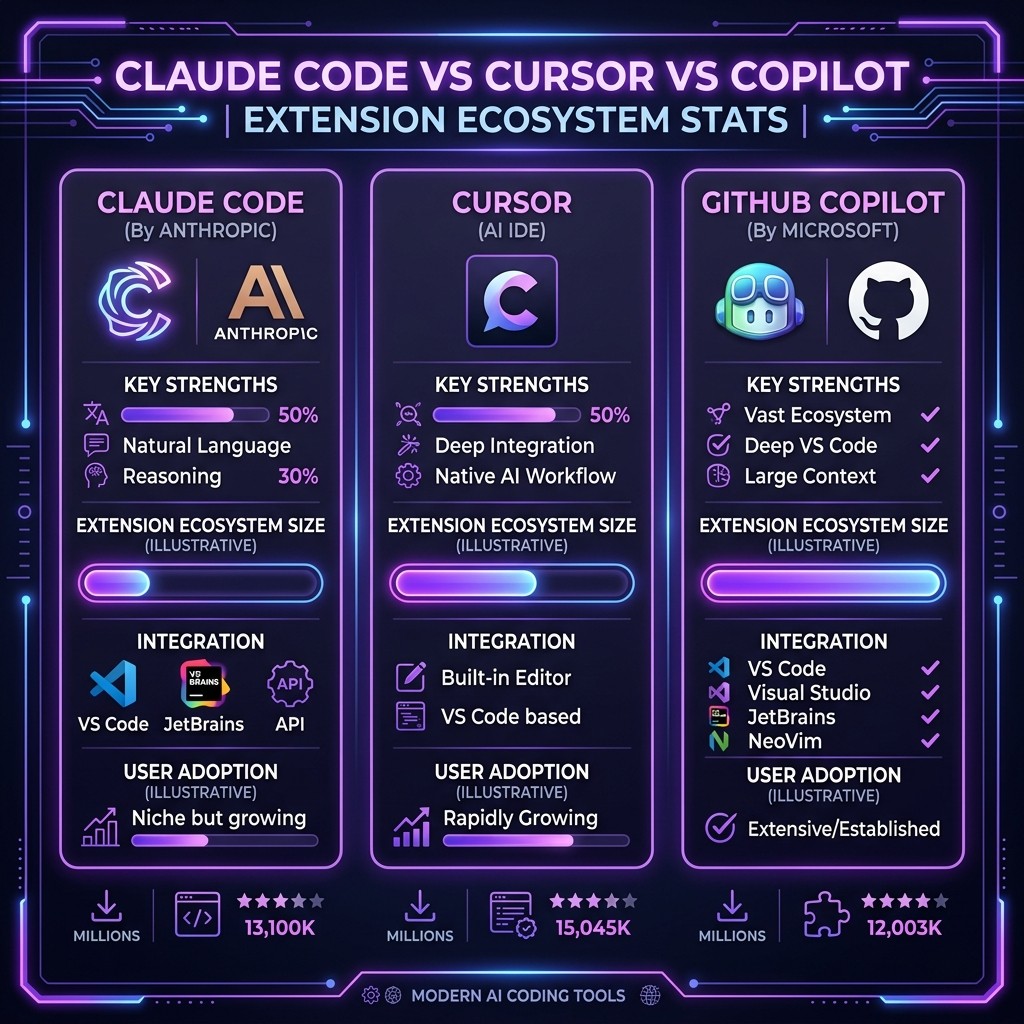
Claude Code vs Cursor vs Copilot: Extension Ecosystem Compared (2026)
By Sarah Walker | March 26, 2026 | 14 min read
Claude Code wins on ecosystem scale (60,000+ skills, 12,000+ MCP servers) and extensibility depth. Cursor wins on IDE integration and real-time editing experience. Copilot wins on enterprise adoption and GitHub-native workflows. The "best" tool depends on whether you prioritize breadth of extensions, editing UX, or institutional buy-in. This post breaks down every dimension that matters.
Table of Contents
- Why the Ecosystem Matters More Than the Model
- The Three Extension Architectures
- Extension Count and Quality: The Real Numbers
- MCP Support: The Great Equalizer
- Community and Marketplace
- Pricing and Value
- IDE Integration and Developer Experience
- Which One Should You Choose?
- Frequently Asked Questions
Why the Ecosystem Matters More Than the Model {#why-the-ecosystem-matters}
I have spent the last six months testing every major AI coding tool in production workflows. Here is the uncomfortable truth that most comparison articles dance around: the underlying model matters less than it did a year ago. Claude Sonnet 4, GPT-4.1, and Gemini 2.5 Pro are all remarkably capable. The gap between them on pure code generation is narrow enough that benchmark differences rarely translate to real-world output differences.
What actually determines your productivity is the extension ecosystem — the skills, plugins, MCP servers, rules, and integrations that transform a generic AI assistant into a tool shaped for your specific stack, team, and workflow.
Think about it this way. A vanilla Claude Code installation and a Claude Code session loaded with Superpowers, the GitHub MCP server, project-specific CLAUDE.md templates, and custom hooks are functionally different tools. The model is identical. The ecosystem is the multiplier.
This is the comparison nobody has written properly. Not "which model is smarter" — but which platform gives you the deepest, most mature, and most useful extension ecosystem for professional software development in 2026.
The Three Extension Architectures {#three-extension-architectures}
Before comparing numbers, you need to understand that these three tools approach extensibility in fundamentally different ways. They are not three flavors of the same thing.
Claude Code: The Five-Layer Stack
Claude Code has the most granular extension architecture of any AI coding tool. It breaks extensibility into five distinct categories:
| Layer | What It Does | Count (March 2026) |
|---|---|---|
| ------- | ------------- | ------------------- |
| Skills | Markdown instruction files that shape Claude's behavior, knowledge, and approach | 60,000+ |
| MCP Servers | Standardized protocol for connecting to external tools, APIs, and data sources | 12,000+ |
| Hooks | Lifecycle event handlers that run your code before/after Claude actions | 2,400+ |
| Commands | Slash-command shortcuts that inject predefined prompts | 3,800+ |
| Agents | Multi-step autonomous workflows built on the Claude Agent SDK | 1,200+ |
This layered approach means you can customize Claude Code at every level — from how it thinks (Skills) to what it can access (MCP Servers) to what happens automatically when it acts (Hooks). No other tool offers this depth.
The tradeoff? Complexity. A new Claude Code user faces a steeper learning curve than someone installing Cursor or Copilot for the first time. You need to understand the difference between Skills and MCP servers, learn how to install skills from GitHub, configure MCP server connections, and set up hooks. The power is immense, but the onboarding is not trivial.
Cursor: Rules + MCP + Extensions
Cursor's extension model is simpler and more editor-centric:
| Layer | What It Does | Count (March 2026) |
|---|---|---|
| ------- | ------------- | ------------------- |
| Cursor Rules | .cursorrules files that instruct the AI on project conventions | ~8,000 shared publicly |
| MCP Servers | Same protocol as Claude Code (adopted in late 2025) | 12,000+ (shared pool) |
| VS Code Extensions | Full VS Code marketplace compatibility | 50,000+ (inherited) |
Cursor Rules are functionally similar to Claude Code Skills — both are markdown-based instruction sets. The key difference is that Cursor Rules are tightly coupled to the Cursor editor, while Claude Code Skills are portable across any environment where Claude Code runs (terminal, CI/CD, worktrees, remote SSH).
Cursor's ace card is full VS Code extension compatibility. When Cursor forked VS Code, it inherited the entire extension marketplace. This means thousands of linters, formatters, debuggers, and language servers work out of the box. These are not AI extensions per se — they are traditional developer tools — but they create a rich environment that AI features build on top of.
GitHub Copilot: Extensions + Agents
Copilot took the longest to open its extension model, but has been catching up:
| Layer | What It Does | Count (March 2026) |
|---|---|---|
| ------- | ------------- | ------------------- |
| Copilot Extensions | GitHub-native integrations that add tools and context to Copilot Chat | ~3,200 |
| Copilot Instructions | .github/copilot-instructions.md files for project-specific guidance | ~5,000 shared |
| MCP Servers | Added MCP support in VS Code preview (early 2026) | 12,000+ (shared pool) |
| GitHub Actions | Copilot can trigger and interact with Actions workflows | 20,000+ |
Copilot's extension model is the most tightly integrated with a platform — GitHub. If your entire workflow lives in GitHub (repos, issues, PRs, Actions, Packages), Copilot extensions feel native in a way that Claude Code and Cursor extensions do not. The Copilot agent can open PRs, respond to issue comments, and trigger deployment workflows without leaving the GitHub ecosystem.
The limitation is that Copilot extensions are GitHub-first. They do not port to other environments easily, and the extension API is more restrictive than what Claude Code or Cursor offer.
Extension Count and Quality: The Real Numbers {#extension-count-quality}
Raw numbers are misleading without context, so let me break this down honestly.
Claude Code: Massive Scale, Variable Quality
The 60,000+ skill count is real, but let me be straight: the quality distribution follows a power law. About 2,000-3,000 skills are production-quality, well-documented, and actively maintained. Another 10,000-15,000 are useful for specific niches. The long tail is experimental, duplicate, or abandoned.
The Skiln.co directory indexes and rates the full ecosystem. The top skills for developers have been tested across real projects and consistently deliver value. Skills like Superpowers (by obra), Frontend Design (Anthropic), and Trail of Bits Security have genuine community traction and ongoing maintenance.
The MCP server ecosystem tells a similar story. The top 10 MCP servers — GitHub, Supabase, Playwright, Filesystem, Postgres — are rock-solid. Below that tier, quality varies. I wrote separately about MCP server security and troubleshooting specifically because the ecosystem needs curation.
Cursor: Smaller But Curated
Cursor's ~8,000 public rules are more curated than Claude Code's skill library, partly because the community is smaller and partly because Cursor's team actively promotes quality examples. The average Cursor Rule tends to be more polished than the average Claude Code Skill — but the ceiling is lower. You will not find the depth or specificity that the best Claude Code skills offer.
The real strength is the inherited VS Code extension library. Need Prettier, ESLint, Python, Go, Rust Analyzer, Docker, or Kubernetes tooling? It already works. This is not a fair comparison to Claude Code skills (they do different things), but it does mean Cursor starts with a richer baseline environment.
Copilot: Platform Depth Over Extension Breadth
Copilot's 3,200 extensions are the smallest pool, but they punch above their weight because of GitHub integration. A Copilot extension that connects to GitHub Actions is qualitatively different from a Claude Code MCP server that calls the GitHub API — it has deeper access, better auth flows, and more seamless context.
The Copilot Instructions ecosystem (~5,000 shared) is the youngest and least mature. Most are simple style guides or coding convention files. The sophisticated behavioral shaping you get from Claude Code skills does not have an equivalent in the Copilot world yet.
MCP Support: The Great Equalizer {#mcp-support}
The Model Context Protocol deserves its own section because it has changed the competitive dynamics dramatically.
When Anthropic open-sourced MCP in late 2024, it was Claude-only. By mid-2025, Cursor added MCP support. In early 2026, GitHub Copilot followed. This means the 12,000+ MCP server ecosystem is now a shared resource across all three tools.
This is the single most important development in the AI coding tool space this year. MCP servers for databases, APIs, cloud services, and developer tools work across Claude Code, Cursor, and Copilot. If you build an MCP server today, it works everywhere.
The differences are in implementation depth:
| Feature | Claude Code | Cursor | Copilot |
|---|---|---|---|
| --------- | ------------ | -------- | --------- |
| MCP transport: stdio | Full support | Full support | Full support |
| MCP transport: HTTP/SSE | Full support | Full support | Preview |
| MCP elicitation | Full support | Partial | Not yet |
| MCP sampling | Full support | Not yet | Not yet |
| MCP roots | Full support | Partial | Not yet |
| Concurrent MCP servers | Unlimited | Up to 10 | Up to 5 |
| MCP server auto-discovery | Yes (.mcp.json) | Yes (.cursor/mcp.json) | Yes (.github/mcp.json) |
Claude Code remains the MCP reference implementation. Features like elicitation (servers requesting user input mid-task) and sampling (servers requesting model completions) are Claude Code-first and take months to appear in competitors.
Community and Marketplace {#community-marketplace}
Claude Code
The Claude Code community is the most active for extension development. GitHub is the primary distribution channel — skills are just markdown files in repos. Directories like Skiln.co aggregate, categorize, and rate the ecosystem. There is no centralized marketplace with a review process, which is both a strength (anyone can publish instantly) and a weakness (no quality gates).
Community hubs: GitHub topics, Anthropic Discord, Claude Code subreddit, X/Twitter.
Cursor
Cursor has a tighter community centered around the Cursor Forum and a curated rules directory at cursor.directory. The community is developer-heavy and opinionated — Cursor users tend to be power users who have strong preferences about their setup. The VS Code extension marketplace provides a built-in distribution and review system for non-AI extensions.
Copilot
Copilot benefits from GitHub's massive existing user base. The GitHub Marketplace is the distribution channel for Copilot extensions, which means built-in discoverability, reviews, and verified publishers. Enterprise teams gravitate toward Copilot partly because of this structured marketplace — it fits procurement and security review processes.
Pricing and Value {#pricing-value}
| Claude Code | Cursor | GitHub Copilot | |
|---|---|---|---|
| -- | ------------ | -------- | --------------- |
| Free tier | Limited (API credits) | 2,000 completions/mo | Free for students, OSS |
| Individual plan | $20/mo (Claude Pro) or API usage | $20/mo (Pro) | $10/mo (Individual) |
| Team/Business | API pricing (usage-based) | $40/user/mo (Business) | $19/user/mo (Business) |
| Enterprise | Custom (Anthropic sales) | $40/user/mo (Enterprise) | $39/user/mo (Enterprise) |
| Extensions included | All free (open source) | All free (community rules) + VS Code ext | Marketplace (free + paid) |
The pricing story is nuanced. Copilot is the cheapest per-seat for teams. Claude Code can be the cheapest or most expensive depending on usage patterns (API billing is variable). Cursor sits in the middle.
For the extension ecosystem specifically, Claude Code and Cursor have entirely free, open-source extension models. Copilot's marketplace includes some paid extensions, though most are free.
IDE Integration and Developer Experience {#ide-integration}
This is where the tools diverge most sharply.
Claude Code runs in the terminal. It is not an IDE plugin — it is a CLI agent that operates on your codebase through file reads, writes, and tool calls. This means it works with any editor (VS Code, Neovim, JetBrains, Zed, Emacs) and any environment (local, SSH, CI/CD, worktrees). The extension ecosystem is editor-agnostic. The cost is that you do not get inline completions or real-time ghost text — Claude Code works in a conversational, task-oriented mode.
Cursor is the IDE. Extensions are deeply integrated into the editing experience — completions appear inline, Cmd+K edits happen in-place, and the AI understands your cursor position, selected text, and open files. For moment-to-moment coding flow, nothing beats Cursor's integration. The limitation is that you are locked into Cursor's fork of VS Code.
Copilot plugs into existing editors (VS Code, JetBrains, Neovim) as a traditional extension. It provides inline completions and a chat panel. The integration is less deep than Cursor's native approach but works across more editors. Extensions interact through the chat panel and GitHub ecosystem rather than direct editor manipulation.
My Daily Setup
I use all three. Claude Code handles complex multi-file tasks, refactoring, test generation, and anything that benefits from deep project context and MCP integrations. Cursor handles rapid editing sessions where I want inline completions and fast iteration. Copilot stays active in VS Code for quick suggestions and GitHub-specific workflows.
The extension ecosystems do not conflict. My Claude Code skills and MCP servers are configured globally. Cursor Rules live in project repos alongside Claude's .claude/ directory. Copilot Instructions coexist in .github/.
Which One Should You Choose? {#which-one}
Choose Claude Code if:
- You want the deepest customization possible
- Your workflow involves multi-file operations, migrations, or complex refactoring
- You use multiple editors or work in terminal-heavy environments
- You want to leverage the full MCP ecosystem with the reference implementation
- You are comfortable with a CLI-first workflow
Choose Cursor if:
- You want the best real-time editing experience
- You primarily work in a single editor and want AI deeply integrated into that flow
- You value a curated, smaller extension set over a massive ecosystem
- You are coming from VS Code and want your existing extensions to carry over
Choose Copilot if:
- Your team is GitHub-native and wants seamless platform integration
- Enterprise procurement and compliance are factors in your decision
- You want the lowest per-seat cost for a large team
- You need Copilot Agents for automated PR workflows
The real answer: most professional developers in 2026 use at least two of these tools. They are not mutually exclusive. The extension ecosystems overlap (especially through MCP) but serve different moments in the development workflow.
Frequently Asked Questions {#faq}
Can I use Claude Code skills in Cursor or Copilot?
Not directly. Claude Code skills are markdown files interpreted by the Claude Code runtime. However, you can adapt a Claude Code skill into a Cursor Rule or Copilot Instruction — the concepts are similar, but the file format and placement differ. The skill-building tutorial explains the format in detail.
Do MCP servers work across all three tools?
Yes, with caveats. The core MCP protocol is shared, and most servers work in Claude Code, Cursor, and Copilot. Advanced features like elicitation and sampling are Claude Code-only for now. Configuration file format and location differ between tools.
Is the VS Code extension library an unfair advantage for Cursor?
It is a real advantage for traditional developer tooling (linters, formatters, debuggers). But VS Code extensions and AI-native extensions (skills, MCP servers) serve different purposes. The comparison is not apples-to-apples.
Which has the best MCP support?
Claude Code, decisively. It is the reference implementation, supports the full spec, and has the most mature MCP developer experience. Cursor is a solid second. Copilot's MCP support is still in preview.
Can I switch between tools without losing my setup?
MCP servers port across all three tools with minor config changes. Skills/Rules/Instructions need to be adapted for each tool's format. Project-level configurations (.claude/, .cursor/, .github/) coexist in the same repo without conflict.
Which is cheapest for a team of 10?
Copilot Business at $19/user/month ($190/month total) is the cheapest flat-rate option. Claude Code on API pricing can be cheaper or more expensive depending on usage volume. Cursor Business at $40/user/month ($400/month) is the most expensive.