What is MCP? Model Context Protocol Explained (2026 Guide)
MCP (Model Context Protocol) is the universal standard for connecting AI to external tools and data. Learn how it works, setup steps, and why 12,000+ servers exist.
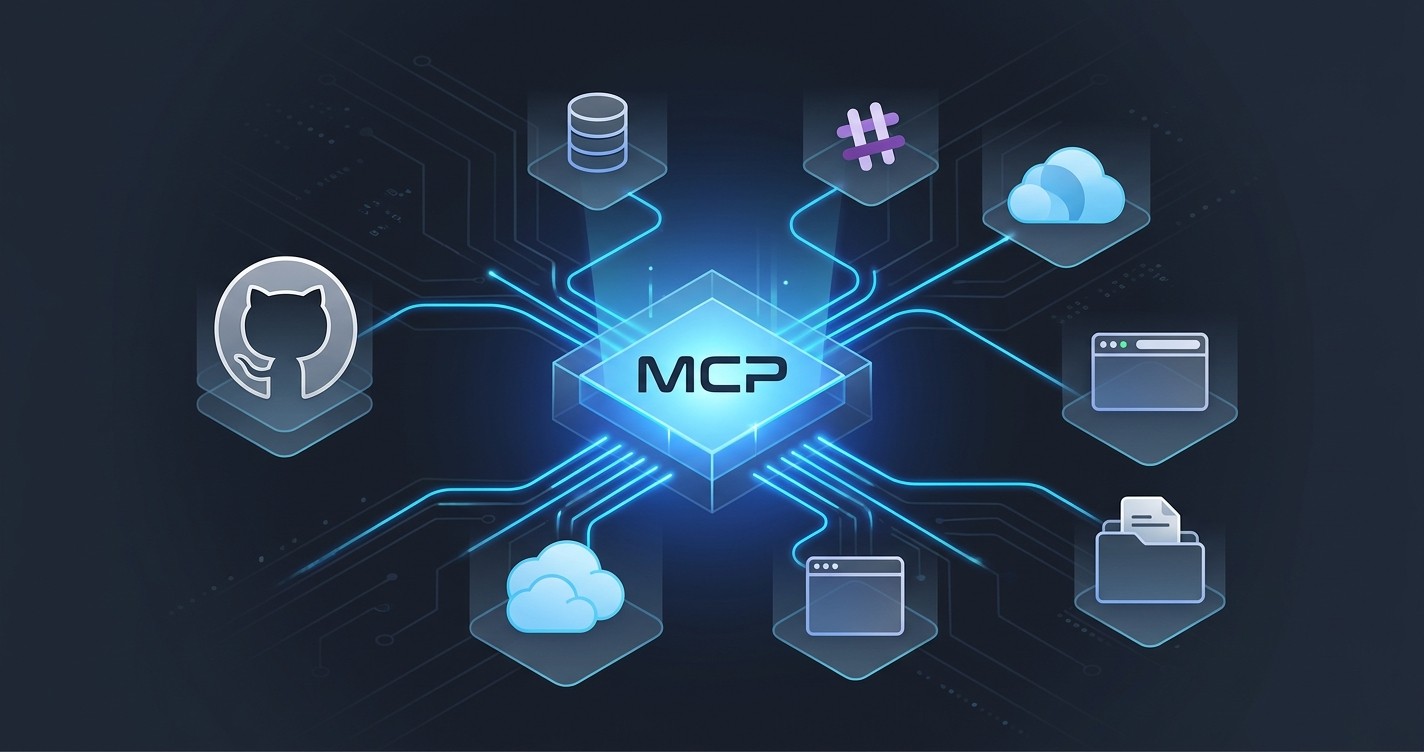
What is MCP? Model Context Protocol Explained (2026 Guide)
TL;DR
Model Context Protocol (MCP) is an open standard that lets AI models connect to external tools, databases, and services through a universal interface. Think of it as USB-C for AI — one protocol that works everywhere. Anthropic created MCP in late 2024, and it has since been adopted by OpenAI, Google, and Microsoft. As of early 2026, the ecosystem has grown to over 12,000 MCP servers covering everything from GitHub and Slack to PostgreSQL and AWS. Instead of building custom integrations for every AI model, developers build one MCP server and it works with Claude, GPT, Gemini, Copilot, and any other MCP-compatible client. The protocol is open source, JSON-RPC based, and supports both local and remote server deployments.
Table of Contents
- What is Model Context Protocol (MCP)?
- How MCP Works (Technical Overview)
- Key Features
- MCP Server Examples
- How to Set Up MCP Servers
- MCP Adoption Timeline
- MCP Security Best Practices
- Pros and Cons
- MCP vs Function Calling vs Tool Use
- Final Verdict
- Frequently Asked Questions
What is Model Context Protocol (MCP)?
Model Context Protocol — universally referred to as MCP — is an open standard that defines how AI models communicate with external tools, data sources, and services. Anthropic introduced MCP in November 2024 as a way to solve one of AI's most persistent problems: isolation.
Without MCP, AI assistants are limited to what they already know. They cannot check a database, read a file, call an API, or interact with third-party services unless a developer builds a bespoke integration. Every AI platform — Claude, GPT, Gemini — handled this differently. Developers were stuck rebuilding the same integrations over and over, once for each platform.
MCP eliminates that fragmentation. It establishes a single, standardized protocol for connecting any AI model to any external capability. The analogy that stuck — and for good reason — is USB-C for AI. Before USB-C, every device had its own charging port and cable. USB-C created a universal standard that works everywhere. MCP does the same thing for AI integrations.
The protocol works through a client-server architecture. An MCP client (built into an AI application like Claude Desktop or an IDE) connects to MCP servers that expose specific capabilities — reading files, querying databases, sending messages, managing cloud infrastructure. The AI model discovers what tools are available, understands how to use them, and calls them as needed during a conversation.
What makes MCP significant is not just the technical design but the adoption curve. Within months of its release, OpenAI added MCP support. Google followed. Microsoft integrated MCP into Copilot and VS Code. By early 2026, the ecosystem had exploded to over 12,000 publicly available MCP servers, with thousands more running as private internal tools inside companies.
MCP is fully open source under the MIT license. The specification, SDKs for TypeScript and Python, and reference implementations are all available on GitHub. Anyone can build an MCP server, and anyone can build an MCP client.
For a full directory of available MCP servers, browse the Skiln MCP catalog — the most comprehensive collection available.
How MCP Works (Technical Overview)
MCP uses a client-server architecture built on top of JSON-RPC 2.0. Here is how the pieces fit together:
The Three Roles
- Host — The AI application the user interacts with (Claude Desktop, an IDE, a custom app). The host manages security, permissions, and user consent.
- Client — A component inside the host that maintains a 1:1 connection with a specific MCP server. Each server gets its own client instance.
- Server — A lightweight program that exposes capabilities through the MCP protocol. A server might provide access to a database, a SaaS API, the local filesystem, or any other resource.
The Three Primitives
MCP servers expose capabilities through three core primitives:
- Tools — Functions the AI model can call. A GitHub MCP server might expose tools like
create_issue,list_pull_requests, orsearch_repositories. Tools are the most commonly used primitive — they let the AI take action.
- Resources — Data the AI model can read. Resources are similar to GET endpoints in a REST API. A filesystem MCP server might expose file contents as resources. A database server might expose query results. Resources give the model context without requiring it to execute a function.
- Prompts — Pre-built templates that guide the AI model's behavior for specific tasks. A code review MCP server might include a prompt template that structures how the model analyzes pull requests.
Communication Flow
A typical MCP interaction follows this sequence:
User sends message → Host receives it → Client discovers available tools
→ AI model decides which tool to call → Client sends JSON-RPC request to Server
→ Server executes the action → Server returns result → AI model incorporates
the result → Host displays the response to the user
Transport Layer
MCP supports two transport mechanisms:
- stdio — For local servers. The client spawns the server as a subprocess and communicates over standard input/output. This is the most common setup for desktop applications and CLI tools.
- Streamable HTTP (SSE) — For remote servers. The client connects to the server over HTTP, with server-sent events enabling real-time streaming. This is used for cloud-hosted servers and multi-user environments.
The transport layer is intentionally simple. MCP does not mandate a specific runtime, language, or deployment model. Servers can be written in any language and run anywhere — a local process, a Docker container, a cloud function, or a Kubernetes pod.
Capability Negotiation
When a client first connects to a server, they exchange capability declarations. The server announces what tools, resources, and prompts it offers. The client announces what features it supports (such as sampling or roots). This handshake ensures both sides understand what the other can do before any work begins.
Key Features
Universal Standard
MCP's defining characteristic is universality. A single MCP server works with Claude, ChatGPT, Gemini, GitHub Copilot, Cursor, Windsurf, and any other application that implements the MCP client specification. Developers no longer need to build separate plugins, extensions, or integrations for each AI platform. Build once, run everywhere.
This is what separates MCP from earlier approaches like OpenAI's ChatGPT plugins (proprietary, single-platform) or LangChain tool definitions (framework-specific). MCP is platform-agnostic by design.
Tool Exposure
Tools are the backbone of MCP. They let AI models perform actions — not just generate text about performing actions. An MCP server can expose any function as a tool: creating a Jira ticket, deploying a Cloudflare Worker, running a SQL query, sending a Slack message, or committing code to GitHub.
Each tool includes a name, description, and JSON Schema defining its input parameters. The AI model reads these definitions, decides when a tool is relevant, and constructs the appropriate call. The human always approves tool execution unless they have granted automatic approval for specific operations.
Resource Access
Resources give AI models read access to structured data without executing a function call. A Supabase MCP server might expose database schemas as resources. A Google Drive server might expose document contents. Resources are identified by URIs and can be static (fixed content) or dynamic (generated on request).
Resources solve the context problem. Instead of copying and pasting database schemas into a prompt, the AI model can directly read the current schema from the MCP server. The information is always up to date.
Security Model
MCP takes a permission-based approach to security. The host application controls which servers are connected, which tools are available, and whether the AI model can use them. Most MCP clients require explicit user approval before executing any tool — the model proposes a tool call, and the user confirms or denies it.
Servers run in their own processes and only have access to the capabilities they were designed to expose. A filesystem server cannot access your email. A GitHub server cannot read your local files. This sandboxed architecture limits the blast radius of any single compromised server.
Local and Remote Servers
MCP supports both local and remote deployment. Local servers run on the user's machine as subprocesses, communicating over stdio. They have access to local resources — files, databases, development environments — without sending data to the cloud.
Remote servers run on external infrastructure and communicate over HTTP with server-sent events. They enable shared access to SaaS tools, cloud services, and multi-user environments. Organizations can deploy internal MCP servers on their own infrastructure, keeping data within their security perimeter.
Real-Time Streaming
MCP supports streaming responses through server-sent events (SSE) on the HTTP transport. Long-running operations — large database queries, complex deployments, multi-step workflows — can stream progress updates and partial results back to the client in real time.
This matters for developer experience. Instead of waiting for a 30-second operation to complete with no feedback, the user sees progress as it happens. The protocol also supports cancellation, so users can stop long-running operations mid-execution.
OAuth Authentication Support
For remote servers that require authentication, MCP includes a built-in OAuth 2.1 flow. Users can authenticate with third-party services directly through the MCP client — no manual token management, no copying API keys into configuration files.
This is especially important for enterprise adoption. IT teams can configure MCP servers that authenticate against their identity provider, ensuring access control policies are enforced consistently.
Open Source Protocol
The entire MCP specification is open source under the MIT license. The protocol definition, official SDKs (TypeScript and Python), reference server implementations, and developer documentation are all publicly available. Anthropic maintains the specification but accepts community contributions.
This openness is why adoption has been so rapid. There is no vendor lock-in, no licensing fee, and no approval process. Anyone can build and distribute an MCP server.
MCP Server Examples
The MCP ecosystem has grown to over 12,000 servers. Here are the most established categories and examples. For the full catalog, visit the Skiln MCP directory.
Developer Tools
| Server | What It Does |
|---|---|
| -------- | ------------- |
| GitHub | Create issues, manage PRs, search repos, review code, manage Actions |
| GitLab | Merge requests, CI/CD pipelines, project management |
| Linear | Create and manage issues, track sprints, query project status |
| Sentry | Query error reports, analyze stack traces, manage alerts |
Databases
| Server | What It Does |
|---|---|
| -------- | ------------- |
| PostgreSQL | Run queries, inspect schemas, manage tables and indexes |
| Supabase | Full database management, edge functions, auth, real-time subscriptions |
| MongoDB | Document queries, aggregation pipelines, collection management |
| MySQL | Query execution, schema introspection, data export |
Productivity
| Server | What It Does |
|---|---|
| -------- | ------------- |
| Notion | Read and write pages, query databases, manage workspaces |
| Slack | Send messages, search channels, manage threads, read history |
| Google Drive | Read documents, search files, manage permissions |
| Todoist | Create tasks, manage projects, set priorities and due dates |
Cloud and DevOps
| Server | What It Does |
|---|---|
| -------- | ------------- |
| AWS | Manage EC2, S3, Lambda, CloudFormation, and other AWS services |
| Cloudflare | Workers, D1 databases, R2 storage, KV namespaces, DNS |
| Docker | Manage containers, images, volumes, and networks |
| Vercel | Deploy projects, manage domains, view logs, configure settings |
Browser and Web
| Server | What It Does |
|---|---|
| -------- | ------------- |
| Playwright | Browser automation, screenshot capture, web scraping, testing |
| Puppeteer | Headless Chrome automation, PDF generation, crawling |
| Browserbase | Cloud browser sessions, anti-detection, session recording |
| Fetch | HTTP requests, API calls, web page content retrieval |
How to Set Up MCP Servers
For Claude Desktop
Step 1: Open Claude Desktop Settings Navigate to Settings > Developer > Edit Config. This opens the claude_desktop_config.json file where MCP servers are defined.
Step 2: Add a Server Configuration Each MCP server is defined as a JSON object with a command and optional arguments. Here is an example adding the filesystem server:
{
  "mcpServers": {
    "filesystem": {
      "command": "npx",
      "args": ["-y", "@modelcontextprotocol/server-filesystem", "/path/to/directory"]
    }
  }
}
Step 3: Install Dependencies Most MCP servers are distributed as npm packages or Python packages. The npx command handles automatic installation for Node.js servers. For Python servers, use uvx or install via pip.
Step 4: Restart Claude Desktop After saving the configuration, restart Claude Desktop. The new MCP server will appear in the tools menu (the hammer icon) at the bottom of the chat input.
Step 5: Test the Connection Start a new conversation and ask Claude to use one of the server's tools. For a filesystem server, try "List the files in my project directory." Claude will request permission to use the tool, and on approval, display the results.
For Claude Code (CLI)
Claude Code supports MCP servers through its configuration system. Add servers via the command line:
claude mcp add github -- npx -y @modelcontextprotocol/server-githubOr edit the settings file directly at ~/.claude/settings.json. Claude Code also supports project-scoped MCP configurations in .claude/settings.json within any repository.
For a complete list of servers to install, browse the Skiln MCP directory — each listing includes copy-paste installation commands for both Claude Desktop and Claude Code.
MCP Adoption Timeline
November 2024 — Anthropic Launches MCP
Anthropic publishes the MCP specification as an open-source project. The initial release includes the protocol definition, TypeScript and Python SDKs, and a handful of reference servers (filesystem, GitHub, Slack, Google Drive, PostgreSQL). Claude Desktop ships as the first MCP client.
December 2024 — Early Adopter Wave
Developer tool companies move quickly. Cursor, Windsurf, Cline, and other AI-powered IDEs add MCP support. The community begins building servers for popular services. The first MCP server registries appear.
January 2025 — OpenAI Adopts MCP
OpenAI announces MCP support for ChatGPT and its API platform. This is the inflection point. With both Anthropic and OpenAI backing the protocol, MCP becomes the de facto standard for AI-tool integration. Developers who were waiting to see which standard would win now have their answer.
March 2025 — Google and Microsoft Join
Google adds MCP support to Gemini. Microsoft integrates MCP into Copilot and VS Code. The "USB-C for AI" metaphor becomes literal — every major AI platform now speaks the same protocol.
Mid 2025 — Enterprise Adoption
Large organizations begin deploying internal MCP servers. Companies build servers that connect AI assistants to proprietary databases, internal APIs, and business tools. MCP becomes part of enterprise AI infrastructure.
Early 2026 — 12,000+ Servers
The ecosystem passes 12,000 publicly available MCP servers. Community-built servers cover virtually every popular developer tool, SaaS platform, and cloud service. Dedicated directories like Skiln catalog and verify the ecosystem.
MCP Security Best Practices
MCP servers are powerful — they give AI models the ability to read data, write data, and execute actions. That power demands careful security practices.
Verify the Source
Before installing any MCP server, check who built it. Official servers from Anthropic's @modelcontextprotocol organization are well-maintained and audited. Community servers vary in quality. Look for:
- Active GitHub repository with recent commits
- Clear documentation and a LICENSE file
- Published on npm or PyPI with a reasonable download count
- Listed in a trusted directory like Skiln
Principle of Least Privilege
Only grant MCP servers the minimum permissions they need. A filesystem server should only have access to specific directories, not your entire disk. A database server should use a read-only connection string unless write access is explicitly required.
Review Tool Calls
Most MCP clients show tool calls before executing them. Read what the AI model is about to do before approving. This is especially important for destructive operations — deleting files, dropping tables, pushing code, sending messages.
Isolate Sensitive Environments
Do not connect production databases or critical infrastructure to MCP servers used for experimentation. Use staging environments, read-only replicas, and test accounts. If deploying MCP servers in an organization, enforce this through infrastructure policy.
Keep Servers Updated
MCP servers are software, and software has vulnerabilities. Pin versions in production but update regularly. Subscribe to security advisories for servers you depend on.
Audit Remote Servers
Remote MCP servers process data on external infrastructure. Before connecting to a remote server, understand where the data goes, who operates the server, and what their data handling policies are. For sensitive workloads, prefer local servers or self-hosted remote servers.
Pros and Cons
Pros
- Universal compatibility — One integration works across Claude, ChatGPT, Gemini, Copilot, and more
- Open source — No vendor lock-in, no licensing fees, MIT license
- Massive ecosystem — 12,000+ servers covering virtually every developer tool and service
- Local-first option — Servers can run entirely on your machine, keeping data private
- Strong security model — Permission-based, sandboxed, user-approved tool execution
- Active development — Backed by Anthropic with contributions from OpenAI, Google, Microsoft, and the community
- Language agnostic — Servers can be written in any programming language
- Composable — Connect multiple servers simultaneously for complex workflows
Cons
- Configuration overhead — Setting up MCP servers requires editing JSON config files (improving but not yet plug-and-play)
- Quality variance — Community servers range from production-grade to experimental prototypes
- Debugging complexity — When something goes wrong, troubleshooting spans the host, client, server, and target service
- Security responsibility falls on the user — Users must evaluate which servers to trust and which permissions to grant
- Specification still evolving — Some features (like the authorization framework) are still being refined
- No GUI for server management — Most setup is done through config files and command lines
MCP vs Function Calling vs Tool Use
Developers often confuse MCP with function calling and tool use. Here is how they differ:
| MCP | Function Calling | Tool Use | |
|---|---|---|---|
| --- | --------- | --------------------- | ------------- |
| What it is | Open protocol/standard | API feature from AI providers | General concept |
| Scope | Cross-platform, cross-model | Single provider (OpenAI, Anthropic, etc.) | Varies by implementation |
| Who defines the tools | MCP server developer | Application developer | Application developer |
| Runtime | Separate server process | Within the application | Within the application |
| Discovery | Dynamic — model discovers tools at runtime | Static — tools defined in API call | Varies |
| Ecosystem | 12,000+ shared servers | Custom per application | Custom per application |
| Reusability | Build once, use with any MCP client | Rebuild for each provider's API | Rebuild per integration |
| Standardized | Yes — open specification | No — each provider has its own format | No |
The short version: Function calling is an API feature. Tool use is a concept. MCP is a protocol that standardizes both into something reusable across the entire AI ecosystem.
Function calling and MCP are not mutually exclusive. Under the hood, MCP clients often use their platform's native function calling mechanism to invoke MCP tools. MCP sits one layer above, providing the standardized discovery and communication protocol.
For a deeper dive into how MCP servers compare to other extension mechanisms, read Claude Skills vs MCP Servers vs Plugins.
Final Verdict
MCP has achieved what few open standards manage — rapid, universal adoption across competing platforms. In just over a year, it has gone from an Anthropic side project to the industry default for connecting AI to the outside world.
For developers, MCP means building one integration instead of five. For users, it means AI assistants that can actually do things — query databases, manage infrastructure, interact with the tools they use every day. For organizations, it means a standardized layer for AI-tool integration that does not lock them into a single vendor.
The ecosystem is mature enough for production use. The core protocol is stable, official SDKs are well-maintained, and the server catalog covers the vast majority of common use cases. The remaining rough edges — configuration UX, server quality variance, and specification gaps — are actively being addressed.
MCP is not just a protocol. It is the infrastructure layer that turns AI assistants from sophisticated chatbots into genuine productivity tools.
Start exploring: Browse 12,000+ MCP servers on Skiln | Discover Claude Skills | Explore the full directory
Frequently Asked Questions
What does MCP stand for? MCP stands for Model Context Protocol. It is an open standard created by Anthropic that defines how AI models connect to external tools, data sources, and services.
Is MCP only for Claude? No. While Anthropic created MCP, it is an open standard adopted by OpenAI (ChatGPT), Google (Gemini), Microsoft (Copilot), and many other AI platforms. Any application can implement an MCP client.
Is MCP free to use? Yes. The MCP specification and official SDKs are open source under the MIT license. There are no licensing fees, royalties, or usage restrictions. Individual MCP servers may have their own licenses, but the protocol itself is free.
Do I need to be a developer to use MCP? Basic MCP setup requires editing a JSON configuration file, which is a technical task. However, many AI applications are adding GUI-based server management, and directories like Skiln provide copy-paste installation commands. The barrier to entry is decreasing rapidly.
How many MCP servers are there? As of early 2026, there are over 12,000 publicly available MCP servers. The number continues to grow as more developers and companies build integrations for their tools and services.
Is MCP secure? MCP includes a permission-based security model where users must approve tool calls before execution. However, security also depends on the individual server implementation, the permissions granted, and the user's diligence in reviewing tool calls. Follow the security best practices outlined in this guide.
Can I build my own MCP server? Yes. Anthropic provides official SDKs for TypeScript and Python that make building MCP servers straightforward. The protocol specification is public, and community SDKs exist for Rust, Go, Java, C#, and other languages.
What is the difference between MCP and an API? An API is a general interface for software communication. MCP is a specific protocol designed for AI-tool integration. MCP sits on top of existing APIs — an MCP server for GitHub uses the GitHub API internally but exposes its capabilities through the standardized MCP protocol so any AI model can use them.