Top 10 MCP Servers Every Developer Needs in 2026
1. **[GitHub MCP Server](/mcps/github)** — The single most useful MCP server for any developer. Manage repos, PRs, issues, and code search without leaving your AI assistant. 2. **[Supabase MCP Server](/mcps/supabase)** — Full backend control from your editor. Design tables, run SQL, manage branches,
TL;DR — Top 3 Picks
- GitHub MCP Server — The single most useful MCP server for any developer. Manage repos, PRs, issues, and code search without leaving your AI assistant.
- Supabase MCP Server — Full backend control from your editor. Design tables, run SQL, manage branches, and deploy edge functions through natural language.
- Playwright MCP Server — Browser automation that actually works with AI. Test UIs, scrape pages, and generate screenshots through structured accessibility snapshots.
Table of Contents
- GitHub MCP Server
- PostgreSQL MCP Server
- Filesystem MCP Server
- Playwright MCP Server
- Slack MCP Server
- Notion MCP Server
- Supabase MCP Server
- Docker MCP Server
- Cloudflare MCP Server
- Memory MCP Server
- Comparison Table
- Category Guide — Quick Picks by Use Case
- How to Install MCP Servers
- MCP Server Security Checklist
- FAQ
Why MCP Servers Are Essential in 2026
The Model Context Protocol has become the universal standard for connecting AI assistants to external tools and data sources. With over 12,000 public MCP servers now available and the reference repository sitting at 79,000+ GitHub stars, MCP is no longer experimental — it is infrastructure.
MCP servers act as standardized bridges between AI models and the services developers use daily. Instead of copying data between tabs, writing one-off scripts, or manually feeding context into prompts, an MCP server lets Claude, GPT, Gemini, or any compatible AI client interact directly with GitHub, databases, file systems, cloud platforms, and productivity tools.
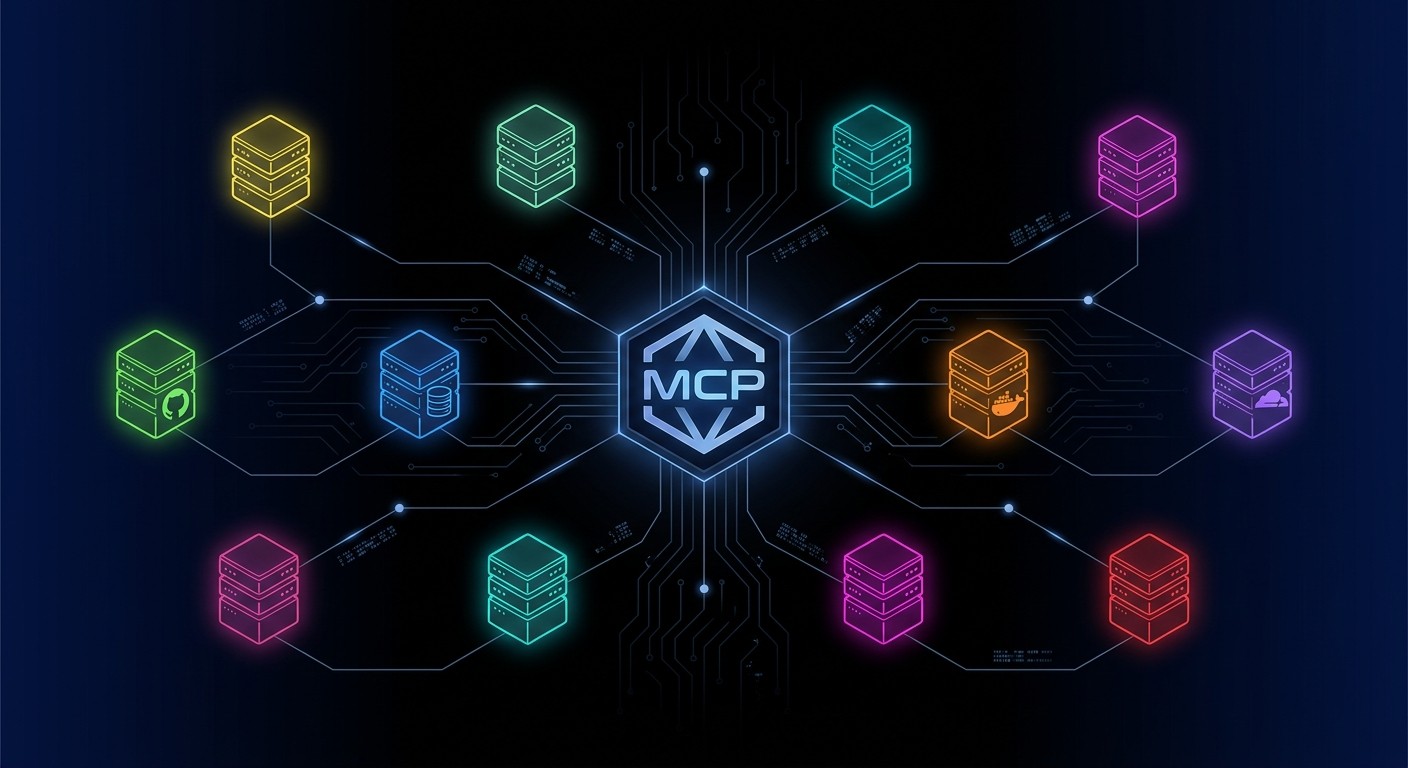
The protocol works through a simple client-server architecture. The AI client (Claude Desktop, VS Code, Cursor, or Claude Code CLI) connects to one or more MCP servers, each of which exposes a set of tools the model can invoke. The servers handle authentication, API calls, and response formatting. The model handles reasoning and orchestration.
Three factors make MCP servers indispensable in 2026:
Universal compatibility. MCP is not locked to a single AI vendor. The same server configuration works across Claude, ChatGPT, Gemini, and dozens of IDE integrations. Write your setup once, use it everywhere.
Compound productivity. Each MCP server eliminates a context switch. Stack five servers together — GitHub, a database, a file system, Slack, and a deployment platform — and an AI assistant can handle an entire feature cycle without the developer leaving the conversation.
Security through structure. MCP servers define explicit tool boundaries. A PostgreSQL server can be locked to read-only queries. A filesystem server can be restricted to specific directories. This granular control is far safer than giving an AI model raw API keys.
The servers listed below represent the highest-impact, most reliable options available today. Each one has been tested, is actively maintained, and solves a real workflow problem.
How We Selected These Servers
The Skiln.co MCP directory tracks thousands of MCP servers. To narrow the list to ten, we applied four criteria:
- GitHub activity and stars. Actively maintained repositories with strong community adoption rank higher. Abandoned servers with known bugs were excluded regardless of popularity.
- Reliability and stability. Each server was tested across Claude Desktop, Claude Code, and at least one third-party client (Cursor or VS Code). Servers that crashed on standard operations or had unresolved critical issues were dropped.
- Official vs. community. Official servers from the platform vendor (GitHub, Cloudflare, Supabase, Notion) received priority because they track API changes faster. High-quality community servers were included where no official option exists or where the community version is demonstrably better.
- Install simplicity. Servers requiring complex multi-step setup, custom builds, or undocumented dependencies scored lower. The best MCP servers install in one command and work immediately.
Every server on this list is free and open source. Several are maintained directly by Anthropic as part of the reference server collection.
The Top 10 MCP Servers
1. GitHub MCP Server (Official)
Maintainer: GitHub Repository: github/github-mcp-server Category: Development / Source Control Skiln.co page: /mcps/github
The GitHub MCP Server is GitHub's official MCP integration, connecting AI tools directly to the GitHub platform. It gives AI assistants full access to repositories, issues, pull requests, code search, Actions workflows, and security findings — all through natural language. This is the server most developers install first, and for good reason: it turns an AI assistant into a GitHub power user.
Key Capabilities:
- Create, fork, and search repositories; browse files, commits, and branches
- Create, update, merge, and review pull requests with inline comments
- Open, triage, and manage issues with labels, assignees, and milestones
- Monitor GitHub Actions workflow runs and analyze build failures
- Search code across repositories with advanced query syntax
Install — Claude Desktop (claude_desktop_config.json):
{
  "mcpServers": {
    "github": {
      "command": "npx",
      "args": ["-y", "@github/mcp-server"],
      "env": {
        "GITHUB_PERSONAL_ACCESS_TOKEN": "<YOUR_TOKEN>"
      }
    }
  }
}
Install — Claude Code CLI:
claude mcp add github -- npx -y @github/mcp-serverUse Cases:
- Ask Claude to review a pull request, summarize changes, and leave comments — all without opening a browser.
- Triage a backlog of issues: have the AI label, prioritize, and draft responses based on issue content and repository context.
- Search across multiple repositories to find where a specific function is defined or how an API is consumed.
Skiln.co Rating: 9.5 / 10
2. PostgreSQL MCP Server
Maintainer: Anthropic (Reference Implementation) Package: @modelcontextprotocol/server-postgres Category: Databases Skiln.co page: /mcps/postgresql
The PostgreSQL MCP Server provides read-only access to PostgreSQL databases through the Model Context Protocol. It enables AI assistants to inspect database schemas, understand table relationships, and execute SQL queries — all within a read-only transaction for safety. Schema metadata is discovered automatically, so the AI model understands the database structure without manual configuration.
Key Capabilities:
- Automatic schema discovery including column names, data types, and constraints
- Execute read-only SQL queries within protected transactions
- Inspect table relationships, indexes, and foreign keys
- Support for standard PostgreSQL connection strings with full parameter control
- Compatible with any PostgreSQL-compatible database (including CockroachDB, TimescaleDB, Aurora)
Install — Claude Desktop (claude_desktop_config.json):
{
  "mcpServers": {
    "postgres": {
      "command": "npx",
      "args": [
        "-y",
        "@modelcontextprotocol/server-postgres",
        "postgresql://username:password@localhost:5432/mydb"
      ]
    }
  }
}
Install — Claude Code CLI:
claude mcp add postgres -- npx -y @modelcontextprotocol/server-postgres postgresql://localhost:5432/mydbUse Cases:
- Explore an unfamiliar database: ask the AI to list all tables, describe their schemas, and explain relationships.
- Generate complex SQL queries by describing the desired output in plain English — the AI understands the schema and writes accurate joins.
- Audit data quality by running aggregate queries and having the AI flag anomalies.
Skiln.co Rating: 9.0 / 10
3. Filesystem MCP Server (Anthropic)
Maintainer: Anthropic (Reference Implementation) Package: @modelcontextprotocol/server-filesystem Category: System / Files Skiln.co page: /mcps/filesystem
The Filesystem MCP Server grants AI assistants controlled access to local files and directories. It supports reading, writing, editing, searching, and organizing files — all scoped to explicitly allowed directories. This server is foundational for any workflow where the AI needs to interact with local project files, configuration files, or documentation.
Key Capabilities:
- Read single or multiple files with full content retrieval
- Write new files and edit existing ones with targeted replacements
- List directory contents, create directories, and move files
- Search files by name pattern across directory trees
- Retrieve file metadata including size, timestamps, and permissions
Install — Claude Desktop (claude_desktop_config.json):
{
  "mcpServers": {
    "filesystem": {
      "command": "npx",
      "args": [
        "-y",
        "@modelcontextprotocol/server-filesystem",
        "/Users/you/projects",
        "/Users/you/documents"
      ]
    }
  }
}
Install — Claude Code CLI:
claude mcp add filesystem -- npx -y @modelcontextprotocol/server-filesystem /path/to/allowed/directoryUse Cases:
- Have the AI read a project's configuration files, understand the structure, and suggest or apply improvements.
- Batch-rename or reorganize files across a directory tree based on a naming convention described in natural language.
- Search a documentation folder for references to a deprecated API and generate a migration report.
Skiln.co Rating: 8.5 / 10
4. Playwright MCP Server
Maintainer: Microsoft Repository: microsoft/playwright-mcp Category: Browser Automation / Testing Skiln.co page: /mcps/playwright
The Playwright MCP Server brings full browser automation to AI assistants. Built by Microsoft on top of the Playwright framework, it enables AI models to navigate web pages, interact with elements, fill forms, capture screenshots, and run end-to-end tests — all through structured accessibility snapshots rather than raw pixel analysis. This makes it faster and more reliable than screenshot-based approaches.
Key Capabilities:
- Navigate to URLs, click elements, fill forms, and interact with page components
- Capture full-page and element-level screenshots
- Access structured accessibility snapshots for precise element targeting
- Execute JavaScript in the browser context for advanced interactions
- Support for Chromium, Firefox, and WebKit with automatic browser installation
Install — Claude Desktop (claude_desktop_config.json):
{
  "mcpServers": {
    "playwright": {
      "command": "npx",
      "args": ["-y", "@playwright/mcp@latest"]
    }
  }
}
Install — Claude Code CLI:
claude mcp add playwright -- npx -y @playwright/mcp@latestUse Cases:
- Generate desktop and mobile screenshots of a web application for documentation or QA review without manual browser work.
- Test a checkout flow end-to-end: navigate to a product page, add to cart, fill shipping details, and verify the confirmation page.
- Scrape structured data from a web page by having the AI navigate to it, read the accessibility tree, and extract the relevant content.
Skiln.co Rating: 9.0 / 10
5. Slack MCP Server
Maintainer: Anthropic (Reference Implementation) Package: @modelcontextprotocol/server-slack Category: Communication / Productivity Skiln.co page: /mcps/slack
The Slack MCP Server connects AI assistants to Slack workspaces, enabling them to read messages, post updates, search conversations, and manage channels. For teams that live in Slack, this server transforms the AI from an isolated tool into a team-aware assistant that understands ongoing conversations and can participate in them.
Key Capabilities:
- List channels, read message history, and retrieve thread conversations
- Post messages, reply to threads, and add emoji reactions
- Search messages and files filtered by date, user, channel, and content type
- Retrieve user profiles and workspace membership information
- Create and update Slack canvases for collaborative documentation
Install — Claude Desktop (claude_desktop_config.json):
{
  "mcpServers": {
    "slack": {
      "command": "npx",
      "args": ["-y", "@modelcontextprotocol/server-slack"],
      "env": {
        "SLACK_BOT_TOKEN": "xoxb-your-bot-token",
        "SLACK_TEAM_ID": "T0123456789"
      }
    }
  }
}
Install — Claude Code CLI:
SLACK_BOT_TOKEN=xoxb-your-token SLACK_TEAM_ID=T0123456789 claude mcp add slack -- npx -y @modelcontextprotocol/server-slackUse Cases:
- Summarize the last 24 hours of a busy Slack channel and extract action items without scrolling through hundreds of messages.
- Draft a project status update and post it to the relevant channel, tagging the appropriate team members.
- Search across all channels for discussions about a specific feature or bug to build context before starting work.
Skiln.co Rating: 8.5 / 10
6. Notion MCP Server (Official)
Maintainer: Notion (makenotion) Repository: makenotion/notion-mcp-server Category: Productivity / Knowledge Management Skiln.co page: /mcps/notion
The Notion MCP Server is Notion's official integration, giving AI assistants direct read and write access to a Notion workspace. It supports pages, databases, blocks, and comments — covering the full surface area needed to manage documentation, project trackers, wikis, and knowledge bases. Setup uses OAuth with one-click installation, so there is no manual API key configuration required.
Key Capabilities:
- Create, read, update, and search pages and their content blocks
- Query, create, and modify databases and database entries
- Manage page properties, comments, and nested block structures
- One-click OAuth setup with no manual API key management
- Automatic tool discovery on server startup
Install — Claude Desktop (claude_desktop_config.json):
{
  "mcpServers": {
    "notion": {
      "command": "npx",
      "args": ["-y", "notion-mcp-server"]
    }
  }
}
Install — Claude Code CLI:
claude mcp add notion -- npx -y notion-mcp-serverUse Cases:
- Ask the AI to create a project brief in Notion with a structured template, then populate it with information gathered from a conversation.
- Query a Notion database of tasks, filter by status and assignee, and generate a weekly summary report.
- Maintain a team wiki: have the AI update documentation pages whenever a codebase changes.
Skiln.co Rating: 8.5 / 10
7. Supabase MCP Server (Official)
Maintainer: Supabase Repository: supabase-community/supabase-mcp Category: Backend / Database / BaaS Skiln.co page: /mcps/supabase
The Supabase MCP Server provides full access to the Supabase platform through an AI assistant. It goes well beyond simple database queries — developers can design tables, manage schemas, run SQL, create branches, deploy edge functions, retrieve logs, and configure projects, all through conversation. This turns an AI assistant into a complete backend development environment.
Key Capabilities:
- Design tables, manage schema, and run arbitrary SQL queries
- Create and manage Supabase projects and branches
- Deploy and manage edge functions
- Retrieve logs for debugging and monitoring
- Configure project settings, storage, and authentication
Install — Claude Desktop (claude_desktop_config.json):
{
  "mcpServers": {
    "supabase": {
      "type": "http",
      "url": "https://mcp.supabase.com/mcp"
    }
  }
}
Install — Claude Code CLI:
claude mcp add --transport http supabase https://mcp.supabase.com/mcpUse Cases:
- Scaffold an entire database schema from a natural language description: "Create tables for a multi-tenant SaaS with users, organizations, and role-based access."
- Debug a production issue by pulling logs, querying the database, and tracing the error — all in a single AI conversation.
- Manage database migrations: have the AI generate, review, and apply migration files while tracking version history.
Skiln.co Rating: 9.5 / 10
8. Docker MCP Server
Maintainer: Docker / Community Resources: Docker MCP Toolkit Docs, QuantGeekDev/docker-mcp Category: DevOps / Containers Skiln.co page: /mcps/docker
The Docker MCP ecosystem provides container management through AI assistants. Docker's official MCP Toolkit, integrated into Docker Desktop, offers access to 300+ verified MCP servers packaged as container images. For direct container management, community servers like docker-mcp enable AI assistants to create, start, stop, and inspect containers, manage images and volumes, and orchestrate Docker Compose stacks — all with built-in safety controls.
Key Capabilities:
- List, create, start, stop, and remove containers
- Manage Docker images, networks, and volumes
- Run and manage Docker Compose stacks
- Execute commands inside running containers
- Built-in resource limits (1 CPU, 2 GB memory per MCP tool container)
Install — Claude Desktop (claude_desktop_config.json):
{
  "mcpServers": {
    "docker": {
      "command": "npx",
      "args": ["-y", "@quantgeekdev/docker-mcp"]
    }
  }
}
Install — Claude Code CLI:
claude mcp add docker -- npx -y @quantgeekdev/docker-mcpAlternatively, enable Docker MCP Toolkit in Docker Desktop under Settings > Beta features > Enable Docker MCP Toolkit for the full catalog experience.
Use Cases:
- Spin up a development database container with specific configuration by describing the requirements in natural language.
- Debug a failing container: have the AI inspect logs, check resource usage, and exec into the container to diagnose issues.
- Manage a multi-service Docker Compose stack — start, stop, and scale services through conversation.
Skiln.co Rating: 8.0 / 10
9. Cloudflare MCP Server (Official)
Maintainer: Cloudflare Repository: cloudflare/mcp-server-cloudflare Category: Cloud / Edge Computing Skiln.co page: /mcps/cloudflare
The Cloudflare MCP Server is Cloudflare's official integration, providing full access to the Cloudflare developer platform. Developers can deploy Workers, manage KV stores, interact with R2 object storage, query D1 databases, and pull analytics — all through an AI assistant. Authentication uses OAuth, so a single browser-based login grants access without managing API tokens manually.
Key Capabilities:
- Create, update, and delete Cloudflare Workers with full code management
- Manage KV namespaces: create, list, set, and retrieve key-value pairs
- Handle R2 buckets and objects: list, create, delete buckets; put, get, and delete objects
- Query and manage D1 databases with SQL execution
- Pull domain analytics including requests, bandwidth, threats, and page views
Install — Claude Code CLI (Recommended):
claude mcp add --transport http --scope user cloudflare https://mcp.cloudflare.com/mcpInstall — Claude Desktop (claude_desktop_config.json):
{
  "mcpServers": {
    "cloudflare": {
      "type": "http",
      "url": "https://mcp.cloudflare.com/mcp"
    }
  }
}
First use opens a browser window for OAuth authentication.
Use Cases:
- Deploy a Cloudflare Worker from scratch: describe the functionality, have the AI write the code, and deploy it — all in one conversation.
- Migrate data between KV namespaces or populate a D1 database with seed data using natural language instructions.
- Monitor site performance by pulling analytics and having the AI identify traffic trends, threat patterns, or bandwidth spikes.
Skiln.co Rating: 9.0 / 10
10. Memory MCP Server
Maintainer: Anthropic (Reference Implementation) Package: @modelcontextprotocol/server-memory Category: AI Memory / Knowledge Management Skiln.co page: /mcps/memory
The Memory MCP Server gives AI assistants persistent memory through a local knowledge graph. Unlike standard conversations that reset between sessions, this server lets Claude store entities, relationships, and observations that persist across chats. It is the foundation for building AI assistants that learn user preferences, remember project context, and accumulate knowledge over time.
Key Capabilities:
- Create, read, update, and delete entities in a local knowledge graph
- Define directed relationships between entities with descriptive labels
- Attach and manage discrete observations to entities
- Search and query the knowledge graph for relevant context
- Persist all data to a local JSON file for durability across sessions
Install — Claude Desktop (claude_desktop_config.json):
{
  "mcpServers": {
    "memory": {
      "command": "npx",
      "args": ["-y", "@modelcontextprotocol/server-memory"],
      "env": {
        "MEMORY_FILE_PATH": "/path/to/memory.json"
      }
    }
  }
}
Install — Claude Code CLI:
claude mcp add memory -- npx -y @modelcontextprotocol/server-memoryUse Cases:
- Build a personal AI assistant that remembers preferences, project structures, and communication style across sessions.
- Create a knowledge base for a codebase: store architecture decisions, dependency relationships, and team conventions that the AI can reference in future conversations.
- Track relationships between people, projects, and technologies in a consulting practice so the AI can provide context-aware recommendations.
Skiln.co Rating: 8.5 / 10
Comparison Table
| # | Server | Category | Official? | Est. GitHub Stars | Best For |
|---|---|---|---|---|---|
| --- | -------- | ---------- | ----------- | ------------------- | ---------- |
| 1 | GitHub | Source Control | Yes (GitHub) | 15k+ | PR reviews, code search, issue management |
| 2 | PostgreSQL | Database | Anthropic Ref | Part of 79k mono-repo | Database exploration, SQL generation |
| 3 | Filesystem | System | Anthropic Ref | Part of 79k mono-repo | Local file management, project navigation |
| 4 | Playwright | Browser | Yes (Microsoft) | 8k+ | UI testing, screenshots, web scraping |
| 5 | Slack | Communication | Anthropic Ref | Part of 79k mono-repo | Message search, team updates, channel monitoring |
| 6 | Notion | Productivity | Yes (Notion) | 4k+ | Documentation, project tracking, wikis |
| 7 | Supabase | Backend/BaaS | Yes (Supabase) | 3k+ | Full backend management, schema design |
| 8 | Docker | DevOps | Community + Docker Toolkit | 2k+ | Container management, dev environments |
| 9 | Cloudflare | Cloud/Edge | Yes (Cloudflare) | 2k+ | Edge deployment, KV/R2/D1 management |
| 10 | Memory | AI Memory | Anthropic Ref | Part of 79k mono-repo | Persistent context, user preferences |
Category Guide — Quick Picks by Use Case
Building a web application? Start with GitHub + Supabase + Playwright. This gives version control, backend management, and browser testing in one stack.
Managing databases? PostgreSQL for direct database access, Supabase for full BaaS management. Use PostgreSQL for existing databases; Supabase when building on their platform.
DevOps and deployment? Docker + Cloudflare covers containers and edge deployment. Add GitHub for CI/CD workflow monitoring.
Team productivity? Slack + Notion handles communication and documentation. Add Memory for persistent cross-session context.
Solo developer workflow? GitHub + Filesystem + Memory is the minimal power stack. Version control, local file access, and persistent memory handle most solo development tasks.
Full-stack AI-powered development? All ten. Seriously. MCP servers are lightweight, and the compound productivity of having every tool accessible through a single AI conversation is transformative.
How to Install MCP Servers
MCP servers can be installed in two ways: through a JSON configuration file (for Claude Desktop and similar GUI clients) or through CLI commands (for Claude Code and terminal-based workflows).
Method 1: Claude Desktop (JSON Configuration)
Step 1. Open Claude Desktop and navigate to Settings > Developer > Edit Config. This opens the claude_desktop_config.json file.
Step 2. Add server entries to the mcpServers object. Each server needs a unique key, a command, and its arguments:
{
  "mcpServers": {
    "github": {
      "command": "npx",
      "args": ["-y", "@github/mcp-server"],
      "env": {
        "GITHUB_PERSONAL_ACCESS_TOKEN": "ghp_your_token_here"
      }
    },
    "postgres": {
      "command": "npx",
      "args": [
        "-y",
        "@modelcontextprotocol/server-postgres",
        "postgresql://localhost:5432/mydb"
      ]
    },
    "filesystem": {
      "command": "npx",
      "args": [
        "-y",
        "@modelcontextprotocol/server-filesystem",
        "/Users/you/projects"
      ]
    }
  }
}
Step 3. Save the file and restart Claude Desktop. The new servers appear in the tools menu.
Step 4. For HTTP-based servers (Supabase, Cloudflare), use the type and url fields instead of command:
{
  "mcpServers": {
    "supabase": {
      "type": "http",
      "url": "https://mcp.supabase.com/mcp"
    }
  }
}
Method 2: Claude Code CLI
Claude Code supports adding MCP servers directly from the terminal:
# Add a stdio-based server
claude mcp add github -- npx -y @github/mcp-server

# Add an HTTP-based server
claude mcp add --transport http supabase https://mcp.supabase.com/mcp

# Add a server with user-level scope (available across all projects)
claude mcp add --scope user cloudflare -- npx -y @cloudflare/mcp-server-cloudflare

# List all configured servers
claude mcp list

# Remove a server
claude mcp remove github
Prerequisites
Most MCP servers require Node.js 18+ for the npx command. Install it from nodejs.org if you do not already have it. Docker-based servers require Docker Desktop.
MCP Server Security Checklist
Before installing any MCP server, verify these five things:
1. Check the source repository
Only install servers from trusted sources. Official servers from platform vendors (GitHub, Cloudflare, Notion, Supabase) and Anthropic's reference implementations are the safest choices. For community servers, review the GitHub repository for recent activity, open issues, and code quality.
2. Review the permissions scope
Understand what the server can access. The Filesystem server should only have access to specific directories. The PostgreSQL server should run in read-only mode for production databases. Never grant broader access than the use case requires.
3. Audit environment variables
MCP servers often require API tokens or connection strings passed as environment variables. Never commit these to version control. Use .env files or secret management tools, and rotate tokens regularly.
4. Prefer read-only where possible
For exploration and analysis tasks, configure servers in read-only mode. The PostgreSQL server defaults to read-only transactions. The Supabase server supports a read_only configuration flag. Use these options when write access is not needed.
5. Monitor server behavior
Watch for unexpected API calls or data access patterns. MCP servers log their activity, and most AI clients show which tools are being invoked. Review these logs periodically, especially when using a new server for the first time.
The Skiln.co MCP directory includes trust scores and security notes for every listed server, making it easier to evaluate options before installation.
Frequently Asked Questions
What is an MCP server?
An MCP server is a lightweight program that implements the Model Context Protocol, exposing tools and data sources to AI assistants. It acts as a bridge between an AI model (like Claude or GPT) and an external service (like GitHub, a database, or a file system). The server handles API calls, authentication, and response formatting while the AI model handles reasoning and user interaction.
Do MCP servers work with AI models other than Claude?
Yes. MCP is an open protocol. While Anthropic created it, MCP servers work with any compatible AI client, including ChatGPT (via plugin support), Google Gemini, Cursor, VS Code Copilot, and Windsurf. The same server configuration works across all compatible clients.
Are MCP servers free?
All ten servers in this list are free and open source. Some connect to paid services (GitHub Pro, Supabase Pro, Cloudflare paid plans), but the MCP servers themselves carry no cost. Enterprise features on the underlying platforms may require paid subscriptions.
How many MCP servers can I run at once?
There is no hard limit. Most developers run three to five servers simultaneously. Running ten or more is common for full-stack workflows. Each server is lightweight — typical memory usage is under 50 MB per server. The practical limit is determined by your system resources and the number of tools the AI client can manage in its context window.
Can MCP servers modify my code or data?
It depends on the server configuration. Some servers (like PostgreSQL) default to read-only mode. Others (like Filesystem and GitHub) support both read and write operations. Always review the permissions granted to each server and use read-only mode when write access is not required.
How do I find more MCP servers beyond this list?
The Skiln.co MCP directory catalogs thousands of MCP servers with ratings, install instructions, and trust scores. Other resources include the official MCP server repository, the awesome-mcp-servers list on GitHub, and the Docker MCP Catalog with 300+ verified servers.
What happens if an MCP server crashes?
The AI client handles server failures gracefully. If a server becomes unresponsive, the associated tools become unavailable, but the conversation continues. Most servers can be restarted by restarting the AI client. For Claude Code, running claude mcp list shows the status of all configured servers.
Do I need to update MCP servers?
Yes. MCP servers should be updated regularly, especially official servers that track API changes on their respective platforms. For npx-based installations, the server automatically fetches the latest version on each launch. For Docker-based installations, pull the latest image periodically.
What to Read Next
- What Is MCP? The Complete Guide to Model Context Protocol — Deep dive into how MCP works under the hood
- How to Build Your Own MCP Server — Step-by-step tutorial for creating custom servers
- Browse All MCP Servers on Skiln.co — Full directory with ratings, install commands, and reviews
- Claude Skills Directory — Discover reusable Claude skills for development, writing, and automation
Last updated: March 21, 2026. Server details verified against current GitHub repositories and official documentation.
{
  "@context": "https://schema.org",
  "@type": "FAQPage",
  "mainEntity": [
    {
      "@type": "Question",
      "name": "What is an MCP server?",
      "acceptedAnswer": {
        "@type": "Answer",
        "text": "An MCP server is a lightweight program that implements the Model Context Protocol, exposing tools and data sources to AI assistants. It acts as a bridge between an AI model (like Claude or GPT) and an external service (like GitHub, a database, or a file system)."
      }
    },
    {
      "@type": "Question",
      "name": "Do MCP servers work with AI models other than Claude?",
      "acceptedAnswer": {
        "@type": "Answer",
        "text": "Yes. MCP is an open protocol. While Anthropic created it, MCP servers work with any compatible AI client, including ChatGPT, Google Gemini, Cursor, VS Code Copilot, and Windsurf."
      }
    },
    {
      "@type": "Question",
      "name": "Are MCP servers free?",
      "acceptedAnswer": {
        "@type": "Answer",
        "text": "All ten servers in this list are free and open source. Some connect to paid services, but the MCP servers themselves carry no cost."
      }
    },
    {
      "@type": "Question",
      "name": "How many MCP servers can I run at once?",
      "acceptedAnswer": {
        "@type": "Answer",
        "text": "There is no hard limit. Most developers run three to five servers simultaneously. Each server is lightweight with typical memory usage under 50 MB per server."
      }
    },
    {
      "@type": "Question",
      "name": "Can MCP servers modify my code or data?",
      "acceptedAnswer": {
        "@type": "Answer",
        "text": "It depends on the server configuration. Some servers default to read-only mode while others support both read and write operations. Always review the permissions granted to each server."
      }
    },
    {
      "@type": "Question",
      "name": "How do I find more MCP servers beyond this list?",
      "acceptedAnswer": {
        "@type": "Answer",
        "text": "The Skiln.co MCP directory catalogs thousands of MCP servers with ratings, install instructions, and trust scores. Other resources include the official MCP server repository and the awesome-mcp-servers list on GitHub."
      }
    },
    {
      "@type": "Question",
      "name": "What happens if an MCP server crashes?",
      "acceptedAnswer": {
        "@type": "Answer",
        "text": "The AI client handles server failures gracefully. If a server becomes unresponsive, the associated tools become unavailable, but the conversation continues. Most servers can be restarted by restarting the AI client."
      }
    },
    {
      "@type": "Question",
      "name": "Do I need to update MCP servers?",
      "acceptedAnswer": {
        "@type": "Answer",
        "text": "Yes. MCP servers should be updated regularly. For npx-based installations, the server automatically fetches the latest version on each launch. For Docker-based installations, pull the latest image periodically."
      }
    }
  ]
}
{
"@context": "https://schema.org",
"@type": "TechArticle",
"headline": "Top 10 MCP Servers Every Developer Needs in 2026",
"description": "The definitive guide to the best MCP servers in 2026. Covers GitHub, PostgreSQL, Filesystem, Playwright, Slack, Notion, Supabase, Docker, Cloudflare, and Memory servers with install commands, use cases, and ratings.",
"author": {
"@type": "Organization",
"name": "Skiln",
"url": "https://skiln.co"
},
"publisher": {
"@type": "Organization",
"name": "Skiln",
"url": "https://skiln.co",
"logo": {
"@type": "ImageObject",
"url": "https://skiln.co/logo.png"
}
},
"datePublished": "2026-03-21",
"dateModified": "2026-03-21",
"url": "https://skiln.co/blog/top-mcp-servers-developers-2026",
"image": "https://skiln.co/images/blog/top-mcp-servers-2026-hero.png",
"mainEntityOfPage": "https://skiln.co/blog/top-mcp-servers-developers-2026",
"keywords": ["MCP servers", "Model Context Protocol", "best MCP servers 2026", "top MCP servers", "developer tools", "AI agents", "Claude MCP"],
"articleSection": "MCP Servers",
"wordCount": 4500
}