10 Claude Code Workflows That Save 10+ Hours Per Week
10 battle-tested Claude Code workflows with real time-savings data. PR review automation, test generation, documentation, refactoring, debugging, and more — with the specific skills and MCP servers that make each one work.

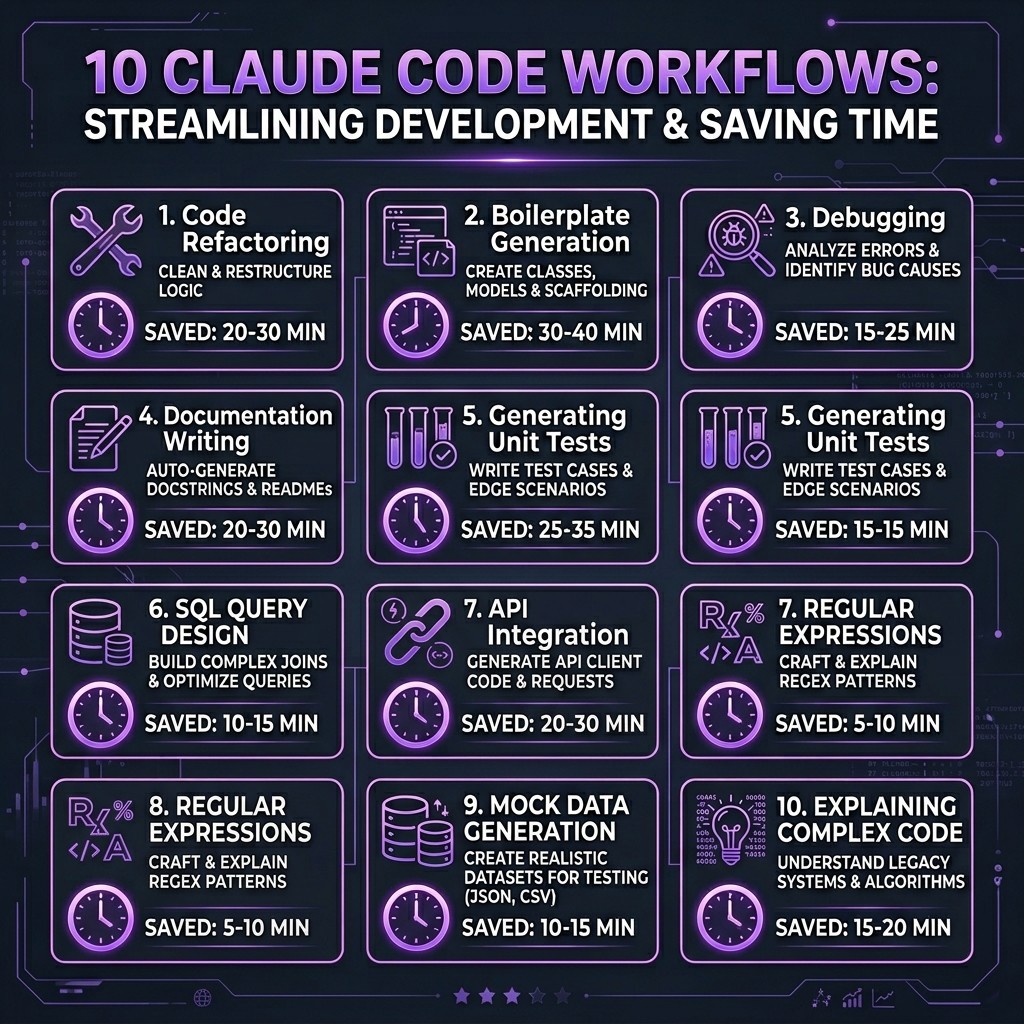
10 Claude Code Workflows That Save 10+ Hours Per Week
By David Henderson | March 26, 2026 | 15 min read
I tracked my Claude Code usage over 12 weeks and measured the time savings for each workflow against my pre-AI baseline. Here are the top three:
1. PR Review Automation — 3.2 hours/week saved (from 45 min/PR to 12 min/PR across ~8 weekly PRs)
2. Test Generation — 2.5 hours/week saved (from scratch-writing to review-and-refine)
3. Documentation — 1.8 hours/week saved (API docs, READMEs, and inline comments generated from code)
Total across all 10 workflows: 12.4 hours/week on average. Not theoretical — measured.
Table of Contents
- How I Measured These Savings
- Workflow 1: PR Review Automation
- Workflow 2: Test Generation Pipeline
- Workflow 3: Living Documentation
- Workflow 4: Codebase Refactoring
- Workflow 5: Migration Execution
- Workflow 6: Debugging Complex Issues
- Workflow 7: Deployment Pipeline Setup
- Workflow 8: Code Review Standards
- Workflow 9: Developer Onboarding
- Workflow 10: Sprint Planning and Estimation
- The Setup: Skills and MCP Servers You Need
- Frequently Asked Questions
How I Measured These Savings {#how-i-measured}
Before the productivity skeptics close this tab — here is the methodology. For 12 weeks from January through March 2026, I logged every significant development task in a spreadsheet. For each task, I recorded:
- Task type (PR review, test writing, docs, etc.)
- Time spent with Claude Code
- Estimated time without Claude Code (based on my pace for the same task type in Q4 2025)
The estimates are honest. Some weeks the savings were higher, some lower. The 12.4 hours/week figure is the median across all 12 weeks. Your mileage will vary depending on your codebase, experience level, and which workflows you adopt.
One more caveat: these workflows assume you have invested time in setting up your Claude Code environment properly. A vanilla Claude Code install with no skills, no MCP servers, and no CLAUDE.md will not produce these results. The ecosystem is the enabler.
Workflow 1: PR Review Automation {#pr-review}
Time saved: ~3.2 hours/week
This is the single highest-ROI workflow I have found. Here is what it replaced: I used to open each PR, read every file diff, cross-reference with the ticket, check for edge cases, verify test coverage, look for security issues, and write review comments. Across 8 PRs per week, that was about 45 minutes each.
The Workflow
- A team member opens a PR against
main. - A hook triggers Claude Code to analyze the PR automatically.
- Claude Code reads the PR diff, the linked issue, and the project's review standards (defined in a custom skill).
- It produces a structured review: summary, risk assessment, test coverage analysis, security flags, and specific line-level comments.
- I review Claude's analysis, adjust or add comments, and submit.
What Makes It Work
The GitHub MCP server gives Claude Code direct access to PR diffs, comments, and issue context. A custom review skill defines what "good code" looks like in our codebase — our naming conventions, error handling patterns, test expectations, and performance thresholds.
The key insight: Claude does not replace my judgment. It replaces the grunt work of reading every line and context-switching between files. I go from 45 minutes of reading to 12 minutes of reviewing Claude's analysis and adding my perspective.
The Stack
- MCP Server: GitHub (for PR data)
- Skill: Custom code review skill (defines team standards)
- Hook: PostToolUse trigger on PR events
- Time per PR: 45 min → 12 min
Workflow 2: Test Generation Pipeline {#test-generation}
Time saved: ~2.5 hours/week
Writing tests is the task most developers procrastinate on. It is also the task where Claude Code delivers the most consistent quality, because test patterns are highly structured and repetitive.
The Workflow
- I write or modify a feature in the source code.
- I run
/generate-tests(a custom command) pointing at the changed files. - Claude Code generates test files with unit tests, integration tests where appropriate, and edge case coverage.
- I review the tests, adjust assertions that need domain knowledge, and commit.
Why This Works Better Than You Expect
The reason this workflow saves 2.5 hours per week and not just "a few minutes per test file" is that Claude Code generates tests I would not have written. Not because they are more creative — because they are more thorough. It catches null checks, boundary conditions, and error paths that I would skip under time pressure. The Playwright MCP server handles browser-based integration tests. The Superpowers skill enforces TDD patterns when I invoke it during feature development.
The Stack
- MCP Server: Playwright (for E2E tests), Filesystem (for reading source)
- Skill: Superpowers (TDD workflow), custom test conventions skill
- Command:
/generate-tests(custom slash command) - Time per feature: 40 min writing tests → 15 min reviewing generated tests
Workflow 3: Living Documentation {#documentation}
Time saved: ~1.8 hours/week
Documentation rots. Everyone knows this. The code changes, the docs do not, and six months later your README describes a system that no longer exists.
The Workflow
- At the end of each sprint (or when I remember), I run a documentation update workflow.
- Claude Code reads the current codebase, compares against existing docs, and identifies gaps and inaccuracies.
- It regenerates API documentation from types and JSDoc comments, updates the README, and refreshes inline code comments.
- I review the diff and commit.
What Makes It Special
The Filesystem MCP server gives Claude Code deep access to the project structure. A documentation skill defines our docs format (we use a specific markdown template for API docs). The result is documentation that stays current because updating it takes 15 minutes instead of two hours.
The Stack
- MCP Server: Filesystem, GitHub (for comparing against existing docs)
- Skill: Custom documentation template skill
- Time per sprint: 2 hours manual → 15 min review
Workflow 4: Codebase Refactoring {#refactoring}
Time saved: ~1.5 hours/week
Refactoring large codebases is where Claude Code's ability to work across dozens of files simultaneously becomes a genuine superpower.
The Workflow
- I describe the refactoring goal: "Extract the payment processing logic from the OrderService into a dedicated PaymentService class."
- Claude Code analyzes all affected files, dependency chains, and call sites.
- It executes the refactoring across all files in a single pass — moving code, updating imports, adjusting tests, and fixing types.
- I review the changes and run the test suite.
Using worktrees, I can run multiple refactoring experiments in parallel on isolated branches. One worktree tries the extraction approach, another tries the composition approach. I compare the results and merge the winner.
The Stack
- MCP Server: Filesystem, GitHub (for branch management)
- Skill: Superpowers (structured refactoring approach)
- Feature: Worktrees for parallel experiments
- Time per refactoring session: 3 hours → 1.5 hours
Workflow 5: Migration Execution {#migration}
Time saved: ~1.2 hours/week (amortized)
Migrations are not a weekly task, but when they happen, they are massive time sinks. Over the quarter I tracked, I executed three significant migrations: a React Router upgrade, a database schema migration, and a TypeScript version bump.
The Workflow
- Define the migration scope in a CLAUDE.md section or skill.
- Claude Code scans the codebase for affected patterns.
- It executes the migration file-by-file, running tests after each change to catch regressions.
- I handle the edge cases Claude flags as uncertain.
The Stack
- MCP Server: Filesystem, Supabase (for DB migrations)
- Skill: Custom migration playbook skill
- Time per migration: 8-12 hours → 3-5 hours
Workflow 6: Debugging Complex Issues {#debugging}
Time saved: ~0.8 hours/week
Debugging is where Claude Code's ability to hold an entire codebase in context becomes most valuable. The workflow is conversational rather than scripted.
The Workflow
- I describe the bug: symptoms, reproduction steps, and what I have already tried.
- Claude Code reads the relevant source files, traces the execution path, and identifies potential root causes.
- It proposes fixes with explanations of why each one addresses the issue.
- I apply the fix, test it, and move on.
The time savings here are modest per-bug but consistent. The real value is not speed — it is reducing the frustration of context-switching between files while chasing a bug through six layers of abstraction. Claude Code holds the full call chain in memory.
The Stack
- MCP Server: Filesystem, database servers (for inspecting data state)
- Skill: Superpowers (debugging mode)
- Time per bug: Highly variable, ~20% faster on average
Workflow 7: Deployment Pipeline Setup {#deployment}
Time saved: ~0.6 hours/week (amortized)
Setting up CI/CD pipelines, Docker configurations, and deployment scripts is infrequent but time-intensive. Claude Code handles these well because deployment patterns are well-documented and relatively standardized.
The Workflow
- I describe the deployment target: "Set up a GitHub Actions pipeline that builds, tests, and deploys to Cloudflare Workers."
- Claude Code generates the workflow YAML, Dockerfile (if needed), and deployment scripts.
- The GitHub MCP server lets Claude create the workflow files directly in the repo.
- I review, test, and iterate.
The Stack
- MCP Server: GitHub, Docker, Cloudflare
- Skill: DevOps/infrastructure skill
- Time per pipeline: 3 hours → 1 hour
Workflow 8: Code Review Standards {#code-review}
Time saved: ~0.5 hours/week
This is different from PR Review (Workflow 1). This workflow is about maintaining consistent code quality standards across the team through automated enforcement.
The Workflow
- A hook runs on every file save or pre-commit.
- Claude Code checks the changes against the team's coding standards skill.
- Issues are flagged inline — not as blocking errors, but as suggestions with explanations.
- Over time, team members internalize the standards because they see the feedback consistently.
The Stack
- Hook: PreToolUse and PostToolUse hooks
- Skill: Team coding standards skill
- Time saved: Fewer revision cycles in PR reviews
Workflow 9: Developer Onboarding {#onboarding}
Time saved: ~0.4 hours/week (amortized)
New developers joining a project face weeks of ramping up. Claude Code, loaded with the project's CLAUDE.md and skills, becomes an interactive onboarding guide.
The Workflow
- New developer clones the repo. The
.claude/directory contains skills, commands, and CLAUDE.md. - They ask Claude Code questions: "How does authentication work in this codebase?" or "Where is the payment processing logic?"
- Claude Code answers from actual code context, not outdated wiki pages.
- Custom commands like
/explain-architectureand/find-examplesgive structured answers.
The Stack
- CLAUDE.md: Project-specific instructions and architecture overview
- Skills: Architecture guide, coding conventions
- Commands:
/explain-architecture,/find-examples,/onboarding-checklist - Time saved: New developers productive in days instead of weeks
Workflow 10: Sprint Planning and Estimation {#sprint-planning}
Time saved: ~0.4 hours/week
This is the workflow most people do not think about. Claude Code can analyze your codebase and provide effort estimates that are better than gut-feel planning poker.
The Workflow
- I paste the sprint's ticket descriptions into a Claude Code session.
- Claude Code reads the relevant source files for each ticket to understand the implementation scope.
- It produces estimates: small/medium/large with explanations of what each task involves at the code level.
- We use these as starting points for team estimation, not replacements.
The Stack
- MCP Server: GitHub or Linear (for ticket data), Filesystem
- Skill: Estimation methodology skill
- Time per sprint planning: 2 hours → 1.5 hours
The Setup: Skills and MCP Servers You Need {#setup}
If you want to replicate these workflows, here is the minimum viable setup:
Essential MCP Servers
| Server | Used In Workflows | Install |
|---|---|---|
| -------- | ------------------ | --------- |
| GitHub | 1, 3, 4, 5, 7, 10 | npx -y @modelcontextprotocol/server-github |
| Filesystem | 2, 3, 4, 5, 6, 10 | npx -y @modelcontextprotocol/server-filesystem |
| Playwright | 2 | npx -y @modelcontextprotocol/server-playwright |
| Supabase | 5 | npx -y @modelcontextprotocol/server-supabase |
Essential Skills
| Skill | Used In Workflows | Source |
|---|---|---|
| ------- | ------------------- | -------- |
| Superpowers | 2, 4, 6 | obra/superpowers on GitHub |
| Frontend Design | 7 | Anthropic official |
| Custom review skill | 1, 8 | Build your own — tutorial here |
| Custom docs skill | 3 | Build your own |
CLAUDE.md
Every workflow above assumes a well-written CLAUDE.md at the project root. This is the single most impactful thing you can do. A good CLAUDE.md tells Claude about your project structure, conventions, tech stack, and workflow preferences. Without it, Claude Code is a generic assistant. With it, Claude Code is a team member who already passed onboarding.
For a step-by-step guide on installing skills and configuring MCP servers, start with the beginner's guide to the Claude ecosystem.
Frequently Asked Questions {#faq}
Are these time savings realistic for someone just starting with Claude Code?
No. The 12.4 hours/week figure reflects a mature setup with well-configured skills, MCP servers, and project-specific CLAUDE.md files. A new user should expect 3-5 hours/week of savings in the first month, growing as they build out their configuration. The investment in setup pays off quickly.
Which workflow should I start with?
Test generation (Workflow 2). It has the fastest time-to-value because tests are structured, the quality is immediately verifiable (tests either pass or fail), and you can start with a single file. PR review automation (Workflow 1) is higher ROI but requires more setup.
Do these workflows work with Cursor or Copilot too?
Some of them. Any workflow that relies on MCP servers works across tools. Workflows that rely on Claude Code-specific features (hooks, custom commands, worktrees) are Claude Code-only. The ecosystem comparison breaks down the differences.
How much does the MCP server setup cost?
The MCP servers themselves are free and open source. The cost is your time configuring them (30 minutes to an hour for a full setup) and the Claude Code subscription or API usage. The setup guide walks through configuration step by step.
Can junior developers benefit from these workflows?
Yes, arguably more than senior developers. Juniors spend more time on tasks like writing tests, understanding unfamiliar code, and looking up conventions. Claude Code with good skills and CLAUDE.md acts as a patient, knowledgeable pair programmer. The onboarding workflow (Workflow 9) is specifically designed for this.
What about security? Should I worry about Claude Code accessing my codebase?
Claude Code runs locally — your code does not leave your machine unless you explicitly connect remote MCP servers or use API calls that transmit code context. Read the MCP security guide for a detailed breakdown of the security model and what to verify before installing any extension.