Best MCP Servers for Frontend Developers in 2026
The 7 best MCP servers for frontend developers in 2026. Playwright, Figma, Storybook, Lighthouse, Tailwind, Browser, and Vercel MCPs with install commands, config examples, and real use cases.

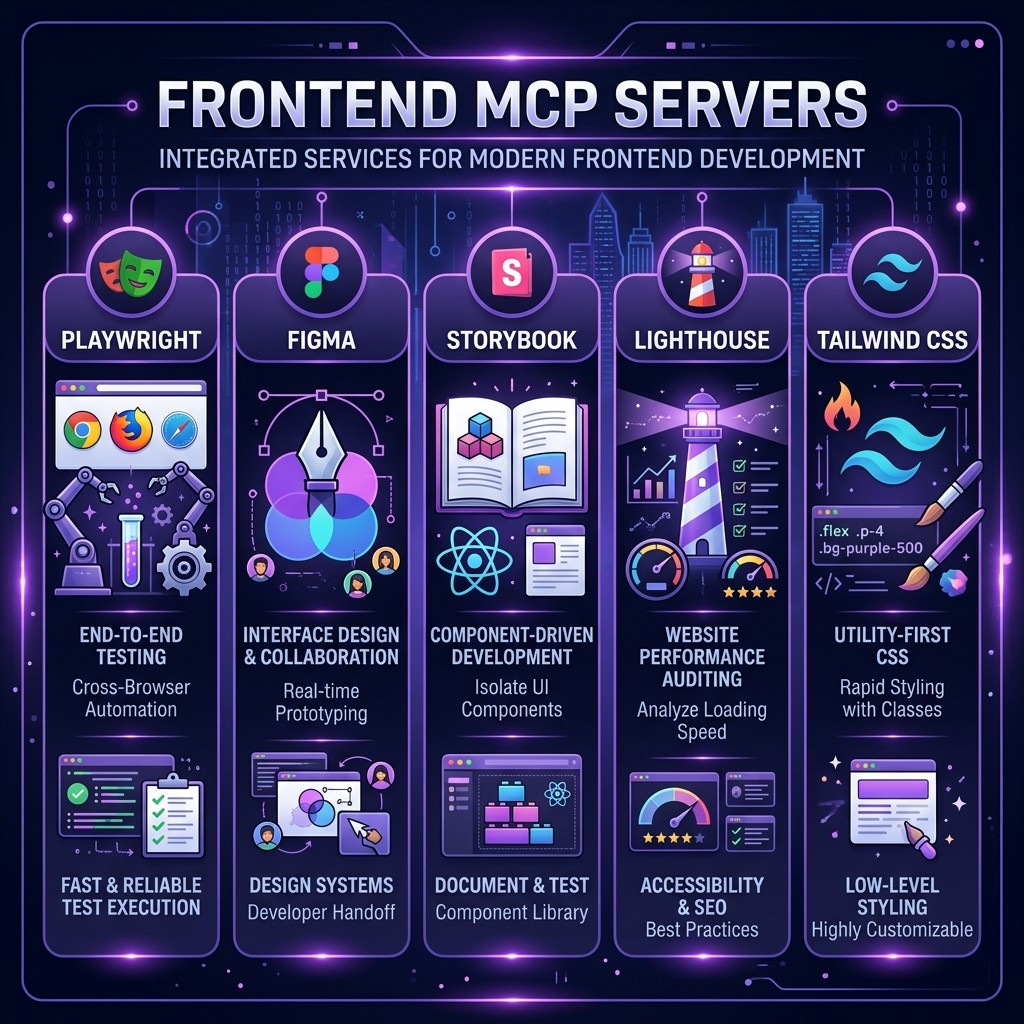
Best MCP Servers for Frontend Developers in 2026
By David Henderson | March 26, 2026 | 14 min read
Table of Contents
- Why Frontend Developers Need MCP Servers
- Playwright MCP Server
- Figma MCP Server
- Storybook MCP Server
- Lighthouse MCP Server
- Tailwind CSS MCP Server
- Browser MCP Server
- Vercel MCP Server
- Combining MCP Servers for Full-Stack Frontend Workflows
- Frequently Asked Questions
Why Frontend Developers Need MCP Servers {#why-frontend-mcp}
I build frontend applications every day. React, Next.js, Tailwind, the standard 2026 stack. When I first started using Claude Code, it was excellent at generating components and writing logic, but it was blind. It could not see my running application. It could not check whether a component rendered correctly. It could not audit performance, pull design tokens from Figma, or deploy to Vercel. It operated entirely from source code, which meant every visual bug, every layout issue, every performance regression required me to be the bridge between Claude and the browser.
MCP servers changed that fundamentally. The Model Context Protocol gives Claude Code direct tool access to external systems. Instead of describing what my application looks like, I can let Claude see it. Instead of pasting Lighthouse scores into a prompt, Claude can run the audit itself. Instead of manually exporting Figma tokens, Claude can pull them directly from the design file.
The difference between vanilla Claude Code and Claude Code with a proper frontend MCP stack is the difference between a developer who has never opened a browser and one who has a full dev environment. If you have not explored MCP servers yet, start with the complete guide to MCP servers for the fundamentals.
These are the seven MCP servers I keep installed on every frontend project. Each one solves a specific problem, and together they form a workflow that has cut my frontend development time roughly in half.
Playwright MCP Server {#playwright-mcp}
What it does: Gives Claude Code full browser automation — navigation, screenshots, element interaction, form filling, and end-to-end testing.
Why it matters: This is the single most important MCP server for frontend work. It gives Claude eyes. Without it, Claude generates UI code and hopes it looks right. With Playwright MCP, Claude can navigate to your dev server, take a screenshot, evaluate whether the layout matches your description, and iterate until it does.
I wrote a detailed review of Playwright MCP earlier this year that covers the full feature set. Here I will focus on the frontend-specific workflows.
Installation
claude mcp add playwright -- npx @anthropic-ai/mcp-playwrightOr in your .claude/settings.json:
{
  "mcpServers": {
    "playwright": {
      "command": "npx",
      "args": ["@anthropic-ai/mcp-playwright"],
      "env": {
        "PLAYWRIGHT_HEADLESS": "true"
      }
    }
  }
}
Frontend Use Cases
Visual regression checking. After Claude modifies a component, I ask it to navigate to the dev server and screenshot the page. It compares the visual output against my description and catches layout breaks that would otherwise require manual review. This is not pixel-perfect comparison tooling — it is an AI looking at a screenshot and reasoning about whether it looks correct. For most frontend work, that is more than sufficient.
Responsive testing. Playwright supports viewport configuration. I have Claude screenshot the same page at 1440px, 768px, and 375px widths to verify responsive behavior. Before Playwright MCP, this was a manual task I did in DevTools. Now Claude handles it as part of the development loop.
Form flow testing. For multi-step forms, Claude navigates through each step, fills fields, clicks buttons, and verifies the flow works end to end. It catches broken validations, missing error states, and navigation bugs that unit tests miss.
Accessibility auditing. Playwright can extract the accessibility tree of a page. Claude reads the tree, identifies missing ARIA labels, incorrect heading hierarchies, and elements that lack keyboard focus indicators. This is not a replacement for a full a11y audit, but it catches the low-hanging fruit automatically.
Pro Tip
Set PLAYWRIGHT_HEADLESS=true in CI environments and PLAYWRIGHT_HEADLESS=false locally when you want to watch Claude interact with the browser in real time. Watching it navigate your app and click through flows is surprisingly useful for understanding what it "sees."
Figma MCP Server {#figma-mcp}
What it does: Connects Claude Code to Figma files, giving it access to design tokens, component structures, layout properties, and style values.
Why it matters: The gap between design and implementation is where frontend bugs are born. A designer specifies padding: 24px in Figma, and a developer eyeballs it and writes p-5 in Tailwind. The Figma MCP server eliminates this gap by letting Claude read design files directly and generate code that matches the spec exactly.
Installation
claude mcp add figma -- npx figma-mcp-server --token=$FIGMA_ACCESS_TOKENConfiguration:
{
  "mcpServers": {
    "figma": {
      "command": "npx",
      "args": ["figma-mcp-server"],
      "env": {
        "FIGMA_ACCESS_TOKEN": "your-figma-token-here"
      }
    }
  }
}
Generate a personal access token from Figma > Settings > Account > Personal access tokens.
Frontend Use Cases
Design-to-code translation. Hand Claude a Figma frame URL and ask it to build the component. It reads the frame's layout, spacing, typography, and colors directly from Figma and generates Tailwind/CSS that matches. The accuracy is significantly higher than when Claude works from a screenshot alone, because it gets exact numeric values instead of visual approximations.
Design token extraction. If your Figma file uses a structured design system with named styles and variables, Claude can extract these into a tokens.json file or Tailwind config. I have used this to bootstrap entire design systems from Figma in under an hour.
Design drift detection. After building a component, I have Claude compare the implementation (via Playwright screenshot) against the original Figma frame. It identifies discrepancies in spacing, font size, color values, and border radius. This is like having a designer review every PR, except it happens instantly and catches issues I would miss.
Limitation
Figma MCP works best with well-structured Figma files. If your design files are a mess of ungrouped layers and unnamed frames, Claude gets less useful data. Clean Figma hygiene pays dividends when you add AI to the workflow.
Storybook MCP Server {#storybook-mcp}
What it does: Connects Claude Code to a running Storybook instance, giving it access to component stories, args, documentation, and rendered previews.
Why it matters: Storybook is the component catalog for most serious frontend teams. The Storybook MCP server means Claude can browse your existing components, understand their APIs, read their documentation, and generate new components that follow established patterns.
Installation
claude mcp add storybook -- npx storybook-mcp-server --url=http://localhost:6006Configuration:
{
  "mcpServers": {
    "storybook": {
      "command": "npx",
      "args": ["storybook-mcp-server", "--url=http://localhost:6006"]
    }
  }
}
Make sure your Storybook dev server is running before starting Claude Code, or set up a hook that auto-starts Storybook when the MCP server initializes.
Frontend Use Cases
Component discovery. When Claude needs a button, it checks Storybook first. If a PrimaryButton already exists with the right props, Claude uses it instead of creating a new one. This reduces component duplication — a problem that plagues large frontend codebases.
Story-driven development. I write the Storybook story first (or have Claude write it), then ask Claude to implement the component to match the story's expected behavior. This inverts the usual workflow and produces components that are testable from day one.
Documentation generation. Claude reads existing component stories and generates MDX documentation pages. It extracts prop types, default values, and usage examples directly from the story definitions.
Pattern consistency. When building a new component, Claude analyzes the existing component library in Storybook and matches the naming conventions, prop patterns, and styling approaches already in use. This is particularly valuable on teams where multiple developers contribute components with different conventions.
Pro Tip
Combine Storybook MCP with Playwright MCP. Claude can navigate to individual Storybook stories in the browser, screenshot them in different states (hover, active, disabled, error), and verify that visual behavior matches expectations. This creates an automated visual testing loop without needing dedicated visual regression tools.
Lighthouse MCP Server {#lighthouse-mcp}
What it does: Runs Google Lighthouse audits from within Claude Code, returning performance, accessibility, best practices, and SEO scores along with detailed diagnostics.
Why it matters: Performance is a feature. Every frontend developer knows this, yet performance audits are typically an afterthought — run once before launch, then forgotten. The Lighthouse MCP server makes performance auditing a part of the development loop, not a final checkpoint.
Installation
claude mcp add lighthouse -- npx lighthouse-mcp-serverConfiguration:
{
  "mcpServers": {
    "lighthouse": {
      "command": "npx",
      "args": ["lighthouse-mcp-server"],
      "env": {
        "LIGHTHOUSE_CHROMIUM_PATH": "/usr/bin/chromium"
      }
    }
  }
}
Frontend Use Cases
Performance-aware development. After Claude makes significant changes to a page (adding images, new components, third-party scripts), I ask it to run a Lighthouse audit and fix any regressions. Claude reads the full diagnostic output — not just the score — and addresses specific issues like unoptimized images, render-blocking resources, or excessive DOM depth.
CLS debugging. Cumulative Layout Shift is the most frustrating Core Web Vital to debug because it is visual and intermittent. Claude runs Lighthouse, identifies the elements causing CLS, and adds explicit dimensions, aspect ratios, or placeholder elements to fix the shift. Before Lighthouse MCP, this was a manual process involving Chrome DevTools and squinting at the performance panel.
Accessibility scoring. Lighthouse's accessibility audit catches issues that are easy to miss: missing alt text, low contrast ratios, missing form labels, incorrect ARIA roles. Claude reads these diagnostics and applies fixes immediately.
Pre-deployment gates. I use Claude's /loop command to periodically run Lighthouse audits during development. If the performance score drops below 90, Claude flags it immediately instead of letting the regression accumulate.
Configuration Tip
Set environment variable LIGHTHOUSE_PRESET=desktop or LIGHTHOUSE_PRESET=mobile depending on your primary target. Mobile audits use throttled CPU and network simulation, which gives more realistic performance numbers for mobile users.
Tailwind CSS MCP Server {#tailwind-mcp}
What it does: Provides Claude Code with Tailwind CSS configuration awareness — your custom theme values, plugins, utility classes, and design tokens.
Why it matters: Claude already knows standard Tailwind utilities. But it does not know your custom colors.brand.primary or your spacing.18 override or your custom animate-fade-in class. The Tailwind MCP server feeds your actual tailwind.config.ts into Claude's context, so the code it generates uses your project's design tokens instead of Tailwind defaults.
Installation
claude mcp add tailwind -- npx tailwind-mcp-server --config=./tailwind.config.tsConfiguration:
{
  "mcpServers": {
    "tailwind": {
      "command": "npx",
      "args": ["tailwind-mcp-server", "--config=./tailwind.config.ts"]
    }
  }
}
Frontend Use Cases
Project-aware class generation. When I ask Claude to build a card component, it uses bg-brand-dark and text-brand-light from my Tailwind config instead of generic bg-gray-900 and text-white. The output is production-ready without manual token substitution.
Plugin awareness. If your project uses @tailwindcss/typography, tailwind-animate, or custom plugins, Claude knows about the utilities they provide. It will use prose classes for content areas and animation utilities for transitions without needing to be told they are available.
Design system enforcement. Claude checks whether a color value exists in the Tailwind config before using it. If I ask for a "subtle gray background," Claude picks the closest match from the configured palette rather than hardcoding an arbitrary hex value. This prevents the design token drift that accumulates over months of development.
Config optimization. Claude reads the full Tailwind config and identifies unused theme extensions, redundant plugin configurations, or opportunities to consolidate custom utilities. This is a cleanup task I run quarterly.
Pro Tip
Pair Tailwind MCP with Figma MCP. Claude reads design tokens from Figma, checks them against the Tailwind config, and either maps to existing utilities or suggests additions to tailwind.config.ts. This creates a direct pipeline from design to code with zero manual token management.
Browser MCP Server {#browser-mcp}
What it does: Gives Claude Code access to a browser for general web interaction — navigating pages, reading content, extracting data, and interacting with web applications.
Why it matters: While Playwright MCP is optimized for testing and automation workflows, the Browser MCP server excels at general web interaction. Think of it as Claude's ability to browse the web as a user would. For frontend developers, this means Claude can check competitor implementations, read documentation, verify deployed applications, and gather reference material.
Installation
claude mcp add browser -- npx @anthropic-ai/mcp-browserConfiguration:
{
  "mcpServers": {
    "browser": {
      "command": "npx",
      "args": ["@anthropic-ai/mcp-browser"],
      "env": {
        "BROWSER_HEADLESS": "true"
      }
    }
  }
}
Frontend Use Cases
Documentation lookup. When Claude encounters an unfamiliar API or library, it can browse the documentation directly instead of relying on training data that may be outdated. This is particularly valuable for fast-moving frameworks like Next.js and React, where APIs change between minor versions.
Competitor analysis. I point Claude at a competitor's page and ask it to analyze the layout structure, interaction patterns, and performance characteristics. It can view the page, inspect the DOM, and suggest implementation approaches based on what it observes.
Deployed verification. After pushing to staging, Claude navigates to the deployed URL and verifies that the changes render correctly in a real browser environment (not just the local dev server). It catches environment-specific issues like missing environment variables, CDN caching problems, and SSR hydration mismatches.
Screenshot-based bug reproduction. When a user reports a visual bug with a screenshot, Claude navigates to the same page and compares its view against the bug report. It identifies discrepancies and can often reproduce the issue, which is the hardest part of frontend debugging.
When to Use Browser MCP vs Playwright MCP
Use Playwright MCP for structured, repeatable automation: testing flows, taking screenshots at specific viewports, interacting with forms programmatically. Use Browser MCP for ad hoc web interaction: looking things up, checking deployed sites, browsing documentation. They complement each other, and I keep both installed.
Vercel MCP Server {#vercel-mcp}
What it does: Connects Claude Code to the Vercel platform for deployment management, project configuration, environment variables, domain settings, and deployment logs.
Why it matters: If you deploy to Vercel — and a significant percentage of frontend developers do — this MCP server closes the loop between development and deployment. Claude can deploy preview branches, check deployment status, read build logs, manage environment variables, and configure domains without leaving the terminal.
Installation
claude mcp add vercel -- npx @vercel/mcp --token=$VERCEL_TOKENConfiguration:
{
  "mcpServers": {
    "vercel": {
      "command": "npx",
      "args": ["@vercel/mcp"],
      "env": {
        "VERCEL_TOKEN": "your-vercel-token-here"
      }
    }
  }
}
Generate a token from Vercel Dashboard > Settings > Tokens.
Frontend Use Cases
Preview deployment workflow. After Claude finishes a feature branch, it pushes to Git and triggers a Vercel preview deployment. Then it polls the deployment status and, once live, uses Playwright MCP to navigate to the preview URL and verify the changes. This entire cycle — code, deploy, verify — happens in a single Claude session without manual intervention.
Build error debugging. When a Vercel deployment fails, Claude reads the build logs directly through the MCP server. It identifies the error, makes the fix in source code, pushes again, and monitors the new deployment. I have had Claude fix build errors that would have taken me twenty minutes of log reading in under two minutes.
Environment variable management. Claude can list, add, and update environment variables across development, preview, and production environments. This is useful when adding new integrations that require API keys — Claude sets the env vars in Vercel as part of the integration workflow.
Domain configuration. For projects with custom domains, Claude can verify DNS settings, check SSL certificate status, and troubleshoot domain configuration issues through the Vercel MCP.
Security Note
The Vercel MCP token grants access to your Vercel account. Use a scoped token with the minimum required permissions for the specific project. Never use a token with full account access in a shared team environment. For more on securing your MCP server configurations, see the MCP security guide.
Combining MCP Servers for Full-Stack Frontend Workflows {#combining-mcps}
The real power of MCP servers is not any single server in isolation — it is the combinations. Here are the workflows I use daily that chain multiple MCP servers together.
The Design-to-Deployment Pipeline
- Figma MCP reads the design spec and extracts layout, spacing, typography, and color tokens
- Tailwind MCP maps those tokens to existing Tailwind utilities or suggests config additions
- Claude generates the component code using project-aware Tailwind classes
- Storybook MCP creates a story for the new component
- Playwright MCP screenshots the component at multiple viewports to verify it matches the Figma frame
- Lighthouse MCP audits the page for performance and accessibility regressions
- Vercel MCP deploys to a preview environment for stakeholder review
This entire pipeline runs in a single Claude session. I describe the component I need, point to the Figma frame, and Claude handles the rest. My role shifts from implementer to reviewer.
The Performance Optimization Loop
- Lighthouse MCP runs a baseline audit and identifies issues
- Claude reads the diagnostic output and prioritizes fixes by impact
- Claude implements fixes (image optimization, code splitting, lazy loading, CLS elimination)
- Playwright MCP screenshots the page to verify visual correctness after changes
- Lighthouse MCP runs a follow-up audit to confirm score improvements
- Repeat until all scores are above target thresholds
The Bug Fix Workflow
- Browser MCP navigates to the deployed URL where the bug was reported
- Playwright MCP takes screenshots at various viewports to reproduce the issue
- Claude identifies the root cause in source code
- Claude implements the fix
- Playwright MCP verifies the fix in the local dev environment
- Vercel MCP deploys to preview for verification
Configuring Multiple MCP Servers
When running multiple MCP servers simultaneously, be mindful of resource usage. Each server is a separate process. On a machine with 8GB of RAM, I comfortably run four to five MCP servers. On 16GB, all seven run without issues.
Here is the combined configuration I use for frontend projects:
{
  "mcpServers": {
    "playwright": {
      "command": "npx",
      "args": ["@anthropic-ai/mcp-playwright"]
    },
    "figma": {
      "command": "npx",
      "args": ["figma-mcp-server"],
      "env": { "FIGMA_ACCESS_TOKEN": "${FIGMA_TOKEN}" }
    },
    "storybook": {
      "command": "npx",
      "args": ["storybook-mcp-server", "--url=http://localhost:6006"]
    },
    "lighthouse": {
      "command": "npx",
      "args": ["lighthouse-mcp-server"]
    },
    "tailwind": {
      "command": "npx",
      "args": ["tailwind-mcp-server", "--config=./tailwind.config.ts"]
    },
    "browser": {
      "command": "npx",
      "args": ["@anthropic-ai/mcp-browser"]
    },
    "vercel": {
      "command": "npx",
      "args": ["@vercel/mcp"],
      "env": { "VERCEL_TOKEN": "${VERCEL_TOKEN}" }
    }
  }
}
If you are new to MCP server configuration, start with the complete guide to MCP servers and then check the top MCP servers for developers for additional recommendations beyond this frontend-focused list.
Frequently Asked Questions {#faq}
Do I need all seven MCP servers for frontend development?
No. Start with Playwright MCP and Tailwind MCP — those two provide the highest immediate value. Add Figma MCP if your team uses Figma. Add Lighthouse MCP when you start caring about performance optimization. Layer in the others as your workflow matures.
Can I use these MCP servers with Cursor or Copilot?
MCP is a shared protocol. Most of these servers work in Cursor and are starting to work in Copilot. However, the configuration syntax and developer experience differs between tools. See our Claude Code vs Cursor vs Copilot ecosystem comparison for details.
Will running seven MCP servers slow down Claude Code?
MCP servers are idle processes until invoked. They consume minimal resources when not actively processing a request. The startup time adds a few seconds when you first launch Claude Code, but ongoing performance is unaffected.
Do these MCP servers work in CI/CD pipelines?
Yes. Playwright MCP and Lighthouse MCP are particularly useful in CI. Run them in headless mode within your CI container to automate visual regression and performance testing as part of your pull request workflow.
How do I keep MCP servers updated?
Since these install via npx, they always pull the latest version. If you pin versions (recommended for stability), update them periodically. I update monthly and test in a branch before rolling out to the team.
Is the Figma MCP server free?
The MCP server itself is free and open source. You need a Figma account (free tier works for personal projects) and a personal access token. Figma's API rate limits apply.