How to Migrate from ChatGPT Custom GPTs to Claude Skills
Step-by-step guide to migrating your ChatGPT Custom GPTs to Claude Skills. Format comparison, migration workflow, and which GPTs already have skill equivalents.

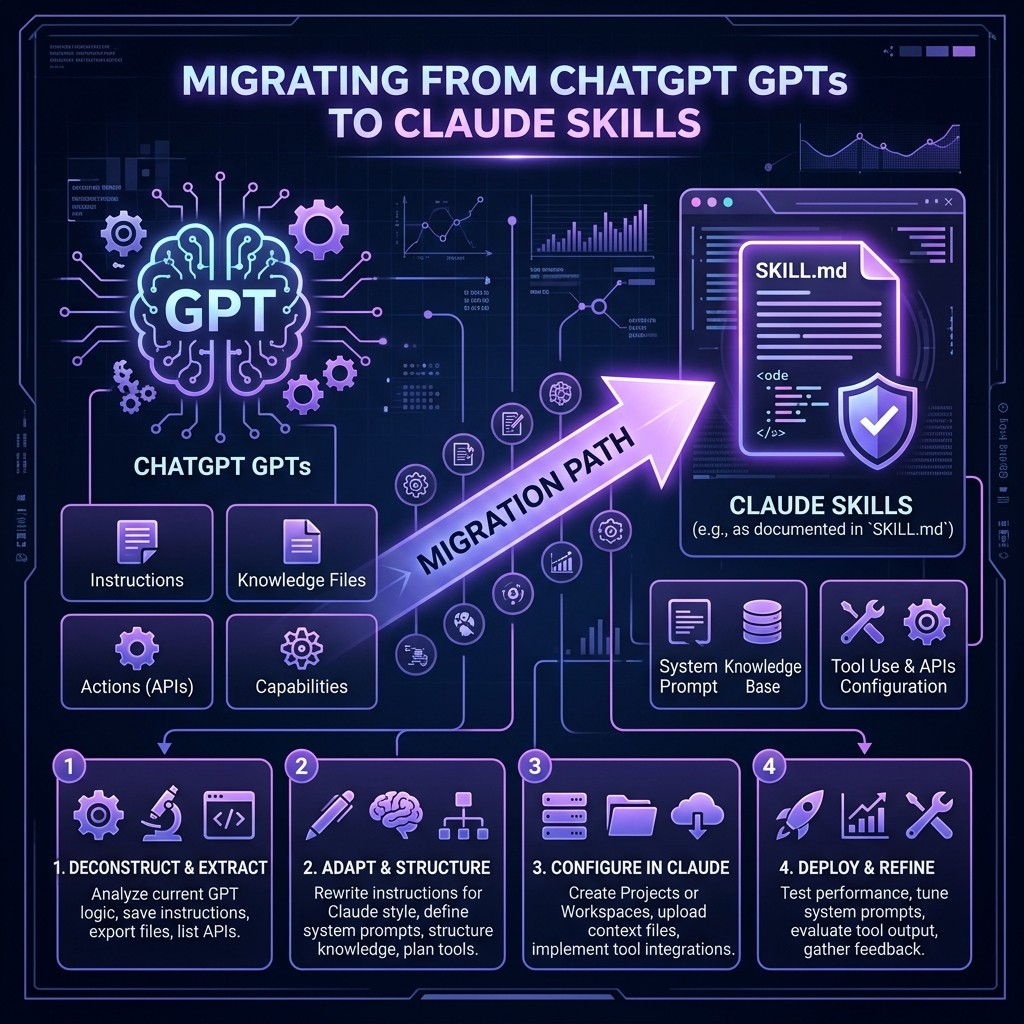
How to Migrate from ChatGPT Custom GPTs to Claude Skills
By Matty Reid | March 26, 2026 | 14 min read
Table of Contents
- Why Developers Are Switching
- Custom GPTs vs Claude Skills: What Is Actually Different
- The Format Comparison
- Step-by-Step Migration Process
- Migrating GPT Actions to MCP Servers
- Migrating GPT Knowledge Files
- GPTs That Already Have Skill Equivalents
- Common Migration Pitfalls
- Is the Switch Worth It?
- Frequently Asked Questions
Why Developers Are Switching {#why-switching}
I built over forty Custom GPTs on OpenAI's platform between 2024 and 2025. Code reviewers, documentation writers, SEO analyzers, API designers. Each one was useful in isolation. But as my workflow shifted toward terminal-first AI coding, the limitations of GPTs became impossible to ignore.
Custom GPTs live inside the ChatGPT web interface. They cannot access your local filesystem. They cannot run shell commands. They cannot interact with your Git repository, your database, or your CI/CD pipeline. They are chatbots with personality — useful, but fundamentally disconnected from the development environment where real work happens.
Claude Skills, by contrast, live in your codebase. They are markdown files that Claude Code reads when it starts a session. They have access to everything Claude Code can touch: your filesystem, your terminal, your MCP servers, your project configuration. A Claude Skill is not a chatbot you visit — it is an instruction set that transforms your development environment.
That architectural difference is why developers are migrating. Not because Claude is "better than GPT" in some abstract benchmark sense, but because Skills are integrated where Custom GPTs are isolated.
If you are new to Claude Skills entirely, start with What Are Claude Skills? for the fundamentals before diving into migration.
Custom GPTs vs Claude Skills: What Is Actually Different {#gpts-vs-skills}
Before migrating anything, you need to understand the conceptual mapping between the two systems. They share the same goal — customizing AI behavior — but differ in almost every implementation detail.
Architecture
| Aspect | Custom GPTs | Claude Skills |
|---|---|---|
| -------- | ------------- | --------------- |
| Where they live | OpenAI's cloud platform | Markdown files in your project or ~/.claude/ |
| How you create them | Web-based GPT Builder UI | Write a markdown file in any text editor |
| How you share them | GPT Store or shared link | Git repository, npm package, or direct file sharing |
| Version control | No built-in versioning | Standard Git versioning |
| Access model | Web browser only | Terminal, CI/CD, SSH, worktrees, messaging via Channels |
| Scope | Global (same GPT everywhere) | Project-scoped or global |
| External tools | GPT Actions (OpenAPI schemas) | MCP Servers |
| Knowledge files | Upload files to GPT | Place files in project directory |
| Pricing | Requires ChatGPT Plus/Team/Enterprise | Requires Claude Code subscription or API access |
The Key Mental Shift
A Custom GPT is a product you build and publish. A Claude Skill is a configuration you apply to your development environment.
This distinction matters. When you build a Custom GPT, you think about the end user experience: the conversation starter messages, the profile picture, the name, the description. When you write a Claude Skill, you think about the developer experience: what instructions does Claude need to do this job correctly within my project?
Skills are not published to a marketplace (though Skiln's directory catalogs thousands of community-contributed skills). They are files you commit to a repo, share with your team, and evolve over time. The mental model is closer to a .eslintrc or .prettierrc than to an app in a store.
The Format Comparison {#format-comparison}
Here is a concrete side-by-side comparison of the same customization expressed as a GPT and a Skill.
Custom GPT: Code Reviewer
In the GPT Builder, you would enter:
Name: Senior Code Reviewer
Instructions:
You are a senior code reviewer with 15 years of experience. Review code for:
- Security vulnerabilities
- Performance issues
- Code style consistency
- Test coverage gaps
- Architecture concerns

Be direct and specific. Reference line numbers. Suggest fixes, not just problems. Use a severity rating: Critical, Warning, Info.

When reviewing TypeScript, enforce strict mode. When reviewing React, check for unnecessary re-renders and missing memoization.
Conversation starters:
- "Review this pull request"
- "Check this function for security issues"
Knowledge: (uploaded style guide PDF)
Actions: None or a custom API for fetching PR diffs
Claude Skill: Code Reviewer
File: .claude/skills/code-reviewer.md (or SKILL.md in a standalone repo)
# Senior Code Reviewer

You are a senior code reviewer with 15 years of experience.

## Review Checklist

When reviewing code, evaluate every file against this checklist:

1. **Security** — SQL injection, XSS, auth bypass, secret exposure, insecure deserialization
2. **Performance** — N+1 queries, unnecessary re-renders, missing memoization, unbounded loops
3. **Style** — Consistent with project conventions (read .eslintrc and .prettierrc if present)
4. **Tests** — Coverage for happy path, edge cases, and error states
5. **Architecture** — Single responsibility, dependency direction, appropriate abstraction level

## Output Format

For each issue found:

- **File:** path/to/file.ts
- **Line:** 42
- **Severity:** Critical | Warning | Info
- **Issue:** Clear description of the problem
- **Fix:** Concrete code suggestion

## Language-Specific Rules

### TypeScript
- Enforce strict mode (`strict: true` in tsconfig)
- No `any` types without explicit justification
- Prefer `unknown` over `any` for external data

### React
- Check for unnecessary re-renders (missing `React.memo`, `useMemo`, `useCallback`)
- Verify dependency arrays in `useEffect` and `useMemo`
- Confirm error boundaries exist for async operations

## What Not To Do

- Do not nitpick formatting issues that a linter should catch
- Do not suggest rewrites of working code without a clear improvement
- Do not be vague — every issue must include a specific fix
What Changed
The content is almost identical. The format is different. The GPT version is entered into form fields. The Skill version is a markdown file with headers, lists, and structure.
But the Skill version gains several capabilities the GPT version lacks:
- File access. The skill mentions "read .eslintrc and .prettierrc if present." Claude Code can actually do this — it reads those files from your project and adapts its review accordingly. A Custom GPT cannot.
- Version control. The skill file lives in Git. Changes are tracked, reviewed in PRs, and shared across the team. GPT instructions are edited in a web UI with no history.
- Project scoping. The skill sits in
.claude/skills/within a specific project, so it only activates for that project. Different projects can have different reviewer skills with different rules. GPTs are global.
- Composability. Multiple skills can be active simultaneously. A code reviewer skill can coexist with a documentation writer skill, a testing skill, and project-specific CLAUDE.md instructions. GPTs are one-at-a-time.
Step-by-Step Migration Process {#migration-steps}
Here is the process I used to migrate my forty GPTs. It works for any Custom GPT, regardless of complexity.
Step 1: Export Your GPT Instructions
OpenAI does not provide a one-click export. You need to copy your GPT's configuration manually.
- Go to ChatGPT > Explore GPTs > My GPTs
- Click the GPT you want to migrate
- Click Edit GPT
- Copy the Instructions field in full
- Note any Knowledge files (download them)
- Note any Actions (copy the OpenAPI schema)
Step 2: Create the Skill File
Create a markdown file. If this skill is project-specific, place it in your project:
mkdir -p .claude/skills
touch .claude/skills/your-skill-name.md
If it is a skill you want available across all projects:
mkdir -p ~/.claude/skills
touch ~/.claude/skills/your-skill-name.md
For a detailed walkthrough of skill installation paths and scoping, see How to Install Claude Skills.
Step 3: Convert the Instructions
Take the GPT instructions you copied and restructure them as markdown:
- Add a title as an H1 heading
- Group related instructions under H2 headings
- Convert bullet lists to markdown lists
- Add specificity — GPT instructions are often vague because the GPT cannot access your project. Skills can reference specific files, directories, and tools, so add that context.
- Remove chat-specific instructions — GPTs often include "when the user says..." conversation routing. Skills do not need this because Claude Code operates on natural language commands, not predefined conversation flows.
- Add tool instructions — If the skill should use specific MCP servers, mention them explicitly.
Step 4: Handle Knowledge Files
GPTs allow you to upload files that the model can reference. Claude Skills handle this differently:
- For small reference files (style guides, API documentation), place them in the project directory and reference them in the skill: "Read
docs/style-guide.mdbefore reviewing." - For large datasets, use the Filesystem MCP server to give Claude access to a specific directory of reference materials.
- For external data, use an MCP server instead of static files. This keeps the data current.
Step 5: Replace GPT Actions with MCP Servers
This is the biggest architectural change in migration. GPT Actions use OpenAPI schemas to define API endpoints the GPT can call. MCP Servers provide tool access through a standardized protocol.
The next section covers this in detail.
Step 6: Test and Iterate
Run Claude Code with the new skill active and test it against the same tasks you used the GPT for. Refine the instructions based on output quality. Skills are markdown files — iteration is as fast as editing text and re-running a command.
# Test the skill
claude --skill .claude/skills/code-reviewer.md "Review the changes in the last commit"
Migrating GPT Actions to MCP Servers {#actions-to-mcp}
GPT Actions are the hardest part to migrate because the architecture is fundamentally different.
GPT Actions
GPT Actions are defined by an OpenAPI schema that describes REST API endpoints. When the GPT decides to call an action, OpenAI's infrastructure makes the HTTP request on the GPT's behalf and returns the response. You host the API. OpenAI calls it.
MCP Servers
MCP Servers are local processes that expose tools through the Model Context Protocol. They run on your machine (or in your CI container) alongside Claude Code. Claude calls tools directly through the protocol — no HTTP request leaves your network unless the MCP server itself makes external calls.
Migration Mapping
| GPT Action Pattern | MCP Server Equivalent |
|---|---|
| ------------------- | ----------------------- |
| Fetch data from REST API | MCP server that wraps the API client |
| Query a database | Supabase MCP or database-specific MCP |
| Interact with GitHub | GitHub MCP server |
| Read/write files | Filesystem MCP server |
| Run code analysis | Built into Claude Code (no MCP needed) |
| Send notifications | Slack MCP, email MCP, or webhook MCP |
Building a Custom MCP Server
If your GPT Action called a proprietary API with no existing MCP server, you will need to build one. The good news is that MCP servers are significantly simpler than maintaining an OpenAPI endpoint.
We have a full tutorial on building an MCP server from scratch that covers the process in detail. The short version: an MCP server is a Node.js (or Python) script that defines tools and handles requests through stdio. A basic server with one tool is about 50 lines of code.
Migrating GPT Knowledge Files {#knowledge-files}
Custom GPTs let you upload documents that the model can search and reference during conversations. This is OpenAI's RAG (Retrieval-Augmented Generation) implementation.
Claude Skills handle knowledge differently. There is no file upload UI. Instead, knowledge is embedded in the skill itself or referenced from the filesystem.
Small Reference Documents (Under 10KB)
Embed the content directly in the skill markdown. Claude Code reads the entire skill into context, so inline content is immediately available.
# API Design Reviewer

## API Conventions

All endpoints must follow these conventions:

- Use plural nouns for resources: `/users`, `/orders`, `/products`
- Use HTTP verbs correctly: GET for reads, POST for creates, PUT for full updates, PATCH for partial updates
- Return 201 for successful creates, 200 for reads and updates, 204 for deletes
- Paginate all list endpoints with `?page=1&limit=20`
- Use ISO 8601 for all date fields
Large Reference Documents (Over 10KB)
Place the document in your project and reference it:
# Code Reviewer

Before reviewing, read the project's style guide at `docs/STYLE_GUIDE.md` and the architecture decision records in `docs/adr/`.
Claude Code reads these files on demand when the skill is active. This is effectively the same as GPT knowledge files but without the upload step and without the RAG retrieval latency.
Frequently Updated Data
For data that changes regularly (product catalogs, API documentation, competitor analysis), use an MCP server that fetches current data instead of relying on static files. This is a significant advantage over GPT knowledge files, which must be manually re-uploaded when the source data changes.
GPTs That Already Have Skill Equivalents {#skill-equivalents}
You do not need to migrate every GPT manually. Many popular Custom GPTs already have community-created Claude Skill equivalents. Here are the most common mappings:
| Popular Custom GPT | Claude Skill Equivalent | Where to Find |
|---|---|---|
| -------------------- | ----------------------- | --------------- |
| Code Reviewer GPT | Code Review skill | skiln.co/skills |
| SQL Expert GPT | SQL Optimizer skill | skiln.co/skills |
| SEO Writer GPT | SEO Content Writer skill | skiln.co/skills |
| API Designer GPT | API Design skill | skiln.co/skills |
| Docs Writer GPT | Documentation Generator skill | skiln.co/skills |
| Test Generator GPT | Test Writer skill | skiln.co/skills |
| Regex Helper GPT | Regex Builder skill | skiln.co/skills |
| Git Expert GPT | Git Workflow skill | skiln.co/skills |
| DevOps Assistant GPT | DevOps/Infrastructure skill | skiln.co/skills |
| Data Analyst GPT | Data Analysis skill + Supabase MCP | skiln.co/skills |
The Skiln directory catalogs over 60,000 skills. Before migrating a GPT manually, search the directory — there is a good chance someone has already built the equivalent. To learn how to install skills from the directory, see How to Install Claude Skills.
Common Migration Pitfalls {#pitfalls}
After migrating forty GPTs and helping others migrate theirs, these are the mistakes I see repeatedly:
1. Copy-Pasting GPT Instructions Without Adaptation
GPT instructions are written for a web chat context. They include phrases like "When the user uploads a file..." or "If the user asks you to..." Claude Skills operate in a development environment. Rewrite instructions to reference files, directories, commands, and tools instead of chat interactions.
2. Ignoring Project Scoping
GPTs are global — the same GPT works the same way regardless of what you are working on. Skills should be project-scoped. A code reviewer skill for a Python Django project should have different rules than one for a TypeScript React project. Use .claude/skills/ at the project level, not ~/.claude/skills/ globally, unless the skill is truly universal.
3. Trying to Replicate Conversation Starters
GPTs have conversation starter buttons that suggest prompts. Skills do not have this concept. If you want predefined prompts, use Claude Code Commands instead. Commands are slash-command shortcuts that inject predefined prompts — they are the functional equivalent of conversation starters.
4. Over-Relying on Knowledge Files
GPTs encourage you to upload reference documents. Skills encourage you to keep reference material in the project directory where it is version-controlled and accessible to the entire team. Resist the urge to create a massive skill file with all reference content inlined — reference external files instead.
5. Forgetting About MCP Servers
Many GPTs use Actions to fetch external data. If you migrate the instructions but forget to set up equivalent MCP servers, the skill will be less capable than the original GPT. Map every GPT Action to an MCP server before considering the migration complete.
Is the Switch Worth It? {#worth-it}
After three months of running Skills instead of GPTs, here is my honest assessment.
What you gain:
- File system access — Claude works with your actual code, not pasted snippets
- Version control — Skills evolve with your project in Git
- Tool integration — MCP servers are more powerful and flexible than GPT Actions
- Composability — Multiple skills active simultaneously
- Environment integration — Skills work in terminal, CI/CD, SSH, worktrees
- Privacy — Skills and MCP servers run locally; data does not pass through a third-party platform (beyond the Anthropic API)
What you lose:
- The polished GPT Builder UI — writing markdown is less visual
- Shareability — GPT Store makes sharing easy; skill sharing requires Git repos or the Skiln directory
- Conversation memory — GPTs remember past conversations; Claude Code sessions are stateless (though project context persists through CLAUDE.md and skills)
- Mobile access — GPTs work on the ChatGPT mobile app; Claude Code is terminal-first
For developers who work primarily in a terminal and want AI deeply integrated into their development workflow, the switch is unambiguously worth it. For users who primarily chat with AI through a web interface and do not work in code, Custom GPTs remain the better choice.
The migration is not all-or-nothing. I still use Custom GPTs for non-development tasks (brainstorming, writing, research) and Claude Skills for everything related to code and development. They coexist without conflict.
Frequently Asked Questions {#faq}
Can I use my existing GPT instructions in a Claude Skill without changes?
You can, and it will work to some degree. But you will get significantly better results by adapting the instructions for Claude's development environment context. Add file references, remove chat-specific language, and add MCP server instructions.
How long does it take to migrate a Custom GPT?
A simple GPT with only instructions takes ten to fifteen minutes. A GPT with knowledge files and Actions takes thirty minutes to an hour, mostly spent setting up equivalent MCP servers.
Do Claude Skills support images like Custom GPTs do?
Claude Code can read and process images through its multimodal capabilities. However, skills themselves are text-based markdown files. If your GPT relies on image generation (DALL-E integration), you would use an image generation MCP server as the equivalent.
Can I share my Claude Skills with non-developers?
Skills are developer-facing tools that require Claude Code. If you need to share AI customizations with non-technical users, Custom GPTs are still the better delivery mechanism. NanoClaw and OpenClaw provide messaging-based interfaces to Claude Skills through Channels, which can bridge this gap.
What happens to my GPT Store revenue if I switch?
Migrating to Claude Skills does not require you to unpublish your GPTs. You can maintain both. Many developers keep their GPTs on the store for revenue while using Skills for their personal development workflow.
Is there an automated migration tool?
Not currently. The format differences and the GPT-to-MCP server mapping require human judgment. However, you can use Claude Code itself to help — paste your GPT instructions and ask Claude to convert them into a skill format.