Notion MCP Server Review 2026: Database and Page Management with Claude
We connected Claude to a Notion workspace with 200+ databases and tested queries, page creation, and block manipulation for 2 weeks. Complex auth, API limits, but solid when working. 4.2/5.

Table of Contents
- What Is Notion MCP Server?
- Key Features
- How to Install and Use Notion MCP
- Pricing
- Pros and Cons
- Best Alternatives
- Final Verdict
- FAQ
What Is Notion MCP Server?
Notion MCP server connects Claude to Notion workspaces through the Model Context Protocol. With 1,000 stable monthly searches, it serves a consistent audience of Notion power users who want AI assistance with their workspace management. Notion is used by millions of teams for documentation, project management, knowledge bases, and CRM — making this MCP server broadly useful despite its moderate search volume.
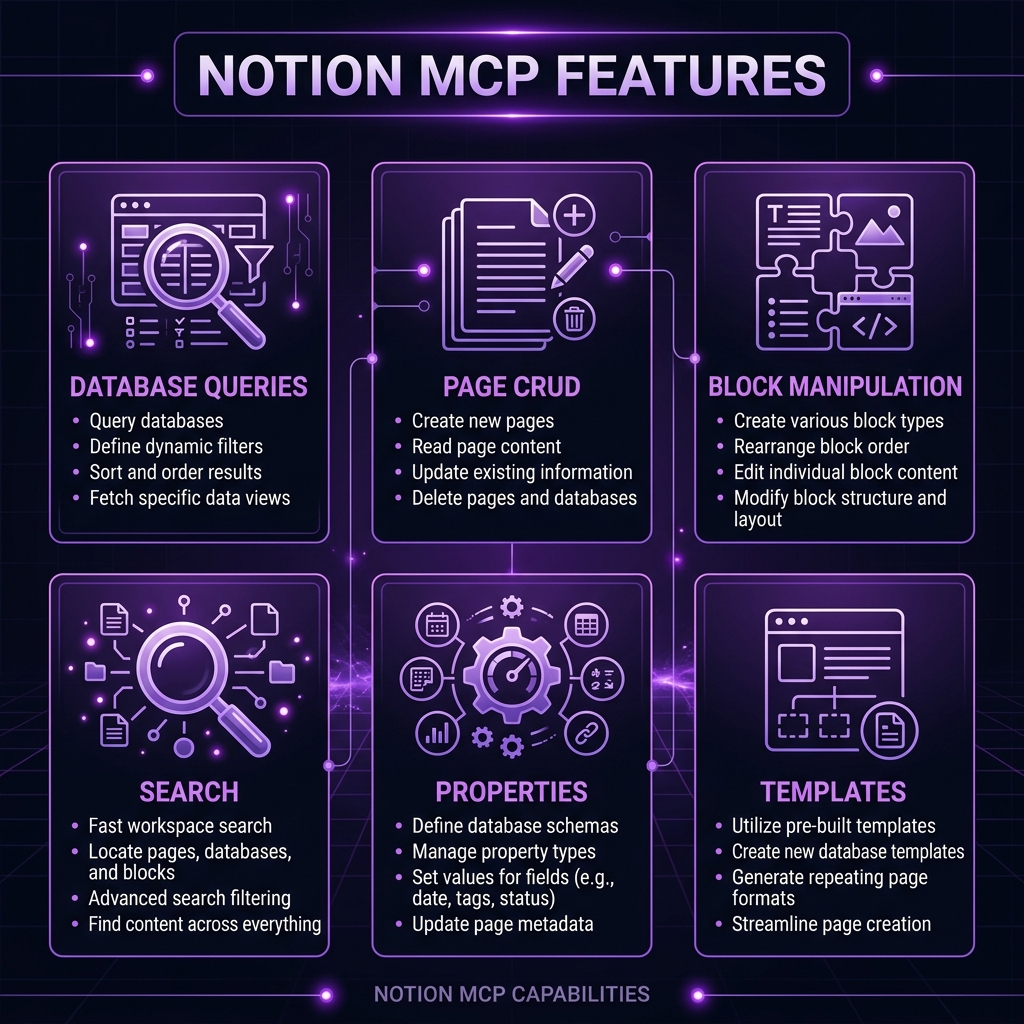 Notion MCP Server — key features at a glance
We connected Claude to a production Notion workspace containing 200+ databases, 5,000+ pages, and content spanning engineering documentation, product roadmaps, CRM records, and meeting notes. The 2-week test focused on the operations teams perform daily: querying databases, creating meeting notes, updating project status, and searching for information.
The first thing you will notice is that Notion's authentication model is more complex than most MCP servers. You need to create a Notion Integration, get a secret token, and then explicitly share each database and page you want Claude to access. This share-per-resource model provides good security granularity but makes initial setup tedious — especially with 200+ databases.
Once authenticated, the MCP server exposes Notion's API through natural language tools. It sits comfortably among the top MCP servers for productivity workflows.
Key Features
Database Queries
The primary use case. We ran hundreds of database queries during our test: "Show me all open bugs in the Engineering database sorted by priority," "How many tasks are assigned to Sarah this sprint?", "What deals in the CRM pipeline are worth more than $10K and closing this month?" All returned accurate, well-formatted results. Claude handles Notion's rich property types (select, multi-select, date, relation, rollup) correctly in queries.
Page CRUD Operations
Creating, reading, updating, and archiving pages. We generated meeting note pages ("Create a new meeting note for today's product sync with attendees Alice, Bob, and Charlie"), updated project statuses ("Set the status of Project Alpha to In Review"), and archived completed items. The creation flow supports full block content — paragraphs, headings, bullet lists, code blocks, and toggle blocks.
Block Manipulation
Beyond page-level operations, Claude can work with individual blocks within pages. Appending content to existing pages ("Add an action items section to yesterday's meeting note"), modifying block content, and reordering blocks. This granularity is useful for maintaining living documents like project trackers and running notes.
Workspace Search
Full-text search across the shared workspace. "Find pages mentioning the API migration deadline" searched across all pages shared with the integration and returned relevant results. Search quality depends on Notion's native search capabilities, which are good for titles and content but weaker for deeply nested blocks.
Property Management
Querying and updating page properties. "Change the Priority of BUG-123 to Critical" and "Add the tag deployment to all pages in the Releases database" worked correctly. Relation properties (linking between databases) are supported for reading but can be complex to update through natural language.
Template-Based Creation
When databases have templates, Claude can use them to create new entries with pre-filled content. "Create a new Engineering RFC using the RFC template" populated the standard sections and properties.
Rollup and Formula Access
Reading computed properties (rollups and formulas) from databases. "What is the total estimated effort for this sprint?" worked when the sprint database had an effort rollup property. Claude cannot modify formula definitions but can read their results.
Batch Operations
Updating multiple database entries simultaneously. "Set all tasks with a due date before today to Overdue status" applied the change across matching entries. This is where the 3 requests/second rate limit becomes noticeable — large batch operations complete but slowly.
How to Install and Use Notion MCP
Step 1: Create a Notion Integration
- Go to notion.so/my-integrations
- Click "New Integration"
- Name it (e.g., "Claude MCP"), select your workspace
- Under Capabilities, select the access levels you need (read/update/insert)
- Copy the Internal Integration Secret (
ntn_...)
Step 2: Share Resources with the Integration
This is the tedious part. For each database or page you want Claude to access:
- Open the page/database in Notion
- Click "..." menu > "Connections" > Find your integration
- Click to add it
Tip: Share top-level pages — child pages inherit the integration access.
Claude Desktop
{
  "mcpServers": {
    "notion": {
      "command": "npx",
      "args": ["-y", "@anthropic/notion-mcp@latest"],
      "env": {
        "NOTION_API_KEY": "ntn_your_integration_secret"
      }
    }
  }
}
Claude Code CLI
NOTION_API_KEY=ntn_your_secret claude mcp add notion -- npx -y @anthropic/notion-mcp@latestVerification
Ask Claude: "List my Notion databases." If it returns the databases you shared with the integration, setup is complete.
Pricing
| Feature | Notion MCP | Obsidian MCP | Airtable MCP |
|---|---|---|---|
| --------- | ----------- | ------------- | ------------- |
| MCP Server Cost | Free | Free | Free |
| Platform Free Tier | Personal (limited) | Free (personal) | Free (1,200 records) |
| Paid Plans | $10/user/mo | $50/year | $20/user/mo |
| Setup Complexity | High (integration + sharing) | Medium | Medium |
| API Rate Limit | 3 req/sec | Local (unlimited) | 5 req/sec |
| Data Location | Cloud | Local | Cloud |
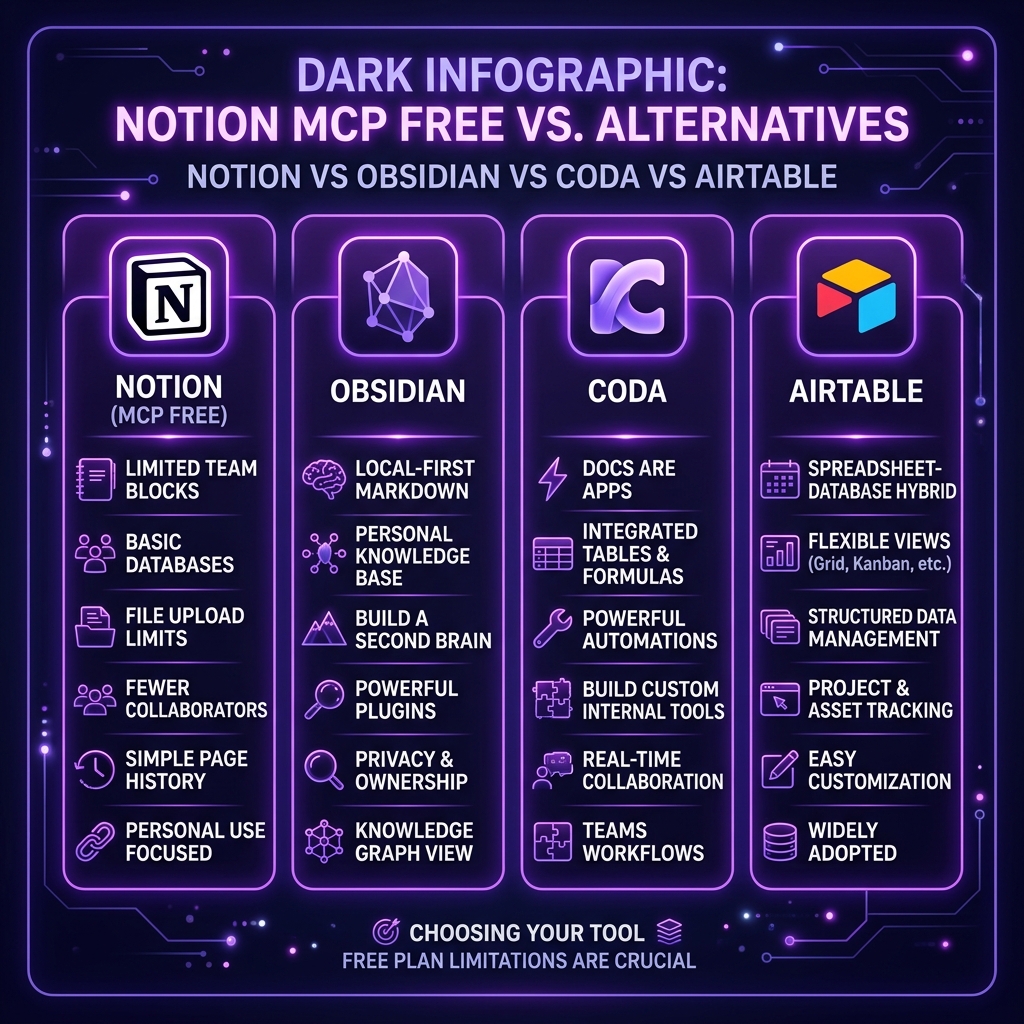 Notion MCP pricing — how it compares to alternatives
Pros and Cons
Pros
- Powerful database queries — Natural language access to complex filtered, sorted database views
- Full page content creation — Rich block support including headings, lists, code, and toggles
- Template support — Use existing database templates for consistent page creation
- Property management — Read and update all Notion property types
- Workspace-wide search — Find information across your entire shared workspace
- Granular permissions — Share only what you want Claude to access
- Batch operations — Update multiple entries simultaneously
Cons
- Complex authentication — Integration creation + per-resource sharing is tedious
- API rate limits (3 req/sec) — Heavy conversational use hits rate limits, causing delays
- No real-time collaboration — Cannot participate in or monitor Notion comments
- Block manipulation limits — Complex page restructuring can be unreliable
- Relation property complexity — Updating cross-database relations through natural language is finicky
- No file/media handling — Cannot upload images or files to Notion pages
- Workspace permission changes — New databases require manual integration sharing
Best Alternatives
| Tool | Approach | Best For | Data Location |
|---|---|---|---|
| ------ | ---------- | ---------- | --------------- |
| Notion MCP | Cloud API | Notion-native teams | Cloud |
| Obsidian MCP | Local REST API | Privacy-focused PKM | Local |
| Airtable MCP | Cloud API | Database-heavy workflows | Cloud |
| Coda MCP | Cloud API | Coda doc users | Cloud |
| Google Sheets MCP | Cloud API | Spreadsheet-based data | Cloud |
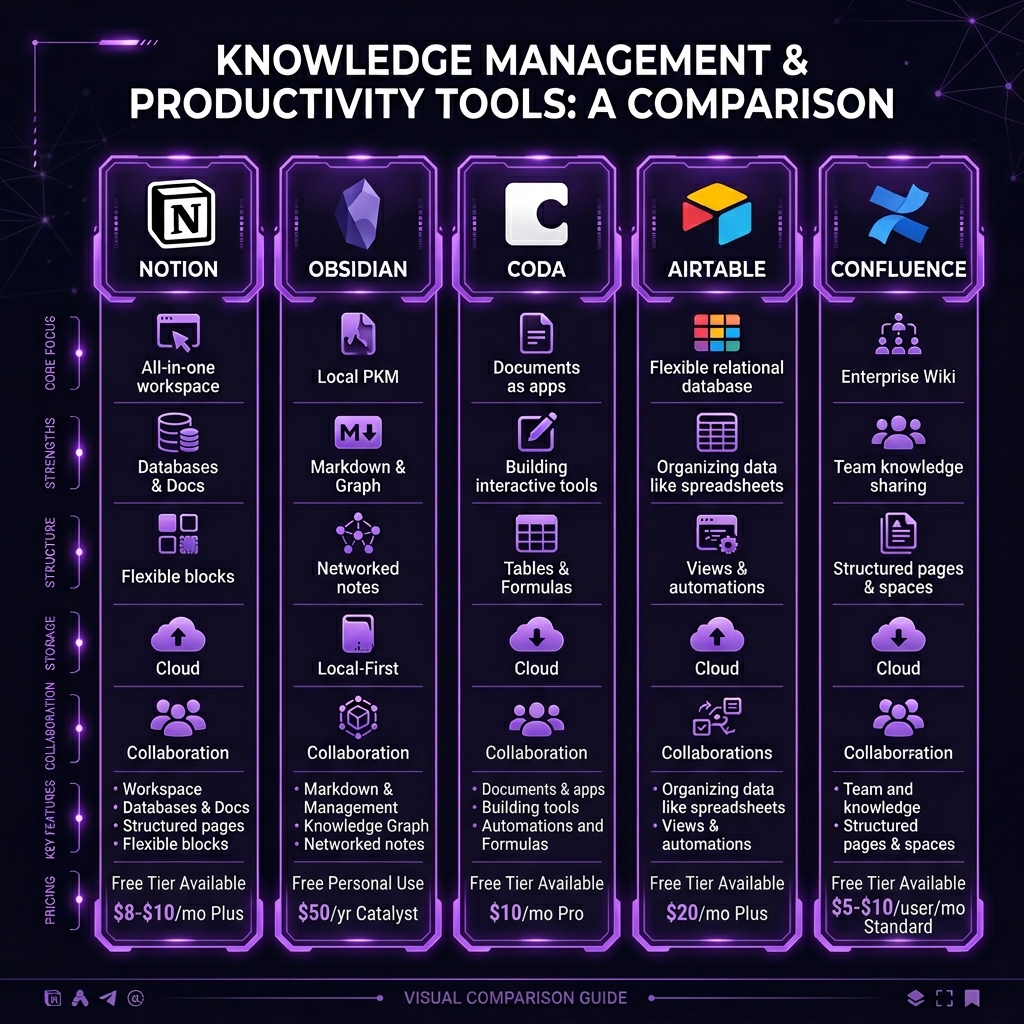 Notion MCP vs top alternatives — feature comparison
Obsidian MCP is the main competitor for knowledge management. Obsidian is local-first and markdown-based — better for privacy and offline access. Notion wins for collaborative team workspaces. See our Obsidian MCP review.
Airtable MCP is more appropriate for data-heavy workflows where the database is the primary artifact (CRM, inventory, project tracking). Airtable's higher rate limits (5 req/sec) and simpler auth make it smoother for heavy API use.
Final Verdict
The Notion MCP server delivers solid value for teams invested in the Notion ecosystem. Database queries, page creation, and workspace search through natural language genuinely improve daily workflows. The authentication setup is the biggest hurdle — once past that, the experience is consistently useful if not always smooth.
Who should install this: Teams that use Notion as their primary workspace and want AI-assisted queries, page creation, and status management. Especially valuable for project managers querying sprint databases and team leads maintaining documentation.
Who should skip this: Teams not on Notion, individuals who find the integration setup too complex, and workflows that require heavy API usage (the 3 req/sec limit will frustrate you). If your Notion workspace has fewer than 5 databases, the setup effort may not be worth the return.
Rating: 4.2/5 — Good functionality behind a friction-heavy setup. The 0.8 deduction is for authentication complexity, rate limits, and missing file handling.
Browse Notion MCP on Skiln → | Browse all MCP servers →
Build an MCP Server? Get listed on Skiln →
FAQ
What is the Notion MCP server? Connects Claude to Notion workspaces for database queries, page creation, block manipulation, search, and property management.
Is the Notion MCP server free? The MCP server is free. Notion has a free personal tier and paid plans starting at $10/user/month.
How do I authenticate Notion MCP? Create a Notion Integration, get the secret, and share specific databases/pages with the integration.
Can Claude query Notion databases? Yes, full query support with filters, sorts, and all property types.
Does Notion MCP support page creation? Yes, with full block content support — paragraphs, headings, lists, code blocks, and tables.
What about API rate limits? 3 requests per second. Heavy use causes delays. The MCP server handles retries gracefully.
Can Claude edit existing pages? Yes, with some limitations. Appending blocks, updating properties, and modifying content.
What are alternatives? Obsidian MCP, Coda MCP, Airtable MCP, and direct Notion API integration.
Related reading: What Is Model Context Protocol? | Top MCP Servers for Developers 2026 | MCP Server Security Guide | Browse all MCPs