How We Built a 15,000-Entry AI Tools Directory (Tech Stack & Lessons)
The full technical story behind Skiln.co — a 15,000+ entry AI tools directory. Next.js 15, Convex, Vercel, 11 data sources, Fuse.js search, SEO strategy, and monetization. No fluff.

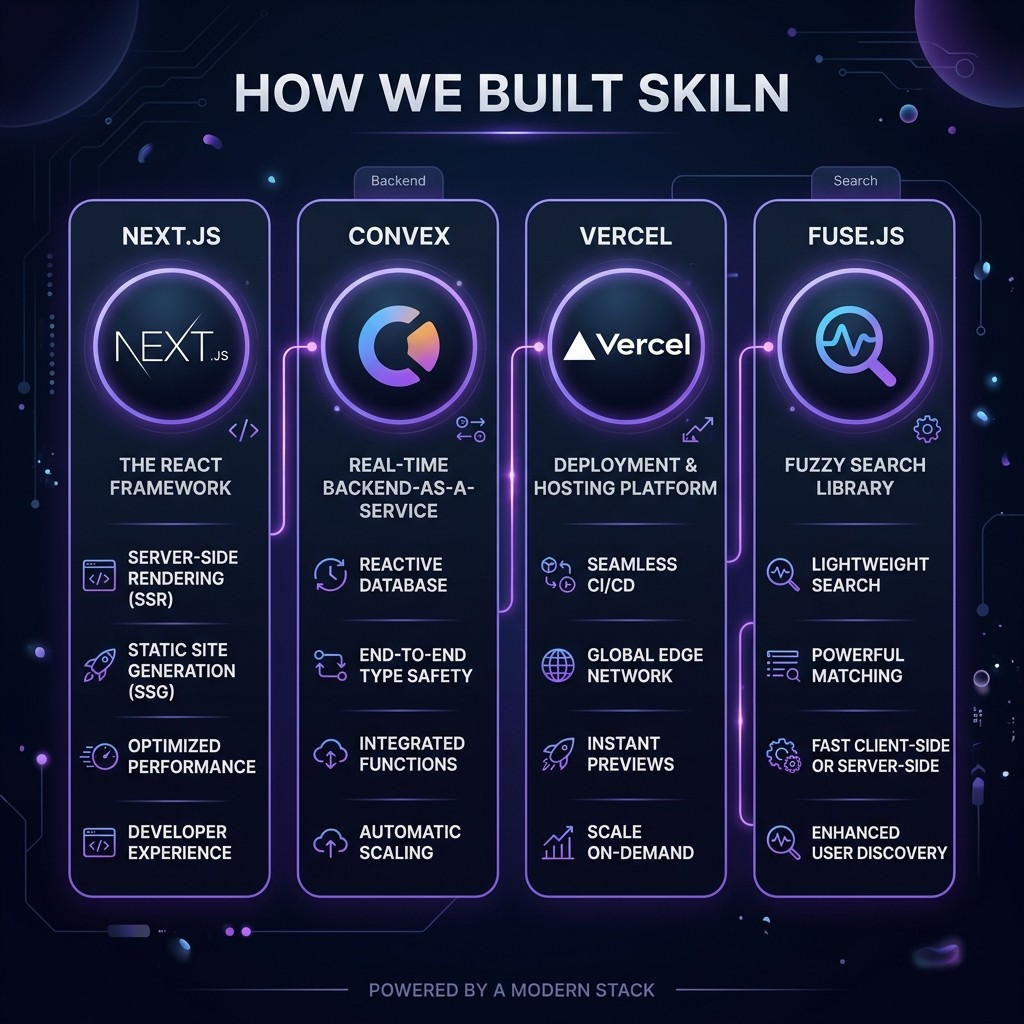
How We Built a 15,000-Entry AI Tools Directory (Tech Stack & Lessons)
Matty Reid · Founder & Lead Engineer · March 26, 2026 · 15 min read
TL;DR — The Stack
| Layer | Technology | Why We Chose It |
|---|---|---|
| ------- | ----------- | ---------------- |
| Frontend | Next.js 15 (App Router) | Static generation, ISR, React Server Components |
| Database | Convex | Real-time, serverless functions, TypeScript-native |
| Hosting | Vercel | Instant deploys, edge caching, ISR support |
| Search | Fuse.js | Client-side fuzzy search, zero API cost |
| Styling | Tailwind CSS | Rapid iteration, dark theme consistency |
| Data Pipeline | Python scrapers | 11 sources, deduplication, automated weekly runs |
| Blog | MDX in Next.js | SEO-first static generation |
| Store | Convex + Stripe | Digital product delivery, no third-party platform fees |
Total build time from zero to 15,000+ entries: 10 days. Total monthly hosting cost: under $20.
Table of Contents
- Why We Built This
- The Data Problem: 11 Sources, One Directory
- The Scraping Pipeline
- Database Architecture: Why Convex
- Frontend: Next.js 15 and the ISR Decision
- Search: Fuse.js Over Everything Else
- SEO Strategy: How We Rank for 2,000+ Keywords
- Monetization: Store, Sponsorships, and Affiliates
- Mistakes We Made (and You Should Avoid)
- Frequently Asked Questions
Why We Built This {#why-we-built-this}
I could not find what I was looking for. That is the honest origin story.
In early 2026, the Claude Code ecosystem was exploding. There were 60,000+ published skills, 12,000+ MCP servers, thousands of agents, commands, and hooks. But there was no single place that cataloged all of them. If you wanted to find a Terraform skill or a Postgres MCP server, you had to search across GitHub, npm, Smithery, PulseMCP, awesome-lists, and Twitter threads.
The existing directories were fragmented. Smithery focused on MCP servers only. SkillsDirectory covered skills only. The awesome-mcp-servers GitHub repo was a flat markdown list with no search, no categories, and no metadata beyond a name and URL.
I wanted one directory that had everything — skills, MCP servers, agents, commands, hooks — with proper categorization, search, and enough metadata to make informed decisions. And I wanted it to be fast. Not "load a huge JSON file and hope for the best" fast, but "statically generated with sub-100ms page loads" fast.
So I built it. Here is exactly how.
The Data Problem: 11 Sources, One Directory {#the-data-problem}
The first challenge was data acquisition. The AI tools ecosystem is not neatly organized. Tools are scattered across:
- awesome-mcp-servers (GitHub) — The largest community-maintained MCP list. Markdown format with basic metadata.
- Smithery — A curated MCP registry with structured data (descriptions, install commands, categories).
- MCP.so — Another MCP directory with its own categorization.
- npm registry — Many MCP servers and skills are published as npm packages.
- PyPI — Python-based MCP servers and tools.
- LobeHub — Agent and plugin registry with detailed metadata.
- PulseMCP — MCP-focused directory with compatibility information.
- awesome-claude-skills (GitHub) — Community skills list, markdown format.
- SkillsDirectory — Dedicated skills catalog.
- OneSKILL — Another skills catalog with different coverage.
- GitHub API search — Direct searches for repositories tagged with
mcp-server,claude-skill,claude-code-agent, etc.
Each source has different data quality, different schemas, and different update frequencies. Some give you a name and URL. Others give you a full description, install command, GitHub stars, last updated date, and compatibility information.
The goal was to ingest everything, deduplicate aggressively, and normalize into a consistent schema that the frontend could consume.
The Scraping Pipeline {#the-scraping-pipeline}
The pipeline is Python. I considered Node.js (to keep everything in one ecosystem) but Python's scraping libraries are just better. BeautifulSoup, httpx, and the GitHub API client made the work straightforward.
The Pipeline Architecture
[11 Data Sources]
       ↓
[Source-specific scrapers]  ← Each source has its own parser
       ↓
[Normalization layer]       ← Maps to unified schema
       ↓
[Deduplication engine]      ← URL matching, fuzzy name matching
       ↓
[Enrichment layer]          ← GitHub stars, last commit, README extraction
       ↓
[Convex upload]             ← Batch upsert to database
Source-Specific Scrapers
Each source gets its own scraper because every source has a different format:
- GitHub awesome-lists: Parse markdown, extract links and descriptions from list items
- Smithery/MCP.so/PulseMCP: HTTP requests to their APIs or scrape their HTML
- npm/PyPI: Package registry API queries with keyword filters
- GitHub API: Search repositories by topic tags, extract README content
The scrapers are deliberately simple. Each one outputs a list of dictionaries with the same keys: name, url, description, source, category, install_command, github_url, github_stars, last_updated.
Deduplication
This is where most of the complexity lives. The same tool often appears in multiple sources with slightly different names, URLs, and descriptions.
The deduplication engine uses three strategies:
- Exact URL match: If two entries point to the same GitHub repo or npm package, they are the same tool. Merge metadata, keep the richest description.
- Normalized name match: Strip prefixes like
@modelcontextprotocol/,mcp-server-,claude-skill-. If the remaining name matches, flag as potential duplicate for manual review. - Fuzzy name match (Levenshtein): Catch cases like
postgres-mcpvspostgresql-mcp-server. Threshold of 0.85 similarity triggers a manual review flag.
Automated merges handle about 70% of duplicates. The remaining 30% go through a manual review queue — a simple CLI tool that shows me two entries side by side and lets me merge or skip.
After deduplication, 15,000+ entries remained from roughly 25,000 raw scraped entries. That is a 40% duplicate rate across the ecosystem, which tells you something about how fragmented the tooling landscape is.
Enrichment
After deduplication, the enrichment layer adds metadata that no single source provides:
- GitHub stars and forks (from GitHub API)
- Last commit date (staleness indicator)
- README first paragraph (used as description if the source description was empty)
- Package download counts (from npm/PyPI)
- License type (from GitHub API)
This enrichment runs weekly to keep data fresh. The entire pipeline — scrape, normalize, deduplicate, enrich, upload — takes about 45 minutes on a single machine.
Database Architecture: Why Convex {#database-architecture}
I chose Convex over Supabase, PlanetScale, and raw Postgres. Here is why.
The Requirements
- TypeScript-native schema. The frontend is Next.js with TypeScript. I wanted the database schema to live in TypeScript, not SQL, so that type safety flows from database to UI without an ORM translation layer.
- Real-time subscriptions. When I update entries from the scraping pipeline, the directory pages should update without a full rebuild. Convex subscriptions handle this natively.
- Serverless functions. I did not want to build and deploy a separate API layer. Convex functions run on their infrastructure and are called directly from the frontend.
- Full-text search. Convex has built-in search indexes. I ended up using Fuse.js for the primary search UX, but Convex search is useful for admin queries and filtering.
The Schema
// Simplified schema
defineSchema({
  tools: defineTable({
    name: v.string(),
    slug: v.string(),
    type: v.union(
      v.literal("skill"),
      v.literal("mcp"),
      v.literal("agent"),
      v.literal("command"),
      v.literal("hook")
    ),
    description: v.string(),
    url: v.string(),
    githubUrl: v.optional(v.string()),
    githubStars: v.optional(v.number()),
    installCommand: v.optional(v.string()),
    category: v.string(),
    tags: v.array(v.string()),
    lastUpdated: v.string(),
    source: v.string(),
    featured: v.boolean(),
  })
    .index("by_type", ["type"])
    .index("by_category", ["category"])
    .index("by_slug", ["slug"])
    .searchIndex("search_name_desc", {
      searchField: "name",
      filterFields: ["type", "category"],
    }),
})
Five indexes cover every query pattern the frontend uses: type-filtered browsing (all skills, all MCPs), category pages, individual tool pages by slug, and search.
The Cost Reality
Convex's free tier handles the current data volume comfortably. At 15,000 entries with an average of 500 bytes per document, the total storage is about 7.5MB. Read queries are in the low thousands per day. Function invocations are well within free tier limits.
If traffic scales 10x, the Pro plan at $25/month covers it. If it scales 100x, we are looking at $100-200/month — still far cheaper than running a separate database and API server.
Frontend: Next.js 15 and the ISR Decision {#frontend-architecture}
Why Not Server-Side Rendering
This is the single most important architectural decision we made, and it was driven by a painful lesson.
Early in development, I used force-dynamic on several routes so that pages would always show the latest data. On a site with 15,000+ pages, this meant every page request hit the Convex database. Vercel charges for serverless function invocations, and the bill climbed to $4.20 in a single day during a traffic spike.
I ripped out every force-dynamic directive and switched to static generation with ISR (Incremental Static Regeneration). Here is how it works:
- Category pages (
/skills,/mcps,/agents, etc.) are statically generated at build time and revalidate every hour - Individual tool pages (
/skills/superpowers,/mcps/github, etc.) use ISR with a 1-hour revalidation window - Blog posts are fully static — no revalidation needed since content does not change after publish
- The home page revalidates every 30 minutes for fresh "featured" and "trending" sections
This approach keeps the Vercel bill under $20/month while serving pages in under 100ms globally.
The Route Structure
/                          ← Home (featured tools, search)
/skills                    ← All skills (filterable, searchable)
/mcps                      ← All MCP servers
/agents                    ← All agents
/commands                  ← All commands
/hooks                     ← All hooks
/skills/[slug]             ← Individual skill page
/mcps/[slug]               ← Individual MCP page
/blog                      ← Blog index
/blog/[slug]               ← Blog post
/store                     ← Digital products store
/store/[slug]              ← Product page
Eleven route patterns generate 15,000+ pages. Every page has unique metadata, Open Graph tags, and JSON-LD schema markup. The sitemap is generated at build time and submitted to Google Search Console.
Search: Fuse.js Over Everything Else {#search-architecture}
Why Client-Side Search
For a directory with 15,000 entries, you have three search options:
- Server-side full-text search (Convex search, Algolia, ElasticSearch) — fast, powerful, costs money per query
- API-mediated search — server function that queries the database, adds latency and cost
- Client-side fuzzy search — download the search index to the client, search locally, zero API cost
I chose option 3. Here is why it works at this scale.
The search index contains only three fields per entry: name, description (first 100 characters), and type. At 15,000 entries, this index is approximately 1.2MB — well within acceptable page weight, especially when gzip-compressed to about 350KB.
Fuse.js runs the fuzzy matching entirely in the browser. Search results appear as the user types, with zero network round-trips. It handles typos, partial matches, and ranking by relevance.
The Tradeoff
Client-side search breaks at around 50,000-100,000 entries. If the directory grows beyond that, I will switch to Algolia or Convex's search index. But at current scale, Fuse.js delivers the fastest possible search UX — zero latency, zero server cost.
SEO Strategy: How We Rank for 2,000+ Keywords {#seo-strategy}
The directory alone is not enough for SEO. Google does not rank thin directory pages well — a page with a name, description, and install command does not satisfy search intent for most queries.
The strategy is a funnel:
Blog posts (deep, long-form content)
    → Link to directory pages (browse by category)
        → Link to individual tool pages (specific details)
            → Link to store (buy skill packs)
Blog Content Types
We publish four types of blog posts, each targeting different keyword clusters:
- "Best X for Y" listicles — Best Claude skills for developers, best MCP servers for data engineers, best Claude skills for DevOps. These rank for high-intent search queries and link heavily to directory pages.
- "What is X" guides — What are Claude skills, what is MCP. These rank for informational queries and establish topical authority.
- "How to" tutorials — How to install Claude skills, how to build an MCP server. These rank for problem-solving queries and demonstrate expertise.
- Industry analysis — State of AI agent tools 2026, ecosystem comparisons. These build authority and attract backlinks.
Every blog post includes internal links to relevant directory pages (skiln.co/skills, skiln.co/mcps) and to other blog posts. This creates a tightly interlinked content cluster that signals topical authority to Google.
Technical SEO
Every page on Skiln has:
- Unique
</code> and <code><meta description></code></li>
<li>JSON-LD schema markup (Article for blog posts, SoftwareApplication for directory entries)</li>
<li>Open Graph tags with unique images</li>
<li>Canonical URLs</li>
<li>Proper heading hierarchy (single H1, logical H2/H3 structure)</li>
<li>Mobile-responsive layout (directory cards reflow to single column)</li>
<li>Core Web Vitals: LCP under 1.5s, CLS under 0.05, INP under 100ms</li>
</ul>
<p>We submit the XML sitemap to Google Search Console and use IndexNow (supported by Bing, Yandex, and integrated with Vercel) for instant indexing of new pages. When we added 2,106 URLs in a single batch, IndexNow processed them within 48 hours.</p>
<hr />
<h2 id="monetization-store-sponsorships-and-affiliates-monetization">Monetization: Store, Sponsorships, and Affiliates {#monetization}</h2>
<p>Building a directory is a vanity project unless it generates revenue. Here is how Skiln monetizes.</p>
<h3 id="digital-store">Digital Store</h3>
<p>The store sells curated bundles:</p>
<ul>
<li><strong>Skill packs</strong> ($29-$79): Pre-configured skill collections for specific roles (DevOps, frontend, data engineering). Each pack includes 5-10 skills, a setup guide, and CLAUDE.md templates.</li>
<li><strong>MCP starter kits</strong> ($49-$149): Complete MCP server configurations for common stacks (full-stack web, data pipeline, mobile dev). Each kit includes server configs, environment templates, and troubleshooting guides.</li>
<li><strong>Claude Code power user kits</strong> ($79-$149): Everything — skills, MCP configs, hooks, commands, and CLAUDE.md templates — bundled for specific workflows.</li>
</ul>
<p>We launched with 37 products in late March 2026. The key insight: developers will pay for curation and configuration. The individual skills and MCP servers are free and open source. What people pay for is the assembly — someone who has tested the combinations, written the configs, and documented the gotchas.</p>
<h3 id="featured-listings">Featured Listings</h3>
<p>Commercial tools in the directory can pay for featured placement. Featured listings appear at the top of category pages with a "Featured" badge. Pricing is simple: $50/month per category. At current traffic levels, this is a cost-effective acquisition channel for developer tool companies.</p>
<h3 id="affiliate-partnerships">Affiliate Partnerships</h3>
<p>Some directory entries link to platforms with affiliate programs. When a user clicks through to NowPayments, Supabase, or Vercel from a directory entry or blog post, Skiln earns a referral commission. This is disclosed in the footer.</p>
<hr />
<h2 id="mistakes-we-made-and-you-should-avoid-mistakes">Mistakes We Made (and You Should Avoid) {#mistakes}</h2>
<h3 id="mistake-1-force-dynamic-on-vercel">Mistake 1: force-dynamic on Vercel</h3>
<p>Already covered above, but it bears repeating. On a content site with thousands of pages, <code>force-dynamic</code> will drain your wallet. Use static generation with ISR. Always.</p>
<h3 id="mistake-2-not-deduplicating-early-enough">Mistake 2: Not Deduplicating Early Enough</h3>
<p>The first version of the pipeline dumped all 25,000 raw entries into Convex. The directory had obvious duplicates — three entries for the same GitHub MCP server, each from a different source. This looked unprofessional and confused users. Deduplication should be the first pipeline step, not an afterthought.</p>
<h3 id="mistake-3-over-engineering-the-search">Mistake 3: Over-Engineering the Search</h3>
<p>I spent two days building a Convex-powered search with server-side ranking, filters, and faceted navigation. Then I replaced it with Fuse.js in an afternoon. The client-side search was faster (zero latency vs. 100-200ms round-trip) and eliminated an entire category of server costs. For datasets under 50K entries, client-side search wins.</p>
<h3 id="mistake-4-neglecting-category-pages">Mistake 4: Neglecting Category Pages</h3>
<p>The first version had a single flat directory page with all 15,000 entries. It was overwhelming. Adding dedicated category pages (<code>/skills</code>, <code>/mcps</code>, <code>/agents</code>, <code>/commands</code>, <code>/hooks</code>) with type-specific filters transformed the UX. Each category page also became a distinct SEO target.</p>
<h3 id="mistake-5-not-starting-the-blog-sooner">Mistake 5: Not Starting the Blog Sooner</h3>
<p>The directory launched a week before the blog. In that week, we got almost zero organic traffic — Google does not rank thin directory pages. The day we published the first batch of blog posts with internal links to directory pages, traffic started climbing. Content is the distribution channel. The directory is the product. They need each other.</p>
<hr />
<h2 id="what-we-would-do-differently">What We Would Do Differently</h2>
<p>If I were starting over today:</p>
<ol>
<li><strong>Blog first, directory second.</strong> Write 10 pillar blog posts, build the audience, then launch the directory as the natural next step.</li>
<li><strong>Start with 5 data sources, not 11.</strong> The long tail sources added complexity but minimal unique entries. GitHub, Smithery, and npm cover 80% of the ecosystem.</li>
<li><strong>Build the store from day one.</strong> Having products ready at launch would have captured early traffic that had no conversion path.</li>
<li><strong>Use a monorepo from the start.</strong> The scraping pipeline and the Next.js app are in separate repos. They should be in one Turborepo monorepo for easier shared types and deployment coordination.</li>
</ol>
<hr />
<h2 id="frequently-asked-questions-faq">Frequently Asked Questions {#faq}</h2>
<p><strong>What tech stack does Skiln.co use?</strong></p>
<p>Skiln.co is built on Next.js 15 with the App Router, Convex as the real-time database, Vercel for hosting and deployment, Fuse.js for client-side fuzzy search, and Tailwind CSS for styling. The data pipeline uses Python scrapers pulling from 11 different sources including GitHub repos, npm registries, and community-maintained lists.</p>
<p><strong>How does Skiln collect data for 15,000+ AI tools?</strong></p>
<p>Skiln pulls from 11 data sources using automated scrapers: the awesome-mcp-servers GitHub repo, Smithery's MCP registry, the MCP.so directory, npm package registry, PyPI, LobeHub, PulseMCP, the awesome-claude-skills repo, SkillsDirectory, OneSKILL, and direct GitHub API searches. Each source feeds into a deduplication pipeline that normalizes entries, detects duplicates via URL and name matching, and merges metadata.</p>
<p><strong>How does Skiln handle SEO for 15,000+ pages?</strong></p>
<p>Skiln uses static generation with Incremental Static Regeneration (ISR) for directory pages — not server-side rendering. Category pages are statically generated at build time. Individual tool pages use ISR with a 1-hour revalidation window. The blog uses fully static generation. This approach keeps hosting costs under $20/month on Vercel's Pro plan while maintaining strong Core Web Vitals.</p>
<p><strong>What database does Skiln use and why?</strong></p>
<p>Skiln uses Convex, a real-time database with built-in TypeScript functions. The choice was driven by three factors: real-time subscriptions (directory entries update without page refreshes), integrated serverless functions (no separate API layer needed), and a generous free tier that handles the current data volume. Convex also provides full-text search, though Skiln uses Fuse.js for the primary search experience.</p>
<p><strong>How does Skiln monetize the directory?</strong></p>
<p>Skiln monetizes through three channels: a digital store selling Claude Code skill packs and <a href="https://skiln.co/store" target="_blank" rel="noopener noreferrer">MCP starter kits</a> ($29-$149 price points), featured/sponsored listings in the directory for commercial tools, and affiliate partnerships. The store launched in late March 2026 with 37 products. The directory traffic is primarily organic from SEO-targeted blog posts that funnel readers into the <a href="https://skiln.co/skills" target="_blank" rel="noopener noreferrer">directory</a> and store.</p></div></div><section class="mt-12 border-t border-[#1a1a1a] pt-8"><h2 class="text-xl font-bold text-[#fafafa] mb-6">Frequently Asked Questions</h2><div class="space-y-4"><details class="glass-card rounded-xl group" open=""><summary class="cursor-pointer p-5 text-[#fafafa] font-medium list-none flex items-center justify-between">What tech stack does Skiln.co use?<span class="text-[#71717a] group-open:rotate-180 transition-transform">▾</span></summary><div class="px-5 pb-5 text-sm text-[#a1a1aa] leading-relaxed">Skiln.co is built on Next.js 15 with the App Router, Convex as the real-time database, Vercel for hosting and deployment, Fuse.js for client-side fuzzy search, and Tailwind CSS for styling. The data pipeline uses Python scrapers pulling from 11 different sources including GitHub repos, npm registries, and community-maintained lists.</div></details><details class="glass-card rounded-xl group"><summary class="cursor-pointer p-5 text-[#fafafa] font-medium list-none flex items-center justify-between">How does Skiln collect data for 15,000+ AI tools?<span class="text-[#71717a] group-open:rotate-180 transition-transform">▾</span></summary><div class="px-5 pb-5 text-sm text-[#a1a1aa] leading-relaxed">Skiln pulls from 11 data sources using automated scrapers: the awesome-mcp-servers GitHub repo, Smithery's MCP registry, the MCP.so directory, npm package registry, PyPI, LobeHub, PulseMCP, the awesome-claude-skills repo, SkillsDirectory, OneSKILL, and direct GitHub API searches. Each source feeds into a deduplication pipeline that normalizes entries, detects duplicates via URL and name matching, and merges metadata.</div></details><details class="glass-card rounded-xl group"><summary class="cursor-pointer p-5 text-[#fafafa] font-medium list-none flex items-center justify-between">How does Skiln handle SEO for 15,000+ pages?<span class="text-[#71717a] group-open:rotate-180 transition-transform">▾</span></summary><div class="px-5 pb-5 text-sm text-[#a1a1aa] leading-relaxed">Skiln uses static generation with Incremental Static Regeneration (ISR) for directory pages — not server-side rendering. Category pages are statically generated at build time. Individual tool pages use ISR with a 1-hour revalidation window. The blog uses fully static generation. This approach keeps hosting costs under $20/month on Vercel's Pro plan while maintaining strong Core Web Vitals.</div></details><details class="glass-card rounded-xl group"><summary class="cursor-pointer p-5 text-[#fafafa] font-medium list-none flex items-center justify-between">What database does Skiln use and why?<span class="text-[#71717a] group-open:rotate-180 transition-transform">▾</span></summary><div class="px-5 pb-5 text-sm text-[#a1a1aa] leading-relaxed">Skiln uses Convex, a real-time database with built-in TypeScript functions. The choice was driven by three factors: real-time subscriptions (directory entries update without page refreshes), integrated serverless functions (no separate API layer needed), and a generous free tier that handles the current data volume. Convex also provides full-text search, though Skiln uses Fuse.js for the primary search experience.</div></details><details class="glass-card rounded-xl group"><summary class="cursor-pointer p-5 text-[#fafafa] font-medium list-none flex items-center justify-between">How does Skiln monetize the directory?<span class="text-[#71717a] group-open:rotate-180 transition-transform">▾</span></summary><div class="px-5 pb-5 text-sm text-[#a1a1aa] leading-relaxed">Skiln monetizes through three channels: a digital store selling Claude Code skill packs and [MCP starter kits](https://skiln.co/store) ($29-$149 price points), featured/sponsored listings in the directory for commercial tools, and affiliate partnerships. The store launched in late March 2026 with 37 products. The directory traffic is primarily organic from SEO-targeted blog posts that funnel readers into the [directory](https://skiln.co/skills) and store.</div></details></div></section></article><div class="mt-12"><div class="glass-card rounded-2xl p-8 sm:p-10 text-center"><h3 class="text-xl sm:text-2xl font-bold text-[#fafafa] mb-2">Stay in the Loop</h3><p class="text-sm text-[#a1a1aa] mb-6 max-w-md mx-auto leading-relaxed">Join 1,000+ developers. Get the best new Skills & MCPs weekly.</p><form class="max-w-md mx-auto"><div class="flex items-center gap-2"><input type="email" placeholder="you@example.com" class="flex-1 rounded-lg border border-[#27272a] bg-[#141414] px-4 py-3 text-sm text-[#fafafa] placeholder:text-[#52525b] transition-colors hover:border-[#3f3f46] focus:border-[#7c3aed] focus:outline-none" value=""/><button type="submit" class="rounded-lg bg-[#7c3aed] px-6 py-3 text-sm font-medium text-white transition-all hover:bg-[#6d28d9] hover:shadow-lg hover:shadow-[#7c3aed]/20 disabled:opacity-50 whitespace-nowrap">Subscribe</button></div><p class="text-[11px] text-[#52525b] mt-3">No spam. Unsubscribe anytime.</p></form></div></div><script type="application/ld+json">{"@context":"https://schema.org","@type":"Article","headline":"How We Built a 15,000-Entry AI Tools Directory (Tech Stack & Lessons) | Skiln","description":"The full technical story behind Skiln.co — a 15,000+ entry AI tools directory. Next.js 15, Convex, Vercel, 11 data sources, Fuse.js search, SEO strategy, and monetization. No fluff.","image":"/images/blog/authority-14-hero.jpg","author":{"@type":"Person","name":"Matty Reid","jobTitle":"AI Products & Industry Editor","url":"https://skiln.co/about#matty-reid","image":"https://skiln.co/blog/images/team/matty-reid.png","worksFor":{"@type":"Organization","name":"Skiln","url":"https://skiln.co"}},"publisher":{"@type":"Organization","name":"Skiln","url":"https://skiln.co"},"datePublished":"2026-03-28T08:23:07.267Z","dateModified":"2026-04-08T10:36:23.377Z","mainEntityOfPage":{"@type":"WebPage","@id":"https://skiln.co/blog/how-we-built-skiln-ai-tools-directory-2026"}}</script><script type="application/ld+json">{"@context":"https://schema.org","@type":"FAQPage","mainEntity":[{"@type":"Question","name":"What tech stack does Skiln.co use?","acceptedAnswer":{"@type":"Answer","text":"Skiln.co is built on Next.js 15 with the App Router, Convex as the real-time database, Vercel for hosting and deployment, Fuse.js for client-side fuzzy search, and Tailwind CSS for styling. The data pipeline uses Python scrapers pulling from 11 different sources including GitHub repos, npm registries, and community-maintained lists."}},{"@type":"Question","name":"How does Skiln collect data for 15,000+ AI tools?","acceptedAnswer":{"@type":"Answer","text":"Skiln pulls from 11 data sources using automated scrapers: the awesome-mcp-servers GitHub repo, Smithery's MCP registry, the MCP.so directory, npm package registry, PyPI, LobeHub, PulseMCP, the awesome-claude-skills repo, SkillsDirectory, OneSKILL, and direct GitHub API searches. Each source feeds into a deduplication pipeline that normalizes entries, detects duplicates via URL and name matching, and merges metadata."}},{"@type":"Question","name":"How does Skiln handle SEO for 15,000+ pages?","acceptedAnswer":{"@type":"Answer","text":"Skiln uses static generation with Incremental Static Regeneration (ISR) for directory pages — not server-side rendering. Category pages are statically generated at build time. Individual tool pages use ISR with a 1-hour revalidation window. The blog uses fully static generation. This approach keeps hosting costs under $20/month on Vercel's Pro plan while maintaining strong Core Web Vitals."}},{"@type":"Question","name":"What database does Skiln use and why?","acceptedAnswer":{"@type":"Answer","text":"Skiln uses Convex, a real-time database with built-in TypeScript functions. The choice was driven by three factors: real-time subscriptions (directory entries update without page refreshes), integrated serverless functions (no separate API layer needed), and a generous free tier that handles the current data volume. Convex also provides full-text search, though Skiln uses Fuse.js for the primary search experience."}},{"@type":"Question","name":"How does Skiln monetize the directory?","acceptedAnswer":{"@type":"Answer","text":"Skiln monetizes through three channels: a digital store selling Claude Code skill packs and [MCP starter kits](https://skiln.co/store) ($29-$149 price points), featured/sponsored listings in the directory for commercial tools, and affiliate partnerships. The store launched in late March 2026 with 37 products. The directory traffic is primarily organic from SEO-targeted blog posts that funnel readers into the [directory](https://skiln.co/skills) and store."}}]}</script><script type="application/ld+json">{"@context":"https://schema.org","@type":"BreadcrumbList","itemListElement":[{"@type":"ListItem","position":1,"name":"Home","item":"https://skiln.co"},{"@type":"ListItem","position":2,"name":"Blog","item":"https://skiln.co/blog"},{"@type":"ListItem","position":3,"name":"How We Built a 15,000-Entry AI Tools Directory (Tech Stack & Lessons)","item":"https://skiln.co/blog/how-we-built-skiln-ai-tools-directory-2026"}]}</script></div><!--$--><!--/$--></main><footer class="border-t border-[#1e1e1e] mt-20 bg-[#0a0a0a]"><div class="mx-auto max-w-7xl px-4 sm:px-6 lg:px-8 py-12"><div class="grid grid-cols-1 md:grid-cols-3 gap-10"><div><a class="inline-flex items-center gap-2 mb-3" href="/"><span class="text-lg font-bold text-[#fafafa]">Skiln</span></a><p class="text-sm text-[#71717a] leading-relaxed max-w-xs">The largest directory of MCP servers, Claude skills, agents, and extensions. Built for Claude Code, Cursor, Windsurf, and Codex.</p></div><div><h3 class="text-xs uppercase tracking-wider text-[#a1a1aa] font-semibold mb-3">Skiln</h3><ul class="space-y-2"><li><a class="text-sm text-[#71717a] hover:text-[#fafafa] transition-colors" href="/browse">Browse</a></li><li><a class="text-sm text-[#71717a] hover:text-[#fafafa] transition-colors" href="/leaderboard">Leaderboard</a></li><li><a class="text-sm text-[#71717a] hover:text-[#fafafa] transition-colors" href="/packs">Packs</a></li><li><a class="text-sm text-[#71717a] hover:text-[#fafafa] transition-colors" href="/generator">Generator</a></li><li><a class="text-sm text-[#71717a] hover:text-[#fafafa] transition-colors" href="/blog">Blog</a></li><li><a class="text-sm text-[#71717a] hover:text-[#fafafa] transition-colors" href="/store">Store</a></li><li><a class="text-sm text-[#71717a] hover:text-[#fafafa] transition-colors" href="/submit">Submit</a></li><li><a class="text-sm text-[#71717a] hover:text-[#fafafa] transition-colors" href="/about">About</a></li></ul></div><div><h3 class="text-xs uppercase tracking-wider text-[#a1a1aa] font-semibold mb-3"><a class="hover:text-[#fafafa] transition-colors" href="/network">Our Network →</a></h3><ul class="grid grid-cols-2 gap-x-3 gap-y-2"><li><a href="https://predictor.tips" rel="noopener" target="_blank" class="text-sm text-[#71717a] hover:text-[#a78bfa] transition-colors">predictor.tips</a></li><li><a href="https://refstats.app" rel="noopener" target="_blank" class="text-sm text-[#71717a] hover:text-[#a78bfa] transition-colors">refstats.app</a></li><li><a href="https://macroodds.com" rel="noopener" target="_blank" class="text-sm text-[#71717a] hover:text-[#a78bfa] transition-colors">macroodds.com</a></li><li><a href="https://geoodds.com" rel="noopener" target="_blank" class="text-sm text-[#71717a] hover:text-[#a78bfa] transition-colors">geoodds.com</a></li><li><a href="https://gridodds.com" rel="noopener" target="_blank" class="text-sm text-[#71717a] hover:text-[#a78bfa] transition-colors">gridodds.com</a></li><li><a href="https://screenodds.com" rel="noopener" target="_blank" class="text-sm text-[#71717a] hover:text-[#a78bfa] transition-colors">screenodds.com</a></li><li><a href="https://riftodds.lol" rel="noopener" target="_blank" class="text-sm text-[#71717a] hover:text-[#a78bfa] transition-colors">riftodds.lol</a></li><li><a href="https://odsage.com" rel="noopener" target="_blank" class="text-sm text-[#71717a] hover:text-[#a78bfa] transition-colors">odsage.com</a></li><li><a href="https://palaueresidency.net" rel="noopener" target="_blank" class="text-sm text-[#71717a] hover:text-[#a78bfa] transition-colors">palaueresidency.net</a></li><li><a href="https://domicillia.net" rel="noopener" target="_blank" class="text-sm text-[#71717a] hover:text-[#a78bfa] transition-colors">domicillia.net</a></li><li><a href="https://soveraine.com" rel="noopener" target="_blank" class="text-sm text-[#71717a] hover:text-[#a78bfa] transition-colors">soveraine.com</a></li></ul></div></div><div class="mt-10 pt-6 border-t border-[#1e1e1e] flex flex-col sm:flex-row items-center justify-between gap-3"><p class="text-xs text-[#52525b]">© <!-- -->2026<!-- --> Skiln. Independent. Open data.</p><div class="flex items-center gap-4 text-xs text-[#52525b]"><a class="hover:text-[#a1a1aa]" href="/network">Network</a><a class="hover:text-[#a1a1aa]" href="/about">About</a><a href="mailto:hey@skiln.co" class="hover:text-[#a1a1aa]">hey@skiln.co</a></div></div></div></footer><!--$!--><template data-dgst="BAILOUT_TO_CLIENT_SIDE_RENDERING"></template><!--/$--><!--$!--><template data-dgst="BAILOUT_TO_CLIENT_SIDE_RENDERING"></template><!--/$--><script src="/_next/static/chunks/b63a308d1a7bad49.js?dpl=dpl_8SBbWrB8eZysUmm9EBvTxMe7HWFU" id="_R_" async=""></script><script>(self.__next_f=self.__next_f||[]).push([0])</script><script>self.__next_f.push([1,"1:\"$Sreact.fragment\"\n2:I[1664,[\"/_next/static/chunks/10f4bfe5689b6c9f.js?dpl=dpl_8SBbWrB8eZysUmm9EBvTxMe7HWFU\",\"/_next/static/chunks/275da562412b3a3d.js?dpl=dpl_8SBbWrB8eZysUmm9EBvTxMe7HWFU\"],\"ConvexClientProvider\"]\n3:I[56850,[\"/_next/static/chunks/10f4bfe5689b6c9f.js?dpl=dpl_8SBbWrB8eZysUmm9EBvTxMe7HWFU\",\"/_next/static/chunks/275da562412b3a3d.js?dpl=dpl_8SBbWrB8eZysUmm9EBvTxMe7HWFU\"],\"Nav\"]\n4:I[39756,[\"/_next/static/chunks/ff1a16fafef87110.js?dpl=dpl_8SBbWrB8eZysUmm9EBvTxMe7HWFU\",\"/_next/static/chunks/d2be314c3ece3fbe.js?dpl=dpl_8SBbWrB8eZysUmm9EBvTxMe7HWFU\"],\"default\"]\n5:I[37457,[\"/_next/static/chunks/ff1a16fafef87110.js?dpl=dpl_8SBbWrB8eZysUmm9EBvTxMe7HWFU\",\"/_next/static/chunks/d2be314c3ece3fbe.js?dpl=dpl_8SBbWrB8eZysUmm9EBvTxMe7HWFU\"],\"default\"]\n6:I[22016,[\"/_next/static/chunks/10f4bfe5689b6c9f.js?dpl=dpl_8SBbWrB8eZysUmm9EBvTxMe7HWFU\",\"/_next/static/chunks/275da562412b3a3d.js?dpl=dpl_8SBbWrB8eZysUmm9EBvTxMe7HWFU\"],\"\"]\n10:I[68027,[],\"default\"]\n:HL[\"/_next/static/chunks/a6b92a0f93fcbd8a.css?dpl=dpl_8SBbWrB8eZysUmm9EBvTxMe7HWFU\",\"style\"]\n:HL[\"/_next/static/media/797e433ab948586e-s.p.29207c2f.woff2\",\"font\",{\"crossOrigin\":\"\",\"type\":\"font/woff2\"}]\n:HL[\"/_next/static/media/caa3a2e1cccd8315-s.p.3b6cae6d.woff2\",\"font\",{\"crossOrigin\":\"\",\"type\":\"font/woff2\"}]\n"])</script><script>self.__next_f.push([1,"0:{\"P\":null,\"b\":\"qYA4GMq6EY5RYcsBVp-zy\",\"c\":[\"\",\"blog\",\"how-we-built-skiln-ai-tools-directory-2026\"],\"q\":\"\",\"i\":false,\"f\":[[[\"\",{\"children\":[\"blog\",{\"children\":[[\"slug\",\"how-we-built-skiln-ai-tools-directory-2026\",\"d\"],{\"children\":[\"__PAGE__\",{}]}]}]},\"$undefined\",\"$undefined\",true],[[\"$\",\"$1\",\"c\",{\"children\":[[[\"$\",\"link\",\"0\",{\"rel\":\"stylesheet\",\"href\":\"/_next/static/chunks/a6b92a0f93fcbd8a.css?dpl=dpl_8SBbWrB8eZysUmm9EBvTxMe7HWFU\",\"precedence\":\"next\",\"crossOrigin\":\"$undefined\",\"nonce\":\"$undefined\"}],[\"$\",\"script\",\"script-0\",{\"src\":\"/_next/static/chunks/10f4bfe5689b6c9f.js?dpl=dpl_8SBbWrB8eZysUmm9EBvTxMe7HWFU\",\"async\":true,\"nonce\":\"$undefined\"}],[\"$\",\"script\",\"script-1\",{\"src\":\"/_next/static/chunks/275da562412b3a3d.js?dpl=dpl_8SBbWrB8eZysUmm9EBvTxMe7HWFU\",\"async\":true,\"nonce\":\"$undefined\"}]],[\"$\",\"html\",null,{\"lang\":\"en\",\"className\":\"dark\",\"children\":[[\"$\",\"head\",null,{\"children\":[[\"$\",\"script\",null,{\"type\":\"application/ld+json\",\"dangerouslySetInnerHTML\":{\"__html\":\"{\\\"@context\\\":\\\"https://schema.org\\\",\\\"@type\\\":\\\"WebSite\\\",\\\"name\\\":\\\"Skiln\\\",\\\"url\\\":\\\"https://skiln.co\\\",\\\"description\\\":\\\"The definitive directory for AI agent skills and MCP servers. Compatible with Claude Code, OpenAI Codex, Cursor, GitHub Copilot, and Windsurf.\\\",\\\"applicationCategory\\\":\\\"DeveloperTool\\\",\\\"potentialAction\\\":{\\\"@type\\\":\\\"SearchAction\\\",\\\"target\\\":{\\\"@type\\\":\\\"EntryPoint\\\",\\\"urlTemplate\\\":\\\"https://skiln.co/browse?q={search_term_string}\\\"},\\\"query-input\\\":\\\"required name=search_term_string\\\"}}\"}}],[\"$\",\"script\",null,{\"type\":\"application/ld+json\",\"dangerouslySetInnerHTML\":{\"__html\":\"{\\\"@context\\\":\\\"https://schema.org\\\",\\\"@type\\\":\\\"Organization\\\",\\\"name\\\":\\\"Skiln\\\",\\\"url\\\":\\\"https://skiln.co\\\",\\\"logo\\\":\\\"https://skiln.co/favicon.ico\\\",\\\"description\\\":\\\"The definitive directory for AI agent skills and MCP servers.\\\",\\\"foundingDate\\\":\\\"2026\\\",\\\"sameAs\\\":[],\\\"contactPoint\\\":{\\\"@type\\\":\\\"ContactPoint\\\",\\\"email\\\":\\\"hey@skiln.co\\\",\\\"contactType\\\":\\\"customer service\\\"}}\"}}]]}],[\"$\",\"body\",null,{\"className\":\"geist_a71539c9-module__T19VSG__variable geist_mono_8d43a2aa-module__8Li5zG__variable antialiased bg-[#0a0a0a] text-[#fafafa] min-h-screen overflow-x-hidden\",\"children\":[[\"$\",\"$L2\",null,{\"children\":[[\"$\",\"$L3\",null,{}],[\"$\",\"main\",null,{\"children\":[\"$\",\"$L4\",null,{\"parallelRouterKey\":\"children\",\"error\":\"$undefined\",\"errorStyles\":\"$undefined\",\"errorScripts\":\"$undefined\",\"template\":[\"$\",\"$L5\",null,{}],\"templateStyles\":\"$undefined\",\"templateScripts\":\"$undefined\",\"notFound\":[[[\"$\",\"title\",null,{\"children\":\"404: This page could not be found.\"}],[\"$\",\"div\",null,{\"style\":{\"fontFamily\":\"system-ui,\\\"Segoe UI\\\",Roboto,Helvetica,Arial,sans-serif,\\\"Apple Color Emoji\\\",\\\"Segoe UI Emoji\\\"\",\"height\":\"100vh\",\"textAlign\":\"center\",\"display\":\"flex\",\"flexDirection\":\"column\",\"alignItems\":\"center\",\"justifyContent\":\"center\"},\"children\":[\"$\",\"div\",null,{\"children\":[[\"$\",\"style\",null,{\"dangerouslySetInnerHTML\":{\"__html\":\"body{color:#000;background:#fff;margin:0}.next-error-h1{border-right:1px solid rgba(0,0,0,.3)}@media (prefers-color-scheme:dark){body{color:#fff;background:#000}.next-error-h1{border-right:1px solid rgba(255,255,255,.3)}}\"}}],[\"$\",\"h1\",null,{\"className\":\"next-error-h1\",\"style\":{\"display\":\"inline-block\",\"margin\":\"0 20px 0 0\",\"padding\":\"0 23px 0 0\",\"fontSize\":24,\"fontWeight\":500,\"verticalAlign\":\"top\",\"lineHeight\":\"49px\"},\"children\":404}],[\"$\",\"div\",null,{\"style\":{\"display\":\"inline-block\"},\"children\":[\"$\",\"h2\",null,{\"style\":{\"fontSize\":14,\"fontWeight\":400,\"lineHeight\":\"49px\",\"margin\":0},\"children\":\"This page could not be found.\"}]}]]}]}]],[]],\"forbidden\":\"$undefined\",\"unauthorized\":\"$undefined\"}]}],[\"$\",\"footer\",null,{\"className\":\"border-t border-[#1e1e1e] mt-20 bg-[#0a0a0a]\",\"children\":[\"$\",\"div\",null,{\"className\":\"mx-auto max-w-7xl px-4 sm:px-6 lg:px-8 py-12\",\"children\":[[\"$\",\"div\",null,{\"className\":\"grid grid-cols-1 md:grid-cols-3 gap-10\",\"children\":[[\"$\",\"div\",null,{\"children\":[[\"$\",\"$L6\",null,{\"href\":\"/\",\"className\":\"inline-flex items-center gap-2 mb-3\",\"children\":[\"$\",\"span\",null,{\"className\":\"text-lg font-bold text-[#fafafa]\",\"children\":\"Skiln\"}]}],[\"$\",\"p\",null,{\"className\":\"text-sm text-[#71717a] leading-relaxed max-w-xs\",\"children\":\"The largest directory of MCP servers, Claude skills, agents, and extensions. Built for Claude Code, Cursor, Windsurf, and Codex.\"}]]}],\"$L7\",\"$L8\"]}],\"$L9\"]}]}]]}],\"$La\",\"$Lb\"]}]]}]]}],{\"children\":[\"$Lc\",{\"children\":[\"$Ld\",{\"children\":[\"$Le\",{},null,false,false]},null,false,false]},null,false,false]},null,false,false],\"$Lf\",false]],\"m\":\"$undefined\",\"G\":[\"$10\",[]],\"S\":true}\n"])</script><script>self.__next_f.push([1,"11:I[2355,[\"/_next/static/chunks/10f4bfe5689b6c9f.js?dpl=dpl_8SBbWrB8eZysUmm9EBvTxMe7HWFU\",\"/_next/static/chunks/275da562412b3a3d.js?dpl=dpl_8SBbWrB8eZysUmm9EBvTxMe7HWFU\"],\"Analytics\"]\n12:I[57215,[\"/_next/static/chunks/10f4bfe5689b6c9f.js?dpl=dpl_8SBbWrB8eZysUmm9EBvTxMe7HWFU\",\"/_next/static/chunks/275da562412b3a3d.js?dpl=dpl_8SBbWrB8eZysUmm9EBvTxMe7HWFU\"],\"SpeedInsights\"]\n14:I[97367,[\"/_next/static/chunks/ff1a16fafef87110.js?dpl=dpl_8SBbWrB8eZysUmm9EBvTxMe7HWFU\",\"/_next/static/chunks/d2be314c3ece3fbe.js?dpl=dpl_8SBbWrB8eZysUmm9EBvTxMe7HWFU\"],\"OutletBoundary\"]\n15:\"$Sreact.suspense\"\n17:I[97367,[\"/_next/static/chunks/ff1a16fafef87110.js?dpl=dpl_8SBbWrB8eZysUmm9EBvTxMe7HWFU\",\"/_next/static/chunks/d2be314c3ece3fbe.js?dpl=dpl_8SBbWrB8eZysUmm9EBvTxMe7HWFU\"],\"ViewportBoundary\"]\n19:I[97367,[\"/_next/static/chunks/ff1a16fafef87110.js?dpl=dpl_8SBbWrB8eZysUmm9EBvTxMe7HWFU\",\"/_next/static/chunks/d2be314c3ece3fbe.js?dpl=dpl_8SBbWrB8eZysUmm9EBvTxMe7HWFU\"],\"MetadataBoundary\"]\n"])</script><script>self.__next_f.push([1,"7:[\"$\",\"div\",null,{\"children\":[[\"$\",\"h3\",null,{\"className\":\"text-xs uppercase tracking-wider text-[#a1a1aa] font-semibold mb-3\",\"children\":\"Skiln\"}],[\"$\",\"ul\",null,{\"className\":\"space-y-2\",\"children\":[[\"$\",\"li\",\"/browse\",{\"children\":[\"$\",\"$L6\",null,{\"href\":\"/browse\",\"className\":\"text-sm text-[#71717a] hover:text-[#fafafa] transition-colors\",\"children\":\"Browse\"}]}],[\"$\",\"li\",\"/leaderboard\",{\"children\":[\"$\",\"$L6\",null,{\"href\":\"/leaderboard\",\"className\":\"text-sm text-[#71717a] hover:text-[#fafafa] transition-colors\",\"children\":\"Leaderboard\"}]}],[\"$\",\"li\",\"/packs\",{\"children\":[\"$\",\"$L6\",null,{\"href\":\"/packs\",\"className\":\"text-sm text-[#71717a] hover:text-[#fafafa] transition-colors\",\"children\":\"Packs\"}]}],[\"$\",\"li\",\"/generator\",{\"children\":[\"$\",\"$L6\",null,{\"href\":\"/generator\",\"className\":\"text-sm text-[#71717a] hover:text-[#fafafa] transition-colors\",\"children\":\"Generator\"}]}],[\"$\",\"li\",\"/blog\",{\"children\":[\"$\",\"$L6\",null,{\"href\":\"/blog\",\"className\":\"text-sm text-[#71717a] hover:text-[#fafafa] transition-colors\",\"children\":\"Blog\"}]}],[\"$\",\"li\",\"/store\",{\"children\":[\"$\",\"$L6\",null,{\"href\":\"/store\",\"className\":\"text-sm text-[#71717a] hover:text-[#fafafa] transition-colors\",\"children\":\"Store\"}]}],[\"$\",\"li\",\"/submit\",{\"children\":[\"$\",\"$L6\",null,{\"href\":\"/submit\",\"className\":\"text-sm text-[#71717a] hover:text-[#fafafa] transition-colors\",\"children\":\"Submit\"}]}],[\"$\",\"li\",\"/about\",{\"children\":[\"$\",\"$L6\",null,{\"href\":\"/about\",\"className\":\"text-sm text-[#71717a] hover:text-[#fafafa] transition-colors\",\"children\":\"About\"}]}]]}]]}]\n"])</script><script>self.__next_f.push([1,"8:[\"$\",\"div\",null,{\"children\":[[\"$\",\"h3\",null,{\"className\":\"text-xs uppercase tracking-wider text-[#a1a1aa] font-semibold mb-3\",\"children\":[\"$\",\"$L6\",null,{\"href\":\"/network\",\"className\":\"hover:text-[#fafafa] transition-colors\",\"children\":\"Our Network →\"}]}],[\"$\",\"ul\",null,{\"className\":\"grid grid-cols-2 gap-x-3 gap-y-2\",\"children\":[[\"$\",\"li\",\"https://predictor.tips\",{\"children\":[\"$\",\"a\",null,{\"href\":\"https://predictor.tips\",\"rel\":\"noopener\",\"target\":\"_blank\",\"className\":\"text-sm text-[#71717a] hover:text-[#a78bfa] transition-colors\",\"children\":\"predictor.tips\"}]}],[\"$\",\"li\",\"https://refstats.app\",{\"children\":[\"$\",\"a\",null,{\"href\":\"https://refstats.app\",\"rel\":\"noopener\",\"target\":\"_blank\",\"className\":\"text-sm text-[#71717a] hover:text-[#a78bfa] transition-colors\",\"children\":\"refstats.app\"}]}],[\"$\",\"li\",\"https://macroodds.com\",{\"children\":[\"$\",\"a\",null,{\"href\":\"https://macroodds.com\",\"rel\":\"noopener\",\"target\":\"_blank\",\"className\":\"text-sm text-[#71717a] hover:text-[#a78bfa] transition-colors\",\"children\":\"macroodds.com\"}]}],[\"$\",\"li\",\"https://geoodds.com\",{\"children\":[\"$\",\"a\",null,{\"href\":\"https://geoodds.com\",\"rel\":\"noopener\",\"target\":\"_blank\",\"className\":\"text-sm text-[#71717a] hover:text-[#a78bfa] transition-colors\",\"children\":\"geoodds.com\"}]}],[\"$\",\"li\",\"https://gridodds.com\",{\"children\":[\"$\",\"a\",null,{\"href\":\"https://gridodds.com\",\"rel\":\"noopener\",\"target\":\"_blank\",\"className\":\"text-sm text-[#71717a] hover:text-[#a78bfa] transition-colors\",\"children\":\"gridodds.com\"}]}],[\"$\",\"li\",\"https://screenodds.com\",{\"children\":[\"$\",\"a\",null,{\"href\":\"https://screenodds.com\",\"rel\":\"noopener\",\"target\":\"_blank\",\"className\":\"text-sm text-[#71717a] hover:text-[#a78bfa] transition-colors\",\"children\":\"screenodds.com\"}]}],[\"$\",\"li\",\"https://riftodds.lol\",{\"children\":[\"$\",\"a\",null,{\"href\":\"https://riftodds.lol\",\"rel\":\"noopener\",\"target\":\"_blank\",\"className\":\"text-sm text-[#71717a] hover:text-[#a78bfa] transition-colors\",\"children\":\"riftodds.lol\"}]}],[\"$\",\"li\",\"https://odsage.com\",{\"children\":[\"$\",\"a\",null,{\"href\":\"https://odsage.com\",\"rel\":\"noopener\",\"target\":\"_blank\",\"className\":\"text-sm text-[#71717a] hover:text-[#a78bfa] transition-colors\",\"children\":\"odsage.com\"}]}],[\"$\",\"li\",\"https://palaueresidency.net\",{\"children\":[\"$\",\"a\",null,{\"href\":\"https://palaueresidency.net\",\"rel\":\"noopener\",\"target\":\"_blank\",\"className\":\"text-sm text-[#71717a] hover:text-[#a78bfa] transition-colors\",\"children\":\"palaueresidency.net\"}]}],[\"$\",\"li\",\"https://domicillia.net\",{\"children\":[\"$\",\"a\",null,{\"href\":\"https://domicillia.net\",\"rel\":\"noopener\",\"target\":\"_blank\",\"className\":\"text-sm text-[#71717a] hover:text-[#a78bfa] transition-colors\",\"children\":\"domicillia.net\"}]}],[\"$\",\"li\",\"https://soveraine.com\",{\"children\":[\"$\",\"a\",null,{\"href\":\"https://soveraine.com\",\"rel\":\"noopener\",\"target\":\"_blank\",\"className\":\"text-sm text-[#71717a] hover:text-[#a78bfa] transition-colors\",\"children\":\"soveraine.com\"}]}]]}]]}]\n"])</script><script>self.__next_f.push([1,"9:[\"$\",\"div\",null,{\"className\":\"mt-10 pt-6 border-t border-[#1e1e1e] flex flex-col sm:flex-row items-center justify-between gap-3\",\"children\":[[\"$\",\"p\",null,{\"className\":\"text-xs text-[#52525b]\",\"children\":[\"© \",2026,\" Skiln. Independent. Open data.\"]}],[\"$\",\"div\",null,{\"className\":\"flex items-center gap-4 text-xs text-[#52525b]\",\"children\":[[\"$\",\"$L6\",null,{\"href\":\"/network\",\"className\":\"hover:text-[#a1a1aa]\",\"children\":\"Network\"}],[\"$\",\"$L6\",null,{\"href\":\"/about\",\"className\":\"hover:text-[#a1a1aa]\",\"children\":\"About\"}],[\"$\",\"a\",null,{\"href\":\"mailto:hey@skiln.co\",\"className\":\"hover:text-[#a1a1aa]\",\"children\":\"hey@skiln.co\"}]]}]]}]\na:[\"$\",\"$L11\",null,{}]\nb:[\"$\",\"$L12\",null,{}]\nc:[\"$\",\"$1\",\"c\",{\"children\":[null,[\"$\",\"$L4\",null,{\"parallelRouterKey\":\"children\",\"error\":\"$undefined\",\"errorStyles\":\"$undefined\",\"errorScripts\":\"$undefined\",\"template\":[\"$\",\"$L5\",null,{}],\"templateStyles\":\"$undefined\",\"templateScripts\":\"$undefined\",\"notFound\":\"$undefined\",\"forbidden\":\"$undefined\",\"unauthorized\":\"$undefined\"}]]}]\nd:[\"$\",\"$1\",\"c\",{\"children\":[null,[\"$\",\"$L4\",null,{\"parallelRouterKey\":\"children\",\"error\":\"$undefined\",\"errorStyles\":\"$undefined\",\"errorScripts\":\"$undefined\",\"template\":[\"$\",\"$L5\",null,{}],\"templateStyles\":\"$undefined\",\"templateScripts\":\"$undefined\",\"notFound\":\"$undefined\",\"forbidden\":\"$undefined\",\"unauthorized\":\"$undefined\"}]]}]\ne:[\"$\",\"$1\",\"c\",{\"children\":[\"$L13\",[[\"$\",\"script\",\"script-0\",{\"src\":\"/_next/static/chunks/ac949d8c8529bac2.js?dpl=dpl_8SBbWrB8eZysUmm9EBvTxMe7HWFU\",\"async\":true,\"nonce\":\"$undefined\"}],[\"$\",\"script\",\"script-1\",{\"src\":\"/_next/static/chunks/ab7596543940b500.js?dpl=dpl_8SBbWrB8eZysUmm9EBvTxMe7HWFU\",\"async\":true,\"nonce\":\"$undefined\"}]],[\"$\",\"$L14\",null,{\"children\":[\"$\",\"$15\",null,{\"name\":\"Next.MetadataOutlet\",\"children\":\"$@16\"}]}]]}]\nf:[\"$\",\"$1\",\"h\",{\"children\":[null,[\"$\",\"$L17\",null,{\"children\":\"$L18\"}],[\"$\",\"div\",null,{\"hidden\":true,\"children\":[\"$\",\"$L19\",null,{\"children\":[\"$\",\"$15\",null,{\"name\":\"Next.Metadata\",\"children\":\"$L1a\"}]}]}],[\"$\",\"meta\",null,{\"name\":\"next-size-adjust\",\"content\":\"\"}]]}]\n"])</script><script>self.__next_f.push([1,"18:[[\"$\",\"meta\",\"0\",{\"charSet\":\"utf-8\"}],[\"$\",\"meta\",\"1\",{\"name\":\"viewport\",\"content\":\"width=device-width, initial-scale=1\"}]]\n"])</script><script>self.__next_f.push([1,"1b:I[59666,[\"/_next/static/chunks/10f4bfe5689b6c9f.js?dpl=dpl_8SBbWrB8eZysUmm9EBvTxMe7HWFU\",\"/_next/static/chunks/275da562412b3a3d.js?dpl=dpl_8SBbWrB8eZysUmm9EBvTxMe7HWFU\",\"/_next/static/chunks/ac949d8c8529bac2.js?dpl=dpl_8SBbWrB8eZysUmm9EBvTxMe7HWFU\",\"/_next/static/chunks/ab7596543940b500.js?dpl=dpl_8SBbWrB8eZysUmm9EBvTxMe7HWFU\"],\"BlogPostContent\"]\n1c:T5687,"])</script><script>self.__next_f.push([1,"\u003c!-- Schema Markup --\u003e\n\n\n# How We Built a 15,000-Entry AI Tools Directory (Tech Stack \u0026 Lessons)\n\n**Matty Reid** · Founder \u0026 Lead Engineer · March 26, 2026 · 15 min read\n\n---\n\n## TL;DR — The Stack\n\n| Layer | Technology | Why We Chose It |\n|-------|-----------|----------------|\n| Frontend | Next.js 15 (App Router) | Static generation, ISR, React Server Components |\n| Database | Convex | Real-time, serverless functions, TypeScript-native |\n| Hosting | Vercel | Instant deploys, edge caching, ISR support |\n| Search | Fuse.js | Client-side fuzzy search, zero API cost |\n| Styling | Tailwind CSS | Rapid iteration, dark theme consistency |\n| Data Pipeline | Python scrapers | 11 sources, deduplication, automated weekly runs |\n| Blog | MDX in Next.js | SEO-first static generation |\n| Store | Convex + Stripe | Digital product delivery, no third-party platform fees |\n\nTotal build time from zero to 15,000+ entries: 10 days. Total monthly hosting cost: under $20.\n\n---\n\n## Table of Contents\n\n1. [Why We Built This](#why-we-built-this)\n2. [The Data Problem: 11 Sources, One Directory](#the-data-problem)\n3. [The Scraping Pipeline](#the-scraping-pipeline)\n4. [Database Architecture: Why Convex](#database-architecture)\n5. [Frontend: Next.js 15 and the ISR Decision](#frontend-architecture)\n6. [Search: Fuse.js Over Everything Else](#search-architecture)\n7. [SEO Strategy: How We Rank for 2,000+ Keywords](#seo-strategy)\n8. [Monetization: Store, Sponsorships, and Affiliates](#monetization)\n9. [Mistakes We Made (and You Should Avoid)](#mistakes)\n10. [Frequently Asked Questions](#faq)\n\n---\n\n## Why We Built This {#why-we-built-this}\n\nI could not find what I was looking for. That is the honest origin story.\n\nIn early 2026, the Claude Code ecosystem was exploding. There were 60,000+ published skills, 12,000+ MCP servers, thousands of agents, commands, and hooks. But there was no single place that cataloged all of them. If you wanted to find a [Terraform skill](https://skiln.co/blog/best-claude-skills-devops-engineers-2026) or a [Postgres MCP server](https://skiln.co/blog/best-mcp-servers-data-engineers-2026), you had to search across GitHub, npm, Smithery, PulseMCP, awesome-lists, and Twitter threads.\n\nThe existing directories were fragmented. Smithery focused on MCP servers only. SkillsDirectory covered skills only. The awesome-mcp-servers GitHub repo was a flat markdown list with no search, no categories, and no metadata beyond a name and URL.\n\nI wanted one directory that had everything — skills, MCP servers, agents, commands, hooks — with proper categorization, search, and enough metadata to make informed decisions. And I wanted it to be fast. Not \"load a huge JSON file and hope for the best\" fast, but \"statically generated with sub-100ms page loads\" fast.\n\nSo I built it. Here is exactly how.\n\n---\n\n## The Data Problem: 11 Sources, One Directory {#the-data-problem}\n\nThe first challenge was data acquisition. The AI tools ecosystem is not neatly organized. Tools are scattered across:\n\n1. **awesome-mcp-servers** (GitHub) — The largest community-maintained MCP list. Markdown format with basic metadata.\n2. **Smithery** — A curated MCP registry with structured data (descriptions, install commands, categories).\n3. **MCP.so** — Another MCP directory with its own categorization.\n4. **npm registry** — Many MCP servers and skills are published as npm packages.\n5. **PyPI** — Python-based MCP servers and tools.\n6. **LobeHub** — Agent and plugin registry with detailed metadata.\n7. **PulseMCP** — MCP-focused directory with compatibility information.\n8. **awesome-claude-skills** (GitHub) — Community skills list, markdown format.\n9. **SkillsDirectory** — Dedicated skills catalog.\n10. **OneSKILL** — Another skills catalog with different coverage.\n11. **GitHub API search** — Direct searches for repositories tagged with `mcp-server`, `claude-skill`, `claude-code-agent`, etc.\n\nEach source has different data quality, different schemas, and different update frequencies. Some give you a name and URL. Others give you a full description, install command, GitHub stars, last updated date, and compatibility information.\n\nThe goal was to ingest everything, deduplicate aggressively, and normalize into a consistent schema that the frontend could consume.\n\n---\n\n## The Scraping Pipeline {#the-scraping-pipeline}\n\nThe pipeline is Python. I considered Node.js (to keep everything in one ecosystem) but Python's scraping libraries are just better. BeautifulSoup, httpx, and the GitHub API client made the work straightforward.\n\n### The Pipeline Architecture\n\n```\n[11 Data Sources]\n       ↓\n[Source-specific scrapers]  ← Each source has its own parser\n       ↓\n[Normalization layer]       ← Maps to unified schema\n       ↓\n[Deduplication engine]      ← URL matching, fuzzy name matching\n       ↓\n[Enrichment layer]          ← GitHub stars, last commit, README extraction\n       ↓\n[Convex upload]             ← Batch upsert to database\n```\n\n### Source-Specific Scrapers\n\nEach source gets its own scraper because every source has a different format:\n\n- **GitHub awesome-lists:** Parse markdown, extract links and descriptions from list items\n- **Smithery/MCP.so/PulseMCP:** HTTP requests to their APIs or scrape their HTML\n- **npm/PyPI:** Package registry API queries with keyword filters\n- **GitHub API:** Search repositories by topic tags, extract README content\n\nThe scrapers are deliberately simple. Each one outputs a list of dictionaries with the same keys: `name`, `url`, `description`, `source`, `category`, `install_command`, `github_url`, `github_stars`, `last_updated`.\n\n### Deduplication\n\nThis is where most of the complexity lives. The same tool often appears in multiple sources with slightly different names, URLs, and descriptions.\n\nThe deduplication engine uses three strategies:\n\n1. **Exact URL match:** If two entries point to the same GitHub repo or npm package, they are the same tool. Merge metadata, keep the richest description.\n2. **Normalized name match:** Strip prefixes like `@modelcontextprotocol/`, `mcp-server-`, `claude-skill-`. If the remaining name matches, flag as potential duplicate for manual review.\n3. **Fuzzy name match (Levenshtein):** Catch cases like `postgres-mcp` vs `postgresql-mcp-server`. Threshold of 0.85 similarity triggers a manual review flag.\n\nAutomated merges handle about 70% of duplicates. The remaining 30% go through a manual review queue — a simple CLI tool that shows me two entries side by side and lets me merge or skip.\n\nAfter deduplication, 15,000+ entries remained from roughly 25,000 raw scraped entries. That is a 40% duplicate rate across the ecosystem, which tells you something about how fragmented the tooling landscape is.\n\n### Enrichment\n\nAfter deduplication, the enrichment layer adds metadata that no single source provides:\n\n- **GitHub stars and forks** (from GitHub API)\n- **Last commit date** (staleness indicator)\n- **README first paragraph** (used as description if the source description was empty)\n- **Package download counts** (from npm/PyPI)\n- **License type** (from GitHub API)\n\nThis enrichment runs weekly to keep data fresh. The entire pipeline — scrape, normalize, deduplicate, enrich, upload — takes about 45 minutes on a single machine.\n\n---\n\n## Database Architecture: Why Convex {#database-architecture}\n\nI chose Convex over Supabase, PlanetScale, and raw Postgres. Here is why.\n\n### The Requirements\n\n1. **TypeScript-native schema.** The frontend is Next.js with TypeScript. I wanted the database schema to live in TypeScript, not SQL, so that type safety flows from database to UI without an ORM translation layer.\n2. **Real-time subscriptions.** When I update entries from the scraping pipeline, the directory pages should update without a full rebuild. Convex subscriptions handle this natively.\n3. **Serverless functions.** I did not want to build and deploy a separate API layer. Convex functions run on their infrastructure and are called directly from the frontend.\n4. **Full-text search.** Convex has built-in search indexes. I ended up using Fuse.js for the primary search UX, but Convex search is useful for admin queries and filtering.\n\n### The Schema\n\n```typescript\n// Simplified schema\ndefineSchema({\n  tools: defineTable({\n    name: v.string(),\n    slug: v.string(),\n    type: v.union(\n      v.literal(\"skill\"),\n      v.literal(\"mcp\"),\n      v.literal(\"agent\"),\n      v.literal(\"command\"),\n      v.literal(\"hook\")\n    ),\n    description: v.string(),\n    url: v.string(),\n    githubUrl: v.optional(v.string()),\n    githubStars: v.optional(v.number()),\n    installCommand: v.optional(v.string()),\n    category: v.string(),\n    tags: v.array(v.string()),\n    lastUpdated: v.string(),\n    source: v.string(),\n    featured: v.boolean(),\n  })\n    .index(\"by_type\", [\"type\"])\n    .index(\"by_category\", [\"category\"])\n    .index(\"by_slug\", [\"slug\"])\n    .searchIndex(\"search_name_desc\", {\n      searchField: \"name\",\n      filterFields: [\"type\", \"category\"],\n    }),\n})\n```\n\nFive indexes cover every query pattern the frontend uses: type-filtered browsing (all skills, all MCPs), category pages, individual tool pages by slug, and search.\n\n### The Cost Reality\n\nConvex's free tier handles the current data volume comfortably. At 15,000 entries with an average of 500 bytes per document, the total storage is about 7.5MB. Read queries are in the low thousands per day. Function invocations are well within free tier limits.\n\nIf traffic scales 10x, the Pro plan at $25/month covers it. If it scales 100x, we are looking at $100-200/month — still far cheaper than running a separate database and API server.\n\n---\n\n## Frontend: Next.js 15 and the ISR Decision {#frontend-architecture}\n\n### Why Not Server-Side Rendering\n\nThis is the single most important architectural decision we made, and it was driven by a painful lesson.\n\nEarly in development, I used `force-dynamic` on several routes so that pages would always show the latest data. On a site with 15,000+ pages, this meant every page request hit the Convex database. Vercel charges for serverless function invocations, and the bill climbed to $4.20 in a single day during a traffic spike.\n\nI ripped out every `force-dynamic` directive and switched to static generation with ISR (Incremental Static Regeneration). Here is how it works:\n\n- **Category pages** (`/skills`, `/mcps`, `/agents`, etc.) are statically generated at build time and revalidate every hour\n- **Individual tool pages** (`/skills/superpowers`, `/mcps/github`, etc.) use ISR with a 1-hour revalidation window\n- **Blog posts** are fully static — no revalidation needed since content does not change after publish\n- **The home page** revalidates every 30 minutes for fresh \"featured\" and \"trending\" sections\n\nThis approach keeps the Vercel bill under $20/month while serving pages in under 100ms globally.\n\n### The Route Structure\n\n```\n/                          ← Home (featured tools, search)\n/skills                    ← All skills (filterable, searchable)\n/mcps                      ← All MCP servers\n/agents                    ← All agents\n/commands                  ← All commands\n/hooks                     ← All hooks\n/skills/[slug]             ← Individual skill page\n/mcps/[slug]               ← Individual MCP page\n/blog                      ← Blog index\n/blog/[slug]               ← Blog post\n/store                     ← Digital products store\n/store/[slug]              ← Product page\n```\n\nEleven route patterns generate 15,000+ pages. Every page has unique metadata, Open Graph tags, and JSON-LD schema markup. The sitemap is generated at build time and submitted to Google Search Console.\n\n---\n\n## Search: Fuse.js Over Everything Else {#search-architecture}\n\n### Why Client-Side Search\n\nFor a directory with 15,000 entries, you have three search options:\n\n1. **Server-side full-text search** (Convex search, Algolia, ElasticSearch) — fast, powerful, costs money per query\n2. **API-mediated search** — server function that queries the database, adds latency and cost\n3. **Client-side fuzzy search** — download the search index to the client, search locally, zero API cost\n\nI chose option 3. Here is why it works at this scale.\n\nThe search index contains only three fields per entry: name, description (first 100 characters), and type. At 15,000 entries, this index is approximately 1.2MB — well within acceptable page weight, especially when gzip-compressed to about 350KB.\n\nFuse.js runs the fuzzy matching entirely in the browser. Search results appear as the user types, with zero network round-trips. It handles typos, partial matches, and ranking by relevance.\n\n### The Tradeoff\n\nClient-side search breaks at around 50,000-100,000 entries. If the directory grows beyond that, I will switch to Algolia or Convex's search index. But at current scale, Fuse.js delivers the fastest possible search UX — zero latency, zero server cost.\n\n---\n\n## SEO Strategy: How We Rank for 2,000+ Keywords {#seo-strategy}\n\nThe directory alone is not enough for SEO. Google does not rank thin directory pages well — a page with a name, description, and install command does not satisfy search intent for most queries.\n\nThe strategy is a funnel:\n\n```\nBlog posts (deep, long-form content)\n    → Link to directory pages (browse by category)\n        → Link to individual tool pages (specific details)\n            → Link to store (buy skill packs)\n```\n\n### Blog Content Types\n\nWe publish four types of blog posts, each targeting different keyword clusters:\n\n1. **\"Best X for Y\" listicles** — [Best Claude skills for developers](https://skiln.co/blog/best-claude-skills-developers-2026), [best MCP servers for data engineers](https://skiln.co/blog/best-mcp-servers-data-engineers-2026), [best Claude skills for DevOps](https://skiln.co/blog/best-claude-skills-devops-engineers-2026). These rank for high-intent search queries and link heavily to directory pages.\n\n2. **\"What is X\" guides** — [What are Claude skills](https://skiln.co/blog/what-are-claude-skills-guide), [what is MCP](https://skiln.co/blog/what-is-model-context-protocol-mcp-guide). These rank for informational queries and establish topical authority.\n\n3. **\"How to\" tutorials** — [How to install Claude skills](https://skiln.co/blog/how-to-install-claude-skills), [how to build an MCP server](https://skiln.co/blog/how-to-build-mcp-server-guide). These rank for problem-solving queries and demonstrate expertise.\n\n4. **Industry analysis** — [State of AI agent tools 2026](https://skiln.co/blog/state-of-ai-agent-tools-2026), [ecosystem comparisons](https://skiln.co/blog/claude-code-vs-cursor-vs-copilot-ecosystem-2026). These build authority and attract backlinks.\n\nEvery blog post includes internal links to relevant directory pages ([skiln.co/skills](https://skiln.co/skills), [skiln.co/mcps](https://skiln.co/mcps)) and to other blog posts. This creates a tightly interlinked content cluster that signals topical authority to Google.\n\n### Technical SEO\n\nEvery page on Skiln has:\n\n- Unique `\u003ctitle\u003e` and `\u003cmeta description\u003e`\n- JSON-LD schema markup (Article for blog posts, SoftwareApplication for directory entries)\n- Open Graph tags with unique images\n- Canonical URLs\n- Proper heading hierarchy (single H1, logical H2/H3 structure)\n- Mobile-responsive layout (directory cards reflow to single column)\n- Core Web Vitals: LCP under 1.5s, CLS under 0.05, INP under 100ms\n\nWe submit the XML sitemap to Google Search Console and use IndexNow (supported by Bing, Yandex, and integrated with Vercel) for instant indexing of new pages. When we added 2,106 URLs in a single batch, IndexNow processed them within 48 hours.\n\n---\n\n## Monetization: Store, Sponsorships, and Affiliates {#monetization}\n\nBuilding a directory is a vanity project unless it generates revenue. Here is how Skiln monetizes.\n\n### Digital Store\n\nThe store sells curated bundles:\n\n- **Skill packs** ($29-$79): Pre-configured skill collections for specific roles (DevOps, frontend, data engineering). Each pack includes 5-10 skills, a setup guide, and CLAUDE.md templates.\n- **MCP starter kits** ($49-$149): Complete MCP server configurations for common stacks (full-stack web, data pipeline, mobile dev). Each kit includes server configs, environment templates, and troubleshooting guides.\n- **Claude Code power user kits** ($79-$149): Everything — skills, MCP configs, hooks, commands, and CLAUDE.md templates — bundled for specific workflows.\n\nWe launched with 37 products in late March 2026. The key insight: developers will pay for curation and configuration. The individual skills and MCP servers are free and open source. What people pay for is the assembly — someone who has tested the combinations, written the configs, and documented the gotchas.\n\n### Featured Listings\n\nCommercial tools in the directory can pay for featured placement. Featured listings appear at the top of category pages with a \"Featured\" badge. Pricing is simple: $50/month per category. At current traffic levels, this is a cost-effective acquisition channel for developer tool companies.\n\n### Affiliate Partnerships\n\nSome directory entries link to platforms with affiliate programs. When a user clicks through to NowPayments, Supabase, or Vercel from a directory entry or blog post, Skiln earns a referral commission. This is disclosed in the footer.\n\n---\n\n## Mistakes We Made (and You Should Avoid) {#mistakes}\n\n### Mistake 1: force-dynamic on Vercel\n\nAlready covered above, but it bears repeating. On a content site with thousands of pages, `force-dynamic` will drain your wallet. Use static generation with ISR. Always.\n\n### Mistake 2: Not Deduplicating Early Enough\n\nThe first version of the pipeline dumped all 25,000 raw entries into Convex. The directory had obvious duplicates — three entries for the same GitHub MCP server, each from a different source. This looked unprofessional and confused users. Deduplication should be the first pipeline step, not an afterthought.\n\n### Mistake 3: Over-Engineering the Search\n\nI spent two days building a Convex-powered search with server-side ranking, filters, and faceted navigation. Then I replaced it with Fuse.js in an afternoon. The client-side search was faster (zero latency vs. 100-200ms round-trip) and eliminated an entire category of server costs. For datasets under 50K entries, client-side search wins.\n\n### Mistake 4: Neglecting Category Pages\n\nThe first version had a single flat directory page with all 15,000 entries. It was overwhelming. Adding dedicated category pages (`/skills`, `/mcps`, `/agents`, `/commands`, `/hooks`) with type-specific filters transformed the UX. Each category page also became a distinct SEO target.\n\n### Mistake 5: Not Starting the Blog Sooner\n\nThe directory launched a week before the blog. In that week, we got almost zero organic traffic — Google does not rank thin directory pages. The day we published the first batch of blog posts with internal links to directory pages, traffic started climbing. Content is the distribution channel. The directory is the product. They need each other.\n\n---\n\n## What We Would Do Differently\n\nIf I were starting over today:\n\n1. **Blog first, directory second.** Write 10 pillar blog posts, build the audience, then launch the directory as the natural next step.\n2. **Start with 5 data sources, not 11.** The long tail sources added complexity but minimal unique entries. GitHub, Smithery, and npm cover 80% of the ecosystem.\n3. **Build the store from day one.** Having products ready at launch would have captured early traffic that had no conversion path.\n4. **Use a monorepo from the start.** The scraping pipeline and the Next.js app are in separate repos. They should be in one Turborepo monorepo for easier shared types and deployment coordination.\n\n---\n\n## Frequently Asked Questions {#faq}\n\n**What tech stack does Skiln.co use?**\n\nSkiln.co is built on Next.js 15 with the App Router, Convex as the real-time database, Vercel for hosting and deployment, Fuse.js for client-side fuzzy search, and Tailwind CSS for styling. The data pipeline uses Python scrapers pulling from 11 different sources including GitHub repos, npm registries, and community-maintained lists.\n\n**How does Skiln collect data for 15,000+ AI tools?**\n\nSkiln pulls from 11 data sources using automated scrapers: the awesome-mcp-servers GitHub repo, Smithery's MCP registry, the MCP.so directory, npm package registry, PyPI, LobeHub, PulseMCP, the awesome-claude-skills repo, SkillsDirectory, OneSKILL, and direct GitHub API searches. Each source feeds into a deduplication pipeline that normalizes entries, detects duplicates via URL and name matching, and merges metadata.\n\n**How does Skiln handle SEO for 15,000+ pages?**\n\nSkiln uses static generation with Incremental Static Regeneration (ISR) for directory pages — not server-side rendering. Category pages are statically generated at build time. Individual tool pages use ISR with a 1-hour revalidation window. The blog uses fully static generation. This approach keeps hosting costs under $20/month on Vercel's Pro plan while maintaining strong Core Web Vitals.\n\n**What database does Skiln use and why?**\n\nSkiln uses Convex, a real-time database with built-in TypeScript functions. The choice was driven by three factors: real-time subscriptions (directory entries update without page refreshes), integrated serverless functions (no separate API layer needed), and a generous free tier that handles the current data volume. Convex also provides full-text search, though Skiln uses Fuse.js for the primary search experience.\n\n**How does Skiln monetize the directory?**\n\nSkiln monetizes through three channels: a digital store selling Claude Code skill packs and [MCP starter kits](https://skiln.co/store) ($29-$149 price points), featured/sponsored listings in the directory for commercial tools, and affiliate partnerships. The store launched in late March 2026 with 37 products. The directory traffic is primarily organic from SEO-targeted blog posts that funnel readers into the [directory](https://skiln.co/skills) and store."])</script><script>self.__next_f.push([1,"13:[\"$\",\"$L1b\",null,{\"post\":{\"_creationTime\":1774686187267.1025,\"_id\":\"jn78m6vd8sbvnvr7av12fv6xxx83shd9\",\"author\":\"Matty Reid\",\"category\":\"opinion\",\"content\":\"$1c\",\"excerpt\":\"The full technical story behind Skiln.co — a 15,000+ entry AI tools directory. Next.js 15, Convex, Vercel, 11 data sources, Fuse.js search, SEO strategy, and monetization. No fluff.\",\"faqs\":[{\"answer\":\"Skiln.co is built on Next.js 15 with the App Router, Convex as the real-time database, Vercel for hosting and deployment, Fuse.js for client-side fuzzy search, and Tailwind CSS for styling. The data pipeline uses Python scrapers pulling from 11 different sources including GitHub repos, npm registries, and community-maintained lists.\",\"question\":\"What tech stack does Skiln.co use?\"},{\"answer\":\"Skiln pulls from 11 data sources using automated scrapers: the awesome-mcp-servers GitHub repo, Smithery's MCP registry, the MCP.so directory, npm package registry, PyPI, LobeHub, PulseMCP, the awesome-claude-skills repo, SkillsDirectory, OneSKILL, and direct GitHub API searches. Each source feeds into a deduplication pipeline that normalizes entries, detects duplicates via URL and name matching, and merges metadata.\",\"question\":\"How does Skiln collect data for 15,000+ AI tools?\"},{\"answer\":\"Skiln uses static generation with Incremental Static Regeneration (ISR) for directory pages — not server-side rendering. Category pages are statically generated at build time. Individual tool pages use ISR with a 1-hour revalidation window. The blog uses fully static generation. This approach keeps hosting costs under $20/month on Vercel's Pro plan while maintaining strong Core Web Vitals.\",\"question\":\"How does Skiln handle SEO for 15,000+ pages?\"},{\"answer\":\"Skiln uses Convex, a real-time database with built-in TypeScript functions. The choice was driven by three factors: real-time subscriptions (directory entries update without page refreshes), integrated serverless functions (no separate API layer needed), and a generous free tier that handles the current data volume. Convex also provides full-text search, though Skiln uses Fuse.js for the primary search experience.\",\"question\":\"What database does Skiln use and why?\"},{\"answer\":\"Skiln monetizes through three channels: a digital store selling Claude Code skill packs and [MCP starter kits](https://skiln.co/store) ($29-$149 price points), featured/sponsored listings in the directory for commercial tools, and affiliate partnerships. The store launched in late March 2026 with 37 products. The directory traffic is primarily organic from SEO-targeted blog posts that funnel readers into the [directory](https://skiln.co/skills) and store.\",\"question\":\"How does Skiln monetize the directory?\"}],\"heroImage\":\"/images/blog/authority-14-hero.jpg\",\"metaDescription\":\"The full technical story behind Skiln.co — a 15,000+ entry AI tools directory. Next.js 15, Convex, Vercel, 11 data sources, Fuse.js search, SEO strategy, and monetization. No fluff.\",\"metaTitle\":\"How We Built a 15,000-Entry AI Tools Directory (Tech Stack \u0026 Lessons) | Skiln\",\"ogImage\":\"/images/blog/authority-14-hero.jpg\",\"publishedAt\":1774686187267,\"readingTime\":15,\"slug\":\"how-we-built-skiln-ai-tools-directory-2026\",\"tableOfContents\":[{\"id\":\"tl-dr-the-stack\",\"level\":2,\"title\":\"TL;DR — The Stack\"},{\"id\":\"table-of-contents\",\"level\":2,\"title\":\"Table of Contents\"},{\"id\":\"why-we-built-this\",\"level\":2,\"title\":\"Why We Built This\"},{\"id\":\"the-data-problem\",\"level\":2,\"title\":\"The Data Problem: 11 Sources, One Directory\"},{\"id\":\"the-scraping-pipeline\",\"level\":2,\"title\":\"The Scraping Pipeline\"},{\"id\":\"the-pipeline-architecture\",\"level\":3,\"title\":\"The Pipeline Architecture\"},{\"id\":\"source-specific-scrapers\",\"level\":3,\"title\":\"Source-Specific Scrapers\"},{\"id\":\"deduplication\",\"level\":3,\"title\":\"Deduplication\"},{\"id\":\"enrichment\",\"level\":3,\"title\":\"Enrichment\"},{\"id\":\"database-architecture\",\"level\":2,\"title\":\"Database Architecture: Why Convex\"},{\"id\":\"the-requirements\",\"level\":3,\"title\":\"The Requirements\"},{\"id\":\"the-schema\",\"level\":3,\"title\":\"The Schema\"},{\"id\":\"the-cost-reality\",\"level\":3,\"title\":\"The Cost Reality\"},{\"id\":\"frontend-architecture\",\"level\":2,\"title\":\"Frontend: Next.js 15 and the ISR Decision\"},{\"id\":\"why-not-server-side-rendering\",\"level\":3,\"title\":\"Why Not Server-Side Rendering\"},{\"id\":\"the-route-structure\",\"level\":3,\"title\":\"The Route Structure\"},{\"id\":\"search-architecture\",\"level\":2,\"title\":\"Search: Fuse.js Over Everything Else\"},{\"id\":\"why-client-side-search\",\"level\":3,\"title\":\"Why Client-Side Search\"},{\"id\":\"the-tradeoff\",\"level\":3,\"title\":\"The Tradeoff\"},{\"id\":\"seo-strategy\",\"level\":2,\"title\":\"SEO Strategy: How We Rank for 2,000+ Keywords\"},{\"id\":\"blog-content-types\",\"level\":3,\"title\":\"Blog Content Types\"},{\"id\":\"technical-seo\",\"level\":3,\"title\":\"Technical SEO\"},{\"id\":\"monetization\",\"level\":2,\"title\":\"Monetization: Store, Sponsorships, and Affiliates\"},{\"id\":\"digital-store\",\"level\":3,\"title\":\"Digital Store\"},{\"id\":\"featured-listings\",\"level\":3,\"title\":\"Featured Listings\"},{\"id\":\"affiliate-partnerships\",\"level\":3,\"title\":\"Affiliate Partnerships\"},{\"id\":\"mistakes\",\"level\":2,\"title\":\"Mistakes We Made (and You Should Avoid)\"},{\"id\":\"mistake-1-force-dynamic-on-vercel\",\"level\":3,\"title\":\"Mistake 1: force-dynamic on Vercel\"},{\"id\":\"mistake-2-not-deduplicating-early-enough\",\"level\":3,\"title\":\"Mistake 2: Not Deduplicating Early Enough\"},{\"id\":\"mistake-3-over-engineering-the-search\",\"level\":3,\"title\":\"Mistake 3: Over-Engineering the Search\"},{\"id\":\"mistake-4-neglecting-category-pages\",\"level\":3,\"title\":\"Mistake 4: Neglecting Category Pages\"},{\"id\":\"mistake-5-not-starting-the-blog-sooner\",\"level\":3,\"title\":\"Mistake 5: Not Starting the Blog Sooner\"},{\"id\":\"what-we-would-do-differently\",\"level\":2,\"title\":\"What We Would Do Differently\"},{\"id\":\"faq\",\"level\":2,\"title\":\"Frequently Asked Questions\"}],\"tags\":[\"skiln\",\"directory\",\"next.js\",\"convex\",\"vercel\",\"scraping\",\"fuse.js\",\"seo\",\"ai tools\",\"behind the scenes\",\"tech stack\",\"2026\"],\"title\":\"How We Built a 15,000-Entry AI Tools Directory (Tech Stack \u0026 Lessons)\",\"updatedAt\":1775644583377}}]\n"])</script><script>self.__next_f.push([1,"1d:I[27201,[\"/_next/static/chunks/ff1a16fafef87110.js?dpl=dpl_8SBbWrB8eZysUmm9EBvTxMe7HWFU\",\"/_next/static/chunks/d2be314c3ece3fbe.js?dpl=dpl_8SBbWrB8eZysUmm9EBvTxMe7HWFU\"],\"IconMark\"]\n16:null\n"])</script><script>self.__next_f.push([1,"1a:[[\"$\",\"title\",\"0\",{\"children\":\"How We Built a 15,000-Entry AI Tools Directory (Tech Stack \u0026 Lessons) | Skiln\"}],[\"$\",\"meta\",\"1\",{\"name\":\"description\",\"content\":\"The full technical story behind Skiln.co — a 15,000+ entry AI tools directory. Next.js 15, Convex, Vercel, 11 data sources, Fuse.js search, SEO strategy, and monetization. No fluff.\"}],[\"$\",\"meta\",\"2\",{\"name\":\"author\",\"content\":\"Matty Reid\"}],[\"$\",\"meta\",\"3\",{\"name\":\"keywords\",\"content\":\"Claude Skills,MCP Servers,Claude Code,Model Context Protocol,AI tools directory,Anthropic Claude,agent skills,Claude plugins,Codex skills,Cursor MCP,Copilot extensions,Windsurf,AI coding agent,SKILL.md\"}],[\"$\",\"meta\",\"4\",{\"name\":\"robots\",\"content\":\"index, follow\"}],[\"$\",\"meta\",\"5\",{\"name\":\"googlebot\",\"content\":\"index, follow, max-image-preview:large, max-snippet:-1\"}],[\"$\",\"link\",\"6\",{\"rel\":\"canonical\",\"href\":\"https://skiln.co/blog/how-we-built-skiln-ai-tools-directory-2026\"}],[\"$\",\"meta\",\"7\",{\"property\":\"og:title\",\"content\":\"How We Built a 15,000-Entry AI Tools Directory (Tech Stack \u0026 Lessons) | Skiln\"}],[\"$\",\"meta\",\"8\",{\"property\":\"og:description\",\"content\":\"The full technical story behind Skiln.co — a 15,000+ entry AI tools directory. Next.js 15, Convex, Vercel, 11 data sources, Fuse.js search, SEO strategy, and monetization. No fluff.\"}],[\"$\",\"meta\",\"9\",{\"property\":\"og:url\",\"content\":\"https://skiln.co/blog/how-we-built-skiln-ai-tools-directory-2026\"}],[\"$\",\"meta\",\"10\",{\"property\":\"og:site_name\",\"content\":\"Skiln\"}],[\"$\",\"meta\",\"11\",{\"property\":\"og:image\",\"content\":\"https://skiln.co/images/blog/authority-14-hero.jpg\"}],[\"$\",\"meta\",\"12\",{\"property\":\"og:image:width\",\"content\":\"1200\"}],[\"$\",\"meta\",\"13\",{\"property\":\"og:image:height\",\"content\":\"630\"}],[\"$\",\"meta\",\"14\",{\"property\":\"og:image:alt\",\"content\":\"How We Built a 15,000-Entry AI Tools Directory (Tech Stack \u0026 Lessons) | Skiln\"}],[\"$\",\"meta\",\"15\",{\"property\":\"og:type\",\"content\":\"article\"}],[\"$\",\"meta\",\"16\",{\"property\":\"article:published_time\",\"content\":\"2026-03-28T08:23:07.267Z\"}],[\"$\",\"meta\",\"17\",{\"property\":\"article:modified_time\",\"content\":\"2026-04-08T10:36:23.377Z\"}],[\"$\",\"meta\",\"18\",{\"property\":\"article:author\",\"content\":\"Matty Reid\"}],[\"$\",\"meta\",\"19\",{\"name\":\"twitter:card\",\"content\":\"summary_large_image\"}],[\"$\",\"meta\",\"20\",{\"name\":\"twitter:title\",\"content\":\"How We Built a 15,000-Entry AI Tools Directory (Tech Stack \u0026 Lessons) | Skiln\"}],[\"$\",\"meta\",\"21\",{\"name\":\"twitter:description\",\"content\":\"The full technical story behind Skiln.co — a 15,000+ entry AI tools directory. Next.js 15, Convex, Vercel, 11 data sources, Fuse.js search, SEO strategy, and monetization. No fluff.\"}],[\"$\",\"meta\",\"22\",{\"name\":\"twitter:image\",\"content\":\"https://skiln.co/images/blog/authority-14-hero.jpg\"}],[\"$\",\"link\",\"23\",{\"rel\":\"icon\",\"href\":\"/favicon.ico?favicon.0b3bf435.ico\",\"sizes\":\"256x256\",\"type\":\"image/x-icon\"}],[\"$\",\"$L1d\",\"24\",{}]]\n"])</script></body></html>