Claude Agent SDK in 2026: Build Agents on Claude Code's Loop
Claude Code's agent loop, as a library you call. What the Agent SDK gives you, the two breaking changes that quietly degrade migrated agents, and the permission modes that decide what it can do unattended.


- The Agent SDK is Claude Code's agent loop as a library. You get the same built-in tools, permission system, MCP support, subagents and skills, driven from your own Python or TypeScript process.
- The packages are
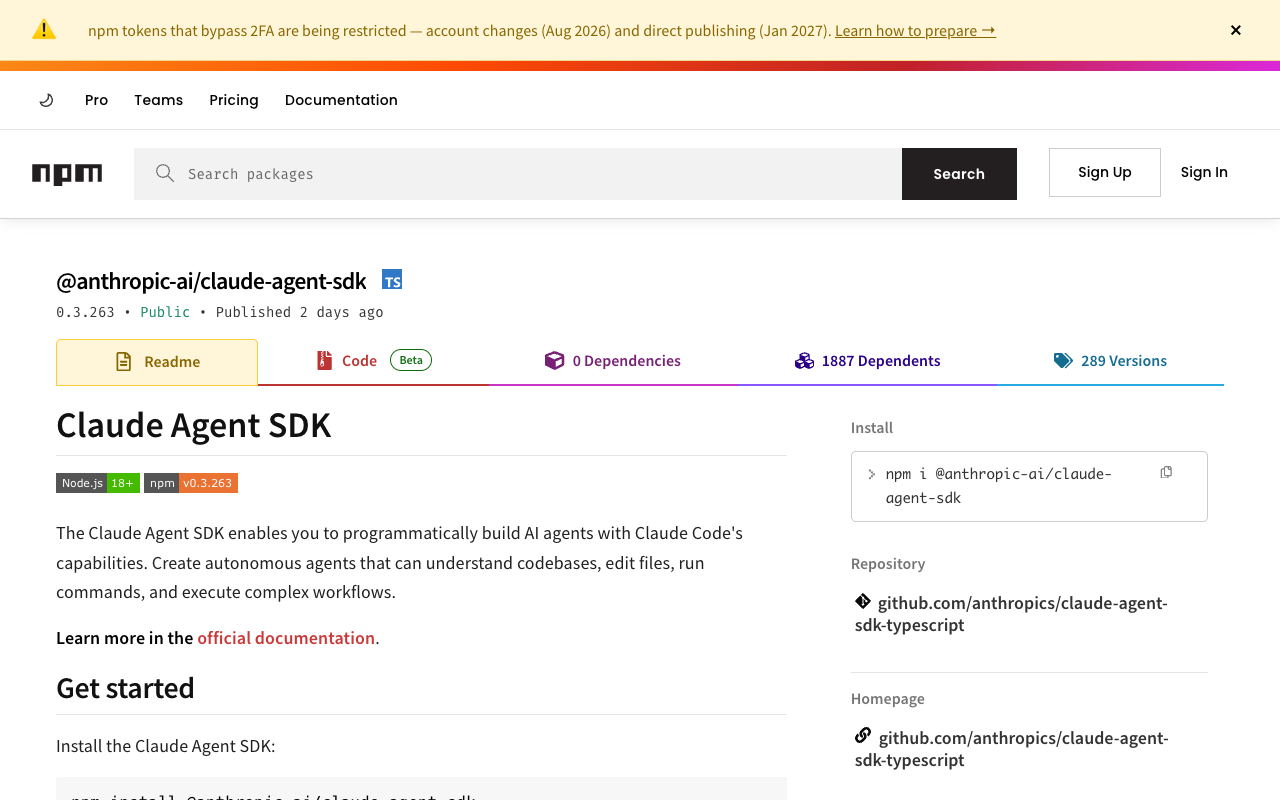
@anthropic-ai/claude-agent-sdkon npm (0.3.263, published 2026-09-06) andclaude-agent-sdkon PyPI (0.2.152). Minimums are Node.js 18+ or Python 3.10+. - v0.1.0 stopped sending Claude Code's system prompt by default. A migrated agent that suddenly writes worse code is almost always this, and the fix is one line.
- By default
query()reads your real~/.claudeand project settings. For CI, tests and anything multi-tenant, pass an empty settings-sources list or your users inherit your machine. - 289 TypeScript releases since September 2025, running 23 to 30 a month through 2026. Pin an exact version.
Verified against the npm and PyPI registries on 2026-09-07
There are two ways to build an agent on Claude. You can call the Messages API and write the tool-calling loop yourself, or you can import the loop Anthropic already wrote, tested and ships inside Claude Code. The Claude Agent SDK is the second option, and most teams find it about three weeks late, after they have already hand-rolled retries, permission prompts and context compaction badly enough to regret it.
That detour is expensive in a way that is easy to miss. The TypeScript package alone has shipped 289 versions since September 2025, running 23 to 30 releases a month through 2026, and every one of those is agent-loop behaviour you would otherwise be maintaining by hand. The Python package is on its own track at 154 releases.
So this piece covers what the SDK actually hands you, what it takes away in exchange, the two breaking changes that quietly degrade migrated agents, and the cases where you should still not use it.
I pulled every version number here from the npm and PyPI registries on 2026-09-07 rather than from a tutorial, and every option name, permission mode and default is quoted from Anthropic's Agent SDK reference. That distinction matters on this topic, because the SDK was renamed mid-life and a lot of the tutorial layer still teaches the old package.
What the Claude Agent SDK Actually Is
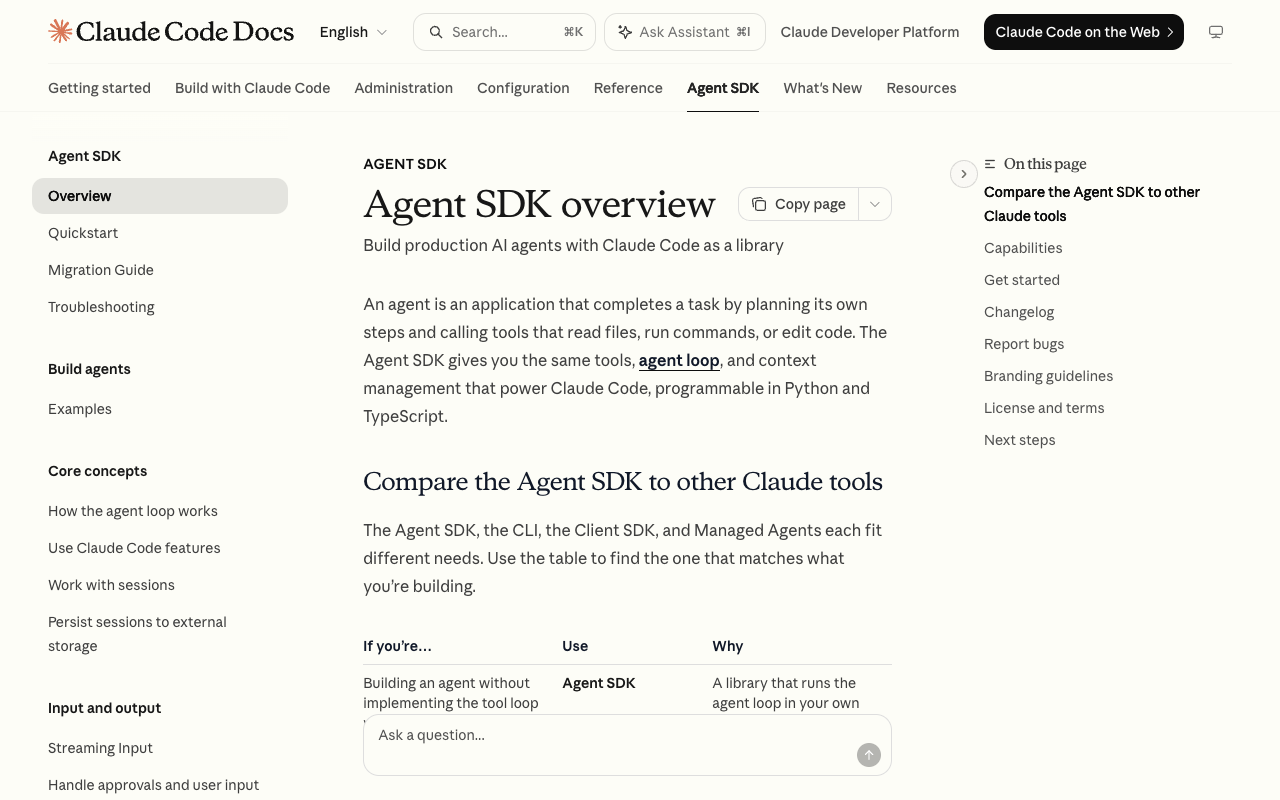
An agent, in Anthropic's framing, is an application that plans its own steps and calls tools that read files, run commands or edit code. The Agent SDK gives you that planning loop, the tools, and the context management, as a library you run in your own process.
The useful mental model: Claude Code the CLI and the Agent SDK are the same engine with different front ends. The CLI is that engine wrapped in a terminal UI. The SDK is the same engine wrapped in a function you call.
That framing also tells you when it is the wrong tool. Anthropic ships four products in this space and they are not interchangeable.
| If you are | Use | Why |
|---|---|---|
| --- | --- | --- |
| Building an agent without writing the tool loop | Agent SDK | The loop runs in your process, in Python or TypeScript |
| Working interactively, or running one-off terminal tasks | Claude Code CLI | The terminal interface, built for daily interactive use |
| Calling the API directly and writing the loop yourself | Client SDK | Direct Messages API access; you own the loop |
| Running long or async agents without managing a sandbox | Managed Agents | Hosted REST API; Anthropic runs the agent and the sandbox |
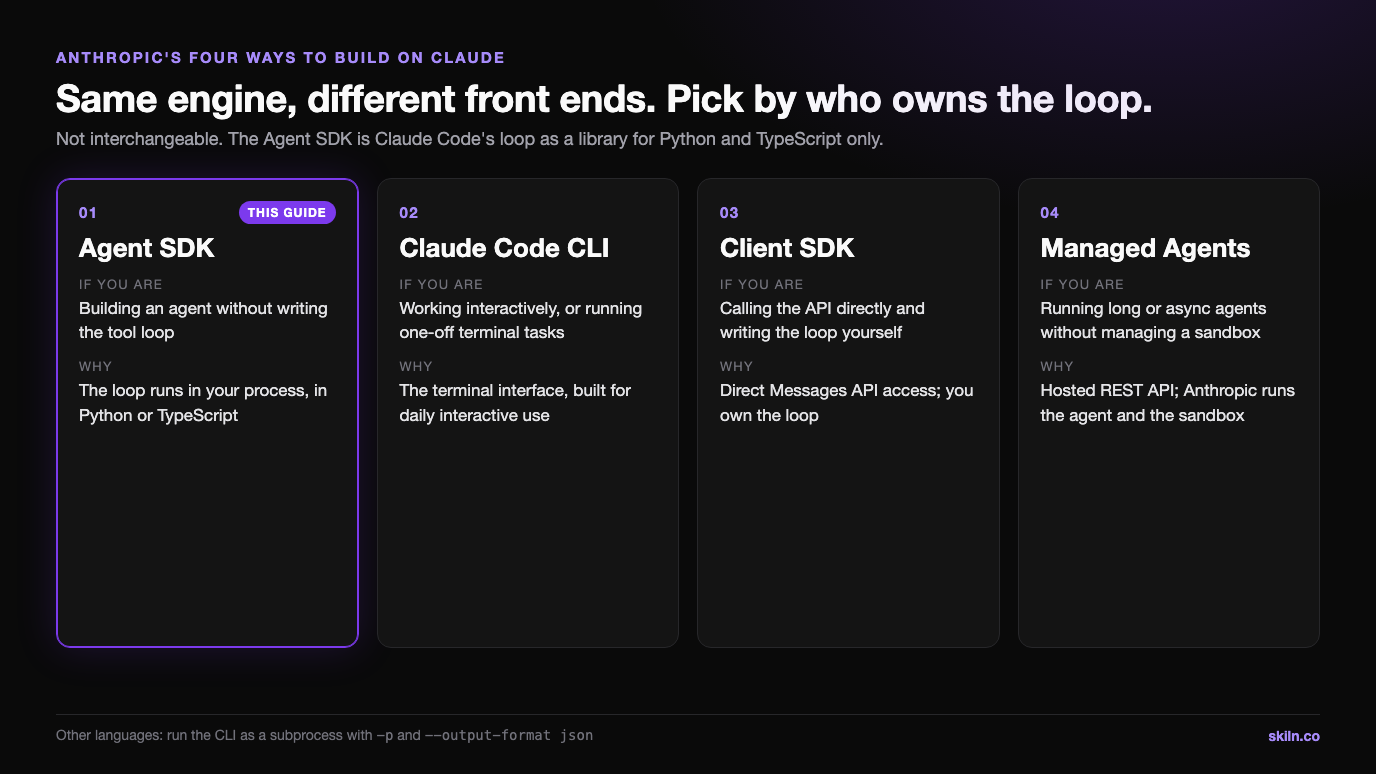
The SDK is a library for Python and TypeScript only. If you work in Go, Rust or anything else, the documented path is not a third SDK: you run the CLI as a subprocess with the -p flag and --output-format json, and parse the stream. That is a real, supported route, but it is a subprocess boundary, so plan your error handling around it.
Install and First Agent
Both SDKs bundle a native Claude Code binary, so a normal install needs no separate Claude Code installation. Authentication is an API key in the environment.
# TypeScript
npm install @anthropic-ai/claude-agent-sdk
npm install --save-dev tsx

# Python
pip install claude-agent-sdk

export ANTHROPIC_API_KEY=your-api-key
One detail that costs people an afternoon: the SDK does not load .env files. It reads the key from the environment of the process that runs your agent. If you keep secrets in a .env, load them yourself with dotenv before you call the SDK, or you will get Invalid API key from a project that visibly has the key on disk.
The minimal TypeScript agent is genuinely this short:
import { query } from "@anthropic-ai/claude-agent-sdk";

for await (const message of query({
  prompt: "Review utils.py for bugs that would cause crashes. Fix any issues you find.",
  options: {
    allowedTools: ["Read", "Edit", "Glob"],
    permissionMode: "acceptEdits"
  }
})) {
  if (message.type === "result") console.log(`Done: ${message.subtype}`);
}
query() returns an async iterator. Each iteration yields one message: Claude's reasoning, a tool call, a tool result, or the final outcome. The loop ends when the task finishes or errors. Orchestration, tool execution, context management and retries all happen inside it.
The tool list is where you set the blast radius, and it is worth being deliberate rather than permissive:
| Tools granted | What the agent can do |
|---|---|
| --- | --- |
Read, Glob, Grep | Read-only analysis |
Read, Edit, Glob | Analyse and modify code |
Read, Edit, Bash, Glob, Grep | Full automation |
There are two bundling gaps worth knowing before you debug a missing binary. If pip installs the source distribution instead of a platform wheel, on ARM64 Windows for example, nothing is bundled and the SDK falls back to finding Claude Code on your PATH. On the TypeScript side the binary arrives through npm optional dependencies, so npm ci --omit=optional produces an install with no binary even on a supported platform.
The Rename Trap
The Claude Code SDK was renamed to the Claude Agent SDK, and both old packages still exist on the registries. Search results, older tutorials and any LLM trained before the change will happily hand you the retired names.
| Aspect | Old | New |
|---|---|---|
| --- | --- | --- |
| TypeScript package | @anthropic-ai/claude-code | @anthropic-ai/claude-agent-sdk |
| Python package | claude-code-sdk | claude-agent-sdk |
| Python options type | ClaudeCodeOptions | ClaudeAgentOptions |
| Python import | claude_code_sdk | claude_agent_sdk |
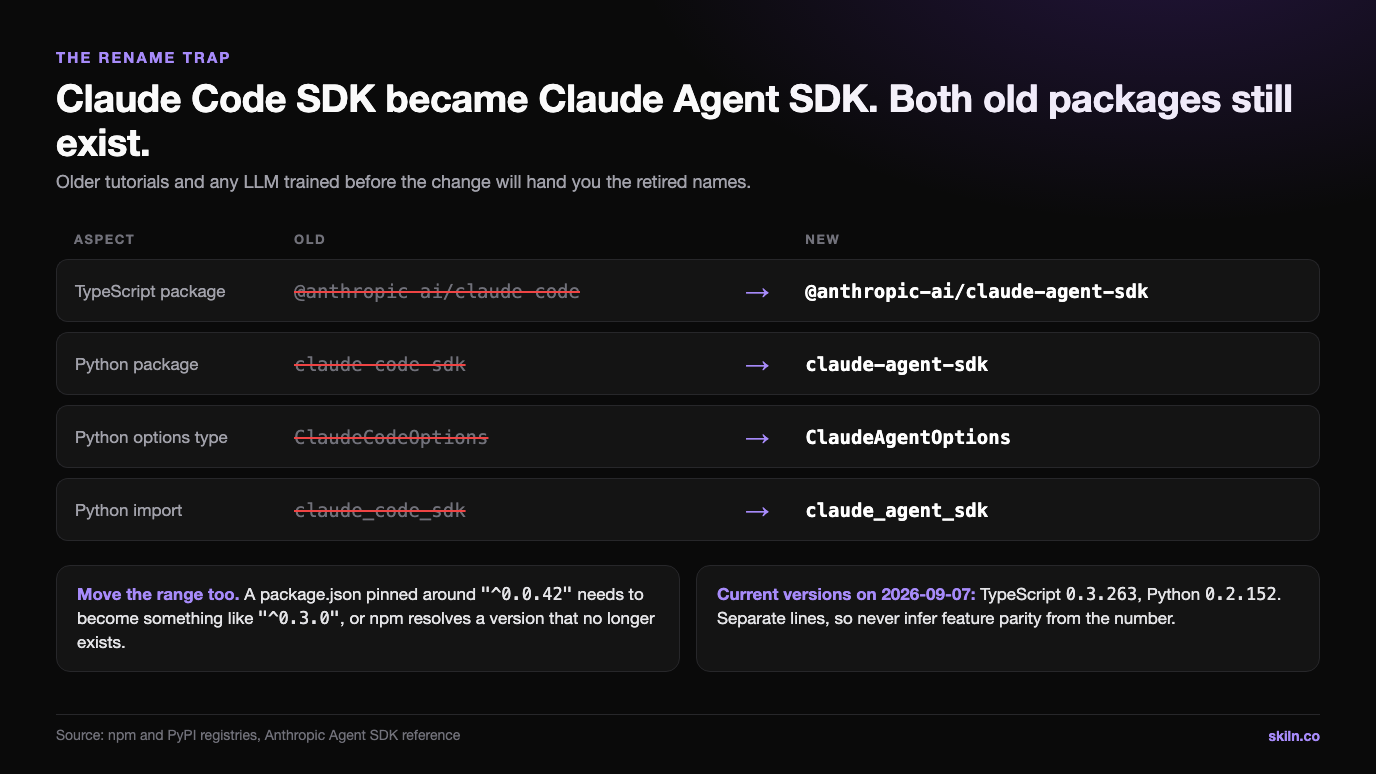
Version ranges move too. A package.json still pinned around "^0.0.42" needs to become something like "^0.3.0", which is a major jump in a dependency that ships almost daily. Migrate the range at the same time as the name, or npm will resolve something that no longer exists.
The Two Breaking Changes That Degrade Agents Quietly
These are the ones that do not throw. Your agent runs, returns plausible output, and is worse than it was.
The system prompt is no longer sent by default
Before v0.1.0, the SDK used Claude Code's system prompt automatically. It now uses a minimal one. Everything Claude Code knows about reading a codebase before editing it, about following existing conventions, about how to use its own tools well, lives in that prompt.
If you migrated and your agent got noticeably worse at coding tasks, this is almost certainly why. Ask for the preset explicitly:
const result = query({
  prompt: "Hello",
  options: {
    systemPrompt: { type: "preset", preset: "claude_code" }
  }
});
In Python the same option is system_prompt={"type": "preset", "preset": "claude_code"}. Or pass a plain string for a custom prompt, which is the right call when you are building something that is not a coding agent.
Filesystem settings load by default
Omitting settingSources on query() loads user, project and local settings, matching the CLI: ~/.claude/settings.json, .claude/settings.json, .claude/settings.local.json, CLAUDE.md files and custom commands.
That is convenient on your laptop and wrong nearly everywhere else. In CI, in a deployed application, in tests, and above all in anything multi-tenant, it means your agent's behaviour depends on whichever machine it happens to run on. Pass settingSources: [] in TypeScript or setting_sources=[] in Python to run isolated.
One footnote with teeth: Python SDK 0.1.59 and earlier treated an empty list the same as omitting the option. If you are relying on that isolation for a security boundary, check your installed version rather than assuming.
Permission Modes Are the Whole Safety Story
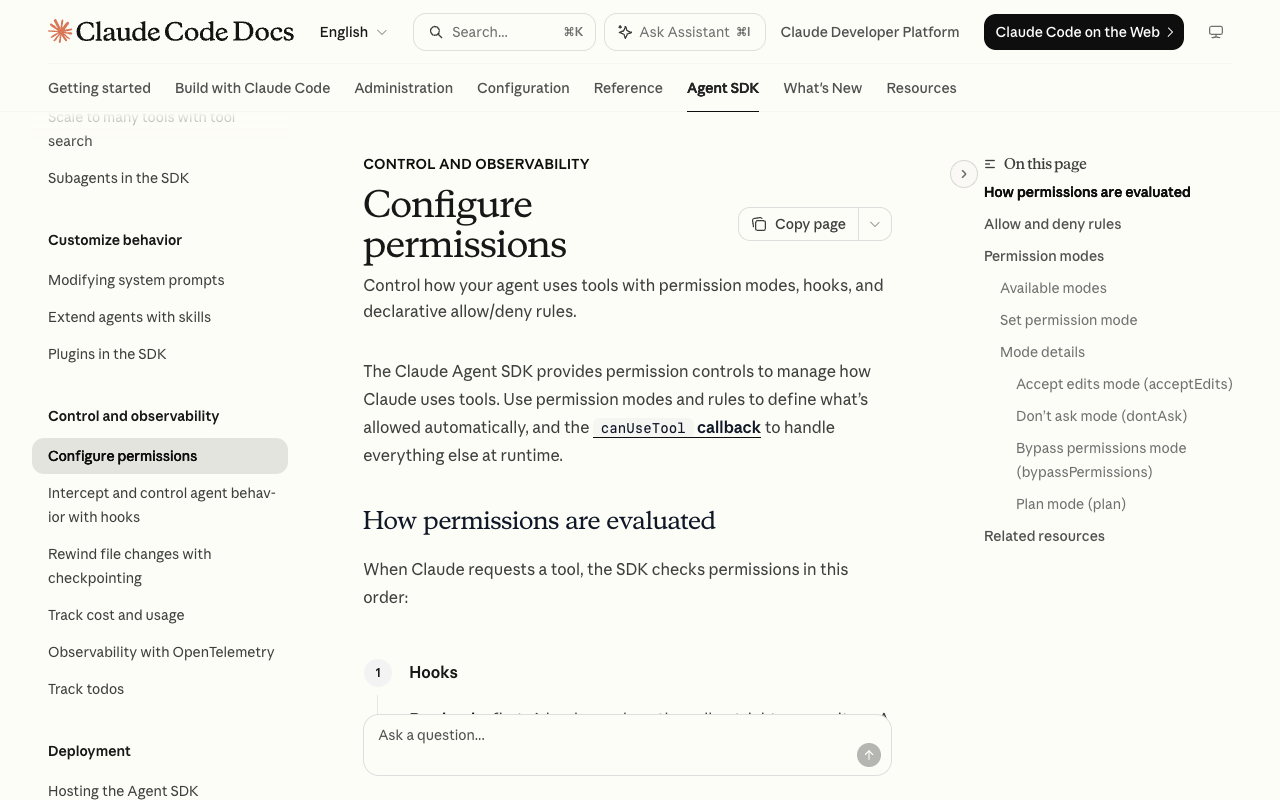
The permission system is the main thing you are buying, and the mode you pick decides what an agent can do to a machine when nobody is watching.
| Mode | Behaviour |
|---|---|
| --- | --- |
default | No auto-approvals; unmatched tools hit your canUseTool callback |
dontAsk | Anything not pre-approved is denied; canUseTool is never called |
acceptEdits | File edits and filesystem commands auto-approved |
bypassPermissions | Everything runs without prompts, with narrow exceptions |
plan | Claude explores and plans; file edits never auto-approve |
auto | A model classifier approves or denies prompts |
For a locked-down headless agent the documented pairing is allowedTools plus permissionMode: "dontAsk". Listed tools are approved, everything else is denied outright rather than silently relying on the absence of a callback.
Two traps here are worth stating plainly, because both look like security controls and are not:
allowedTools does not constrain bypassPermissions. Unlisted tools are not matched by any allow rule, so they fall through to the mode, which approves them. Setting allowed_tools=["Read"] alongside permission_mode="bypassPermissions" still approves Bash, Write and Edit. To block specific tools in that mode you need disallowedTools.
Auto-approved tools never reach canUseTool. Any call approved by acceptEdits, by bypassPermissions, or by a bare allow rule skips your callback entirely, so a permission check you wrote there is silently bypassed. If a check must run on every call, put it in a PreToolUse hook instead. Hooks run before every other step, and a hook denial holds even in bypassPermissions.
Subagents inherit the parent's permission mode. A subagent definition can override it, except when the parent is using bypassPermissions, acceptEdits or auto, which apply to every subagent and cannot be overridden. Since subagents often have looser system prompts than your main agent, inheriting bypass mode hands them full autonomous system access.
How a Tool Call Is Actually Evaluated
Order matters more than any individual rule, and the order is fixed:
- Hooks run first. A hook can deny outright. A hook that returns allow does not skip the deny and ask rules below.
- Deny rules are checked. A match blocks the tool even in
bypassPermissions. - Ask rules are checked. A match falls through to
canUseTool, again even in bypass mode. - Permission mode applies. This is where
acceptEditsandbypassPermissionsdo their work. - Allow rules are checked. A match approves the tool.
canUseTooldecides anything still unresolved. IndontAskmode this step is skipped and the call is denied.
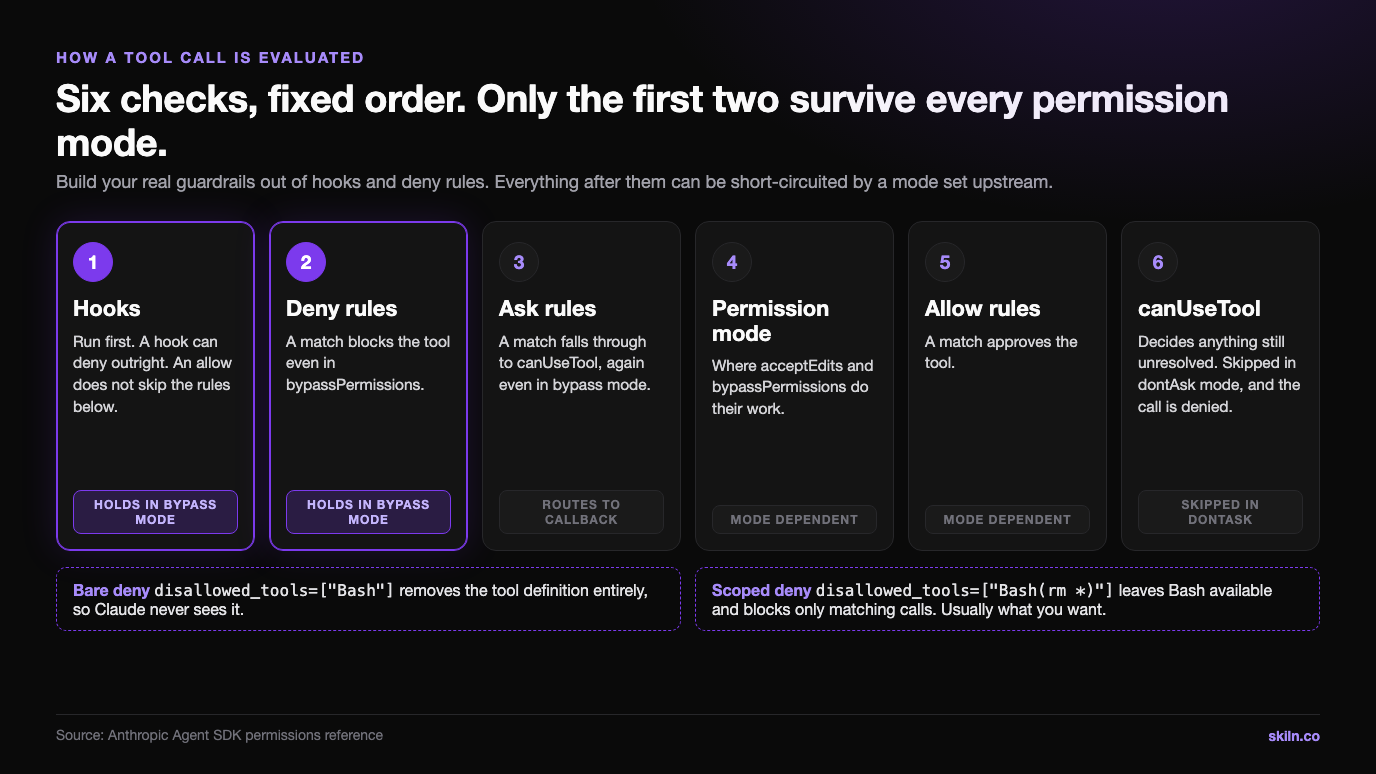
The practical reading of that list: deny rules and hooks are the only two controls that survive every mode. Everything else can be short-circuited by a mode you or a caller set upstream. Build your real guardrails out of the first two steps.
A scoping detail that trips people up: a bare deny like disallowed_tools=["Bash"] removes the tool definition from the request entirely, so Claude never sees it. A scoped deny like disallowed_tools=["Bash(rm *)"] leaves Bash available and blocks only matching calls. Those are different security postures, and the second is usually what you want.
What Carries Over From Claude Code
This is the part that makes the SDK worth more than a loop: the ecosystem comes with it.
| Capability | What it does |
|---|---|
| --- | --- |
| Built-in tools | Read, write, edit files, run commands, search the web |
| Hooks | Run your code at points in the agent lifecycle |
| Subagents | Spawn specialised agents for focused subtasks |
| MCP | Connect external tools and data via Model Context Protocol |
| Permissions | Control what runs automatically and what needs approval |
| Sessions | Keep context across exchanges, resume or fork later |
| Skills, commands, memory | Load from .claude/ and ~/.claude/, same as Claude Code |
| Plugins | Bundle skills, agents, hooks and MCP servers by local path |
Skills are the underrated entry here. A Claude Skill written for the CLI works unchanged in an SDK agent, because the SDK reads the same .claude/skills/ directories. The same is true of MCP servers and of hooks. If you have already invested in that tooling, the SDK is closer to a deployment target than a rewrite.
That also means the skills versus MCP versus plugins decision you made for the CLI carries straight over, and so does anything you learned about running subagents in parallel.
An SDK agent loads the same skills, MCP servers and subagents as the CLI, so the fastest way to a capable agent is to install ones that already exist. Skiln indexes them from ten sources with real install paths. Browse skills · Browse agents · Browse everything
Disclosure: Skiln publishes this article and runs the directory it links to.
Release Cadence, and Why You Should Pin
Both SDKs ship constantly. This is the actual release count per month from the registries, read on 2026-09-07:
| Month | TypeScript releases | Python releases |
|---|---|---|
| --- | --- | --- |
| 2026-03 | 23 | 9 |
| 2026-04 | 29 | 18 |
| 2026-05 | 27 | 16 |
| 2026-06 | 30 | 23 |
| 2026-07 | 23 | 18 |
| 2026-08 | 29 | 21 |
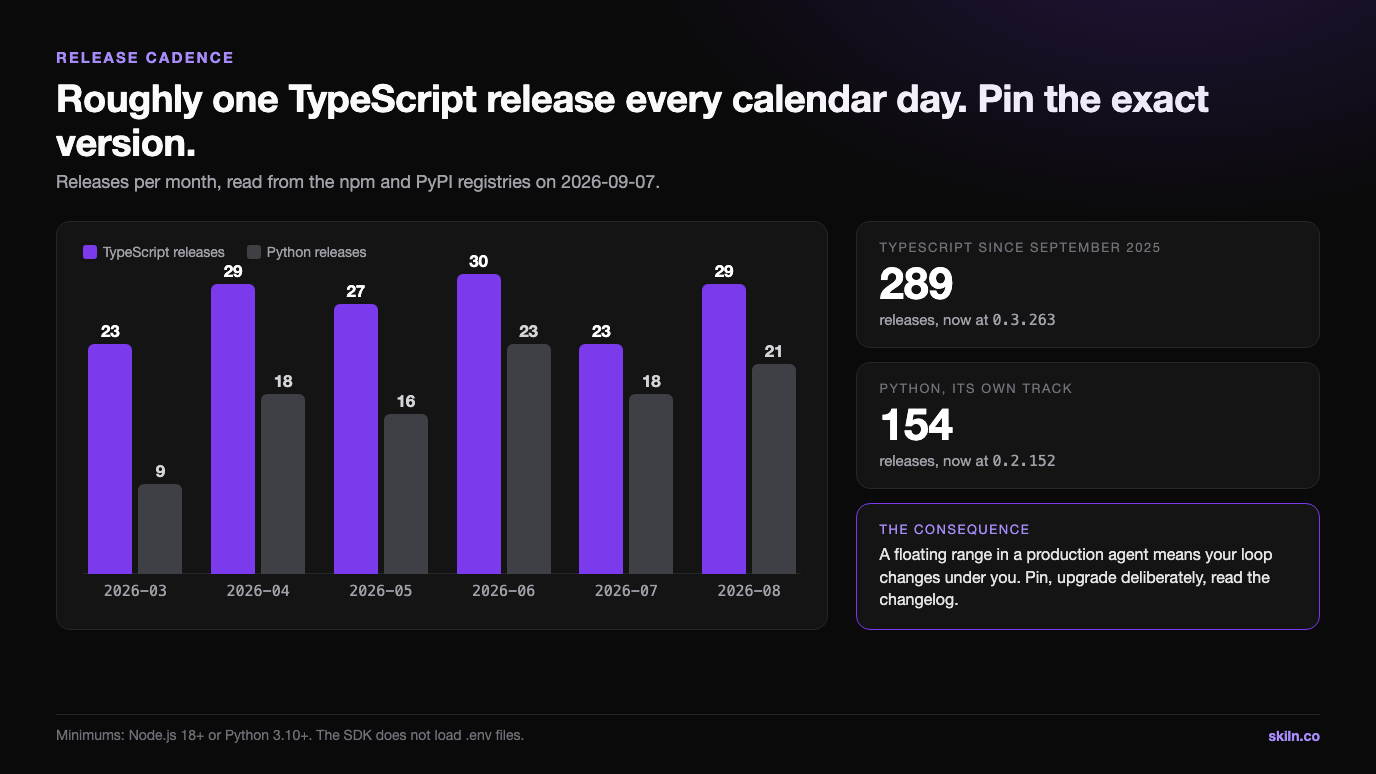
That is roughly one TypeScript release every calendar day. The pace is a feature, not a warning sign, but it has one obvious consequence: a floating range in a production agent means your loop changes under you. Pin the exact version, upgrade deliberately, and read the changelog when you do, because behaviour changes in this dependency are behaviour changes in your product.
The two SDKs also sit on separate version lines. TypeScript is at 0.3.263 and Python at 0.2.152, so do not infer feature parity from a version number. Check the language-specific reference for the option you want.
When Not to Use It
Three cases where the SDK is the wrong answer, and one where it is a licensing problem:
- You need a language it does not support. Only Python and TypeScript are libraries. Anything else means driving the CLI as a subprocess.
- You do not want to run the sandbox. If the appeal is long-running agents without managing session or sandbox infrastructure, Managed Agents is the product for that, not the SDK.
- You genuinely need the raw loop. If you are doing something structurally unusual with tool orchestration, the Client SDK and your own loop gives you control the agent loop deliberately hides.
- You are reselling agent access. Unless previously approved, Anthropic does not allow third-party developers to offer claude.ai login or rate limits for products built on the Agent SDK. Use API key authentication. There are also branding limits: "Claude Agent" is allowed, "Claude Code" and "Claude Code Agent" are not.
For most teams none of those apply, and the honest summary is that the loop is the least differentiated part of an agent product. Anthropic maintains it 25 times a month. Spend your engineering somewhere your users can see it.
Related Articles
Claude Code Agent Teams — orchestration patterns that carry over to SDK subagents.
Best Claude Agents in 2026 — subagent definitions worth stealing before you write your own.
Claude Code Hooks Guide — the one control that survives every permission mode.
What Is MCP? — the protocol behind the SDK's external tool access.
MCP Server Security — what to check before an autonomous agent gets a server.
Primary sources for this article: the Agent SDK overview, the quickstart and the permissions reference, with version data read directly from PyPI and the npm registry on 2026-09-07.