Claude Code Security Best Practices: Protect Your Codebase from AI Risks
Complete security guide for Claude Code. Permission model, sandbox configuration, security hooks, MCP server vetting, secret management, code review patterns, and enterprise lockdown strategies.

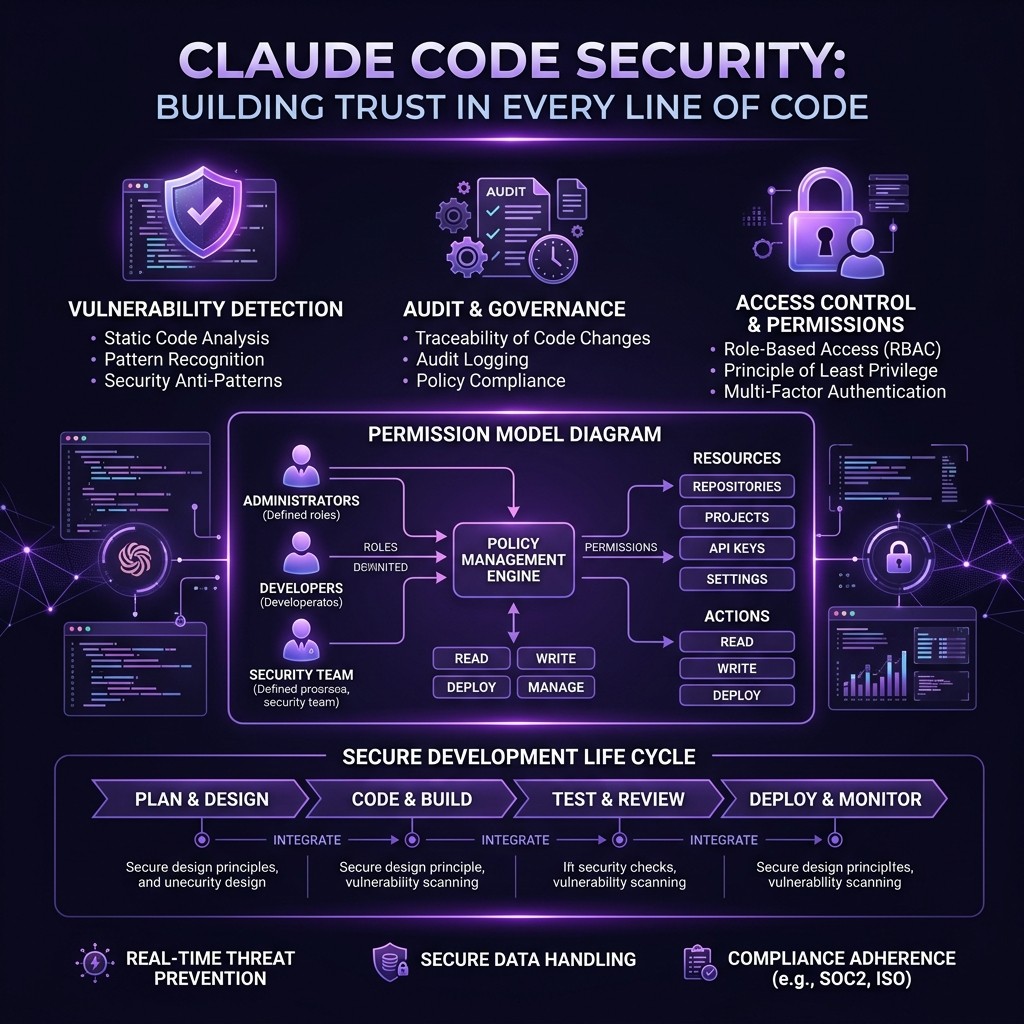
Claude Code Security Best Practices: Protect Your Codebase from AI Risks
By David Henderson | March 26, 2026 | 15 min read
Table of Contents
- The Security Reality of AI Coding Tools
- Understanding the Permission Model
- Sandbox Configuration
- Hooks for Security Enforcement
- MCP Server Vetting
- Secret Management
- Code Review Patterns for AI-Generated Code
- Enterprise Lockdown Configuration
- Incident Response
- Frequently Asked Questions
The Security Reality of AI Coding Tools {#security-reality}
I need to be direct about something most AI tool articles gloss over: Claude Code is powerful because it is dangerous. It can read your files, execute shell commands, make network requests, interact with databases, and modify your codebase. That is not a bug — it is the entire point. An AI coding assistant that cannot touch your code is useless.
But that power creates a threat surface. A malicious skill could exfiltrate secrets. A compromised MCP server could open a reverse shell. A prompt injection embedded in a dependency could trick Claude into running destructive commands. These are not theoretical risks — they are attack vectors that security researchers have demonstrated.
The good news is that Claude Code has a robust security model. The bad news is that most developers use approximately zero percent of it. They install Claude Code, accept every permission prompt, install MCP servers from random GitHub repos, and paste their API keys into environment variables without scoping.
This guide is the security playbook I wish existed when I started using AI coding tools. Every practice here is something I run in production across multiple projects and teams.
Understanding the Permission Model {#permission-model}
Claude Code operates on a tiered permission system. Understanding it is the foundation for everything else in this guide.
The Three Permission Tiers
Tier 1: Read-Only Operations (Auto-Approved)
Claude can read files, list directories, and inspect project structure without asking permission. This is necessary for Claude to understand your codebase and provide useful assistance. You cannot disable this without making Claude Code non-functional.
Security implication: Any file accessible to your user account is accessible to Claude. If your project directory contains .env files, credential JSON files, or private keys, Claude can read them. This is not a permissions bypass — it is working as designed.
Tier 2: Write Operations (Prompt Required)
Claude asks before writing files, creating directories, or modifying existing code. You see the proposed change and approve or reject it.
Security implication: This is your primary defense against unwanted modifications. Never approve changes you have not reviewed. When Claude proposes editing a file, read the diff. When it proposes creating a new file, check the path and contents.
Tier 3: Shell Execution (Prompt Required)
Claude asks before running shell commands. You see the exact command and approve or reject it.
Security implication: This is the highest-risk tier. A shell command can do anything your user account can do — install packages, make network requests, modify system files, start processes. Treat every shell command approval as a security decision.
The Allow/Deny Pattern
Claude Code remembers your permission decisions within a session. If you approve npm install, Claude will not ask again for subsequent npm install commands in the same session. This is convenient but creates risk — a single "allow" decision can greenlight a category of operations.
Best practice: Be specific in your approvals. When Claude asks to run npm install express, approve that specific command rather than blanket-approving all npm install operations.
Project-Level Permissions in CLAUDE.md
Your project's CLAUDE.md file can set permission boundaries:
# Security Boundaries

## Forbidden Operations
- Never modify files in the `config/` directory without explicit approval
- Never run `rm -rf` on any path
- Never execute commands that make network requests to non-localhost URLs
- Never read or display contents of `.env`, `.env.local`, or any file matching `*.secret.*`
- Never install npm packages not already in package.json without explicit approval

## Allowed Operations
- Read and modify files in `src/`, `test/`, and `docs/`
- Run test commands: `npm test`, `npm run lint`, `npm run typecheck`
- Git operations: `git status`, `git diff`, `git log`, `git add`, `git commit`
These instructions are not enforced by the runtime — they are guidance that Claude follows. A determined attacker could craft a prompt that overrides them. But they stop accidental misuse and add a friction layer that catches most issues. For enforceable restrictions, use hooks (covered below).
Sandbox Configuration {#sandbox-config}
Claude Code does not run in a sandbox by default. It executes with your full user permissions. There are several ways to add sandboxing.
Docker Sandbox
The most robust approach is running Claude Code inside a Docker container:
FROM node:20-slim

RUN npm install -g @anthropic-ai/claude-code

# Create non-root user
RUN useradd -m -s /bin/bash claudeuser
USER claudeuser

WORKDIR /workspace

ENTRYPOINT ["claude"]
docker build -t claude-sandbox .
docker run -it \
-v $(pwd):/workspace \
-e ANTHROPIC_API_KEY=$ANTHROPIC_API_KEY \
--network=host \
claude-sandboxThis isolates Claude to the mounted workspace directory. It cannot access your home directory, SSH keys, browser cookies, or any file outside /workspace. If something goes wrong, the container is disposable.
Tradeoff: Docker adds startup latency and prevents Claude from accessing tools installed on your host (like database clients, cloud CLIs, or language runtimes not in the container). You need to install everything Claude needs inside the Docker image.
For teams that want always-on sandboxed AI, NanoClaw provides a purpose-built Docker sandbox with messaging integration.
macOS Sandbox (Apple Silicon)
On macOS, you can use the built-in sandbox system:
sandbox-exec -f claude-sandbox.sb claudeWith a sandbox profile (claude-sandbox.sb):
(version 1)
(deny default)
(allow file-read* (subpath "/path/to/project"))
(allow file-write* (subpath "/path/to/project"))
(allow process-exec)
(allow network-outbound (remote tcp "*:443"))
(deny network-outbound (remote tcp "*:22"))
This restricts filesystem access to your project directory and limits network access to HTTPS only (blocking SSH, database ports, etc.).
Linux Firejail
On Linux, Firejail provides lightweight sandboxing:
firejail --private=/path/to/project --net=none claudeThe --net=none flag blocks all network access. If Claude needs to reach the Anthropic API, use --net=br0 with a filtered bridge instead.
Which Sandbox to Use
| Environment | Recommended Sandbox | Isolation Level |
|---|---|---|
| ------------- | ------------------- | ----------------- |
| Personal development | Docker or none (with hooks) | Medium |
| Team development | Docker | High |
| CI/CD pipeline | Docker (mandatory) | High |
| Client projects | Docker with restricted mounts | Very High |
| Enterprise | Docker + network policies | Very High |
Hooks for Security Enforcement {#hooks-security}
Hooks are the most powerful security feature in Claude Code. They run your code before or after Claude takes an action, and they can block, modify, or log any operation.
Unlike CLAUDE.md instructions (which Claude follows voluntarily), hooks are enforced by the runtime. Claude cannot bypass a hook.
Pre-Command Hook: Block Dangerous Commands
{
  "hooks": {
    "pre_command": {
      "command": "node .claude/hooks/security-gate.js"
    }
  }
}
// .claude/hooks/security-gate.js
const BLOCKED_PATTERNS = [
/rm\s+-rf\s+\//, // rm -rf /
/rm\s+-rf\s+~/, // rm -rf ~
/curl.*\|\s*bash/, // curl | bash (remote code execution)
/wget.*\|\s*sh/, // wget | sh
/chmod\s+777/, // world-writable permissions
/eval\s*\(/, // eval() in shell
/\.env/, // accessing .env files
/ANTHROPIC_API_KEY/, // accessing API keys
/AWS_SECRET/, // accessing AWS secrets
/ssh\s+-o\s+StrictHost.*no/i, // disabling SSH host checking
/nc\s+-l/, // netcat listener (reverse shell)
];
const command = process.env.CLAUDE_COMMAND;
const blocked = BLOCKED_PATTERNS.some(pattern => pattern.test(command));
if (blocked) {
console.error(`SECURITY: Blocked command: ${command}`);
process.exit(1); // Non-zero exit blocks the command
}
process.exit(0); // Zero exit allows the commandThis hook intercepts every shell command Claude attempts to run and blocks anything matching the dangerous patterns. The list is extensible — add patterns specific to your environment.
Pre-Write Hook: Prevent Secret Leakage
// .claude/hooks/no-secrets-in-code.js
const fs = require('fs');

const filePath = process.env.CLAUDE_FILE_PATH;
const content = process.env.CLAUDE_FILE_CONTENT;

const SECRET_PATTERNS = [
  /sk-ant-[a-zA-Z0-9]{20,}/,    // Anthropic API keys
  /sk-[a-zA-Z0-9]{48}/,          // OpenAI API keys
  /ghp_[a-zA-Z0-9]{36}/,         // GitHub personal access tokens
  /AKIA[0-9A-Z]{16}/,            // AWS access key IDs
  /-----BEGIN (RSA |EC )?PRIVATE KEY-----/, // Private keys
  /xoxb-[0-9]+-[a-zA-Z0-9]+/,    // Slack bot tokens
];

const hasSecret = SECRET_PATTERNS.some(pattern => pattern.test(content));

if (hasSecret) {
  console.error(`SECURITY: Blocked write to ${filePath} — contains what appears to be a secret or credential`);
  process.exit(1);
}

process.exit(0);
This hook scans every file Claude writes for patterns that look like API keys, tokens, or private keys. If Claude tries to write a file containing a secret (even accidentally), the write is blocked.
Post-Command Hook: Audit Logging
// .claude/hooks/audit-log.js
const fs = require('fs');
const path = require('path');

const logEntry = {
  timestamp: new Date().toISOString(),
  command: process.env.CLAUDE_COMMAND,
  exitCode: process.env.CLAUDE_EXIT_CODE,
  workingDirectory: process.env.CLAUDE_CWD,
};

const logPath = path.join(process.env.HOME, '.claude-audit.log');
fs.appendFileSync(logPath, JSON.stringify(logEntry) + '\n');
This hook logs every command Claude runs to an audit file. For enterprise environments, pipe this to your SIEM (Security Information and Event Management) system.
Hook Composition
Hooks compose. You can run multiple security hooks in sequence:
{
  "hooks": {
    "pre_command": [
      { "command": "node .claude/hooks/security-gate.js" },
      { "command": "node .claude/hooks/audit-log.js" }
    ],
    "pre_write": [
      { "command": "node .claude/hooks/no-secrets-in-code.js" },
      { "command": "node .claude/hooks/file-path-guard.js" }
    ]
  }
}
All hooks must pass (exit code 0) for the operation to proceed. Any hook failure blocks the operation.
MCP Server Vetting {#mcp-vetting}
MCP servers run as separate processes with their own capabilities. A malicious MCP server is arguably the highest-risk attack vector in the Claude Code ecosystem because it runs persistently and has tool-level access.
Before Installing Any MCP Server
Run through this checklist:
- Source verification. Is the server from a known, reputable organization (Anthropic, Cloudflare, Vercel) or a verified community maintainer? Check the GitHub repository for stars, contributors, and issue history.
- Code review. Read the source code. MCP servers are typically small (under 500 lines). Look for:
- Network requests to unexpected domains
- File access outside the expected scope
- Process spawning or shell execution
- Data exfiltration patterns (sending file contents to external endpoints)
- Permission scope. What tools does the server expose? A filesystem MCP server that also makes network requests is suspicious. A Slack MCP server that also reads local files is suspicious. Each server should do one thing.
- Dependency audit. Run
npm auditon the server's dependencies. A clean server with a compromised dependency is still a compromised server.
- Update frequency. Is the server actively maintained? Abandoned servers accumulate vulnerabilities. Check the last commit date and open issue count.
MCP Server Isolation
For high-security environments, run each MCP server in its own container:
{
  "mcpServers": {
    "github": {
      "command": "docker",
      "args": ["run", "--rm", "-i",
               "-e", "GITHUB_TOKEN",
               "--network=github-only",
               "mcp-github-server"]
    }
  }
}
Docker network policies can restrict each MCP server to only the external services it needs. The GitHub MCP server only reaches api.github.com. The Supabase MCP server only reaches your Supabase instance. No server can reach anything else.
The Skiln Directory Advantage
The Skiln MCP directory includes security metadata for cataloged servers: verified publisher status, dependency audit results, permission scope analysis, and community trust signals. This is not a guarantee of safety, but it reduces the vetting burden compared to installing servers directly from unknown GitHub repos.
For detailed reviews of the most popular MCP servers, see our reviews of Playwright MCP, GitHub MCP, Supabase MCP, and Filesystem MCP.
Secret Management {#secret-management}
Secrets — API keys, database credentials, tokens, private keys — are the most valuable targets in any development environment. Claude Code interacts with secrets constantly. Here is how to minimize exposure.
Rule 1: Never Put Secrets in CLAUDE.md or Skills
CLAUDE.md and skill files are committed to Git. Secrets in these files end up in your repository history forever, even if you later remove them. This seems obvious, but I see it regularly in open-source repos.
Rule 2: Use Environment Variables with Scoping
Set secrets as environment variables, but scope them to the current session:
# Good: session-scoped, not persisted
export ANTHROPIC_API_KEY=sk-ant-...

# Better: loaded from a secrets manager
export ANTHROPIC_API_KEY=$(vault kv get -field=key secret/anthropic)

# Best: loaded from a .env file that is .gitignored
source .env.local
Never put secrets in your shell profile (.bashrc, .zshrc) where they persist permanently and are accessible to every process.
Rule 3: Restrict MCP Server Access to Secrets
MCP servers receive environment variables from their configuration. Only pass the specific variables each server needs:
{
  "mcpServers": {
    "github": {
      "command": "npx",
      "args": ["@anthropic-ai/mcp-github"],
      "env": {
        "GITHUB_TOKEN": "${GITHUB_TOKEN}"
      }
    }
  }
}
Do not pass all environment variables to MCP servers. The env block should include only what the server requires.
Rule 4: Use the Pre-Write Hook to Prevent Secret Leakage
The secret-scanning hook from the Hooks section above prevents Claude from writing secrets into files. This catches cases where Claude might include an API key in a configuration file, a test fixture, or a code comment.
Rule 5: Rotate Secrets Used with AI Tools
Treat any secret that Claude Code has accessed as potentially exposed. This is not because Claude leaks secrets (it does not), but because:
- Secrets are sent to the Anthropic API as part of context
- MCP servers may log or cache secret values
- Session transcripts may contain secret values
Rotate AI-accessible secrets more frequently than secrets used only by human operators. Quarterly rotation is a reasonable starting point.
Rule 6: Use Read-Only Tokens Where Possible
For MCP servers that only need read access (GitHub for code review, Supabase for query inspection), generate tokens with read-only permissions. This limits the blast radius if the token is compromised.
Code Review Patterns for AI-Generated Code {#code-review}
AI-generated code passes human review less scrutinously than human-written code. This is a documented cognitive bias — we trust the machine and skim the output. Fight this bias with structured review patterns.
The Security-First Review Checklist
For every file Claude modifies, check:
- New dependencies. Did Claude add packages to
package.jsonorrequirements.txt? Verify each new dependency is legitimate, well-maintained, and necessary.
- Network calls. Did Claude add
fetch(),axios,http.request(), or any network-accessing code? Verify the URLs are expected and the data being sent is appropriate.
- File operations. Did Claude read or write files outside the expected scope? Check for path traversal patterns (
../../../etc/passwd) even in test fixtures.
- Environment variable access. Did Claude access environment variables beyond what the task requires? Check for
process.env.SECRET_KEYin unexpected places.
- Shell execution. Did Claude add
exec(),spawn(),system(), or any code that shells out? Verify the commands are safe and the inputs are sanitized.
- Serialization. Did Claude use
eval(),Function(),pickle.loads(), or unsafe deserialization? These are code execution vectors.
Automated Security Scanning
Add security linting to your CI pipeline that runs on all code, human and AI-generated alike:
- npm audit / pip audit — Dependency vulnerability scanning
- semgrep — Pattern-based code security scanning
- eslint-plugin-security — JavaScript/TypeScript security rules
- bandit — Python security linting
These catch the security issues that human review misses, regardless of whether the code was written by a person or an AI.
The Two-Pass Review
For critical changes, I use a two-pass review:
- First pass (Claude): Ask Claude itself to review the code for security issues. Claude is good at spotting patterns like SQL injection, XSS, and insecure deserialization in code it did not write.
- Second pass (Human): Review the code yourself, focusing on the items in the security checklist above. Pay special attention to anything Claude flagged in the first pass.
This sounds redundant, but the two perspectives catch different issues. Claude catches pattern-level vulnerabilities. Humans catch context-level issues (this query should not access that table, this endpoint should require authentication).
Enterprise Lockdown Configuration {#enterprise-lockdown}
For organizations deploying Claude Code across teams, here is a hardened configuration template.
Organization-Level Settings
Create a shared configuration that all team members inherit:
{
  "permissions": {
    "allow_shell": true,
    "allow_write": true,
    "require_approval_for_shell": true,
    "require_approval_for_write": true,
    "blocked_commands": [
      "rm -rf",
      "curl | bash",
      "wget | sh",
      "chmod 777",
      "eval",
      "nc -l"
    ]
  },
  "hooks": {
    "pre_command": [
      { "command": "node /shared/hooks/security-gate.js" },
      { "command": "node /shared/hooks/audit-log.js" }
    ],
    "pre_write": [
      { "command": "node /shared/hooks/no-secrets-in-code.js" },
      { "command": "node /shared/hooks/approved-paths-only.js" }
    ]
  },
  "mcpServers": {
    "approved": ["filesystem", "github", "playwright"],
    "blocked": ["*"],
    "require_review_for_new": true
  }
}
MCP Server Allow List
In enterprise environments, maintain an approved MCP server list. Developers can only install servers from the approved list. New server requests go through a security review process.
Audit Trail Requirements
Every Claude Code action should be logged to a central audit system:
- Commands executed (with full arguments)
- Files read and written (with diffs)
- MCP server tool invocations
- Permission decisions (approved/denied)
- Session start and end times
- User identity
This audit trail is critical for compliance (SOC 2, HIPAA, PCI) and for incident investigation.
Network Segmentation
In environments with sensitive data:
- Run Claude Code on machines in a restricted network segment
- Allow outbound connections only to the Anthropic API and approved MCP server endpoints
- Block all other outbound traffic
- Monitor for unusual network patterns (large data transfers, connections to unexpected IPs)
Regular Security Reviews
Schedule quarterly reviews of:
- Installed MCP servers across the organization
- Active skills and their permissions
- Hook configurations
- Audit log anomalies
- Secret rotation compliance
- Dependency vulnerability reports
Incident Response {#incident-response}
If you suspect a security incident involving Claude Code, follow this response protocol.
Immediate Actions
- Stop Claude Code sessions on affected machines
- Revoke the Anthropic API key used in the compromised session
- Revoke MCP server tokens (GitHub, Supabase, Vercel, etc.)
- Review the audit log for unusual commands, file access, or network requests
- Check Git history for unauthorized commits or file modifications
Investigation
- Identify the vector. Was it a malicious skill, a compromised MCP server, a prompt injection, or a misconfiguration?
- Scope the impact. What files were accessed? What commands were run? What data may have been exfiltrated?
- Preserve evidence. Save session transcripts, audit logs, and Docker container state (if applicable).
Recovery
- Rotate all exposed secrets — API keys, database credentials, tokens
- Review and revert any unauthorized code changes
- Update security hooks to prevent the specific attack vector
- Update MCP server allow list if a compromised server was involved
- Communicate to the team what happened, what was affected, and what changed
Post-Incident
- Document the incident in your security log
- Update this guide with lessons learned
- Review whether additional hooks, sandbox restrictions, or MCP server restrictions are needed
Frequently Asked Questions {#faq}
Is Claude Code safe to use with production databases?
With proper configuration, yes. Use read-only database credentials for routine work. Use write credentials only when explicitly needed, and scope them to specific tables or schemas. Never give Claude full admin access to a production database.
Can Claude Code exfiltrate my code to Anthropic?
Claude Code sends your prompts, file contents, and tool outputs to the Anthropic API for processing. This is how the tool works — the model runs in Anthropic's cloud. Anthropic's data retention policy states that API inputs are not used for training. Review Anthropic's current privacy policy and terms of service for your organization's compliance requirements.
Should I run Claude Code in CI/CD pipelines?
Yes, with sandboxing. Run Claude Code in a Docker container with restricted filesystem access, no secrets beyond what the specific task requires, and network policies that limit outbound connections. Never give CI-based Claude Code access to production credentials.
How do hooks compare to CLAUDE.md restrictions?
CLAUDE.md instructions are guidance that Claude follows voluntarily. A sophisticated prompt injection could override them. Hooks are runtime enforcement — they execute your code before Claude's action takes effect, and they cannot be bypassed by prompt manipulation. Use CLAUDE.md for behavioral guidance and hooks for security enforcement.
What are the biggest security mistakes teams make with Claude Code?
Three common mistakes: (1) Running Claude Code with overly broad permissions and approving every shell command without reading it. (2) Installing MCP servers from unvetted sources without reviewing the code. (3) Not rotating secrets that have been used in Claude Code sessions.
Does Claude Code support SSO or RBAC?
Claude Code authenticates through API keys, not SSO. For enterprise access control, manage API key distribution through your existing secrets management system. Anthropic's team and enterprise plans offer additional access controls at the API level.