MCP Servers That Work with Cursor, Copilot, and Codex (Not Just Claude)
Which MCP servers work with Cursor, Copilot, Codex, and Claude? Full compatibility table, setup guides for each agent, and the universal MCPs every developer should install.

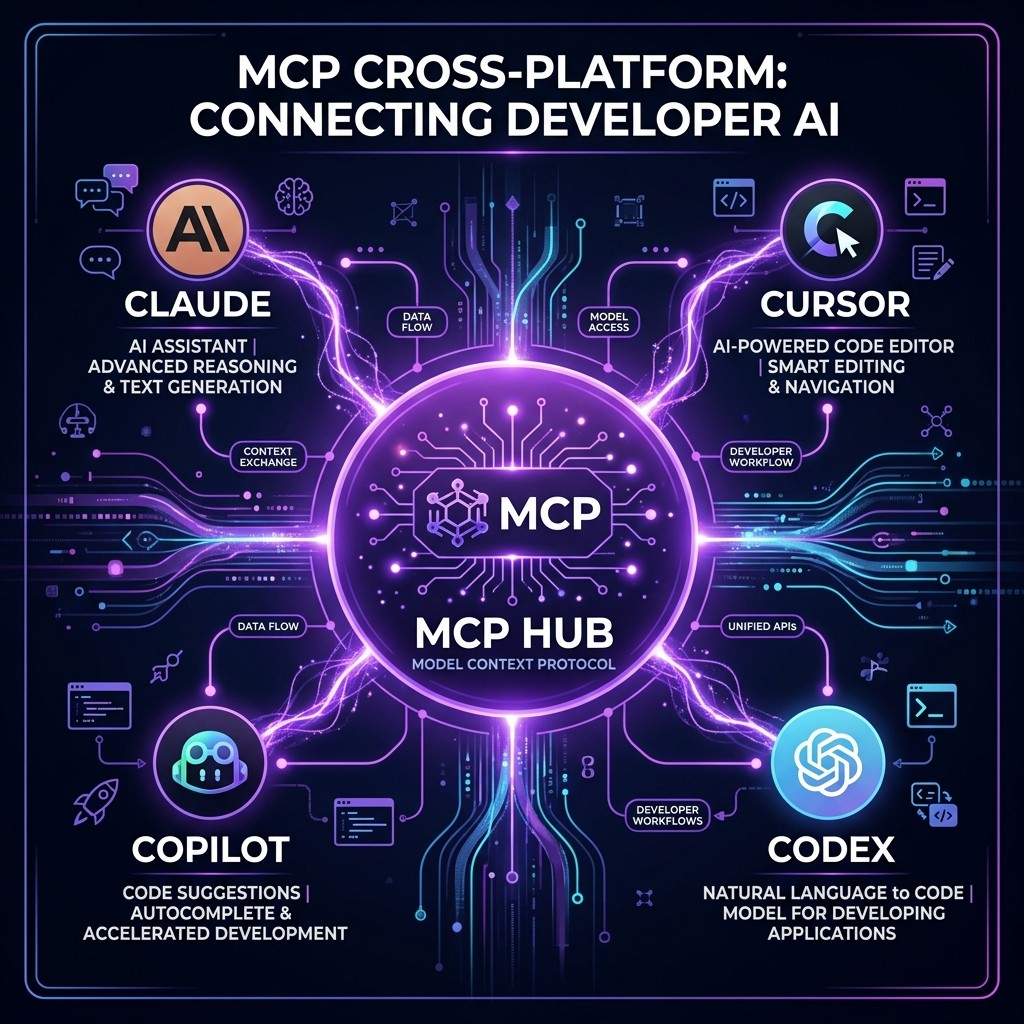
MCP Servers That Work with Cursor, Copilot, and Codex (Not Just Claude)
David Henderson · DevOps & Security Editor · March 26, 2026 · 14 min read
TL;DR — The Compatibility Matrix
MCP is no longer a Claude-only protocol. Here is where things stand as of March 2026:
| MCP Feature | Claude Code | Cursor | Copilot (VS Code) | Codex |
|---|---|---|---|---|
| ------------- | :-----------: | :------: | :-----------------: | :-----: |
| stdio transport | Full | Full | Full | Full |
| SSE transport | Full | Full | Preview | Partial |
| Tool calls | Full | Full | Full | Full |
| Resources | Full | Full | Limited | Limited |
| Prompts | Full | Partial | No | No |
| Sampling | Full | No | No | No |
| Multi-step chains | Full | Full | Partial | Partial |
Bottom line: If you stick to stdio-based MCP servers that use simple tool calls, they work on all four platforms today. The more advanced MCP features (resources, prompts, sampling) are still Claude-first.
Table of Contents
- Why MCP Going Cross-Platform Changes Everything
- How MCP Works (60-Second Primer)
- Setup Guide: MCP on Each Platform
- The Universal MCP Servers (Work Everywhere)
- Agent-Specific MCP Servers
- Full Compatibility Table: 25 Popular MCP Servers
- Configuration Differences Across Platforms
- What to Expect in 2026-2027
- Frequently Asked Questions
Why MCP Going Cross-Platform Changes Everything {#why-cross-platform}
When Anthropic launched MCP in late 2024, it was a Claude thing. You built MCP servers for Claude Desktop, maybe Claude Code, and that was it. If you used Cursor or Copilot, you were in a different ecosystem with different extension mechanisms.
That changed in 2025-2026. Cursor adopted MCP. Then Copilot. Then Codex. Then Windsurf, Cline, Zed, and a dozen other AI coding tools. MCP became what it was always designed to be: an open, universal protocol for connecting AI agents to tools.
This matters for three practical reasons:
First, your investment in MCP servers is no longer platform-locked. If you build an MCP server for your internal API, it works with every MCP-compatible agent. Your team can use Claude, Cursor, or Copilot — the MCP server does not care.
Second, the MCP ecosystem is now growing faster because of cross-platform demand. Server authors know their work reaches a larger audience, which drives more and higher-quality contributions. The MCP ecosystem grew from about 5,000 servers a year ago to over 18,000 today.
Third, you can mix and match agents for different tasks. I use Claude Code for complex multi-file refactoring (the agent teams are unmatched), Cursor for interactive editing sessions, and Copilot for GitHub-native workflows. All three use the same MCP servers connecting to my Postgres database, GitHub repos, and deployment pipeline.
How MCP Works (60-Second Primer) {#how-mcp-works}
If you already understand MCP, skip to the setup guide. For everyone else:
MCP (Model Context Protocol) is a standardized way for AI agents to discover and use external tools. An MCP server is a small program that:
- Advertises its capabilities (tools, resources, prompts) to any connected client
- Receives tool call requests from the AI agent
- Executes the request (query a database, read a file, call an API)
- Returns the result to the agent
The key insight is that the server is agent-agnostic. It does not know or care whether Claude, Cursor, or Copilot is calling it. It speaks the MCP protocol, and any MCP-compatible client can use it.
Transport protocols determine how the client and server communicate:
- stdio (standard input/output): The client launches the server as a subprocess. Simple, reliable, works everywhere. This is what most MCP servers use.
- SSE (Server-Sent Events): The server runs as an HTTP service. Used for remote/shared servers. Support varies across clients.
For a complete deep dive, see our MCP complete guide.
Setup Guide: MCP on Each Platform {#setup-guide}
The MCP server itself installs once. What differs is where you tell each AI agent about it.
Claude Code
Claude Code supports two configuration locations:
Project-level (.mcp.json in your repo root):
{
  "mcpServers": {
    "github": {
      "command": "npx",
      "args": ["-y", "@modelcontextprotocol/server-github"],
      "env": {
        "GITHUB_PERSONAL_ACCESS_TOKEN": "ghp_your_token"
      }
    }
  }
}
Global (~/.claude/settings.json): Same format, applies to every Claude Code session.
Claude Code has the most mature MCP implementation. Every MCP feature — tools, resources, prompts, sampling, multi-step chains — works reliably.
Cursor
Cursor configures MCP servers through its settings UI or a config file:
Via Settings: Cursor Settings > MCP > Add Server
Via config file (.cursor/mcp.json):
{
  "mcpServers": {
    "github": {
      "command": "npx",
      "args": ["-y", "@modelcontextprotocol/server-github"],
      "env": {
        "GITHUB_PERSONAL_ACCESS_TOKEN": "ghp_your_token"
      }
    }
  }
}
Notice the format is nearly identical to Claude's. The server command and arguments are exactly the same — you are running the same server binary. Only the config file location differs.
Cursor supports tools and resources well. Prompts and sampling have limited or no support.
GitHub Copilot (VS Code)
Copilot's MCP support is configured through VS Code:
Via VS Code settings (settings.json):
{
  "github.copilot.chat.mcp.enabled": true,
  "mcp": {
    "servers": {
      "github": {
        "command": "npx",
        "args": ["-y", "@modelcontextprotocol/server-github"],
        "env": {
          "GITHUB_PERSONAL_ACCESS_TOKEN": "ghp_your_token"
        }
      }
    }
  }
}
Via project config (.vscode/mcp.json): Same server configuration, scoped to the project.
Copilot's implementation focuses on tool calls. Resource and prompt support is limited. SSE transport is in preview.
OpenAI Codex
Codex added MCP support through its configuration system:
{
  "mcp_servers": {
    "github": {
      "command": "npx",
      "args": ["-y", "@modelcontextprotocol/server-github"],
      "env": {
        "GITHUB_PERSONAL_ACCESS_TOKEN": "ghp_your_token"
      }
    }
  }
}
Codex's MCP implementation is the newest of the four. Core tool calling works reliably. Advanced features are still catching up.
The Universal MCP Servers (Work Everywhere) {#universal-servers}
These MCP servers use stdio transport and simple tool interfaces. I have tested each one on all four platforms and they work identically.
1. Filesystem MCP Server
What it does: Gives the AI agent read/write access to specified directories.
npx -y @modelcontextprotocol/server-filesystem /path/to/allowed/dirWhy it matters cross-platform: Every agent needs file access. The Filesystem MCP server is the simplest way to give controlled access — you specify exactly which directories the agent can touch, and it cannot escape that sandbox.
Works on: Claude (full), Cursor (full), Copilot (full), Codex (full)
2. GitHub MCP Server
What it does: Read repos, create issues, open PRs, manage branches, search code.
npx -y @modelcontextprotocol/server-githubWhy it matters cross-platform: GitHub is the universal source of truth. Whether you are in Claude, Cursor, or Copilot, you need the agent to interact with your repos. The GitHub MCP server provides a consistent interface.
Works on: Claude (full), Cursor (full), Copilot (full), Codex (full)
3. PostgreSQL MCP Server
What it does: Query databases, explore schemas, read table data.
npx -y @modelcontextprotocol/server-postgres postgresql://user:pass@host/dbWhy it matters cross-platform: Database interaction is a core developer workflow. Having the agent query your dev database directly — regardless of which AI tool you are using — eliminates the copy-paste cycle between a SQL client and the AI chat.
For a deep dive on database MCP servers, see our guide on MCP servers for data engineers.
Works on: Claude (full), Cursor (full), Copilot (full), Codex (full)
4. Fetch MCP Server
What it does: Makes HTTP requests, reads web pages, downloads content.
npx -y @modelcontextprotocol/server-fetchWhy it matters cross-platform: Agents frequently need to read documentation, check API endpoints, or fetch data from URLs. The Fetch server provides this universally.
Works on: Claude (full), Cursor (full), Copilot (full), Codex (full)
5. SQLite MCP Server
What it does: Create, query, and manage SQLite databases.
npx -y @modelcontextprotocol/server-sqlite /path/to/database.dbWhy it matters cross-platform: SQLite is everywhere — local development, mobile apps, embedded systems, analytics. The MCP server works identically across all four platforms.
Works on: Claude (full), Cursor (full), Copilot (full), Codex (full)
6. Memory MCP Server
What it does: Persistent key-value storage that survives across sessions.
npx -y @modelcontextprotocol/server-memoryWhy it matters cross-platform: Agents are stateless by default. The Memory server lets them store and retrieve information across sessions — useful for project context, user preferences, and accumulated knowledge.
Works on: Claude (full), Cursor (full), Copilot (partial — read/write works, but auto-retrieval varies), Codex (partial)
Agent-Specific MCP Servers {#agent-specific}
Some MCP servers work best with specific agents due to how they use advanced protocol features.
Claude-First (Advanced Features)
These servers work on Claude but have degraded or missing functionality on other platforms:
| Server | Why Claude-First |
|---|---|
| -------- | ----------------- |
| Playwright MCP | Uses multi-step tool chains (navigate → screenshot → interact) that Claude handles natively. Cursor supports this. Copilot and Codex may stumble on complex chains. |
| Supabase MCP | Uses resources to expose database schema as context. Resources work on Claude and Cursor, limited on Copilot, not on Codex. |
| Sequential Thinking | Uses prompts and sampling to create multi-turn reasoning chains. Only fully supported on Claude. |
Cursor-Optimized
These work everywhere but are optimized for Cursor's editing model:
| Server | Why Cursor-Optimized |
|---|---|
| -------- | --------------------- |
| VS Code MCP servers | Direct integration with the editor's internal APIs — diagnostics, file watchers, terminal. Only meaningful inside Cursor/VS Code. |
| Language Server Protocol bridge | Connects LSP servers as MCP tools. Most useful in Cursor where the AI can act on LSP diagnostics directly. |
Copilot-Optimized
These leverage Copilot's GitHub-native integration:
| Server | Why Copilot-Optimized |
|---|---|
| -------- | ---------------------- |
| GitHub Actions MCP | While the standard GitHub MCP works everywhere, Copilot's native Actions integration is deeper — it can trigger workflows, read logs, and interact with deployment environments without a separate MCP server. |
| GitHub Copilot Extensions | Not MCP servers, but Copilot's own extension API. They provide capabilities that overlap with MCP tools but are tighter integrated with the Copilot UI. |
Full Compatibility Table: 25 Popular MCP Servers {#full-table}
| MCP Server | Transport | Claude | Cursor | Copilot | Codex |
|---|---|---|---|---|---|
| ------------ | ----------- | :------: | :------: | :-------: | :-----: |
| Filesystem | stdio | Full | Full | Full | Full |
| GitHub | stdio | Full | Full | Full | Full |
| PostgreSQL | stdio | Full | Full | Full | Full |
| SQLite | stdio | Full | Full | Full | Full |
| Fetch | stdio | Full | Full | Full | Full |
| Memory | stdio | Full | Full | Partial | Partial |
| Playwright | stdio | Full | Full | Partial | Partial |
| Puppeteer | stdio | Full | Full | Partial | Partial |
| Supabase | stdio | Full | Full | Partial | Limited |
| Redis | stdio | Full | Full | Full | Full |
| MongoDB | stdio | Full | Full | Full | Full |
| Slack | stdio | Full | Full | Full | Full |
| Docker | stdio | Full | Full | Full | Partial |
| Kubernetes | stdio | Full | Full | Partial | Partial |
| AWS | stdio | Full | Full | Partial | Limited |
| Cloudflare | stdio | Full | Full | Full | Partial |
| Sentry | stdio | Full | Full | Full | Full |
| Linear | stdio | Full | Full | Full | Full |
| Notion | stdio | Full | Full | Full | Partial |
| Google Drive | stdio | Full | Full | Partial | Limited |
| BigQuery | stdio | Full | Full | Full | Full |
| Snowflake | stdio | Full | Full | Full | Partial |
| Stripe | stdio | Full | Full | Full | Full |
| Twilio | stdio | Full | Full | Full | Full |
| Brave Search | stdio | Full | Full | Full | Full |
Rating key: Full = all features work. Partial = core tool calls work, some advanced features missing. Limited = basic functionality only, some tools fail.
Browse the complete MCP server directory at skiln.co/mcps.
Configuration Differences Across Platforms {#config-differences}
The biggest practical headache is not compatibility — it is configuration management. Each platform wants its MCP config in a different file.
The File Landscape
| Platform | Project Config | Global Config |
|---|---|---|
| ---------- | --------------- | --------------- |
| Claude Code | .mcp.json | ~/.claude/settings.json |
| Cursor | .cursor/mcp.json | Cursor settings UI |
| Copilot | .vscode/mcp.json | VS Code settings.json |
| Codex | codex.json or similar | Codex global config |
My Solution: A Shared Source of Truth
I keep a single mcp-servers.json file in my home directory with all my server configurations. Then I use a simple script that generates platform-specific configs:
#!/bin/bash
# sync-mcp-configs.sh
# Reads mcp-servers.json and writes platform-specific configs

SOURCE="$HOME/mcp-servers.json"

# Claude Code
cp "$SOURCE" "$HOME/.claude/mcp-servers.json"

# For each project, you can symlink or copy
# Cursor: .cursor/mcp.json
# Copilot: .vscode/mcp.json
This is not elegant, but it ensures all four platforms see the same servers. When I add a new MCP server, I update one file and run the script.
Environment Variables
All four platforms support environment variables in MCP configs. The syntax is identical:
{
  "env": {
    "API_KEY": "your_key",
    "DATABASE_URL": "postgresql://..."
  }
}
I strongly recommend using environment variables from your shell profile (.bashrc, .zshrc) rather than hardcoding secrets in config files. All four platforms inherit shell environment variables when launching MCP server subprocesses.
What to Expect in 2026-2027 {#whats-next}
MCP cross-platform support is improving rapidly. Here is what I expect based on current trajectories:
SSE transport will reach parity. Right now, Copilot and Codex have incomplete SSE support. By mid-2026, all four platforms should handle both stdio and SSE equally well.
Resources and prompts will become universal. These MCP features are currently Claude-first. As more agents adopt them, server authors will build richer resource and prompt interfaces.
A standardized config format will emerge. The biggest pain point — different config files for each platform — will eventually be resolved, likely through an MCP client specification that defines a universal config format.
Remote MCP servers will become the default. Right now, most MCP servers run locally via stdio. The trend is toward hosted MCP servers that run in the cloud and connect via SSE or WebSocket. This eliminates per-machine setup and works identically across all platforms.
The MCP ecosystem will consolidate around quality. With 18,000+ servers today, discovery and quality are the main challenges. Curated directories like Skiln will become more important as developers need trusted recommendations rather than raw lists.
For security considerations when using MCP servers across multiple platforms, read our MCP security guide.
Frequently Asked Questions {#faq}
Do MCP servers work with Cursor?
Yes. Cursor added MCP support in late 2025 and it is now a core feature. You configure MCP servers in Cursor's settings under the MCP section, using the same server configurations you would use for Claude. Most stdio-based MCP servers work identically in Cursor. SSE-based servers also work but require Cursor version 0.45 or later.
Does GitHub Copilot support MCP servers?
Yes, as of early 2026. Copilot added MCP support in VS Code through the MCP extension API. Configuration is done through VS Code settings or a .vscode/mcp.json file. Support is stable for stdio-based servers. SSE transport support is in preview. Not all MCP server features are exposed — Copilot currently supports tool calls but has limited support for MCP resources and prompts.
Does OpenAI Codex support MCP?
OpenAI added MCP support to Codex in early 2026. Codex supports stdio-based MCP servers through its configuration system. The implementation is newer than Claude's or Cursor's, so some advanced MCP features (like sampling and multi-step tool chains) may behave differently. Core functionality — tool discovery, tool calling, and result handling — works reliably.
Can I use the same MCP server config across Claude, Cursor, and Copilot?
Almost. The MCP server itself is identical — you install it once and it works everywhere. What differs is the configuration file format. Claude uses claude_desktop_config.json or .mcp.json, Cursor uses its own settings UI or .cursor/mcp.json, and Copilot uses VS Code settings or .vscode/mcp.json. The server command, arguments, and environment variables are the same across all three.
Which MCP servers have the best cross-platform compatibility?
The most reliable cross-platform MCP servers are: Filesystem (works everywhere), GitHub (works everywhere), PostgreSQL (works everywhere), Fetch/web browsing (works everywhere), and SQLite (works everywhere). These all use stdio transport and simple tool interfaces that every MCP client handles correctly. More complex servers with advanced features like streaming or multi-step workflows may have varying support across clients. Browse the full directory at skiln.co/mcps.