Cursor vs Claude Code (2026): Which AI Coding Tool Should You Use?
Cursor is an editor that has an agent. Claude Code is an agent that has your repository. We compared both on workflow, real 2026 pricing and MCP support.
Key Takeaways
- This is not a quality contest, it is a shape contest. Cursor is an editor that has an agent. Claude Code is an agent that has your repository. That single difference explains almost every other one.
- Cursor: free Hobby tier, $20/mo Individual (Pro / Pro+ / Ultra), $40/user/mo Teams. Bugbot handles agentic code review.
- Claude Code: not sold separately — it comes with a Claude plan. Pro is $17/mo annual ($200 up front) or $20 monthly; Max starts at $100/mo.
- Both speak MCP, so the same servers and skills largely work in either tool. That makes switching cheaper than people expect.
- The honest answer for most working developers: run both. Cursor for reading and reviewing, Claude Code for long autonomous work.
Ask which is better, Cursor or Claude Code, and you will get two confident and completely opposite answers. Both camps are right, because they are describing two different tools that happen to overlap on the same job.
We use both daily to maintain the Skiln directory. This is the comparison we wish existed: what each one is structurally good at, what they actually cost in 2026 (pulled from the official pricing pages, not recycled from older posts), and a straight answer on which to pick per task.
The Real Difference in One Sentence
Cursor is an editor that has an agent. Claude Code is an agent that has your repository.
Everything else follows from that. Cursor is a fork of VS Code, so you get a familiar editor, a file tree, tabs, and an agent panel alongside them. You stay in the loop visually — you see diffs land, you accept or reject them, you keep your hands on the wheel.
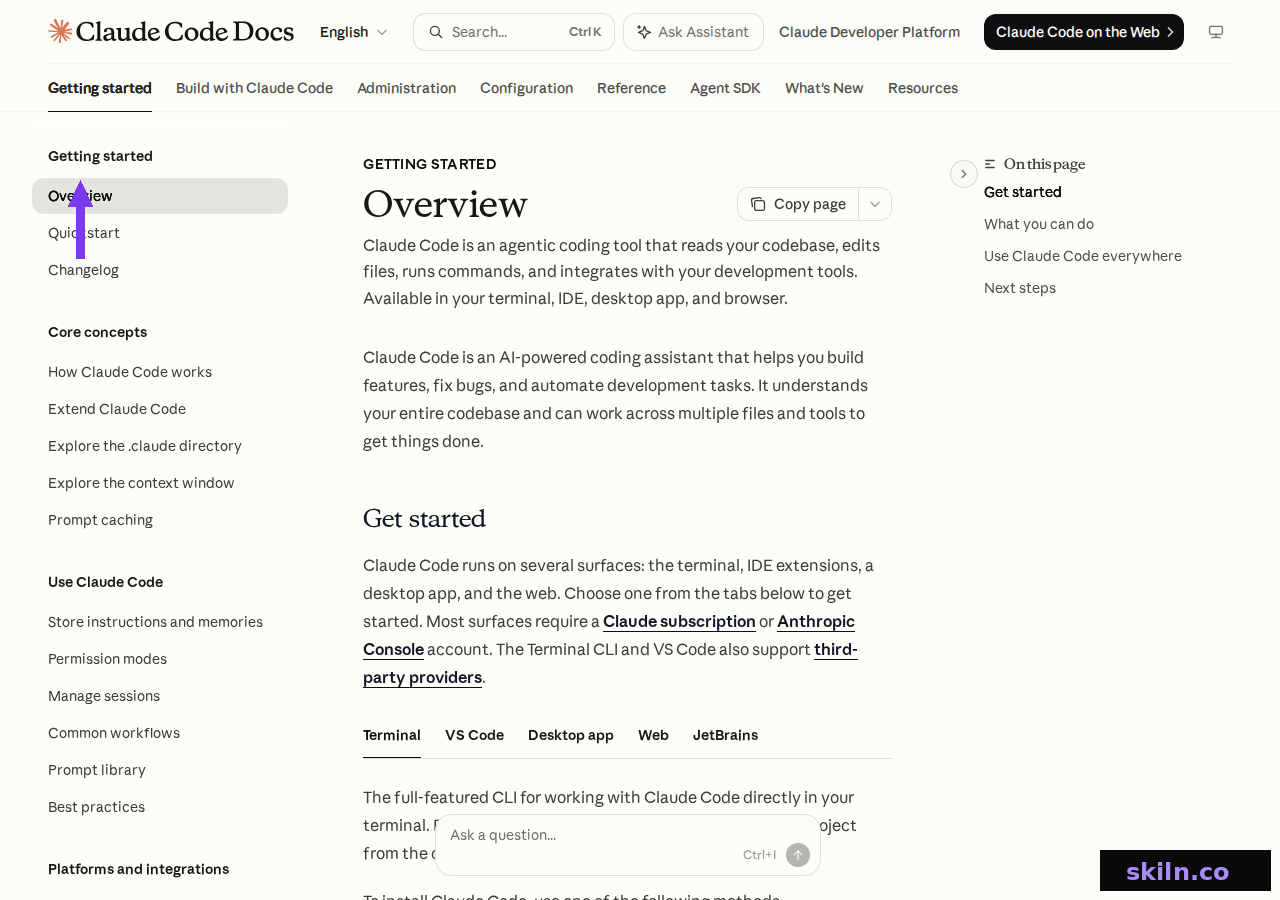
Claude Code inverts it. Per its own documentation it is an agentic coding tool that "reads your codebase, edits files, runs commands, and integrates with your development tools." You give it an objective, it works the loop — reading, editing, running tests, correcting itself — and reports back. You are reviewing an outcome rather than supervising each step.
What Cursor Is Good At
Cursor's strength is visibility. When you do not know a codebase yet, seeing the files change is worth more than raw autonomy. You can jump to definitions, scroll the diff, and stop the agent the moment it heads somewhere wrong.
It is also the lower-friction option for teams already standardised on VS Code. Your extensions, keybindings and themes come with you, so adoption is mostly painless.
Two features stand out in 2026. Bugbot gives you agentic code review, on usage-based billing for Individual users and bundled into Teams. And the Teams plan includes a marketplace for internal rules, skills and plugins — genuinely useful once more than a couple of engineers are sharing conventions.

The trade-off is that an editor-shaped agent stays tied to the editor. If your work happens on a remote box over SSH, inside a container, or in CI, that shape starts working against you.
What Claude Code Is Good At
Claude Code's strength is reach and endurance. It runs where your code runs. Because the primary surface is a CLI, it works over SSH, inside containers, on a VPS, or in a CI job with no GUI anywhere in sight.
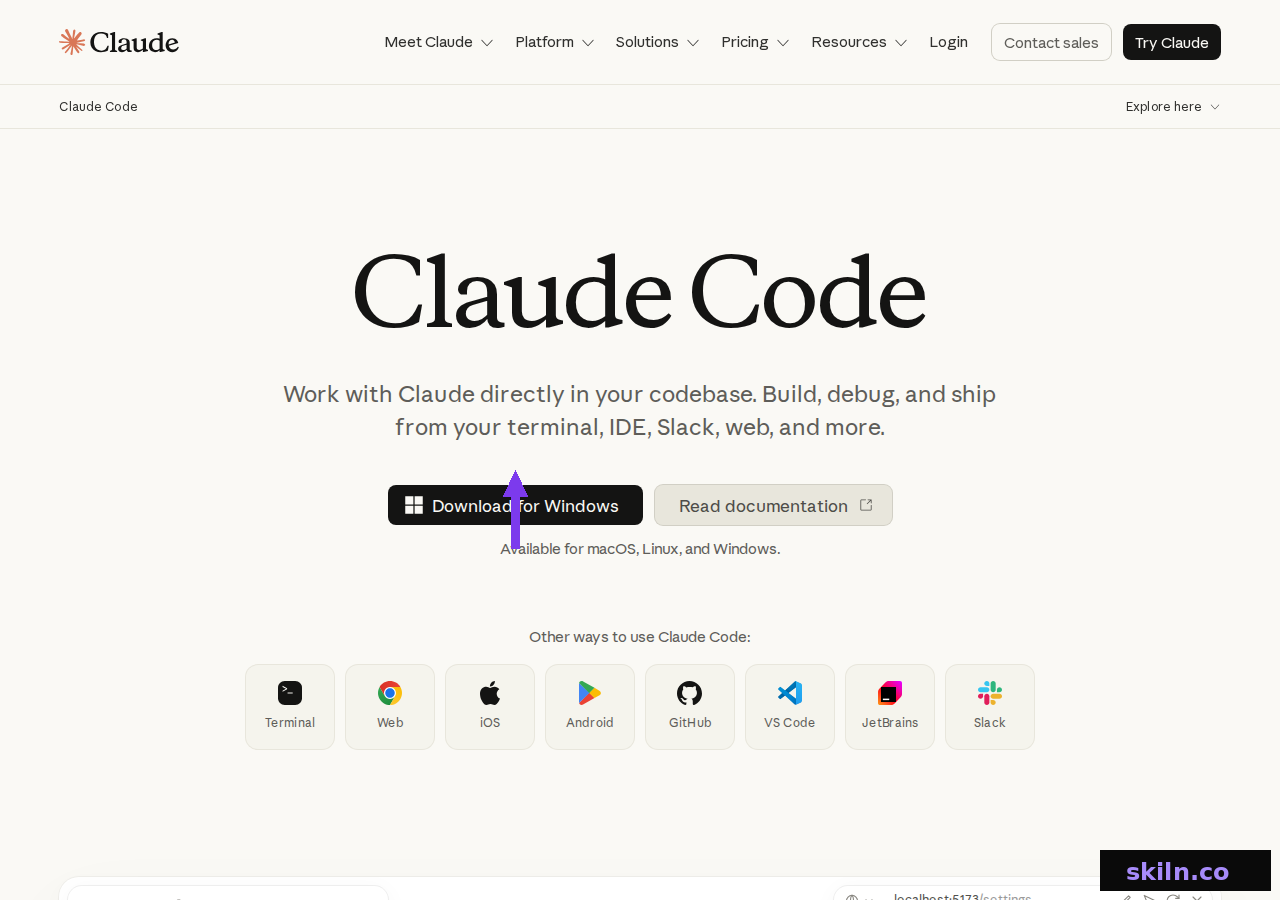
It is no longer terminal-only. It now runs across the terminal, VS Code and JetBrains extensions, a desktop app, the web, iOS and Android, GitHub and Slack — a much wider spread than an IDE-first tool can offer.
The endurance part matters most on long refactors. Renaming a concept across 40 files, migrating a dependency, or rewriting a test suite are tasks where approving each diff is the bottleneck. Handing over the loop and reviewing the result is simply faster.
The trade-off is trust. You see less as it happens, so you lean harder on your test suite and git history. If your project has thin test coverage, that is a real risk rather than a theoretical one.
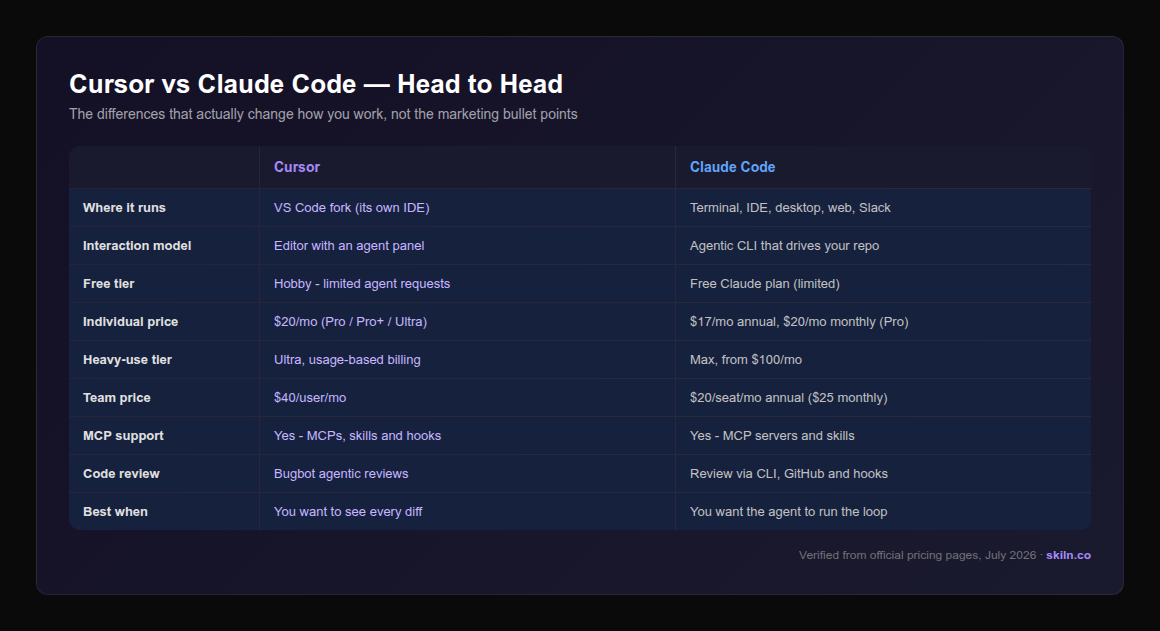
Head-to-Head Comparison
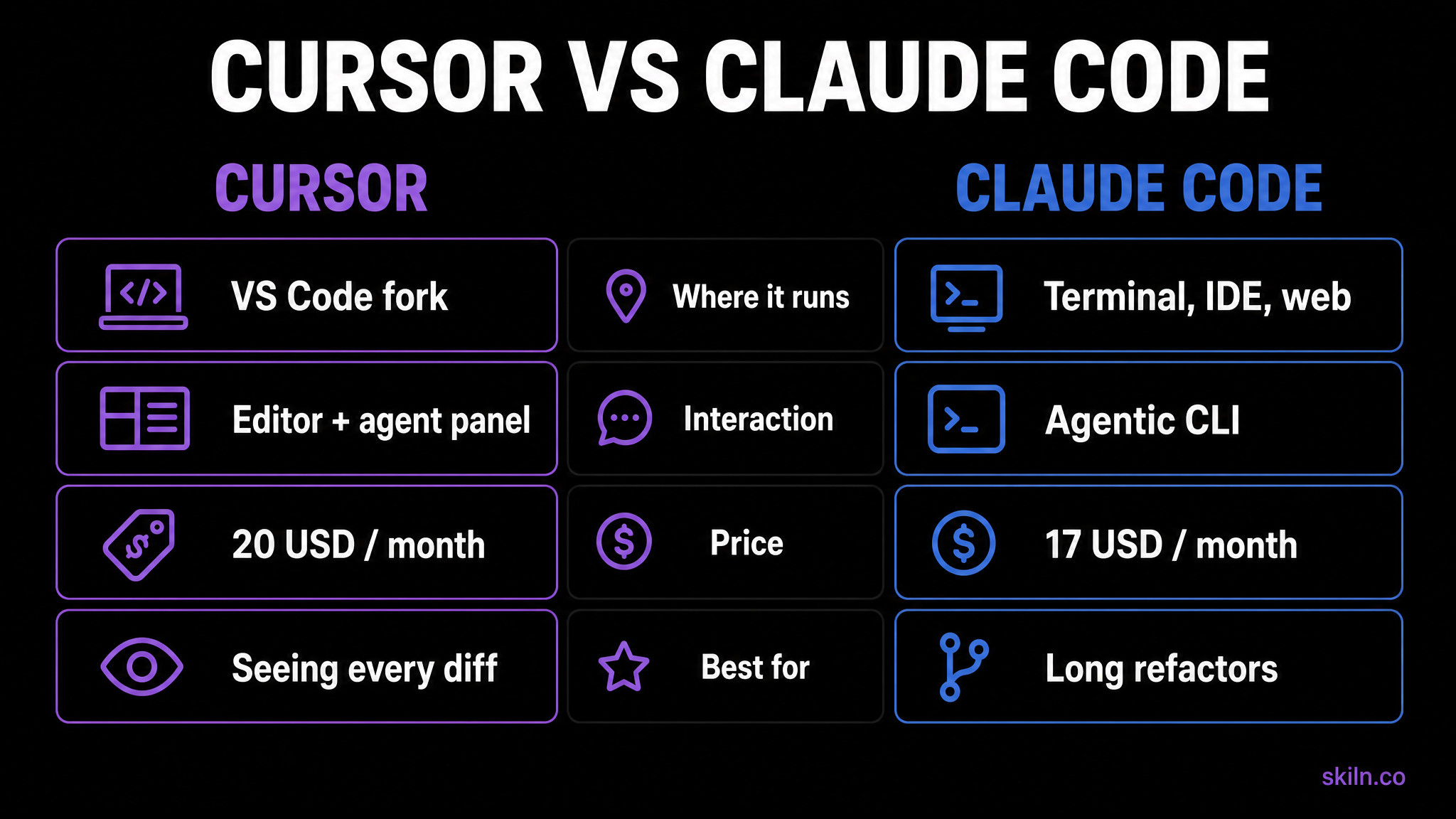
Pricing in 2026
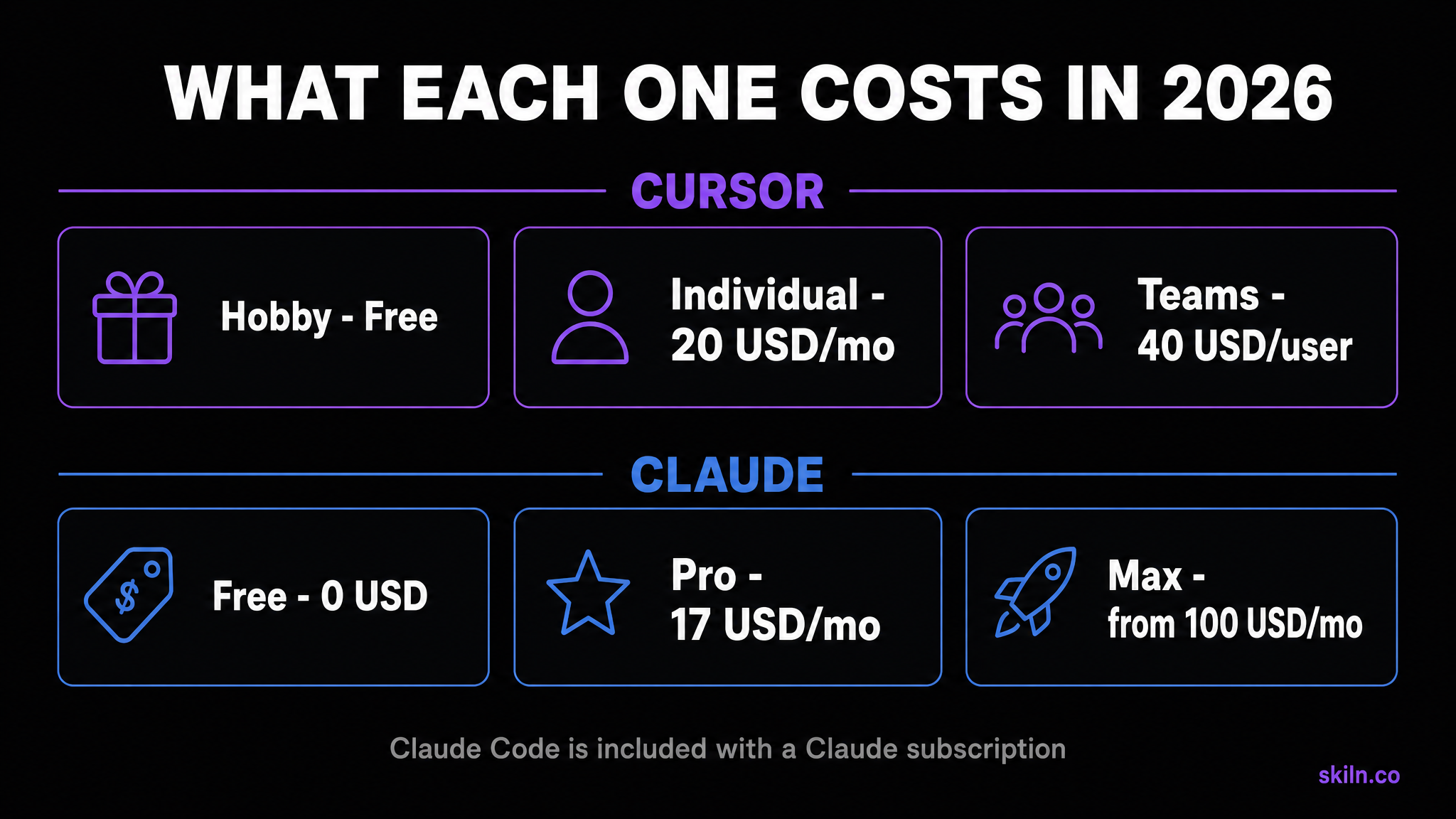
The pricing comparison is not apples to apples, and that trips people up. Cursor sells you Cursor. Claude Code comes bundled with a Claude subscription — the same plan that also gives you Claude on web, desktop and mobile.
Cursor: Hobby is free with limited agent requests. Individual is $20/month and spans Pro, Pro+ and Ultra, adding extended agent limits, frontier models, cloud agents, and MCPs, skills and hooks. Teams is $40 per user per month with Bugbot reviews, shared team context, usage analytics and SAML/OIDC SSO. Enterprise is custom.
Claude: Free at $0, Pro at $17/month with an annual subscription ($200 billed up front) or $20 billed monthly, and Max from $100/month for sustained heavy use. Team runs $20 per seat per month billed annually ($25 monthly), with a premium seat tier at $100 annually ($125 monthly).
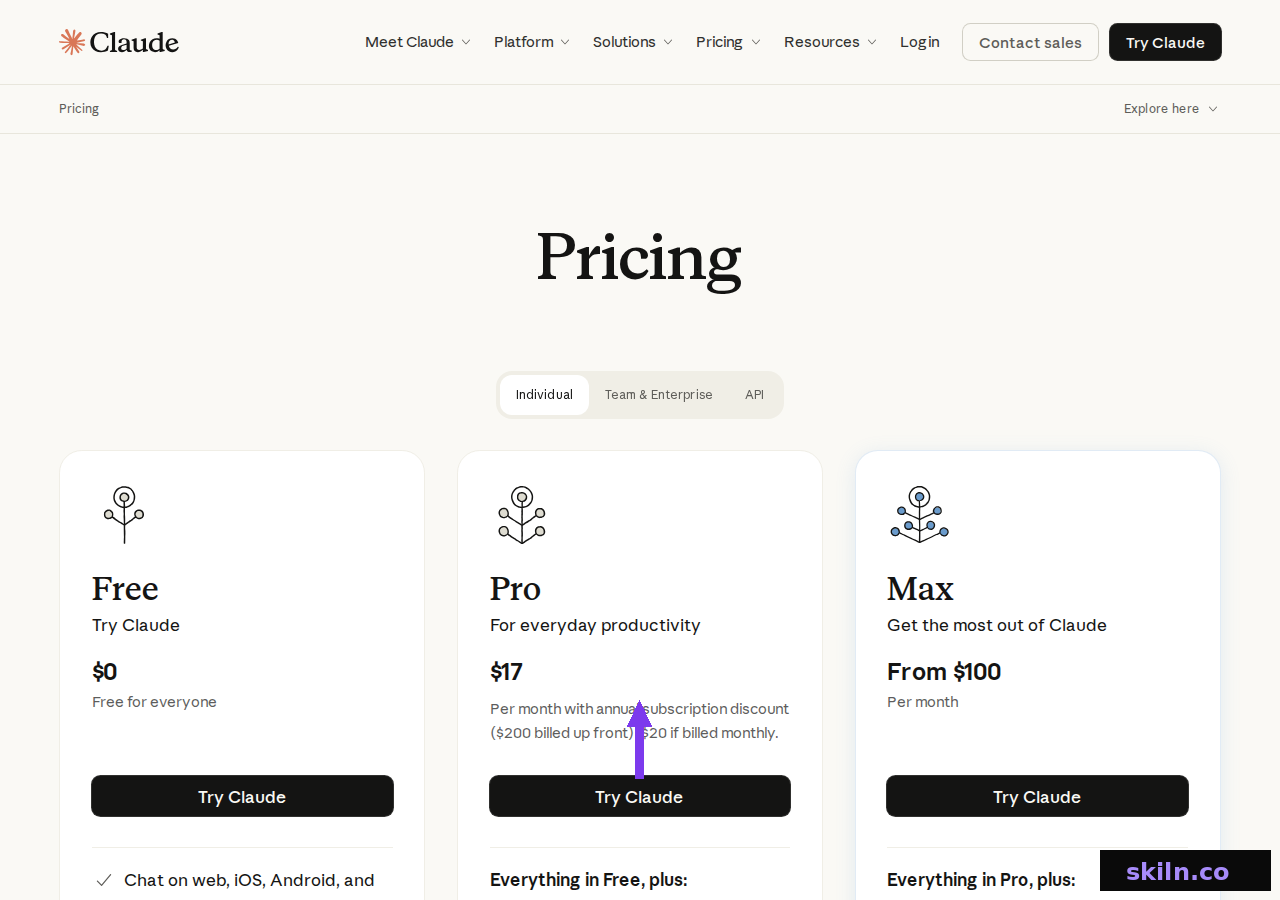
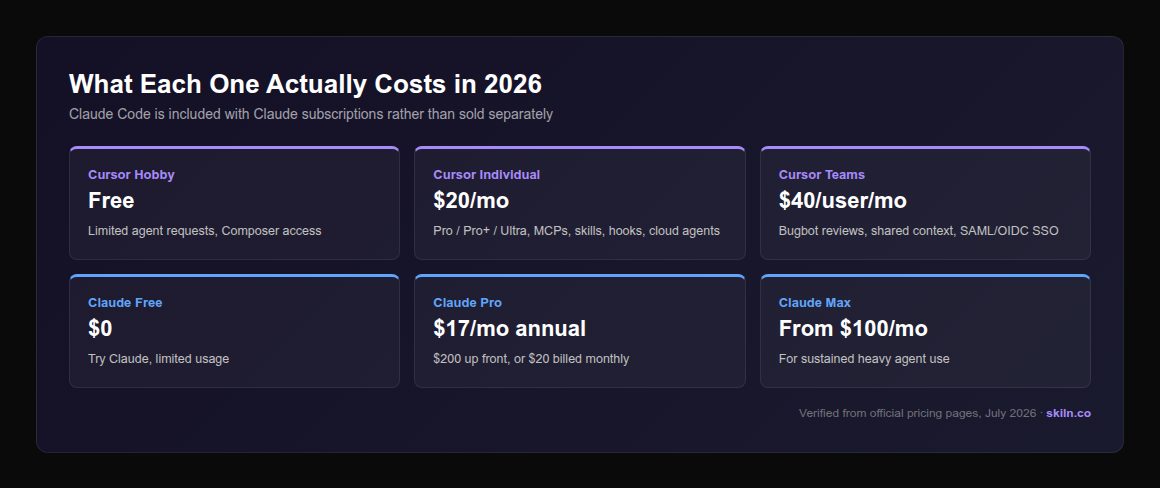
At entry level they are close enough that price should not decide it. At the top end the models diverge: Cursor's Ultra leans on usage-based billing, while Claude's Max is a flat monthly fee. If your usage is spiky, a flat fee is easier to budget; if it is light most months, usage-based can be cheaper.
MCP and Skills: The Part That Makes Switching Cheap
Here is the detail that undercuts the whole "which one should I commit to" framing: both tools speak the Model Context Protocol. Cursor lists MCPs, skills and hooks as an Individual-plan feature; Claude Code supports MCP servers and skills natively.
In practice that means the MCP server you wire up for one usually works in the other with a different config file. Your Postgres server, your docs-search server, your internal API wrapper — they travel with you. The lock-in people worry about mostly is not there.
Why Running Both Is the Common Answer
The developers we know who work seriously with AI tooling almost all landed in the same place: they use both, and choose per task. That is not fence-sitting, it is a consequence of the shape difference.
It is also mechanically easy. Claude Code ships a VS Code extension, and Cursor is a VS Code fork — so you can run Claude Code inside Cursor's own terminal and get both in one window. The typical split:
- Cursor for exploring unfamiliar code, targeted edits, and reviewing what landed.
- Claude Code for long refactors, migrations, test-suite work and anything scripted.
- Either for day-to-day feature work — pick whichever you already have open.
If paying twice is not viable, start with the one that matches your dominant task type and revisit in a few months. This space moves fast enough that a twelve-month commitment is a bad idea regardless.
Which Should You Choose?
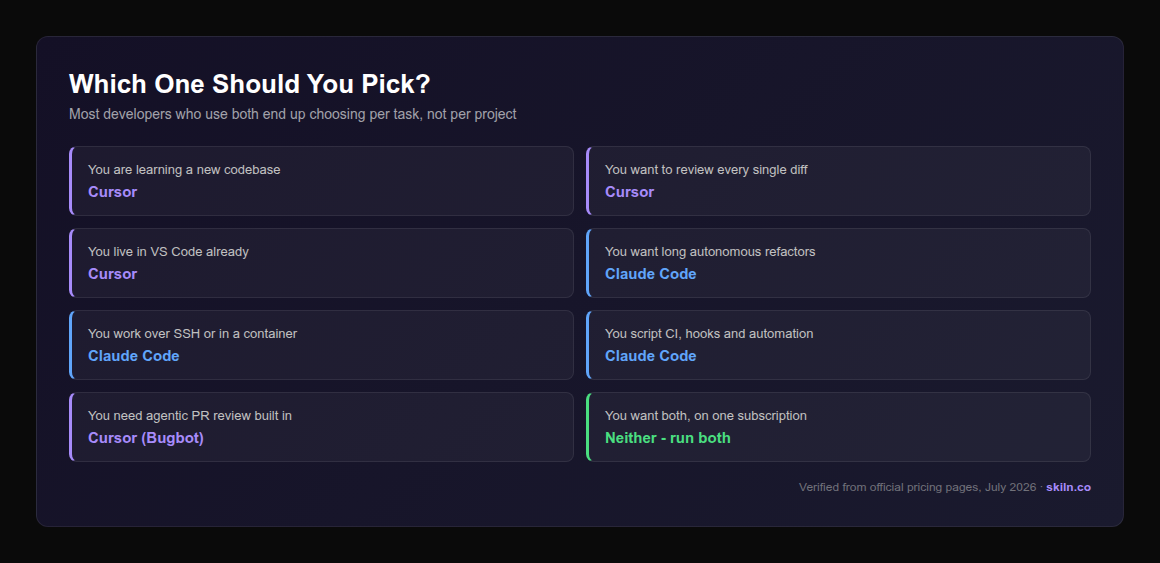
One caveat worth stating plainly: neither tool removes the need to read the code. Both will confidently produce something that looks right and quietly breaks an edge case. Your test suite and your review discipline are what make either safe to use at speed — that is doubly true for the autonomous end of the spectrum.
What About Codex, Gemini CLI and Copilot?
Cursor and Claude Code are the two most-compared tools, but they are not the only serious options — and the shape distinction above is the fastest way to place the rest of the field.
OpenAI Codex sits on the same side of the line as Claude Code: an agentic tool you point at a task rather than an editor you work inside. If you are already deep in the OpenAI ecosystem it is the natural comparison, and "Codex vs Claude Code" is really a question about which model you trust on long-running work, not about interface.
Gemini CLI is likewise terminal-first and agentic, with the pull being Google ecosystem integration and its own pricing curve. Again the interface argument does not apply — it is a model and cost decision.
GitHub Copilot is the odd one out. It began as autocomplete and has grown agentic features, but its centre of gravity is still inline suggestion inside an editor you already use. If your team is standardised on GitHub and wants incremental adoption rather than a workflow change, it is the least disruptive option — and Skiln indexes its Copilot extensions alongside everything else.
The useful takeaway: sort any new tool into editor-with-agent or agent-with-repo first. That tells you more about whether it fits your workflow than any benchmark table will.
Frequently Asked Questions
Verdict
If you have to pick one and you are mostly writing features in a codebase you know, take Claude Code — the agentic loop compounds, and the same subscription covers Claude everywhere else you work.
If you are frequently in unfamiliar code, onboarding onto a legacy system, or you simply want to watch every change land before it does, take Cursor. Visibility is a real feature, not a beginner's crutch.
And if you can justify both, do that. They are complementary tools that the internet insists on treating as rivals, and the MCP layer underneath means your setup travels either way.