Playwright Review 2026: Microsoft's Cross-Browser Testing Framework
Hands-on Playwright review for 2026. Microsoft's cross-browser testing framework with auto-waiting, codegen, trace viewer, and 5-language support — free, fast, and the new standard for E2E web testing.
TL;DR — Playwright Review 2026
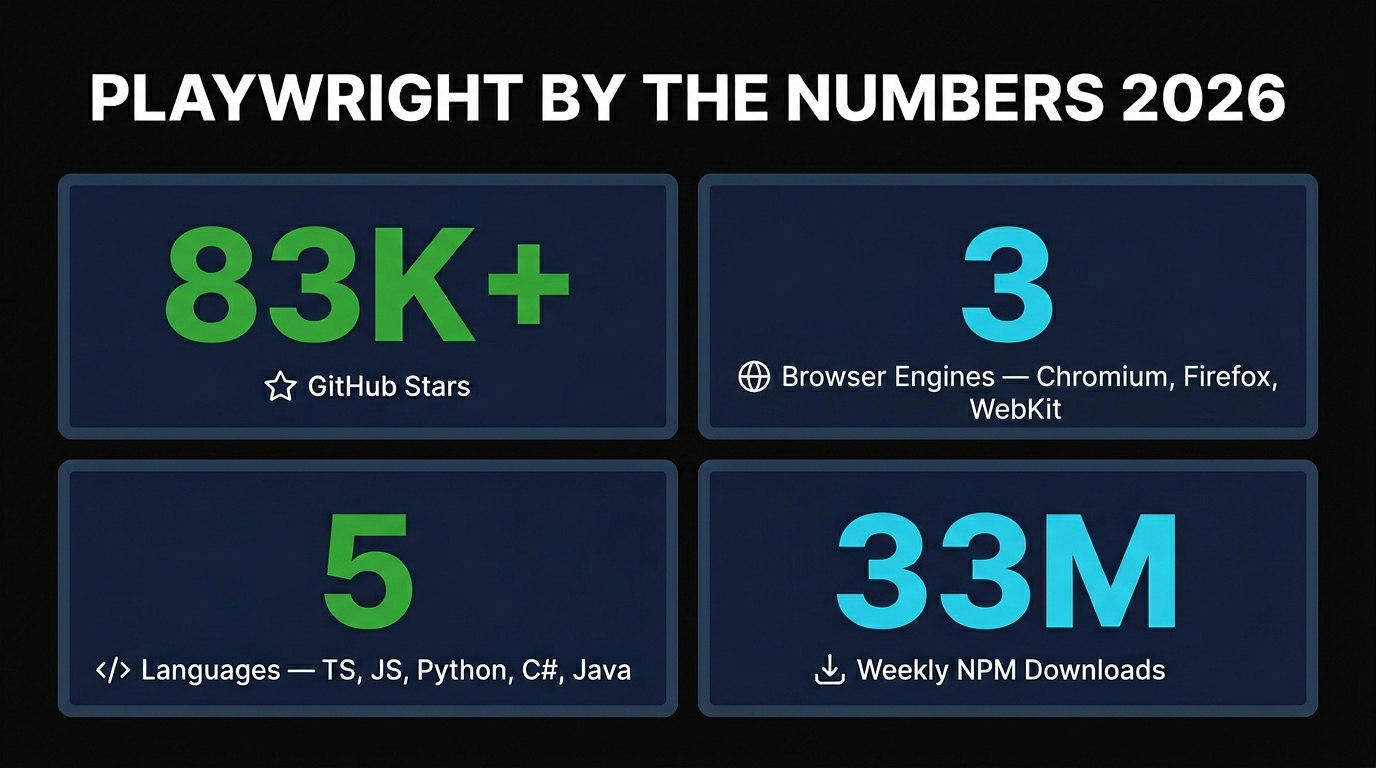
Microsoft's Playwright is the new default for end-to-end web testing. Auto-waiting kills flaky tests, the codegen records your clicks into TypeScript, the trace viewer turns CI failures into a video you can scrub through, and it ships with first-class support for Chromium, Firefox, and WebKit. With 83K+ GitHub stars, 33M weekly npm downloads, and 5 supported languages, it has decisively overtaken Cypress and Selenium for modern web apps. It's free, open source, and Microsoft-maintained — there's almost no reason not to use it.
What is Playwright?
Playwright is an open source end-to-end testing and browser automation framework built by Microsoft. It lets you write a single test that runs against Chromium, Firefox, and WebKit — the same engines that power Chrome, Edge, Firefox, and Safari — using one consistent API. You write the test once in TypeScript (or Python, C#, Java, or plain JavaScript) and Playwright handles spinning up browser contexts, waiting for elements, capturing traces, and reporting results.
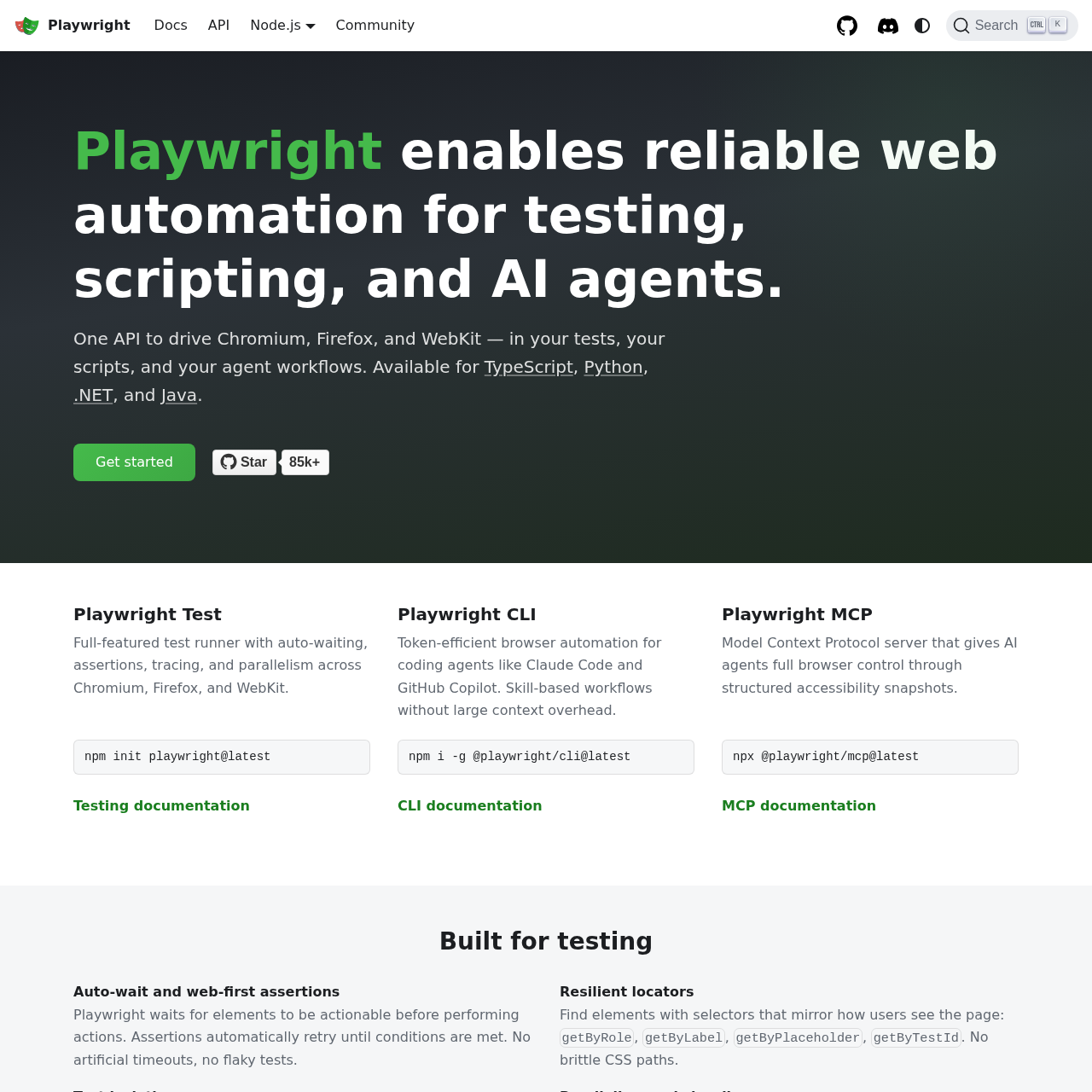
I want to be precise about what Playwright is and isn't, because the name has gotten muddled. There are three things Microsoft ships under the Playwright brand:
- Playwright — the framework I'm reviewing here. The core test runner, browser automation library, and developer tools. Free and open source.
- Playwright Test — the official test runner that ships with Playwright. It's a first-class citizen now, not a separate project.
- Playwright MCP server — a separate package that exposes Playwright to AI agents through the Model Context Protocol. We already reviewed it here.
This review is about the framework itself. If you're looking for the AI agent integration, read the MCP review instead.
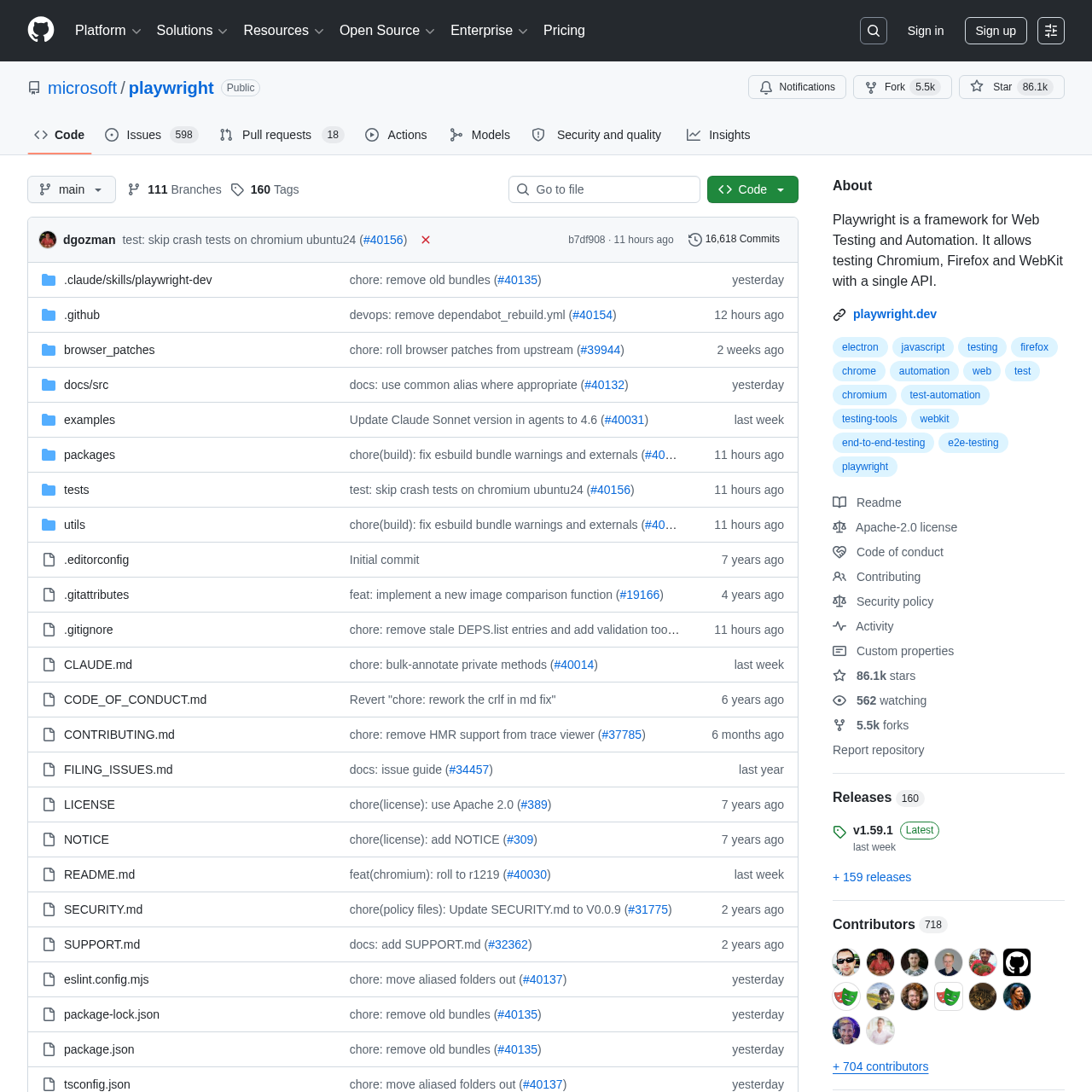
Playwright started in 2020 as an offshoot of Puppeteer — built by the same Microsoft team that originally worked on Puppeteer at Google. The pitch was simple: take everything Puppeteer did right, fix everything it did wrong, and add real cross-browser support. Six years later, that bet has paid off completely. As of April 2026, Playwright has 83K+ stars on GitHub, sits at over 33 million weekly npm downloads, and is the framework cited in roughly 70% of new web testing tutorials I see published. Microsoft uses it internally to test Azure, VS Code, and Office for the Web. Cloudflare, Disney, GitHub, and Adobe all use it in production CI pipelines.
I've been writing E2E tests for ten years across Selenium, WebDriverIO, Cypress, and Puppeteer. Playwright is the first framework where I genuinely don't dread maintaining the test suite six months after I wrote it. This review covers what makes it work, where it falls short, and how it compares to the competition you're probably evaluating it against.
Key Features
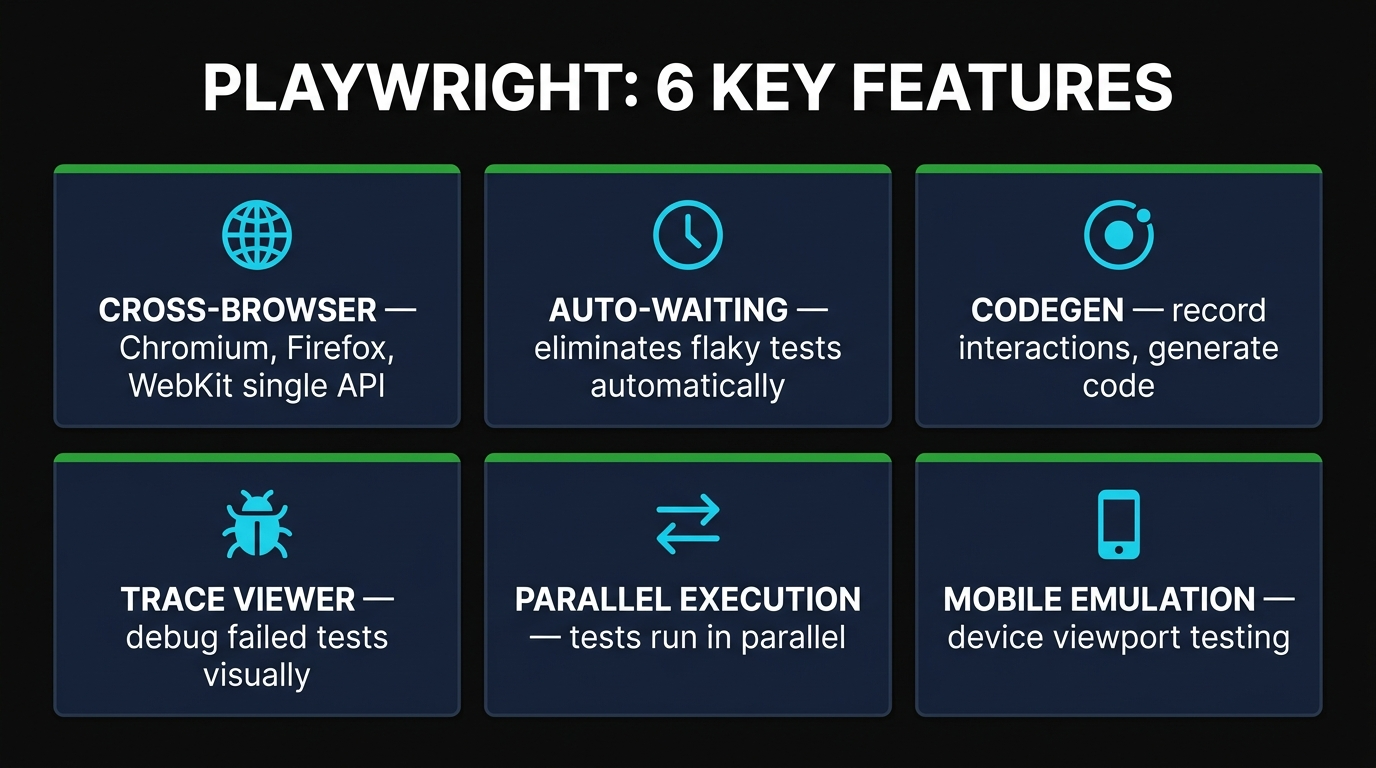
Playwright ships with a long feature list, but six of them are the ones I rely on every single day. The rest are nice extras.
1. Cross-Browser Engine Support
This is the headline feature and the main differentiator from Cypress. Playwright drives Chromium, Firefox, and WebKit with the same API. That means a single test file runs against the engines behind Chrome, Edge, Firefox, and Safari (yes — WebKit on Linux and Windows, no Mac required).
You don't have to choose. The default playwright.config.ts runs your suite against all three projects in parallel:
projects: [
  { name: 'chromium', use: { ...devices['Desktop Chrome'] } },
  { name: 'firefox',  use: { ...devices['Desktop Firefox'] } },
  { name: 'webkit',   use: { ...devices['Desktop Safari'] } },
]
I caught a Safari-only checkout bug last month using this setup. The same test passed in Chromium and Firefox; WebKit failed because Safari handles flex-basis calculations differently in a quirky edge case. I would never have found it on my Windows dev box without WebKit emulation.
2. Auto-Waiting
If you've ever written a Selenium test, you know the pain of Thread.sleep(2000) scattered through your code like landmines. Playwright eliminates this entirely. Before performing any action, it automatically waits for the element to be visible, stable, attached, enabled, and ready to receive events. No waitFor, no sleep, no flaky tests.
Combined with web-first assertions that auto-retry until they pass or time out, the result is a test suite that genuinely doesn't flake. After migrating a 400-test Cypress suite to Playwright last year, our flake rate dropped from roughly 6% to under 0.5%. That's the difference between "the CI sometimes fails for no reason" and "if CI fails, there's an actual bug."
3. Codegen (Test Recorder)
Run npx playwright codegen https://your-app.com and a browser window opens alongside an inspector panel. Click around your app like a normal user — Playwright records every interaction and writes the corresponding TypeScript test code in real time. When you're done, copy the generated code into a test file.
I don't usually ship the recorded code as-is. It's the perfect starting point: I record the happy path, then refactor selectors to use accessible locators (getByRole, getByLabel) and add assertions. It cuts the time to a working test from 20 minutes to about three.
4. Trace Viewer
This is the feature that makes me a Playwright evangelist. When a test fails (locally or in CI), Playwright produces a trace.zip file containing a complete recording of the test: every action, every DOM snapshot, every network request, every console log, every screenshot. Open it with npx playwright show-trace trace.zip and you get a timeline you can scrub through like a video.
I used to spend an hour reproducing CI failures locally. With trace viewer, I download the artifact from GitHub Actions, open it, and see exactly what the browser saw. Most failures resolve in five minutes. It is, hands down, the best debugging tool I've used in any testing framework.
5. Parallel Execution and Sharding
Playwright runs tests in parallel by default. Each test gets its own isolated browser context, which is essentially a fresh browser session — cookies, localStorage, and cache are all clean. Spinning up a new context takes milliseconds, not seconds, because the underlying browser process is reused.
For larger suites, you can shard across multiple machines in CI using the --shard=1/4 flag. Combined with parallel workers per machine, a 1,000-test suite that used to take 45 minutes on a single Cypress runner now finishes in under 6 minutes on four GitHub Actions runners.
6. Mobile and Device Emulation
Playwright ships with built-in profiles for over 100 devices — iPhones, iPads, Pixels, Galaxy phones, and various desktop configurations. Each profile sets the correct viewport, user agent string, device pixel ratio, and touch event support.
import { devices } from '@playwright/test';
test.use({ ...devices['iPhone 15 Pro'] });
This is emulation, not real-device testing — for that you still need BrowserStack or Sauce Labs. But for catching responsive layout bugs and verifying mobile-specific code paths, it's more than enough for 90% of teams.
How to Use Playwright
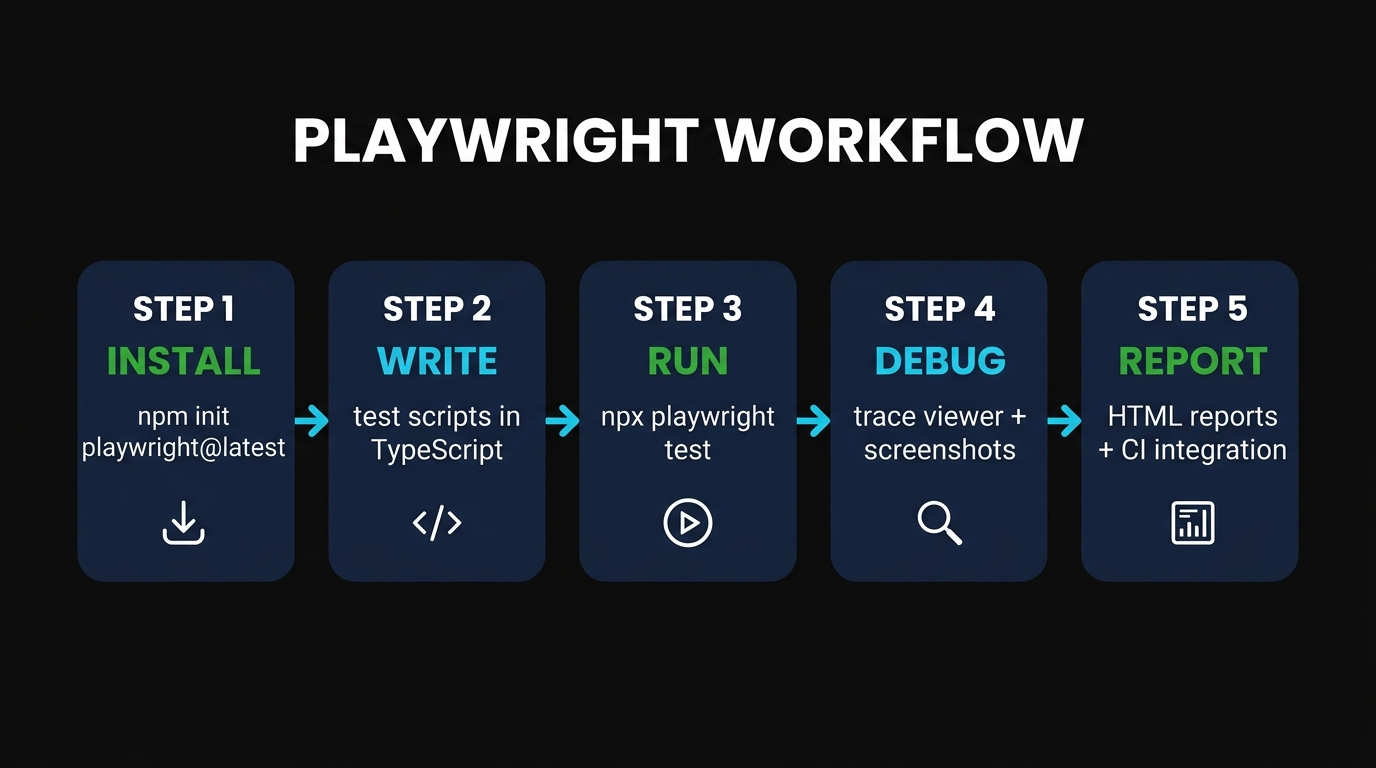
Setup is genuinely fast. I timed myself spinning up a fresh project — under two minutes from mkdir to first passing test.
Step 1: Install
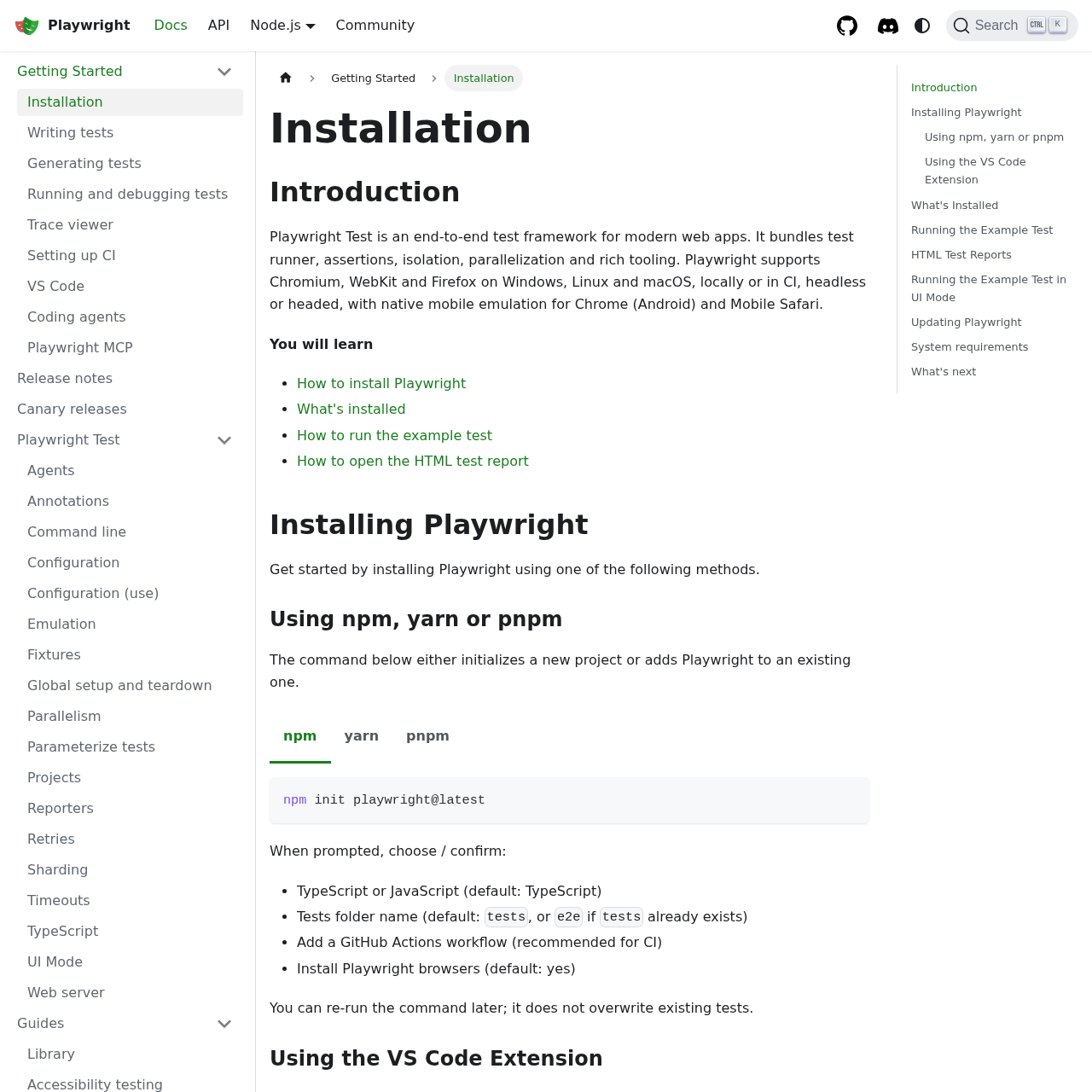
In any Node project (or empty directory):
npm init playwright@latestThe installer asks four questions: TypeScript or JavaScript, where to put your tests, whether to add a GitHub Actions workflow, and whether to install browser binaries. Accept the defaults for all four. It downloads Chromium, Firefox, and WebKit (about 200MB) and scaffolds a playwright.config.ts file plus an example test.
Step 2: Write a Test
The default example in tests/example.spec.ts looks like this:
import { test, expect } from '@playwright/test';

test('homepage has Playwright in title', async ({ page }) => {
  await page.goto('https://playwright.dev/');
  await expect(page).toHaveTitle(/Playwright/);
});

test('get started link', async ({ page }) => {
  await page.goto('https://playwright.dev/');
  await page.getByRole('link', { name: 'Get started' }).click();
  await expect(page.getByRole('heading', { name: 'Installation' })).toBeVisible();
});
Notice getByRole — that's an accessibility-first locator. Instead of brittle CSS selectors like .btn-primary > span:nth-child(2), you ask for "the link with the accessible name 'Get started'." When the design changes, your test still works.
Step 3: Run
npx playwright testThis runs all tests against all configured browsers in parallel. To run a single browser:
npx playwright test --project=chromiumTo run with the UI mode (interactive watcher with time-travel debugging):
npx playwright test --ui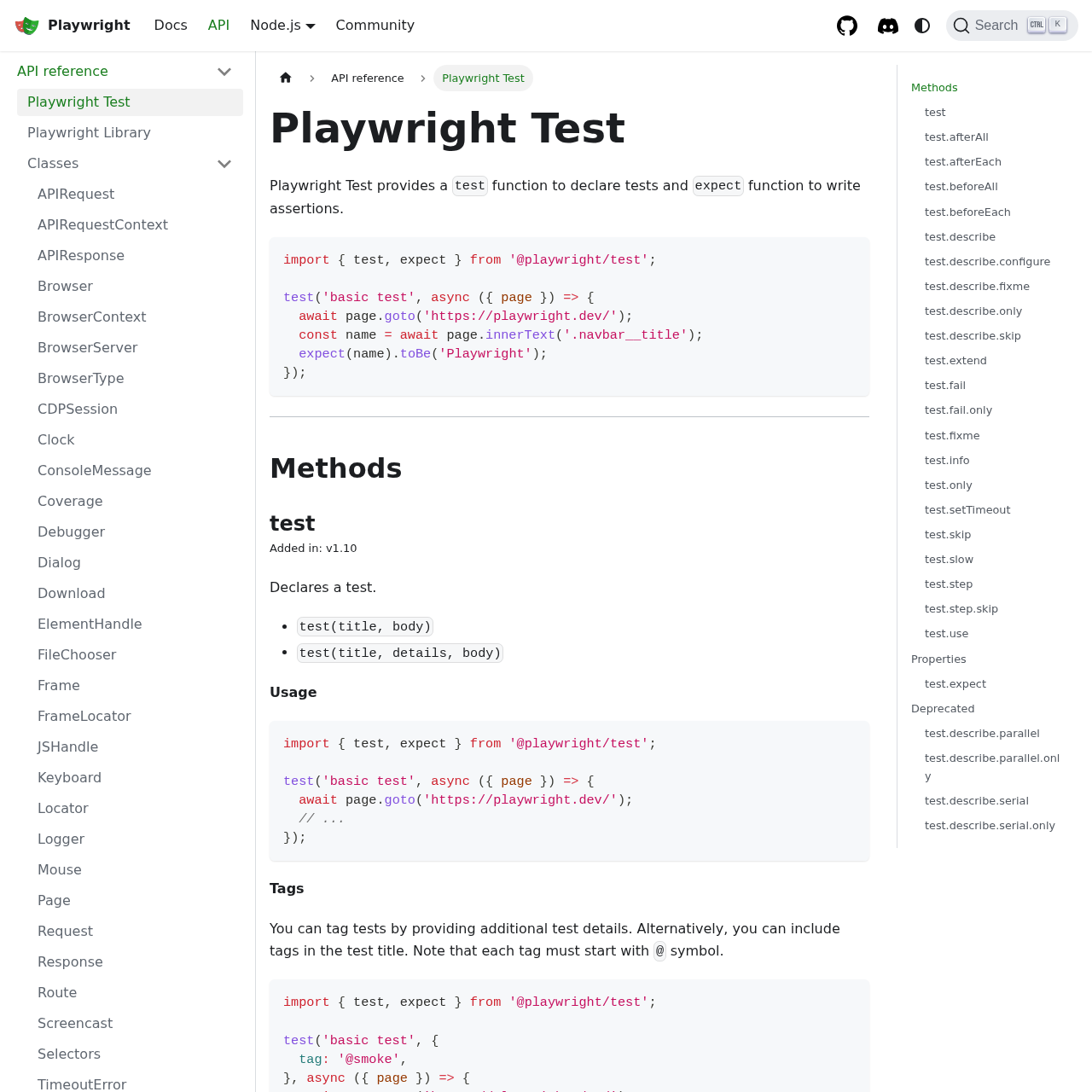
Step 4: Debug
When a test fails, Playwright automatically saves a screenshot, a video, and a trace.zip file. Open the trace:
npx playwright show-trace test-results/example-failure/trace.zipYou get a full timeline with DOM snapshots, network logs, console output, and the source code of each action. Click any step to jump to that point in time.
Step 5: Report and CI
Playwright generates an HTML report after every run:
npx playwright show-reportFor CI, the GitHub Actions workflow scaffolded by the installer Just Works — push your code, watch the tests run on every PR, and download trace artifacts directly from the Actions UI.
Cost & Licensing
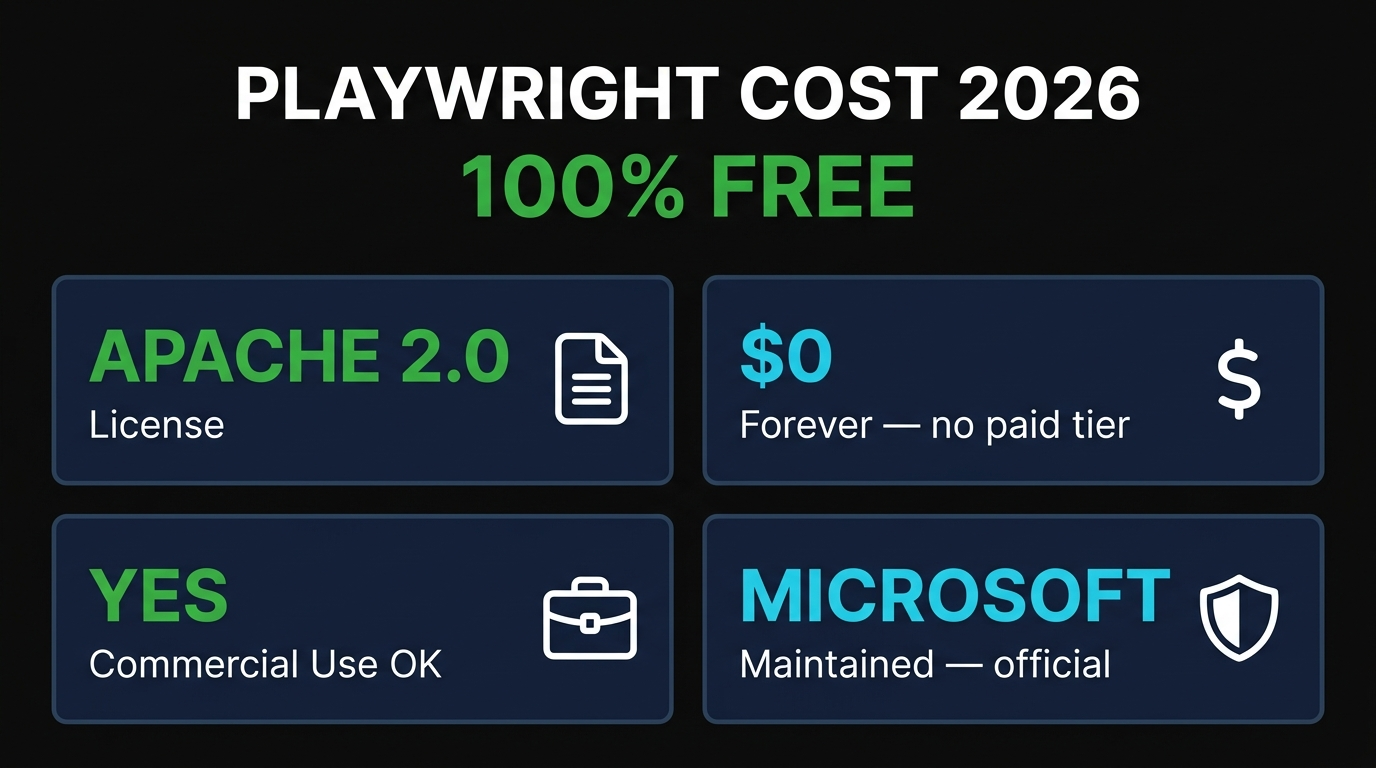
Playwright is 100% free and open source under the Apache 2.0 license. There is no paid tier. There is no enterprise edition. There is no usage cap, no per-seat pricing, no "free for personal use" trap. Microsoft maintains it as part of its open source portfolio, the same way it maintains TypeScript and VS Code.
Compare this to Cypress, where the framework is open source but Cypress Cloud (parallelization, dashboards, recordings) starts at $75/month per user. Or BrowserStack, where running cross-browser tests in the cloud starts at $39/month and scales fast. With Playwright, all of that is built in and runs on your own infrastructure for free.
The only cost is compute. If you run your tests in GitHub Actions, you'll pay for runner minutes — but that's true of any test framework, and Playwright is faster than the alternatives, so you pay less.
Pros and Cons
After three years of running Playwright in production, here's what I actually think.
Pros
- Auto-waiting eliminates flaky tests. Single biggest reliability win in any framework I've used.
- True cross-browser support. Chromium, Firefox, and WebKit with one API. WebKit on Windows and Linux is a game-changer for non-Mac shops.
- Five-language support. TypeScript, JavaScript, Python, C#, and Java — pick whichever your team already uses. The API is nearly identical across all of them.
- Trace Viewer is incredible. Debugging CI failures used to be a nightmare. Now it's a five-minute video review.
- Codegen accelerates test writing. Record clicks, get scaffolded TypeScript. Cuts the first-test time from 20 minutes to 3.
- Parallel by default with built-in sharding. Big suites scale across multiple CI runners trivially.
- Free forever, Microsoft-backed. No vendor lock-in, no surprise pricing changes.
- Excellent TypeScript support. Fully typed end-to-end. IntelliSense in VS Code is delightful.
- First-class GitHub Actions integration. The installer scaffolds a workflow that just works.
Cons
- Steeper learning curve than Cypress. The async/await model and config-driven projects take longer to internalize than Cypress's chainable API.
- No in-browser test runner like Cypress. Playwright's UI mode is great, but Cypress purists will miss the time-travel debugger that runs inside the browser.
- Component testing is still beta. If you want React/Vue component tests, Cypress Component Testing is more mature today.
- Browser binaries are large. Around 200MB on first install. Annoying on slow connections.
- WebKit is not real Safari. It's the same engine, but it doesn't include Safari-specific features like Apple Pay or push notifications. For those, you still need real-device testing.
- No paid support. Microsoft maintains it actively, but if you need an SLA-backed support contract, you're on your own.
Best Alternatives
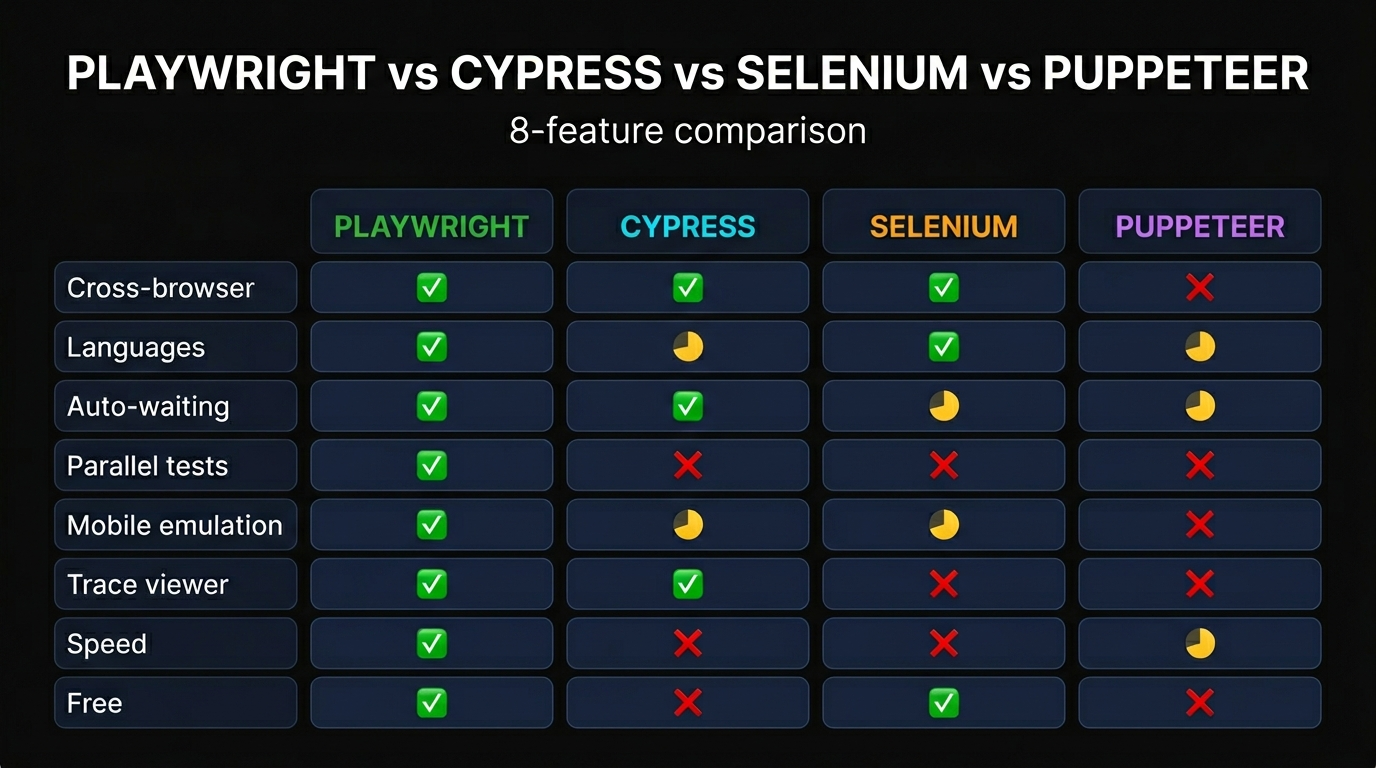
Playwright is my default recommendation in 2026, but the alternatives are worth knowing.
Cypress. The previous default for modern web E2E testing and still excellent for JavaScript-only teams. Cypress's in-browser time-travel debugger is genuinely better than Playwright's UI mode for interactive development. The downsides: no real Firefox or WebKit support (only Chromium-family browsers), no parallel execution without paid Cypress Cloud, and roughly 23% slower than Playwright in real-world benchmarks. Choose Cypress if you live in JavaScript and value the in-browser debugging experience over cross-browser coverage.
Selenium / WebDriverIO. The legacy giant, still dominant in enterprise and the only real option if you need to test on a long tail of browser/OS combinations across BrowserStack or Sauce Labs. Selenium 4 added BiDi support and is much better than Selenium 3, but it's still slower, flakier, and more verbose than Playwright. Pick it if you need true real-device cross-browser coverage at scale or if your QA team has years of Selenium expertise you don't want to throw away.
Puppeteer. Google's original Chrome automation library. Playwright is literally the next generation built by the same engineers, so for testing in 2026 there's almost no reason to choose Puppeteer over Playwright. Puppeteer is still fine for Chrome-specific scraping or PDF generation, but for E2E testing, use Playwright.
WebdriverIO. A solid Selenium-based framework with a friendlier API and good plugin ecosystem. It supports both WebDriver and DevTools protocols and integrates with Appium for real mobile testing. Choose it if you need both web and native mobile in one framework.
Final Verdict
Skiln Score: 4.8 / 5
Playwright is the new default for end-to-end web testing in 2026. It's faster than Cypress, more reliable than Selenium, more capable than Puppeteer, and free forever. Auto-waiting kills flaky tests, the trace viewer turns CI failures into a debuggable timeline, and the five-language support means almost any team can adopt it without rewriting in a new language. The only reasons not to pick it are mature Cypress Component Testing (if you specifically need that) or a team with deep Selenium expertise that can't justify the migration cost.
For everything else — new projects, modernizing old test suites, cross-browser coverage, AI-powered test workflows — start with Playwright. You won't regret it.
Try Playwright Free →Frequently Asked Questions
Is Playwright free? Yes, 100% free and open source under the Apache 2.0 license. Microsoft maintains it directly. There is no paid tier, no enterprise edition, and no usage caps.
What languages does Playwright support? Five officially: TypeScript, JavaScript, Python, C# (.NET), and Java. The API is nearly identical across all five, so you can pick whichever language your team already uses.
Is Playwright better than Cypress in 2026? For most modern web apps, yes. Playwright is roughly 23% faster, supports Firefox and WebKit (Cypress is Chromium-only), and runs tests in parallel by default. Cypress still has a better in-browser debugger and a slightly gentler learning curve.
How do I install Playwright? Run npm init playwright@latest in your project directory. The installer asks four questions and downloads the browser binaries. Total setup time is under two minutes.
What is auto-waiting? Before performing any action, Playwright automatically waits for the target element to be visible, stable, attached to the DOM, and ready to receive events. This eliminates the need for sleep() calls or explicit waitFor statements that plague Selenium and Puppeteer test suites.
Does Playwright support mobile testing? Yes, through device emulation profiles for over 100 devices. For real-device testing on physical iPhones or Android phones, you still need a service like BrowserStack or Sauce Labs.
What is the Trace Viewer? A GUI tool that lets you replay any failed test step by step. It captures DOM snapshots, network requests, console logs, and screenshots for every action. When CI fails, you download the trace.zip artifact, open it locally, and scrub through the failure like a video — no need to reproduce the bug on your own machine.
Browse 16,000+ AI Tools, MCPs, and Skills on Skiln
Looking for the best AI-powered developer tools, MCP servers, and Claude skills? Skiln tracks every meaningful tool in the ecosystem so you don't have to. Filter by category, popularity, or use case — and read honest, hands-on reviews like this one.
Browse Skiln Marketplace →Wayne MacDonald is Skiln's Testing & Automation Editor. He's been writing E2E tests for ten years across Selenium, WebDriverIO, Cypress, Puppeteer, and Playwright. When he's not debugging flaky CI runs, he's writing about how to stop writing flaky CI runs.