Context7 MCP Review 2026: Live Documentation for AI Agents
Hands-on Context7 MCP review for 2026. The free, open-source documentation MCP server that feeds live, version-specific library docs straight into Claude, Cursor and VS Code. 52K+ GitHub stars. Features, install, pros, cons, alternatives.
TL;DR — Context7 MCP Review 2026
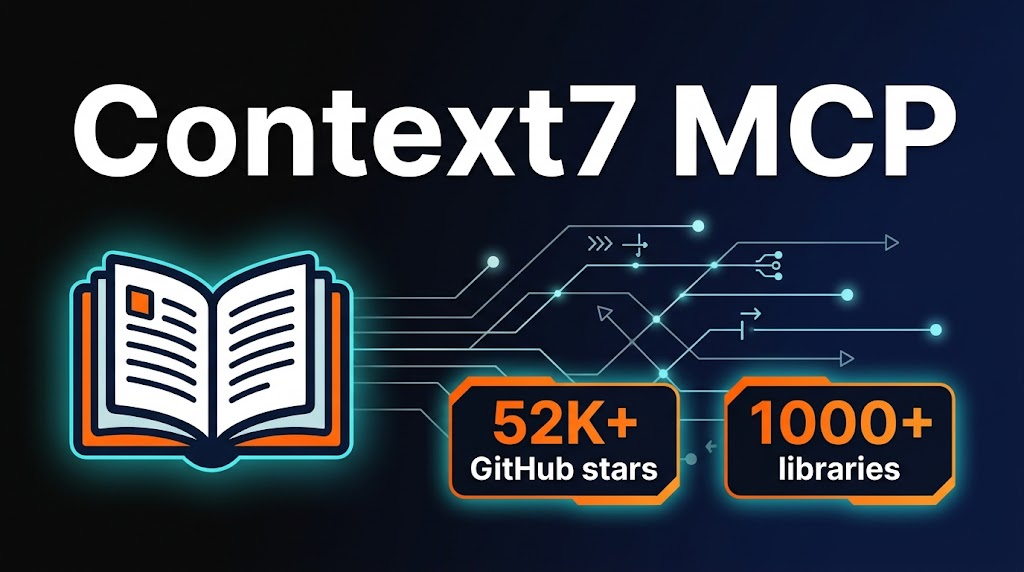
Context7 MCP is the single most impactful MCP server I have added to my coding workflow in 2026. It pulls live, version-specific documentation from 1,000+ libraries and injects it straight into your AI prompt — no more hallucinated APIs, no more outdated code examples, no more manually copy-pasting docs. Free, open source, zero config. If you use Claude Code, Cursor or any MCP client for development, install this first.
Table of Contents
What is Context7 MCP?
If you have spent any time coding with an AI assistant in 2026, you have hit the same wall I have: you ask about a library method, the model confidently gives you an answer, and the function signature is flat-out wrong. The model was trained months ago and the docs have moved on. Context7 MCP exists to kill that problem permanently.
Built and maintained by Upstash, Context7 is a Model Context Protocol server that fetches live, current documentation from over 1,000 libraries and frameworks — React, Next.js, Django, Prisma, Express, Tailwind, you name it — and injects the relevant sections directly into your AI agent's context window. No stale training data. No hallucinated APIs. Just the actual docs, pulled fresh every single time.
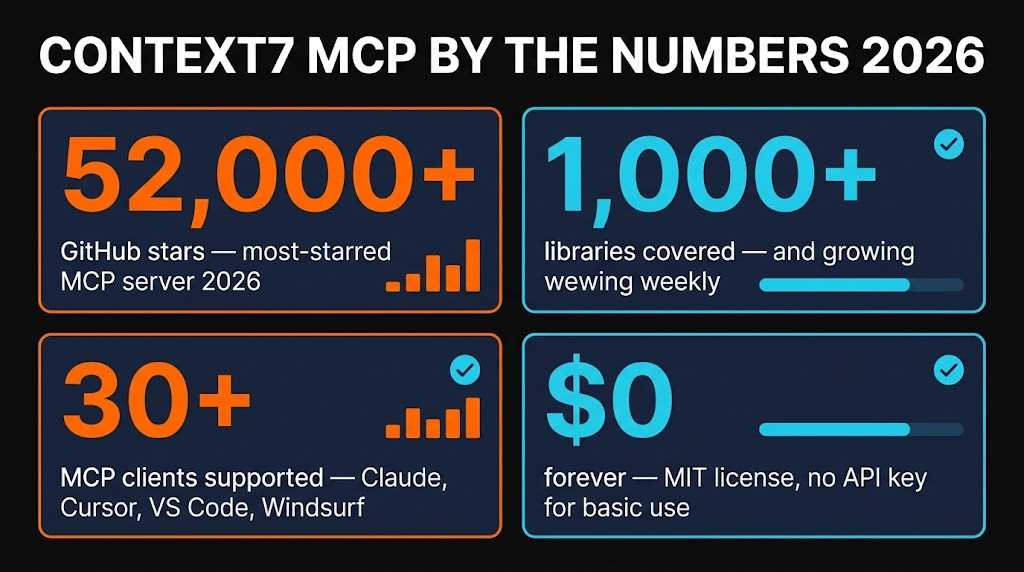
With 52,000+ GitHub stars as of April 2026, Context7 is the most popular MCP server in the ecosystem — nearly double the views of the next closest server. And it is completely free under the MIT license.

Key Features
I have been running Context7 in my Claude Code and Cursor setups for the past several weeks. Here is what actually matters once you start using it daily.
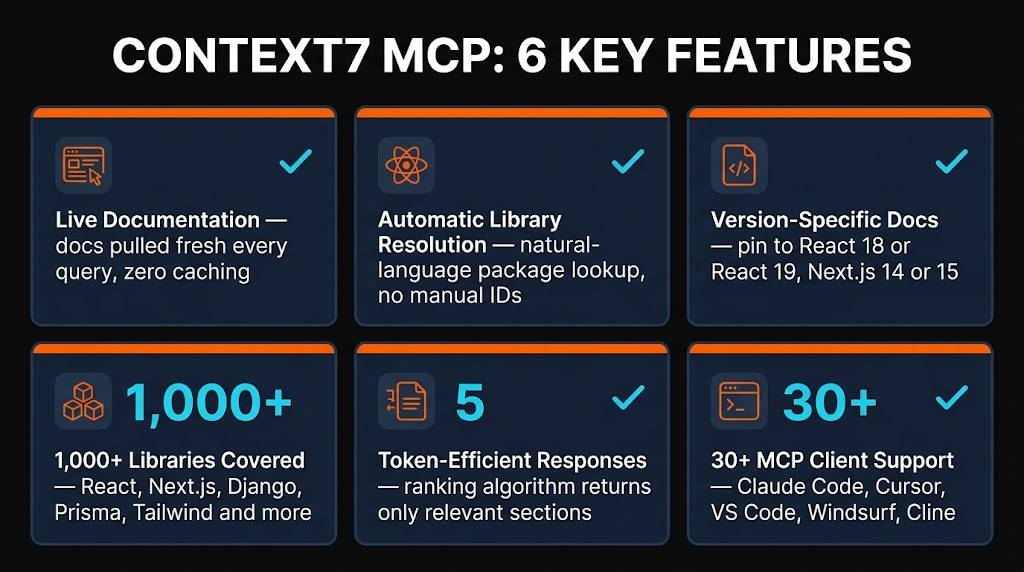
Live Documentation
Fetches docs directly from official sources in real time. No caching, no stale data. When Next.js 15.5 drops a new API, Context7 has it the same day the docs update.
Automatic Library Resolution
Say "Next.js" and Context7 resolves the correct package ID automatically. No need to know the exact npm package name or docs URL — it figures it out from natural language.
Version-Specific Docs
Need React 18 docs instead of React 19? Context7 can pull the exact version you are working with, not just whatever the latest happens to be.
1,000+ Libraries Covered
React, Next.js, Vue, Angular, Express, Django, Flask, Prisma, Tailwind CSS, Drizzle, Convex, Stripe, and hundreds more. The library count is growing every week.
Token-Efficient Responses
Context7 does not dump entire documentation pages into your context. Its proprietary ranking algorithm filters and returns only the sections relevant to your query, saving tokens and keeping context windows clean.
30+ MCP Client Support
Works with Claude Code, Claude Desktop, Cursor, VS Code, Windsurf, Cline, and any MCP-compatible agent. One server, every editor.

How to Install and Use Context7
One of the things I appreciate most about Context7 is how fast you can go from zero to working. No API key needed for basic usage, no complex configuration, and the CLI installers handle everything for the major editors.
Claude Code
claude mcp add --transport http context7 https://mcp.context7.com/mcpThat is it. One command. Restart Claude Code and you now have two new tools available: resolve-library-id and get-library-docs.
Cursor
npx @upstash/context7-mcp@latest init --cursorOr add it manually to your ~/.cursor/mcp.json:
{ "mcpServers": { "context7": { "command": "npx", "args": ["-y", "@upstash/context7-mcp@latest"] } } }VS Code
npx @upstash/context7-mcp@latest init --vscodeHow It Works in Practice
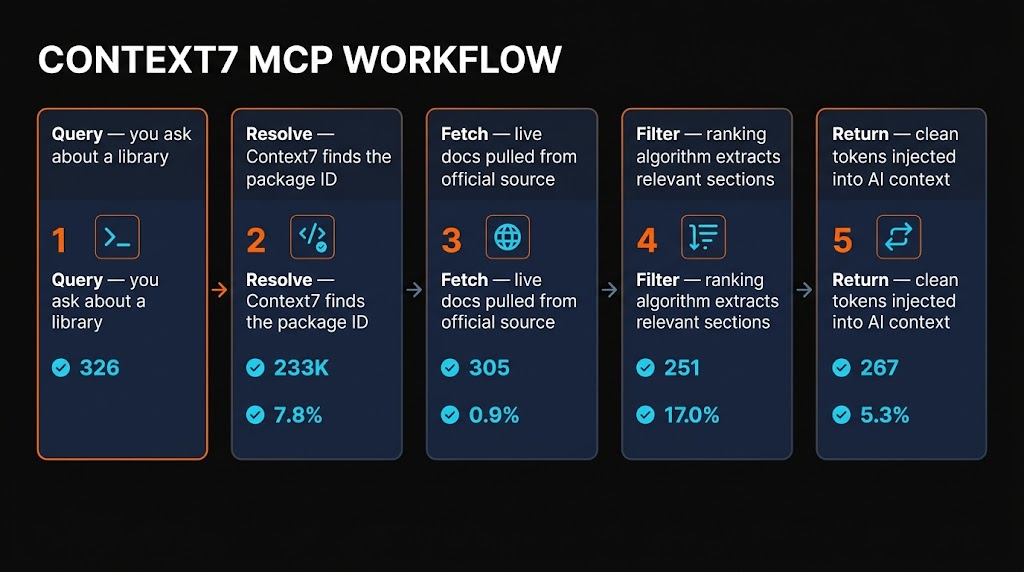
Once installed, the workflow is invisible. When your AI agent needs documentation for a library, it calls Context7 behind the scenes. The process follows five steps:
- Query — You ask a question about a library (e.g., "How do server actions work in Next.js 15?")
- Resolve — Context7 identifies the correct package ID from your natural language query
- Fetch — Live documentation is pulled from the official source
- Filter — The proprietary ranking algorithm extracts only the relevant sections
- Return — Clean, token-efficient documentation is injected into your AI's context
The best part? You can also add use context7 to your prompts or rules files to make your AI assistant proactively look up documentation when answering coding questions. I added it to my global CLAUDE.md and the improvement in code accuracy was immediate.

Pricing
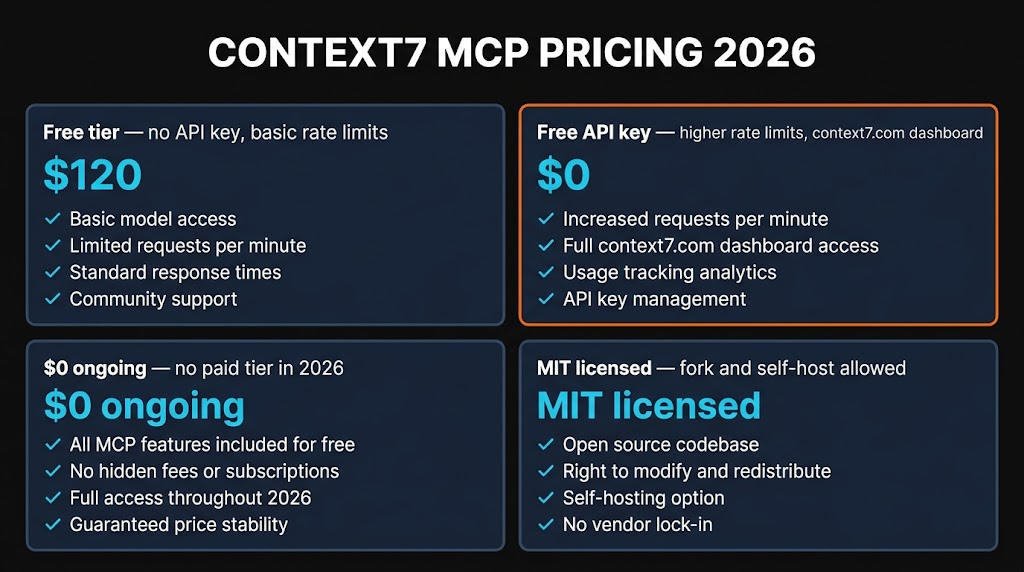
This is where Context7 really stands out. It is completely free.
No API Key
- ✓ Full documentation access
- ✓ All 1,000+ libraries
- ✓ Basic rate limits
- ✓ No credit card required
Free API Key
- ✓ Everything above
- ✓ Higher rate limits
- ✓ 1,000 requests/month
- ✓ Sign up at context7.com
The MCP server code is open source under the MIT license. The backend API, parsing engine, and crawling infrastructure are proprietary (run by Upstash), but as an end user you never need to worry about that. You get free docs, free access, and the only limit is rate throttling on the no-key tier.
One thing to be aware of: Upstash reduced the free API key allowance from roughly 6,000 to 1,000 requests per month in January 2026. For most individual developers that is plenty — I typically hit around 300-400 requests per month in heavy coding weeks. Teams with multiple engineers may bump up against it.

Pros and Cons
Strengths
- ✓ Eliminates hallucinated APIs. The single biggest quality-of-life improvement for AI-assisted coding. I went from verifying every function call to trusting the output.
- ✓ Completely free. No subscription, no credit card, no trial period. Open source MIT. The free API key tier covers most individual developers.
- ✓ Zero-config setup. One command for Claude Code, Cursor, or VS Code. Works immediately without an API key.
- ✓ Massive library coverage. 1,000+ libraries and growing. Covers every major framework I work with daily.
- ✓ Token-efficient. Returns only relevant sections, not entire documentation pages. Keeps context windows clean for the actual coding work.
Weaknesses
- ✗ Rate limit reduction. The free tier dropped from 6,000 to 1,000 requests/month in January 2026. Power users and teams may hit this ceiling.
- ✗ Backend is proprietary. The MCP server is open source, but the parsing engine, ranking algorithm and crawling infrastructure are closed. You cannot fully self-host.
- ✗ Niche library gaps. Extremely niche or brand-new libraries may not be indexed yet. I have hit this a few times with very small packages.
- ✗ No paid tier yet. If you need guaranteed higher limits, there is no paid plan to upgrade to. You are limited to asking Upstash for a custom arrangement.
Alternatives Compared
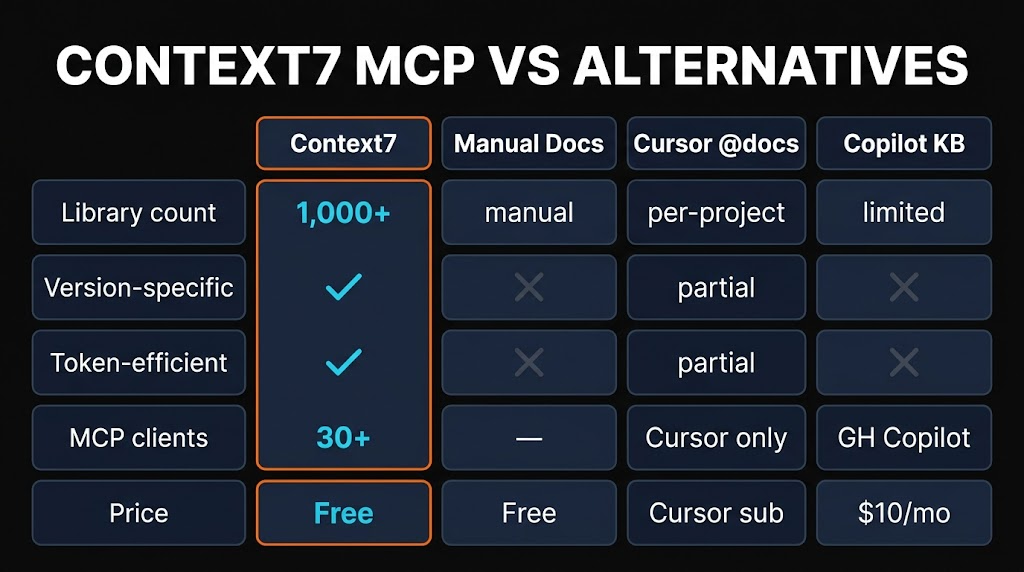
How does Context7 compare to other ways of getting documentation into your AI coding workflow? Here is the honest breakdown.
| Method | Freshness | Effort | Token Cost | Price |
|---|---|---|---|---|
| Context7 MCP | Live | Zero | Low | Free |
| Manual Docs Search | Live | High | High | Free |
| Cursor @docs | Semi-live | Low | Medium | $20/mo |
| Cached Training Data | Stale | Zero | Zero | Free |
| Web Search MCP | Live | Zero | High | Varies |
The key differentiator is the combination of live freshness, zero effort, and low token cost. Manual docs search gives you fresh data but requires you to find and paste it yourself. Cached training data is effortless but stale. Web search MCPs are live but dump huge amounts of irrelevant HTML into your context. Context7 is the only option that nails all three.

Frequently Asked Questions
claude mcp add --transport http context7 https://mcp.context7.com/mcp. Restart Claude Code and you will have access to the resolve-library-id and get-library-docs tools.npx @upstash/context7-mcp@latest init --cursor or manually add it to your mcp.json. Context7 integrates natively with Cursor's MCP support.Final Verdict
Context7 MCP earns a 4.7 out of 5 from me. It solves the single most frustrating problem in AI-assisted development — hallucinated and outdated documentation — and it does it for free, with zero configuration, across every major MCP client.
The 0.3 point deduction comes from the reduced rate limits (teams will feel the 1,000/month cap), the proprietary backend (you cannot fully self-host), and occasional gaps with very niche libraries. None of these are dealbreakers for the vast majority of developers.
If I could only install one MCP server in 2026, this would be it. The accuracy improvement in AI-generated code is tangible from day one. Install it, add "use context7" to your rules file, and watch your AI assistant actually get the APIs right.
"Context7 is the most impactful single MCP server you can add to your coding workflow in 2026. Free, fast, and it actually makes your AI assistant smarter."
Looking for more MCP servers to supercharge your development workflow? Browse the full MCP directory on Skiln with 29,000+ servers indexed, or explore AI skills and tools to level up your AI coding setup.