Skill Creator Review 2026: Official Anthropic Skill Generator
Skill Creator is Anthropic's official skill for building Claude Code skills. I tested the Q&A wizard, frontmatter validation, and SKILL.md scaffolding. Here's the honest 2026 review.
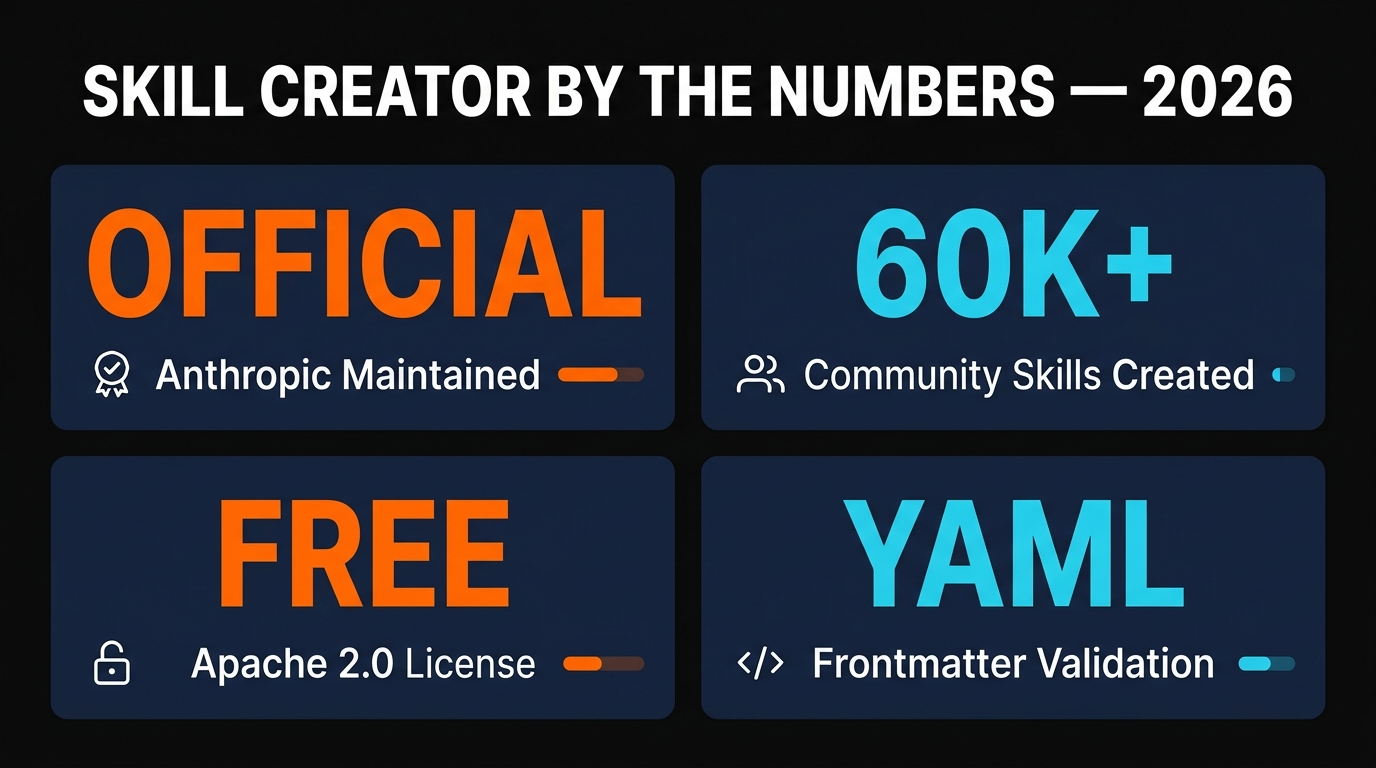
Skill Creator is Anthropic's official, free, Apache 2.0-licensed skill that scaffolds new Claude Code skills through a guided Q&A wizard. It writes valid SKILL.md frontmatter for you, validates the YAML against Anthropic's schema, and ships proven prompt patterns the in-house team uses. If you've ever stared at an empty SKILL.md and wondered how to write a description Claude will actually pick up, this is the tool. It's the fastest path from "I have an idea for a skill" to "I have a working skill in ~/.claude/skills/".
Table of Contents
Skill Creator Review 2026: Official Anthropic Skill Generator
I have built somewhere around forty Claude Code skills over the last year — for blog publishing pipelines, iOS submission checklists, NotebookLM automation, internal linking audits, and a dozen other niches. The first ten were painful. The frontmatter never quite matched what Claude expected. Descriptions were too vague to trigger automatically. Tool whitelists were missing. SKILL.md files grew to four thousand lines because I didn't know progressive disclosure existed.
Then I tried Skill Creator. It is the official skill that Anthropic ships in their public skills repository on GitHub, and it is the fastest way I've found to go from an idea to a working, validated skill. I have used it for the last six skills I've shipped and the time savings are not subtle — what used to take a couple of hours of debugging frontmatter now takes about ten minutes of Q&A.
This review covers what Skill Creator actually does in 2026, how to install and use it, what it costs (spoiler: nothing), and where it falls short. If you are evaluating tools for your Claude skills workflow, this is the one I would start with.
What Is Skill Creator? {#what-is-skill-creator}
Skill Creator is a Claude Code skill — yes, a skill that creates other skills — maintained directly by Anthropic in their anthropics/skills GitHub repository. It is not an MCP server, not a CLI, and not a paid product. It's a folder of instructions Claude loads when you invoke it, and its sole job is to walk you through building a new skill from scratch.
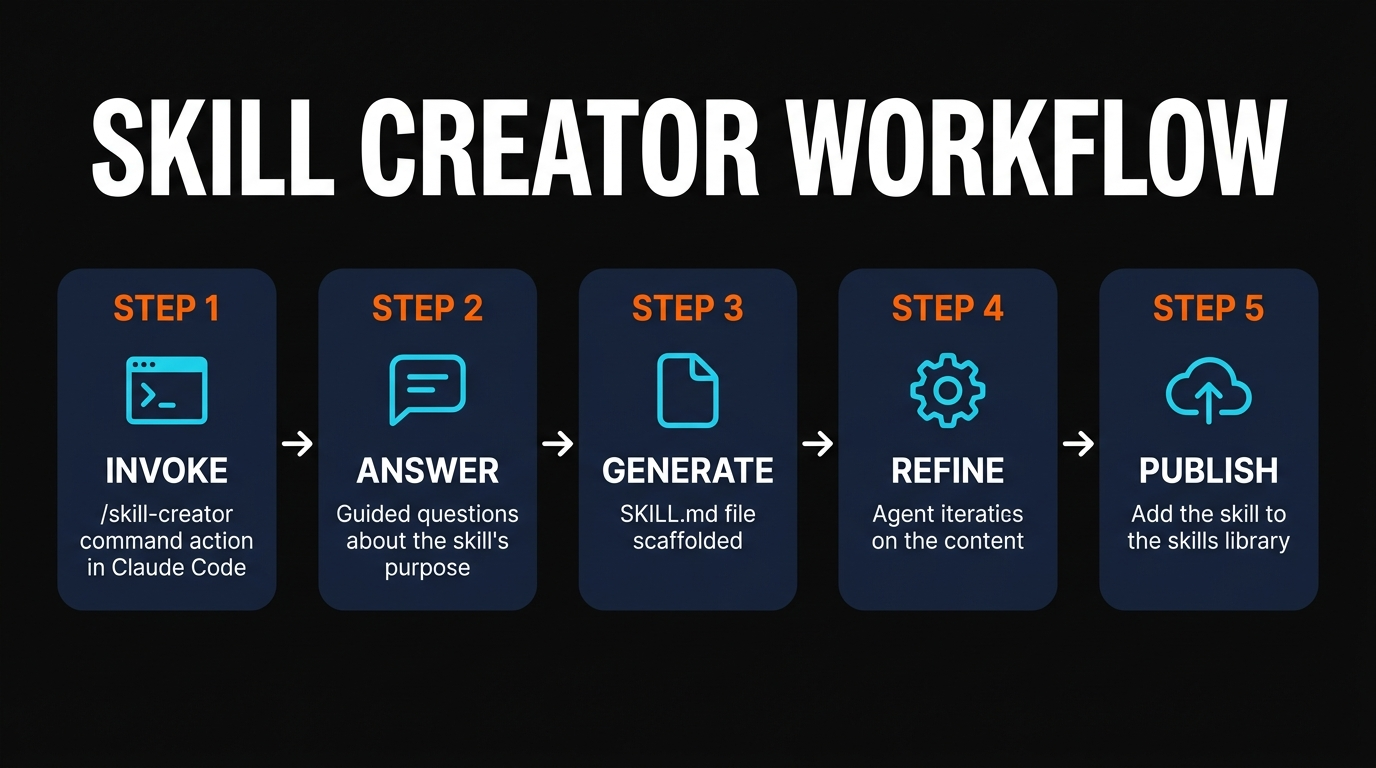
When you trigger it, Skill Creator runs an interactive Q&A loop. It asks what you want the skill to do, who will use it, what tools it needs access to, and what the trigger conditions look like. Then it generates a valid SKILL.md file with proper YAML frontmatter, writes the markdown body using the same patterns Anthropic uses internally, and validates the result against the schema before saving.
The whole thing exists because Anthropic noticed (correctly) that the single biggest barrier to skill adoption was authoring quality. People would write a SKILL.md, the description wouldn't trigger Claude properly, the tool would never run, and the user would assume skills were broken. Skill Creator fixes that by enforcing the patterns that actually work.
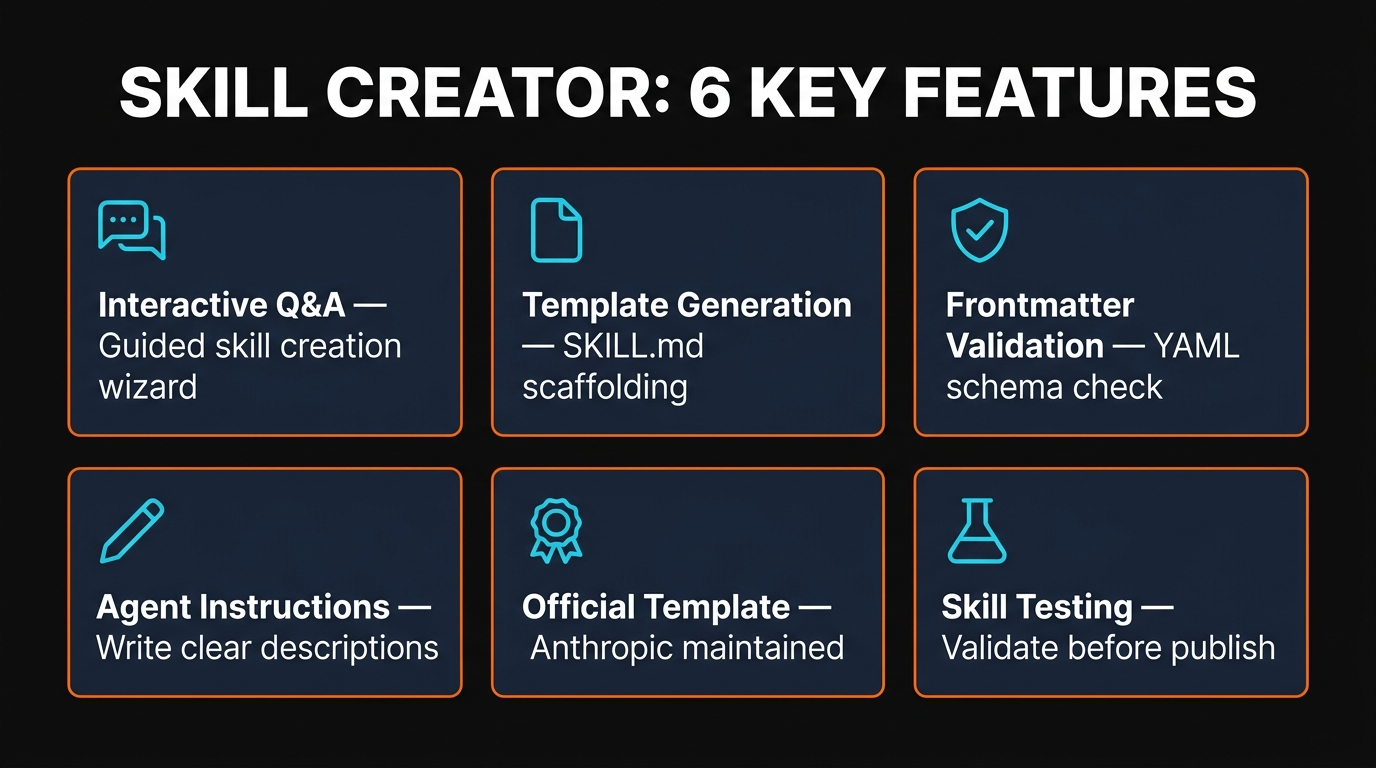
It lives at github.com/anthropics/skills/tree/main/skills/skill-creator — a sibling of mcp-builder, the document skills (PDF, DOCX, XLSX, PPTX), and the rest of Anthropic's official skill collection. Everything in the repo is Apache 2.0 licensed and free to fork, modify, or ship in commercial products.
6 Key Features {#key-features}
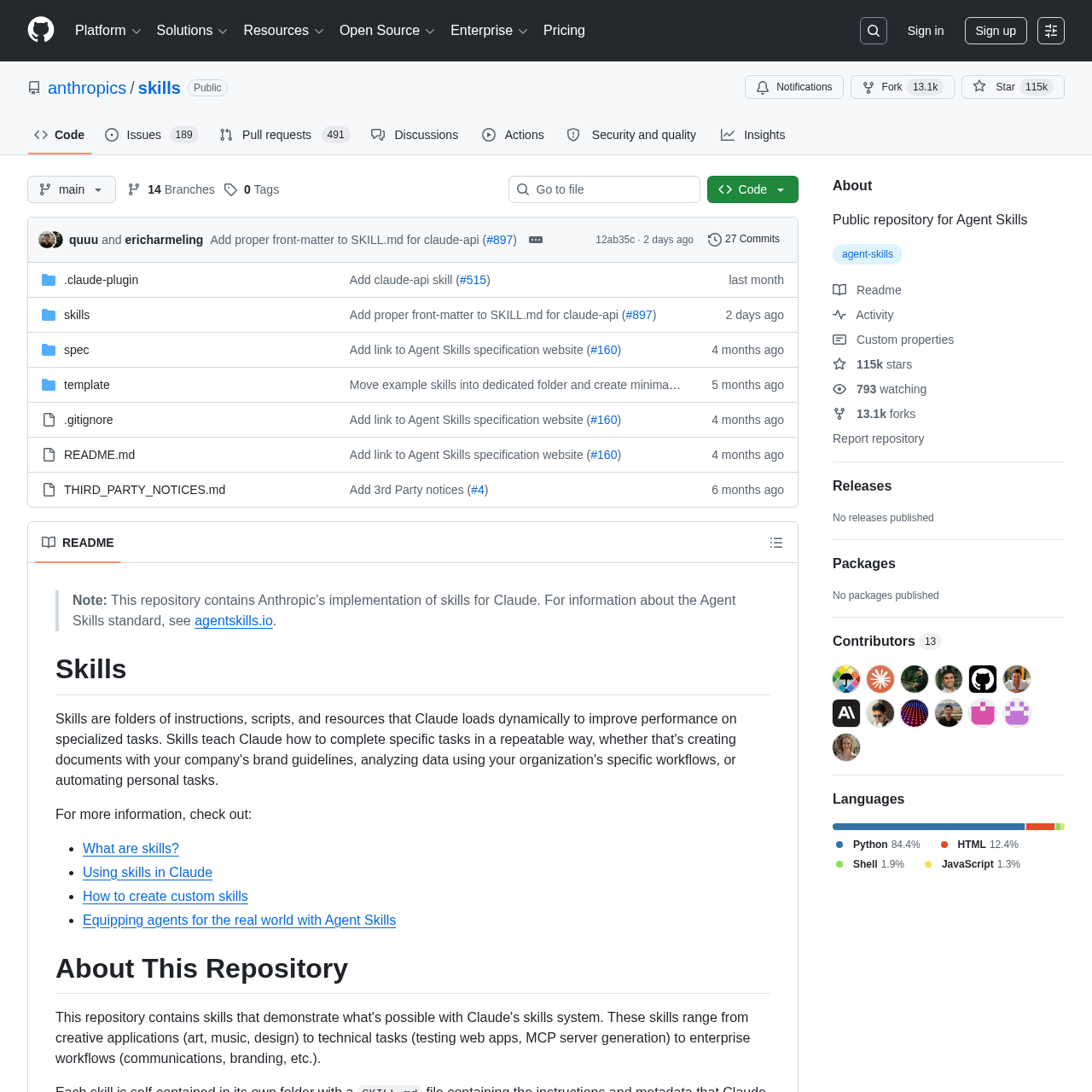
Six features matter once you start shipping skills regularly. Here's what Skill Creator actually does for you.
1. Interactive Q&A wizard
The headline feature. Instead of staring at a blank SKILL.md and guessing at the right shape, Skill Creator runs a conversational interview. It asks targeted questions: what is the skill's purpose, when should Claude use it, what tools does it need, what file references should it load, what example invocations look like. Each answer feeds into the generated output. You don't need to memorize the YAML schema — the wizard does it for you.
2. SKILL.md template generation
After the interview, Skill Creator scaffolds a complete SKILL.md file. The file includes valid frontmatter (name, description, allowed-tools), a clean markdown body with sections for trigger conditions, instructions, examples, and references, and proper progressive disclosure so Claude doesn't load 4,000 tokens just to decide whether to invoke the skill. You can edit it freely afterward, but you start from a working template instead of a blank file.
3. YAML frontmatter validation
This is the killer feature for newcomers. Anthropic's SKILL.md frontmatter has hard validation rules — the name field must be lowercase, max 64 characters, hyphens-and-numbers only. The description must be under 1024 characters and written in third person. There are no XML tags allowed. Skill Creator enforces all of this automatically. I have wasted hours in the past on skills that silently failed because of an invalid name. That problem goes away.
4. Agent instruction patterns
Skill Creator embeds proven prompt patterns Anthropic has tested internally. Things like writing descriptions in third person ("This skill should be used when…" instead of "Use this skill when…"), front-loading trigger keywords, splitting long instructions into reference files, and keeping the main SKILL.md under 500 lines. These aren't documented best practices — they're empirical patterns the in-house team learned the hard way.
5. Official Anthropic template
Because Skill Creator is maintained by Anthropic, the templates it generates track upstream changes to the skills system. When Anthropic added disable-model-invocation and allowed-tools fields, Skill Creator picked them up. When they changed the description size limits, Skill Creator updated. You don't have to track changelogs yourself.
6. Skill testing and validation
The newest version (as of April 2026) includes a testing mode. After generating a skill, you can ask Skill Creator to run sample invocations and check whether Claude actually picks up the skill in the right contexts. It's not a replacement for real-world usage, but it catches the obvious cases where your description is too vague for the trigger to fire.
How to Use Skill Creator {#how-to-use-skill-creator}
Installation is the easy part because Skill Creator is just a SKILL.md file in a folder. There is no package to install, no daemon to run, no API key. Here's the complete setup.
Step 1: Clone the repo (or copy the folder)
git clone https://github.com/anthropics/skills.git ~/anthropic-skills
cp -r ~/anthropic-skills/skills/skill-creator ~/.claude/skills/
That's it. Claude Code automatically discovers any folder with a SKILL.md file under ~/.claude/skills/. You don't need to register it anywhere.
Step 2: Verify Claude can see it
Open a new Claude Code session and ask:
What skills do you have available?You should see skill-creator in the list, alongside any other skills you've installed. If it doesn't show up, make sure the folder is at ~/.claude/skills/skill-creator/ and that SKILL.md exists with valid YAML frontmatter (a missing name field is the most common reason).
Step 3: Invoke it
Just tell Claude what you want:
I want to create a skill that audits my Cloudflare R2 buckets
for orphaned files older than 30 days. Walk me through it.
Claude will recognize the intent and trigger Skill Creator. From there it asks the Q&A questions, drafts the SKILL.md, and writes it to a new folder under ~/.claude/skills/. The whole interaction takes between five and fifteen minutes depending on how detailed your skill is.
Step 4: Iterate
After the initial generation, you can ask Skill Creator to refine specific sections. "Make the description more specific about R2 lifecycle policies." "Add a reference file for the AWS CLI commands we'll need." "Restrict the allowed tools to Read, Bash, and Grep only." Each request is a focused edit, not a full regeneration.
If you want a deeper walkthrough of building skills end-to-end, I wrote a full Claude skill tutorial that pairs nicely with this review.
Cost and License {#cost-and-license}
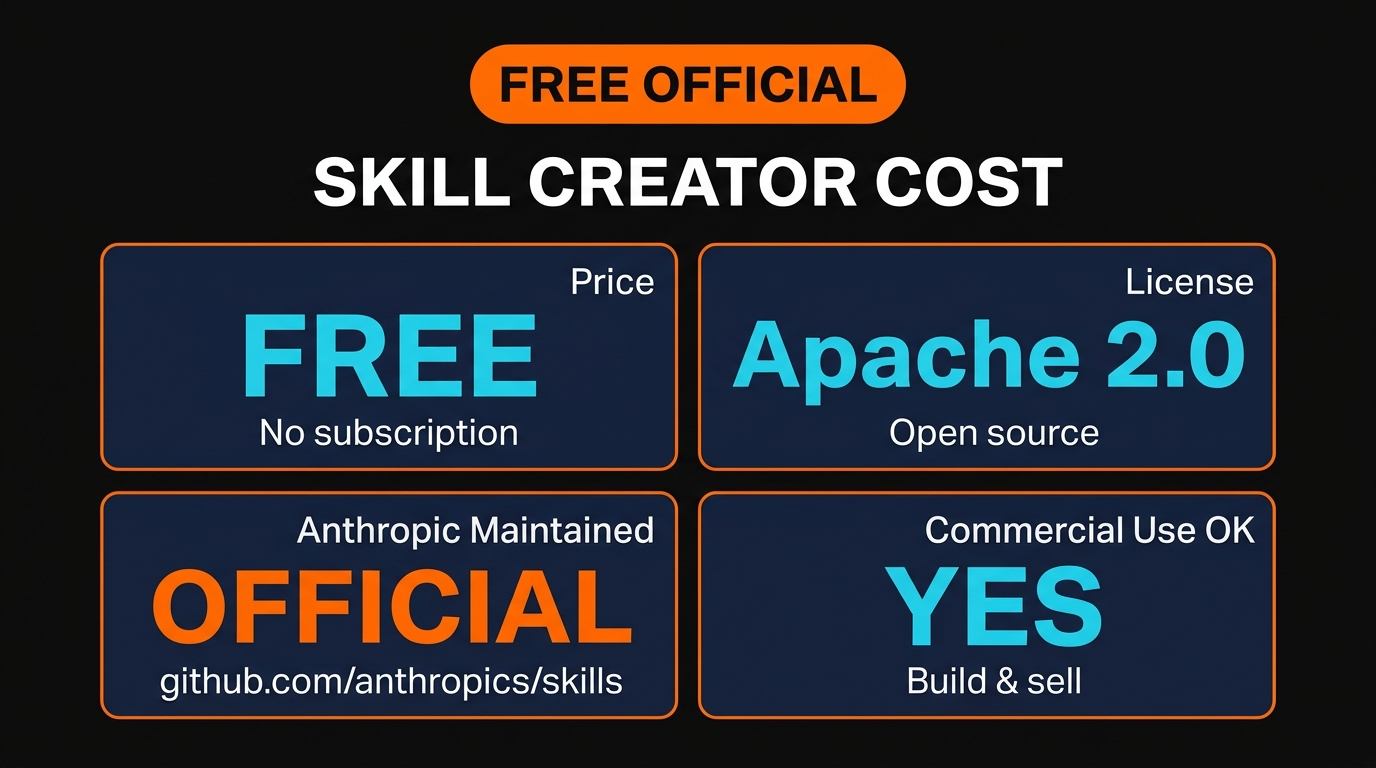
Skill Creator is free. There is no subscription, no per-seat pricing, no token tax beyond whatever Claude session you're already running. It's distributed under the Apache 2.0 license, which means you can fork it, modify it, ship it inside a commercial product, and sell skills generated by it without owing Anthropic anything.
The only "cost" is the Claude usage during the Q&A interaction — typically 5,000 to 15,000 tokens depending on how complex your skill is. On Claude Pro that's effectively free. On the API it's fractions of a cent.
Compare that to manually writing skills, where the cost is your time debugging frontmatter, or to community skill marketplaces that often charge $5–$50 per template. Skill Creator wins on every dimension I care about: it's official, it's free, it's open source, and it's commercially licensed.
Pros and Cons {#pros-and-cons}
Six months of regular use, here's the honest balance sheet.
Pros
- Eliminates the SKILL.md learning curve. New users can ship a working skill in their first session instead of spending a day on YAML errors.
- Frontmatter validation is bulletproof. Once the wizard finishes, the YAML always passes Claude's schema check. I haven't seen a malformed name field since I started using it.
- Embeds Anthropic's internal patterns. You get the same prompt structures, third-person descriptions, and progressive disclosure that the official Anthropic skills use.
- Free and Apache 2.0. Fork it, ship it, sell skills built with it — no strings.
- Updates with the platform. When Anthropic ships new frontmatter fields, the skill picks them up automatically.
- Lightweight install. No package, no daemon, no API key. Just a folder.
Cons
- Only builds skills, not MCP servers. If you need an MCP server instead of a skill, you want mcp-builder — a sibling tool in the same repo.
- Q&A can feel slow for trivial skills. If you already know exactly what you want, the questionnaire is overhead. Power users may prefer a template they can copy-paste.
- No GUI. Everything happens through Claude Code's terminal interface. There is no web UI for non-developers.
- English-first patterns. The embedded best practices are tested with English-language descriptions. Multilingual skills work but may need manual tuning.
- Not a marketplace. Skill Creator generates skills locally — it doesn't publish them anywhere or help you discover community skills.
Skill Creator vs Alternatives {#skill-creator-vs-alternatives}
There are three real alternatives to Skill Creator: writing skills by hand from the docs, using mcp-builder (Anthropic's sibling skill for MCP servers), and grabbing pre-built community templates from repositories like awesome-claude-skills.
Manual SKILL.md from the docs is the path most early adopters took. The official Claude Code documentation has a complete reference, and you can absolutely write a skill by hand. The downside is the validation feedback loop — you write the file, run Claude, find out the description is wrong, edit, re-test, repeat. It's slow until you've memorized the patterns.
mcp-builder is the right choice when you need an MCP server instead of a skill. The two tools serve completely different needs. Skills run inside Claude Code — they're prompts and reference files. MCP servers are standalone processes that expose tools over the Model Context Protocol. If you need to integrate an external API with custom auth flows and persistent state, build an MCP. If you need to teach Claude how to run a repeatable workflow inside its existing toolset, build a skill. mcp-builder handles the former; Skill Creator handles the latter.
Community templates (e.g. awesome-claude-skills, claude-skills-collection) give you a head start by providing pre-written SKILL.md files for common tasks. They're great when one of the templates exactly matches your need. The downside is that quality varies wildly, the templates may be out of date with the current frontmatter schema, and you don't get the validation safety net.
For most users in 2026, Skill Creator is the right starting point. Use mcp-builder when you specifically need an MCP server. Browse community templates when you want inspiration or a fast clone of an existing pattern.
Frequently Asked Questions {#frequently-asked-questions}
Is Skill Creator free?
Yes. It's open source under Apache 2.0 and lives in Anthropic's public skills repository. The only cost is the Claude tokens consumed during the Q&A interaction, which is negligible on any paid Claude plan and typically free on Claude Pro.
Do I need an Anthropic API key to use Skill Creator?
No. Skill Creator runs inside Claude Code, which uses your existing Claude subscription (Pro, Team, Enterprise, or API). You do not need a separate key. If you can run Claude Code, you can run Skill Creator.
Can I use skills generated by Skill Creator in commercial products?
Yes. Apache 2.0 explicitly allows commercial use, modification, and redistribution. You can build a SaaS that ships with skills generated by Skill Creator and you owe nothing to Anthropic.
How is Skill Creator different from mcp-builder?
Skill Creator builds Claude Code skills — folders with SKILL.md files that teach Claude repeatable workflows. mcp-builder builds MCP servers — standalone processes that expose tools over the Model Context Protocol. Both are official Anthropic skills in the same repo, but they solve different problems. Use Skill Creator for in-editor workflows; use mcp-builder for external API integrations.
Where do skills generated by Skill Creator get saved?
By default, generated skills are written to ~/.claude/skills/. Claude Code automatically discovers any skill folder under that path, so newly generated skills are immediately available in your next session. You can also point Skill Creator at a project-local .claude/skills/ directory for skills that should only apply to a specific repo.
Does Skill Creator validate that my skill actually works?
Partially. It validates the YAML frontmatter against Anthropic's schema (so the file is syntactically correct and will load) and the newer versions include a basic invocation test that checks whether Claude picks up the skill in expected contexts. But it can't replace real usage — you still need to invoke the skill in a few real conversations to confirm the trigger conditions match how you talk about the task.
Can Skill Creator update an existing SKILL.md file instead of creating a new one?
Yes. Just tell Claude "use Skill Creator to refine the description on my existing wordpress-publish skill" and it will load the existing file, walk you through the changes, and rewrite it in place. This is how I've cleaned up the older skills I wrote before Skill Creator existed.
Final Verdict {#final-verdict}
Skill Creator earns a 4.7 out of 5 from me, and the only reason it isn't a 5 is the Q&A overhead for trivial skills. For anything non-trivial — anything where you'd otherwise need to look up the frontmatter schema, debug a failing trigger, or restructure a 1,000-line SKILL.md into reference files — it pays for itself in the first ten minutes.
The fact that it's free, official, Apache 2.0, and maintained directly by the team that designed the skills system means there's no real reason to start anywhere else when building a new skill. You don't have to trust a community template's quality. You don't have to memorize the validation rules. You don't have to track upstream changes. You just describe what you want and Skill Creator writes it correctly.
If you're already shipping Claude Code skills, install it tonight. If you're thinking about starting, use it for your first one and skip the painful learning curve I went through. Browse Skiln's full skills directory for ideas, then build your first one with Skill Creator.
Ship Better Claude Skills, Faster
Skiln Premium v2 unlocks a curated, hand-tested catalog of 200+ Claude skills, MCP servers, and Anthropic-grade prompt templates. Stop reinventing wheels — start with skills that already work in production.
Browse Skiln Premium v2 →Wayne MacDonald has been writing Claude Code skills since the format launched and has shipped 40+ production skills across publishing, iOS, and infrastructure workflows. For more reviews and tutorials, browse Skiln's blog.