Stripe MCP vs PayPal MCP: Payment MCPs Compared (2026)
Stripe MCP vs PayPal MCP compared across API coverage, subscriptions, invoicing, security, and developer experience. Data-driven guide to choosing the right payment MCP in 2026.

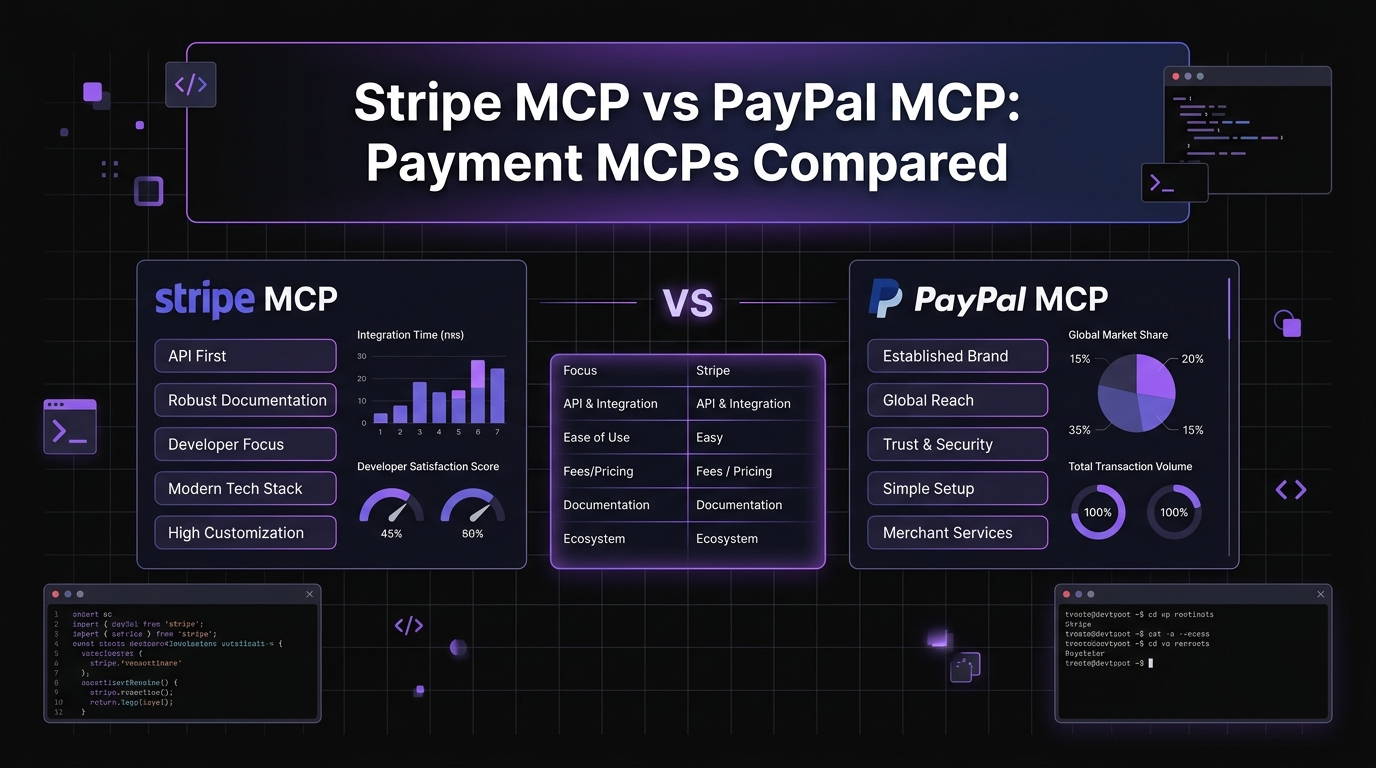
Stripe MCP vs PayPal MCP: Payment MCPs Compared (2026)
David Henderson · DevOps & Security Editor · April 13, 2026 · 16 min read
TL;DR -- Quick Comparison {#tldr}
Both Stripe and PayPal offer MCP server integrations that connect your payment infrastructure to AI agents. They target different strengths and different business profiles.
| Stripe MCP | PayPal MCP | |
|---|---|---|
| --- | --- | --- |
| Maintained By | Official (Stripe Agent Toolkit) | Community-official hybrid |
| API Coverage | 95%+ of Stripe API surface | ~70% of PayPal REST API |
| Payment Methods | Cards, ACH, SEPA, wallets, BNPL | PayPal balance, cards, Venmo, BNPL, local methods |
| Subscriptions | Full lifecycle management | Basic subscription support |
| Invoicing | Create, send, void, finalize | Create, send, cancel |
| Webhooks | Inspect, replay, filter events | Limited event access |
| Refunds | Full and partial, with metadata | Full and partial |
| Test Mode | sk_test_ keys (full sandbox) | Sandbox credentials (separate environment) |
| Developer Experience | Exceptional — typed, predictable, well-documented | Functional — broader reach, more API complexity |
| Best For | SaaS, subscriptions, US/EU developers | Global commerce, marketplace payouts, buyer protection |
Bottom line: Stripe MCP is the better developer experience for teams already on Stripe or building subscription-heavy SaaS products. PayPal MCP wins when you need global payment coverage, buyer protection workflows, or marketplace payout capabilities. Many businesses run both.
Table of Contents
- Payment Integration Through AI Agents
- Stripe MCP Server: Developer-First Payments
- PayPal MCP Server: Global Payment Access
- Feature-by-Feature Comparison
- Security and API Key Management
- Developer Experience Compared
- When to Use Stripe MCP
- When to Use PayPal MCP
- Other MCP Comparisons
- FAQ
Payment Integration Through AI Agents {#intro}
I spend an unreasonable amount of time in payment dashboards. Checking whether a webhook fired. Looking up why a subscription renewal failed. Pulling revenue numbers for a Monday morning report. Issuing a refund because a customer emailed at 11 PM.
Payment MCP servers change the workflow entirely. Instead of clicking through dashboard pages, I type a question in my terminal:
- "Show me all failed charges in the last 48 hours."
- "What is our current MRR broken down by plan?"
- "Refund the last payment from customer cus_abc123."
- "List all subscriptions expiring this week."
The AI agent calls the payment API, processes the response, and gives me an answer in seconds. For ad-hoc queries and operational tasks, it is genuinely faster than any dashboard.
The keyword "stripe mcp vs paypal mcp" carries a CPC of $6.32, which tells me developers are actively evaluating both options and spending real money to find the right fit. That commercial intent makes sense. Payment infrastructure is not something you switch casually -- the integration cost is high, and the wrong choice creates months of migration work.
This comparison covers every dimension that matters: API coverage, subscription handling, invoicing, security, developer experience, and the specific business profiles each MCP serves best. I have used both in production projects, and I will share what actually works versus what the documentation promises.
If you are new to MCP servers in general, start with our complete MCP directory for an overview of the ecosystem. If you already know what MCP is and just want to pick the right payment server, keep reading.
Stripe MCP Server: Developer-First Payments {#stripe}
The Stripe MCP server is built on the official Stripe Agent Toolkit, which means Stripe engineers maintain it directly. This matters. When Stripe ships a new API feature, the MCP server typically gets updated within weeks, not months.
What It Covers
The Stripe MCP server exposes a broad surface area of Stripe's API:
- Payment intent creation and management -- Create charges, confirm payments, handle 3D Secure flows, and capture authorized payments.
- Subscription management -- Full lifecycle support. Create subscriptions, update plans, handle proration, pause and resume billing, manage trial periods, and cancel with configurable end-of-period behavior.
- Customer CRUD operations -- Create, read, update, and delete customer records. Attach payment methods, update billing details, manage metadata.
- Invoice generation -- Create invoices, add line items, finalize, send, void, and mark as uncollectible. Query invoice history with filters.
- Webhook event inspection -- This is the feature I use most. Query recent webhook events, filter by type (invoice.payment_failed, customer.subscription.updated), inspect payloads, and replay failed deliveries.
- Balance queries -- Check available and pending balances across currencies. Pull balance transaction history with date filtering.
- Refund processing -- Issue full or partial refunds with reason codes and metadata. Query refund status and history.
- Test/live mode switching -- Controlled entirely by your API key prefix. sk_test_ keys hit sandbox, sk_live_ keys hit production. No configuration changes needed.
By the Numbers
The Stripe Agent Toolkit has accumulated over 800 GitHub stars since its release. Stripe processes over $1.1 trillion in annual transaction volume across millions of businesses. The API documentation covers 400+ endpoints, and the MCP server provides access to the most commonly used 95%+ of that surface area.
For a full setup walkthrough, I wrote a dedicated tutorial: How to Set Up Stripe MCP Server with Claude Code.
What I Like
Stripe's API design philosophy translates directly into a great MCP experience. Responses are typed and predictable. Error messages are specific and actionable. The idempotency key support means I can safely retry operations without worrying about duplicate charges -- a critical property when an AI agent is executing payment operations.
The webhook inspection capability alone justifies the setup. Debugging webhook delivery failures used to mean navigating to the Stripe Dashboard, finding the event, checking the delivery attempts, reading the response body, and then switching to my codebase to figure out what went wrong. Now I ask Claude: "Show me all failed webhook deliveries in the last 24 hours and the response bodies." Done in one prompt.
PayPal MCP Server: Global Payment Access {#paypal}
PayPal's MCP integration takes a different approach. Rather than a single official toolkit, the ecosystem includes PayPal-published reference implementations alongside community-maintained packages that build on PayPal's REST API v2. The result is a broader but less unified experience compared to Stripe's single-source approach.
What It Covers
The PayPal MCP server supports the core payment operations most businesses need:
- Order management -- Create orders, capture payments, authorize and void, handle multi-currency transactions.
- Payment capture -- Process payments from PayPal balance, linked cards, Venmo, and local payment methods depending on the buyer's region.
- Refund processing -- Issue full and partial refunds with notes and invoice identifiers.
- Dispute resolution -- This is unique to PayPal. Query open disputes, provide evidence, accept claims, and escalate cases. If your business handles buyer protection claims regularly, this capability is valuable.
- Subscription management -- Create and manage billing plans, activate subscriptions, suspend and cancel recurring payments. Less granular than Stripe's subscription API but functional for standard use cases.
- Invoice creation -- Generate and send invoices, track payment status, send reminders, and cancel unpaid invoices.
- Reporting -- Pull transaction history, settlement reports, and payout details. Useful for reconciliation and financial reporting.
The Global Advantage
PayPal's defining strength is reach. The platform operates in 200+ markets with 400+ million active accounts worldwide. In regions where Stripe has limited or no merchant account support -- parts of Africa, Southeast Asia, the Middle East, and Latin America -- PayPal is often the only viable option for accepting international payments.
The MCP server inherits this global footprint. When I query "Show me all transactions from buyers in India this month," PayPal returns results that Stripe simply could not, because many of those buyers paid via local methods that Stripe does not support in those markets.
What I Like
Dispute management through MCP is surprisingly useful. PayPal disputes are time-sensitive -- you have deadlines to respond with evidence, and missing them means automatic resolution in the buyer's favor. Having an AI agent that can surface open disputes, summarize the claim details, and draft evidence responses saves real time during what is otherwise a tedious manual process.
The Venmo integration is another differentiator for US-focused consumer businesses. Venmo's 90+ million users skew younger and mobile-first, and offering Venmo as a payment option through PayPal's unified API is seamless through the MCP server.
Feature-by-Feature Comparison {#features}
This is the section that matters most for a technical decision. I have tested both MCP servers across eight capability dimensions and scored each based on depth of implementation, reliability, and practical usefulness.
1. Payment Processing
Stripe MCP: Creates payment intents with full control over amount, currency, payment method types, capture method (automatic vs manual), and metadata. Handles 3D Secure authentication flows. Supports 135+ currencies with automatic conversion.
PayPal MCP: Creates orders with amount, currency, and item details. Supports authorize-then-capture and immediate capture. Handles PayPal balance, cards, Venmo, and local payment methods. Supports 100+ currencies.
Verdict: Stripe MCP for granular control and developer ergonomics. PayPal MCP for payment method diversity and global buyer reach.
2. Subscription Management
Stripe MCP: Full lifecycle management including creation, plan changes with proration, pause/resume, trial periods, billing cycle anchors, quantity updates, and end-of-period cancellation. Can query subscription schedules and upcoming invoices.
PayPal MCP: Create billing plans, activate subscriptions, suspend, cancel, and reactivate. Proration handling is less predictable, and trial period configuration is more limited than Stripe.
Verdict: Stripe MCP wins decisively. If your business is subscription-heavy, this dimension alone may determine your choice.
3. Invoicing
Stripe MCP: Create invoices with line items, apply coupons and discounts, finalize (lock for payment), send via email, void, and mark uncollectible. Query invoice history with date, status, and customer filters. Auto-invoicing for subscription renewals.
PayPal MCP: Create invoices with item details, send via email, send reminders, cancel unpaid invoices, and track payment status. Less flexible line item configuration and no coupon/discount system.
Verdict: Stripe MCP for complex invoicing workflows. PayPal MCP is adequate for straightforward invoice-and-pay scenarios.
4. Refund Handling
Stripe MCP: Full and partial refunds with reason codes (duplicate, fraudulent, requested_by_customer), metadata attachment, and refund status tracking. Refunds are traced back to the original charge with full audit history.
PayPal MCP: Full and partial refunds with notes and invoice ID reference. Refund status tracking available. Less granular reason code taxonomy.
Verdict: Tie for basic refund operations. Stripe MCP edges ahead on metadata and audit trail depth.
5. Webhook Debugging
Stripe MCP: Query webhook events by type, filter by date range, inspect full payloads, check delivery attempt history, view response codes from your endpoint, and replay failed deliveries. This is the killer feature for operational debugging.
PayPal MCP: Access to webhook event notifications and basic event filtering. Delivery retry inspection is more limited. No replay capability through MCP in most implementations.
Verdict: Stripe MCP by a wide margin. Webhook debugging is where Stripe's API design shines brightest.
6. Customer Management
Stripe MCP: Full CRUD on customer objects. Attach and detach payment methods, update billing addresses, manage metadata (key-value pairs), query customer lists with filters, and view customer-level subscription and payment history.
PayPal MCP: Customer data is primarily accessed through transaction and order history rather than a standalone customer object model. Less flexible for CRM-style operations.
Verdict: Stripe MCP. The customer object model is fundamental to Stripe's architecture and translates well to MCP queries.
7. Reporting and Analytics
Stripe MCP: Balance queries, balance transaction history, revenue breakdowns, and payout schedules. Most reporting queries are constructed through filtered list operations on charges, invoices, and subscriptions.
PayPal MCP: Transaction search with date filtering, settlement reports, payout details, and activity summaries. PayPal's reporting API provides some aggregated views that Stripe handles through list-and-filter patterns.
Verdict: Roughly even. Both provide the raw data; the difference is in query patterns rather than data availability.
8. Test/Sandbox Mode
Stripe MCP: Controlled by API key prefix. sk_test_ keys activate sandbox mode with test card numbers (4242424242424242), simulated webhook events, and test clock functionality for time-based testing. Everything works identically to production except no real money moves.
PayPal MCP: Separate sandbox environment with its own credentials (sandbox client ID and secret from the PayPal Developer Dashboard). Sandbox buyer and seller accounts for end-to-end testing. Functional but requires managing a separate credential set.
Verdict: Stripe MCP for simplicity. The key-prefix approach means zero configuration changes between test and live. PayPal's separate sandbox credentials add friction.
Security and API Key Management {#security}
Payment MCP servers handle the most sensitive credentials in your stack. A leaked Stripe secret key or PayPal client secret can result in unauthorized transactions, data exfiltration, and significant financial liability. This section is not optional reading.
Stripe Security Model
Stripe's restricted keys are the right approach for MCP integration. Instead of using your full secret key (which has unrestricted access), you create a restricted key with only the specific permissions the MCP server needs:
- Read-only for most resources. Your AI agent probably needs to read charges, subscriptions, invoices, and customers. It probably does not need to delete products or modify webhook endpoints.
- Write access only where needed. If you want Claude to issue refunds, grant write access to refunds specifically. Do not grant blanket write access.
- No access to sensitive operations. Restricted keys can be denied access to API key management, account settings, and other administrative endpoints.
This granularity means that even if a restricted key is compromised, the blast radius is limited to the specific permissions you granted.
PayPal Security Model
PayPal uses a client ID and client secret pair. The client ID is semi-public (it appears in frontend code), but the client secret must be protected. PayPal does not offer the same granular permission scoping that Stripe provides through restricted keys. You either have API access or you do not.
This is a meaningful security difference. With Stripe, I can create an MCP-specific key that can read everything but only write refunds. With PayPal, the client secret grants access to the full API surface.
Best Practices for Both
These rules apply regardless of which payment MCP you use:
- Never put API keys in CLAUDE.md files. These files are often committed to version control. Use environment variables or a .env file excluded from git.
- Use separate keys for MCP. Do not reuse the same API key your application uses. Create dedicated credentials for the MCP server so you can rotate or revoke them independently.
- Rotate keys quarterly. Set a calendar reminder. Key rotation is the single most effective defense against credential compromise.
- Monitor API usage. Both Stripe and PayPal provide API request logs. Review them periodically for unexpected patterns.
- Use test mode during development. This seems obvious, but I have seen production keys in development MCP configurations more times than I want to admit.
For a comprehensive guide on securing MCP servers, read MCP Security Best Practices -- it covers credential management, network isolation, and audit logging across all MCP server types.
Developer Experience Compared {#dx}
Developer experience is the tiebreaker when two tools offer similar capabilities. In the payment MCP space, the DX gap between Stripe and PayPal is noticeable.
Stripe MCP Developer Experience
Stripe has invested more in API design than any other payment company. That investment pays dividends in the MCP context:
- Consistent response shapes. Every list endpoint returns the same pagination structure. Every object has an
id,object,created, andmetadatafield. Once you learn the pattern, you can predict the response shape for any query. - Specific error messages. When something fails, Stripe tells you exactly why: "The card was declined because it has insufficient funds" is more useful than "Payment failed." These clear errors make AI-generated troubleshooting advice more accurate.
- Idempotency built in. Every mutating request can include an idempotency key. If the MCP server retries a failed request (network timeout, for example), the operation will not execute twice. This is essential for AI agents that may retry operations autonomously.
- Typed everything. Stripe's API returns strongly typed objects with documented fields. Claude can parse these reliably and present structured answers.
- Exceptional documentation. Stripe's docs are the gold standard in fintech. Every endpoint includes request/response examples, parameter descriptions, and common error scenarios. This documentation quality directly improves the AI agent's ability to use the API correctly.
Setup friction is minimal. Install the Stripe Agent Toolkit, configure your restricted API key as an environment variable, add the MCP server to your Claude Code configuration, and you are running queries within 10 minutes.
PayPal MCP Developer Experience
PayPal's API is older and carries more historical complexity. The DX reflects this:
- Multiple API versions. PayPal has v1 and v2 REST APIs with overlapping but not identical functionality. Some operations require v1, others require v2, and the MCP server may use either depending on the implementation.
- Inconsistent response formats. Response shapes vary more across endpoints. Pagination patterns differ between resource types. This makes it harder for AI agents to generalize from one response to another.
- Broader payment method support. This is the upside of PayPal's complexity. The API supports PayPal balance, linked bank accounts, credit/debit cards, Venmo, Pay Later (BNPL), and dozens of local payment methods. More payment options means more API surface to navigate, but also more capabilities for your users.
- OAuth authentication. PayPal uses OAuth 2.0 with client credentials. The MCP server handles token management, but the initial setup requires configuring both client ID and secret, plus selecting the correct environment (sandbox vs production URL).
- Good but not Stripe-tier documentation. PayPal's developer docs are functional and include code examples, but they are not as polished or consistent as Stripe's. AI agents occasionally generate slightly incorrect API calls because the documentation has ambiguities.
Setup takes longer than Stripe -- typically 15 to 25 minutes -- primarily because of the OAuth credential configuration and sandbox environment setup.
When to Use Stripe MCP {#when-stripe}
Stripe MCP is the right choice when your business profile matches these patterns:
- You run a SaaS business. Stripe's subscription billing API is the best in the industry. Managing plans, handling upgrades/downgrades, proration, and trial-to-paid conversions through MCP is seamless.
- Subscriptions are your primary revenue model. If most of your revenue comes from recurring billing, Stripe's subscription management through MCP is significantly more capable than PayPal's.
- Your customers are primarily in the US, EU, UK, Canada, or Australia. Stripe's merchant account availability covers these regions comprehensively. If your business and customers are in Stripe-supported countries, you will not hit geographic limitations.
- You have a developer-heavy team. Stripe's DX advantage compounds when your team regularly interacts with the payment system. Better error messages, consistent APIs, and predictable response shapes reduce the time spent debugging.
- API quality matters to you. If you have opinions about API design and value consistency, typed responses, and comprehensive documentation, Stripe will feel right.
- You already use Stripe. If your payments already run through Stripe, adding the MCP server is a 10-minute configuration task. No migration, no data restructuring, no new billing logic.
- Webhook debugging is a regular activity. If you spend time diagnosing why a webhook failed or what payload your endpoint received, Stripe's webhook inspection through MCP will save you hours per month.
When to Use PayPal MCP {#when-paypal}
PayPal MCP is the right choice when your business profile matches these patterns:
- You sell to customers globally. PayPal's 200+ market presence means your buyers can pay even in regions where Stripe has no merchant account support. If you sell digital goods, courses, or services to a worldwide audience, PayPal removes payment friction in markets Stripe cannot reach.
- Buyer protection is important to your business model. PayPal's dispute resolution system is built into the MCP server. If your business handles returns, chargebacks, or buyer claims regularly, managing disputes through AI agents saves significant operational time.
- You operate a marketplace with payouts. PayPal's payout API handles mass disbursements to sellers, freelancers, or partners. If your platform needs to pay out to people in 200+ countries, PayPal's payout infrastructure is more geographically flexible.
- Your customers prefer PayPal. In some markets and demographics, PayPal is the default payment method. European buyers, in particular, have high PayPal adoption. If your conversion data shows significant PayPal preference, it makes sense to manage that payment channel through MCP.
- Stripe is unavailable in your country. If you are a business owner in a country where Stripe does not offer merchant accounts (parts of Africa, South America, Southeast Asia), PayPal may be your only option for an MCP-integrated payment system.
- You want Venmo as a payment option. For US consumer businesses targeting younger demographics, Venmo integration through PayPal's unified API is a differentiator. The MCP server can manage Venmo-originated payments alongside traditional PayPal transactions.
- You already use PayPal. Same logic as Stripe. If your payments already run through PayPal, adding the MCP server connects your existing data to your AI agent without migration.
Other MCP Comparisons {#more}
Payment is one vertical, but the MCP ecosystem spans dozens of categories. If you are evaluating MCP servers across your stack, these resources will help:
- Skiln MCP Directory -- Browse 500+ MCP servers across every category. Filter by language, framework, and use case.
- How Startups Ship Faster with Claude Skills and MCP -- How combining skills and MCP servers creates compound productivity gains for small teams.
- MCP Security Best Practices -- Essential reading before connecting any MCP server to production systems.
- Stripe MCP Server Setup Guide -- Step-by-step tutorial for getting Stripe MCP running with Claude Code.
- The Complete Guide to MCP -- Everything you need to know about the Model Context Protocol, from basics to advanced patterns.
We publish new MCP reviews and comparisons weekly. If there is a specific comparison you want to see, let us know in the comments.
FAQ {#faq}
Can the Stripe MCP server process live payments?
Yes. The Stripe MCP server supports both test and live modes, controlled entirely by your API key. Test keys (prefixed sk_test_) hit Stripe's sandbox where no real money moves. Live keys (prefixed sk_live_) process real transactions against real bank accounts and cards.
I recommend a staged approach: build and test your MCP workflows with test keys, verify everything works as expected using Stripe's test card numbers (4242 4242 4242 4242 for a successful charge), and then swap in a restricted live key with the minimum permissions needed. Never use a full-access live secret key with an MCP server.
Is the PayPal MCP server officially maintained by PayPal?
It is a hybrid situation. PayPal has published developer documentation and reference implementations for MCP integration through their REST API v2. However, the most widely adopted MCP server packages in the community are maintained by third-party contributors who build on those APIs. Before adopting a specific PayPal MCP package, check the GitHub repository for recent commits, issue response times, and whether the maintainers have a track record of keeping up with PayPal API changes. An unmaintained MCP server against a payment API is a liability.
Which payment MCP handles subscriptions better?
Stripe MCP, and it is not particularly close. Stripe's subscription API is the most comprehensive in the industry. Through MCP, you can create subscriptions with custom billing anchors, set trial periods with automatic conversion, change plans with configurable proration (immediate, next cycle, or none), pause and resume billing, manage quantities for per-seat pricing, and query upcoming invoices before they finalize.
PayPal supports basic subscription operations -- create, activate, suspend, cancel, reactivate -- but the granularity gap is significant. If your revenue depends on recurring billing, Stripe MCP gives you meaningfully more operational control.
Can I use test mode with payment MCP servers?
Yes, and you should. Both Stripe and PayPal provide full sandbox environments specifically designed for development and testing.
For Stripe, use a test-mode restricted API key. The sandbox supports test card numbers, simulated webhook events, and even test clocks that let you fast-forward time to test billing cycle transitions. For PayPal, create sandbox credentials in the PayPal Developer Dashboard -- you will get a separate client ID and secret that point to PayPal's sandbox environment with test buyer and seller accounts.
Always build and validate MCP workflows in test mode before connecting to production. A misconfigured AI agent issuing unintended refunds or charges against live accounts is the kind of mistake that costs real money and real customer trust.
How secure are API keys when used with MCP servers?
The MCP protocol itself does not handle key storage -- that is your responsibility. Keys are as secure as the environment you store them in.
The rules are straightforward: store keys in environment variables or a .env file excluded from version control. Never put payment API keys in CLAUDE.md, settings.json, or any file that gets committed to a repository. Use dedicated MCP-only API keys so you can rotate or revoke them without affecting your application. For Stripe, use restricted keys with the minimum permissions your MCP workflows require.
If you want the full playbook on credential management for MCP servers, read our MCP Security Best Practices guide.
Which payment MCP supports more countries?
PayPal wins on geographic coverage. PayPal operates in 200+ markets and supports 100+ currencies, with active accounts in virtually every country that permits international payment processing. Stripe operates in 47 countries for merchant accounts and processes payments in 135+ currencies.
The distinction matters on two dimensions. First, where you (the business) are located -- you need a merchant account in your country, and Stripe's availability is more limited here. Second, where your buyers are located -- both processors accept payments from buyers worldwide, but PayPal supports more local payment methods in more regions.
If your business is based in a Stripe-supported country and most of your customers are in North America, Europe, or Australasia, the geographic difference is irrelevant. If you serve customers in Africa, Southeast Asia, or parts of South America, PayPal's broader local payment method support gives it a real advantage.
Can I use both Stripe MCP and PayPal MCP together?
Yes, and many businesses should. Running both MCP servers simultaneously in your Claude Code configuration is straightforward -- each connects to its own API with its own credentials, and they operate independently.
The practical workflow looks like this: Stripe handles your subscription billing and primary card processing, PayPal handles buyers who prefer PayPal or are in regions where Stripe's coverage is limited. Through MCP, you can query both systems from the same terminal session. "Show me total revenue across Stripe and PayPal for last month" becomes a two-query operation that Claude can synthesize into a single answer.
The only consideration is credential management. Keep Stripe and PayPal credentials in separate environment variables with clear naming (STRIPE_MCP_KEY, PAYPAL_MCP_CLIENT_ID, PAYPAL_MCP_SECRET) so there is no confusion about which key belongs to which service.
David Henderson is the DevOps and Security Editor at Skiln. He covers payment infrastructure, MCP server security, and developer tooling. Find more MCP comparisons and reviews in the Skiln MCP Directory.