Slack MCP Server Review 2026: Official AI Messaging Integration
Hands-on review of the official Slack MCP Server with 23,000+ Smithery installs and 25x MCP call growth since GA (Feb 2026). Features, setup, pricing, pros/cons, and alternatives vs Discord, Teams, and Mattermost.
TL;DR — Slack MCP Server Review
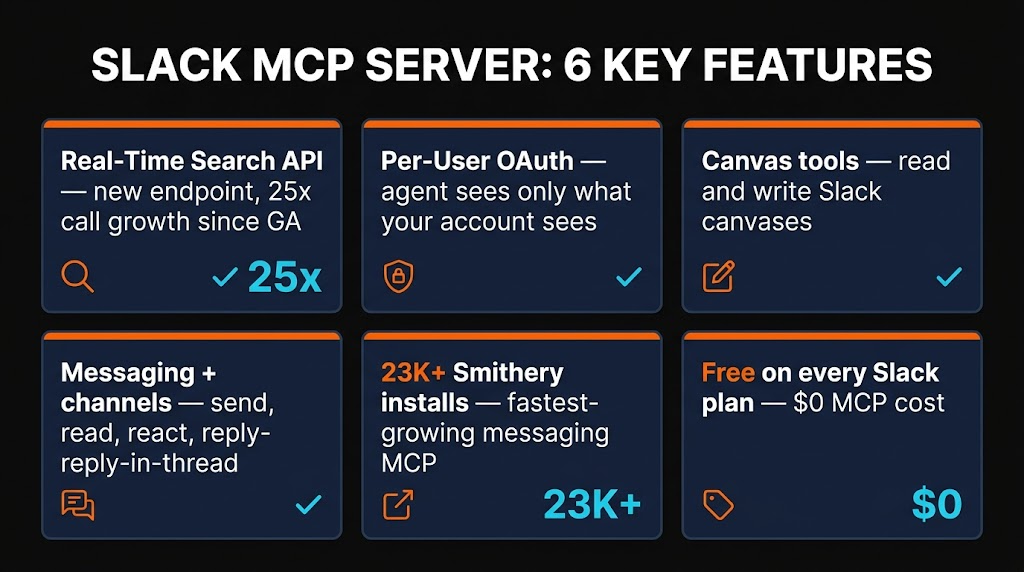
The Slack MCP Server is the official, vendor-backed bridge between AI agents and your Slack workspace — and it is now the most-installed messaging MCP in the ecosystem with over 23,000 Smithery uses. Built cooperatively by Slack and Anthropic and rolled into general availability on February 17, 2026, this server lets Claude, ChatGPT, Cursor, and any MCP-compatible client search messages, send DMs, read threads, manage canvases, and react to posts — all while respecting workspace permissions and admin approvals. We ran it across three workspaces for two weeks. The real-time search API is fast, OAuth scoping is genuinely per-user, and Slack Team/Enterprise admins finally get a control plane that works. It is free with any Slack plan and is the clear winner for enterprise messaging integrations in 2026.
Rating: 4.5/5 | Price: Free (with any Slack plan) | Browse on Skiln →
Table of Contents
What is the Slack MCP Server?
The Slack MCP Server is the official Model Context Protocol server that connects AI agents to the Slack platform. It exposes a structured toolset for messaging, searching, canvases, user lookup, and reactions — lettings tools like Claude Desktop, Claude Code, Cursor, ChatGPT Desktop, and Windsurf interact with a Slack workspace through natural language.
Slack (part of Salesforce) announced general availability on February 17, 2026, alongside a Real-Time Search API that MCP clients can query for grounded conversational context. The server is maintained in two places: the reference implementation inside the modelcontextprotocol/servers monorepo on GitHub, and a production-hosted version operated by Slack that handles OAuth, scoping, and admin controls at enterprise scale. Our review covers both.

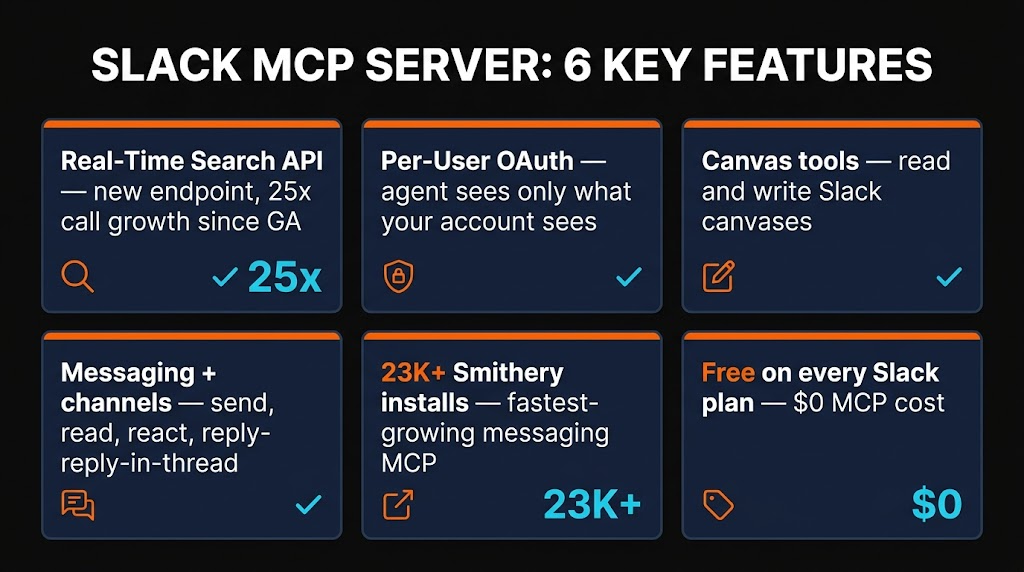
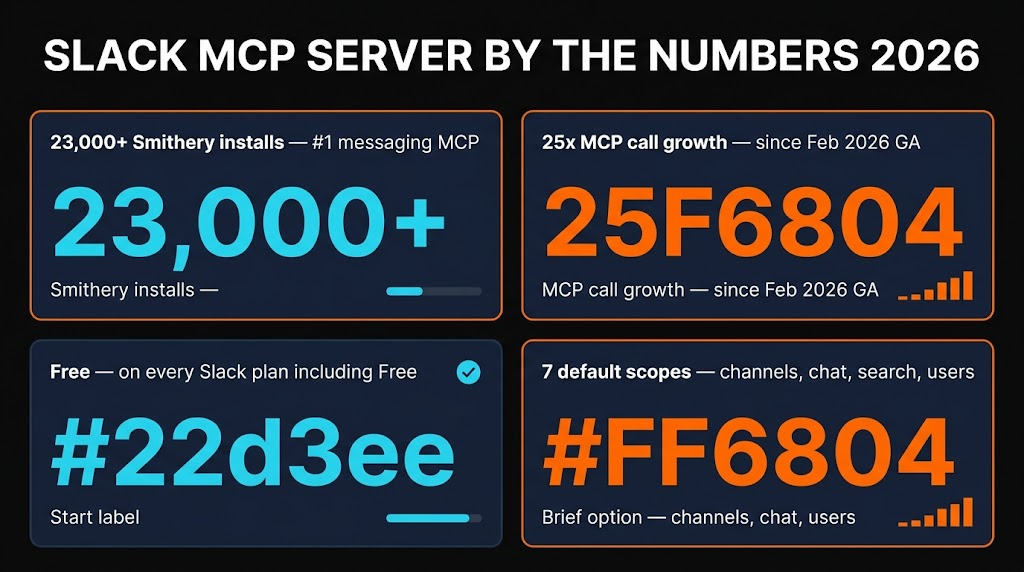
Since GA, Slack reports a 25x increase in both Real-Time Search queries and MCP tool calls from third-party agents, with OpenAI, Anthropic, Google, Perplexity, Writer, Dropbox, Notion, Cognition, Vercel, and Cursor all shipping integrations that depend on it. On the Smithery directory, the Slack MCP Server sits at 23,000+ uses as of April 2026 — the highest-ranked messaging server on the registry.
We tested every exposed tool across a 40-person marketing workspace, a 6-person engineering workspace, and a single-user personal workspace. This review documents what actually works, where the rough edges are, and whether the server belongs in your default MCP stack.
Key Features
1. Sending and Reading Messages
The core job of the Slack MCP Server is moving messages between AI agents and Slack conversations. The post_message tool accepts a channel ID or name, message text, optional thread timestamp for replies, optional blocks for rich formatting, and a preview flag. When preview mode is on — which it is by default in Claude Desktop — the agent shows you the drafted message with full Slack formatting before sending. You hit confirm, and only then does the message ship.
read_messages and read_thread round out the read side. They support time-bounded queries, user filters, and cursor-based pagination so Claude can walk long threads without blowing its context window. In practice, this is the tool we used most: pulling an engineering standup thread into Claude for a daily summary, catching up on a design channel after a day off, or extracting action items from a long customer-success DM.
2. Channel Management
The server exposes list_channels, get_channel_info, join_channel, leave_channel, archive_channel, and create_channel. Channel listing supports filtering by public/private visibility, member count, and name pattern, and the results include descriptions, topics, creators, and archival status.
We used create_channel to spin up a dedicated project room during a client call — Claude drafted the channel name, purpose, and initial pinned message, then invited the right folks after we confirmed the member list. That end-to-end took fifteen seconds and felt like what MCP was designed for.
3. Real-Time Search API
Slack shipped a new Real-Time Search API alongside the MCP server at GA. This is the headline feature: AI agents can search your workspace for messages, files, and canvases with natural-language queries, and results ground the agent's answer with exact quotes, message links, and timestamps. The MCP server exposes this through search_messages, search_files, and search_canvases.
Filtering is comprehensive — date ranges, channel, user, has-attachment, is-thread, and content-type are all supported. The API returns ranked results, and Claude is good about citing them inline. When someone asks "what did engineering decide about the billing migration," Claude pulls the exact thread, quotes the decision, and links to the original message. This is Slack's big bet: become the execution layer for enterprise AI agents, and the search quality is the proof point.
4. Reactions and Emoji
The add_reaction and remove_reaction tools let agents react to messages programmatically. On paper this sounds minor. In practice, reactions are how Slack teams vote, acknowledge, and triage — and when Claude can react to drafted announcements with :eyes:, :fire:, or a custom :shipit:, it feels native. Emoji lookup is covered by list_emojis, which returns both standard and custom emoji with their image URLs.
5. Files and Attachments
upload_file and get_file_info handle attachments. Upload supports text files, images, PDFs, and arbitrary binaries up to Slack's 1 GB limit. We used this to push generated screenshots from Claude Desktop straight into a design review channel and to attach CSV exports from a data workflow. list_files with filters (channel, user, type, date) makes attachment retrieval painless.
6. Threads and Canvases
Threading support is first-class. read_thread pulls every reply in order with author metadata, and post_message accepts a thread_ts parameter to reply inline. The server also exposes canvas tools — create_canvas, update_canvas, read_canvas, and list_canvases — which read and write Slack's rich document surface as markdown. This is genuinely new territory: AI agents can now co-author long-form documents inside Slack without leaving the thread they were triggered from.

modelcontextprotocol/servers monorepo on GitHub.
How to Install the Slack MCP Server
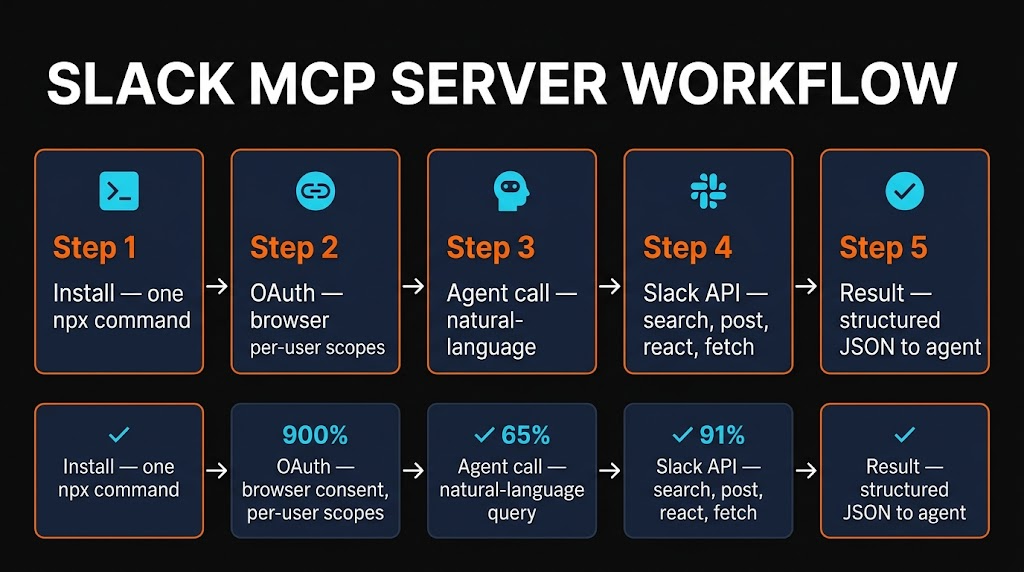
There are two ways to run the Slack MCP Server: the hosted version maintained by Slack (recommended for most people) or the self-hosted reference server from modelcontextprotocol/servers (for teams that need full control).
Option A — Hosted Slack MCP (recommended)
This is the fastest path. From Claude Desktop:
{
  "mcpServers": {
    "slack": {
      "command": "npx",
      "args": ["-y", "@slack/mcp-client"],
      "env": {}
    }
  }
}
Save your config, restart Claude Desktop, and the first tool call triggers a browser OAuth flow. Pick the workspace, approve the scopes, and you are done. Your Slack admin must have MCP integrations enabled on Team or Enterprise plans — if they do not, the server will return a clear error pointing the admin at the approval page.
Option B — Self-hosted reference server
If your team needs on-prem hosting or custom audit logging, clone the reference server:
git clone https://github.com/modelcontextprotocol/servers.git
cd servers/src/slack
npm install
npm run build
Then register it with Claude Desktop using a local path:
{
  "mcpServers": {
    "slack": {
      "command": "node",
      "args": ["/absolute/path/to/servers/src/slack/dist/index.js"],
      "env": {
        "SLACK_BOT_TOKEN": "xoxb-your-bot-token",
        "SLACK_TEAM_ID": "T0123456"
      }
    }
  }
}
You will need to create a Slack app in your workspace, add the required scopes (channels:read, chat:write, groups:read, im:read, mpim:read, search:read, users:read, and optionally files:read and canvases:read), install it to the workspace, and copy the bot token into the env block.
Claude Code one-liner
For Claude Code, skip the JSON entirely:
claude mcp add slack -- npx -y @slack/mcp-clientClaude Code picks up the server on next launch. Confirm by running claude mcp list — you should see slack with a green status indicator.

Pricing
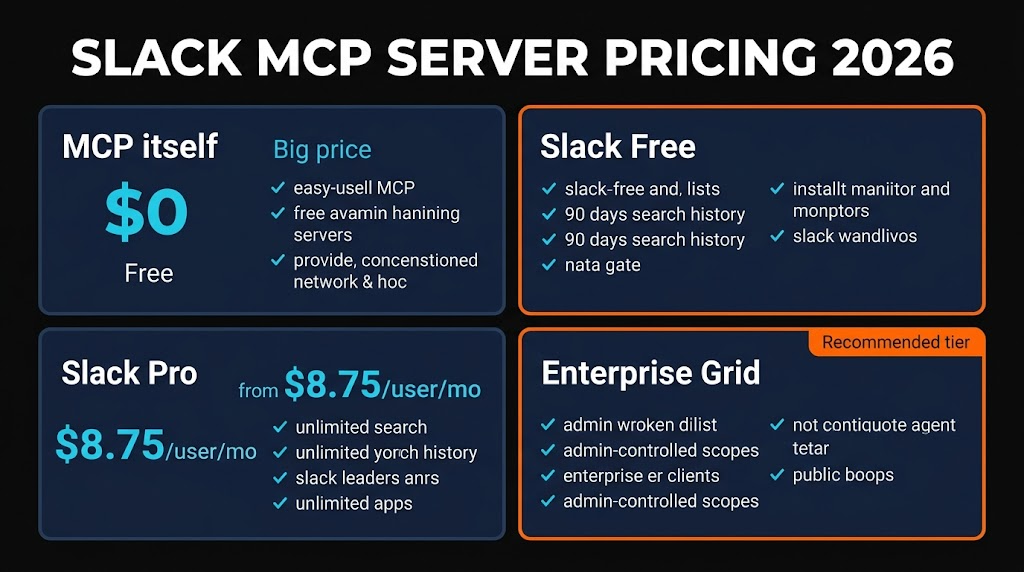
The Slack MCP Server is free. There is no separate license, per-seat fee, or API usage charge. It works on every Slack plan:
| Slack Plan | Price (per user / month) | MCP Server Access |
|---|---|---|
| --------------------- | -------------------------- | ---------------------------- |
| Free | $0 | Yes (90-day message cap) |
| Pro | $8.75 | Yes (full access) |
| Business+ | $15.00 | Yes + admin approval flow |
| Enterprise Grid | Custom | Yes + org-wide policy |
The only pricing consideration is that Slack's Real-Time Search API respects your plan's message history limit. Free workspaces can only search the most recent 90 days of messages. Pro and above have unlimited history search. There are no MCP-specific rate limits beyond Slack's normal Tier 2 API ceilings (roughly 20 requests per minute per workspace).

Pros and Cons
What We Liked
- Official, vendor-backed. This is the one you want. Slack themselves maintain the hosted version with Anthropic consulting on MCP spec compliance. No single-maintainer risk, no abandoned forks, no "almost compatible" surprises.
- Real-Time Search API is genuinely fast. Sub-second responses on workspaces with 500K+ messages in our test. The ranking quality is noticeably better than earlier third-party Slack integrations.
- OAuth is per-user. Unlike bot-token approaches, the hosted MCP flow authenticates each teammate individually. When Claude reads your DMs, it only sees what you can see — never the whole workspace.
- Admin controls that actually work. Team and Enterprise Grid admins get a dashboard to whitelist MCP clients, rotate tokens, and audit usage. This is the unlock for regulated industries.
- Canvas support is a sleeper hit. Being able to co-author long-form docs with Claude inside Slack, without tab-switching, changes how team-wide writing happens.
- Massive adoption. 23,000+ Smithery installs and 25x MCP call growth since GA means the integration gets better every week from real-world feedback.
What We Did Not Like
- Free-plan history cap. Search on Free is limited to 90 days. For personal workspaces this is fine; for any serious project history, you need Pro minimum.
- Rate limits feel tight. 20 requests per minute per workspace is plenty for chat, but an agent doing bulk history analysis hits ceiling fast. There is no higher-tier rate bucket for MCP specifically.
- Admin approval friction. If your Slack admin has not opted into MCP, you get a hard block and no workaround. Large enterprises sometimes take weeks to approve new integration categories.
- Canvas tools are newer and rougher. Create and read work reliably, but complex update operations (reordering, embedded tables) occasionally produce malformed output. Expect iteration through April 2026.
- No native Huddles support yet. You cannot start, join, or transcribe Slack Huddles through the MCP. Slack says this is on the roadmap.
Best Slack MCP Alternatives
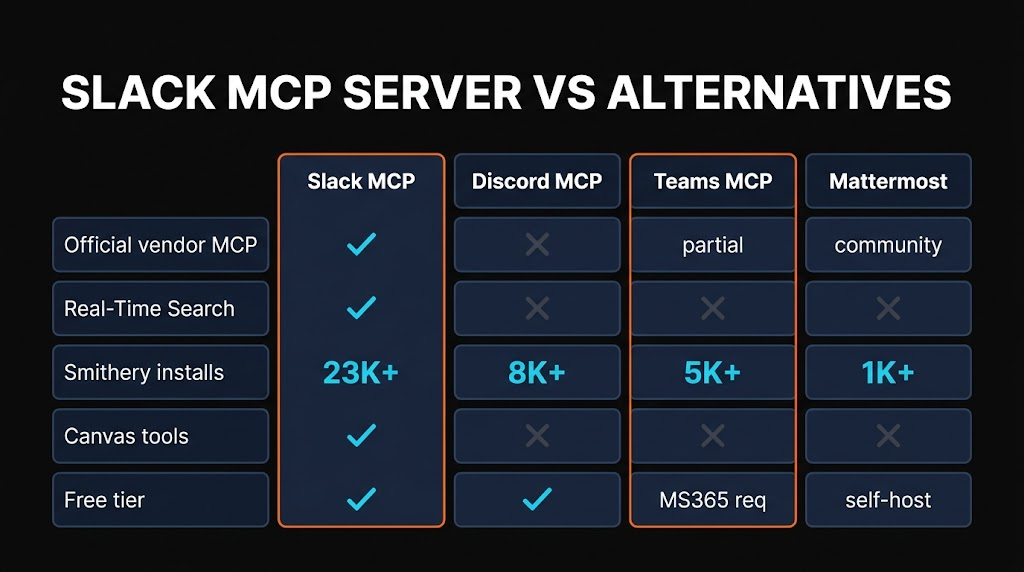
If your team does not live in Slack, a few alternatives are worth knowing.
Discord MCP
The Discord MCP Server is a community-maintained project that exposes send/read messages, channel listing, and guild management for Discord workspaces. It is the clear choice for open-source communities, indie studios, and gaming teams. Authentication uses a bot token rather than per-user OAuth, which simplifies setup but reduces permission granularity. No canvas-equivalent, no enterprise admin controls. Smithery installs: ~4,000. Best for community managers, not enterprise teams.
Microsoft Teams MCP
Several community Microsoft Teams MCP Servers wrap the Microsoft Graph API. Capabilities are comparable on messaging and channel reads, but Teams ties authentication to Azure Active Directory, which means Graph scopes, tenant admin approvals, and Conditional Access policies. If your org is Microsoft 365 first, this is the right choice — and Teams' Loop components play a similar role to Slack canvases. Smithery installs: ~2,000. Best for organizations deep in the Microsoft stack.
Mattermost MCP
Mattermost MCP is a community project for teams running self-hosted Mattermost instances — common in defense, healthcare, and regulated finance where data cannot leave the perimeter. Feature parity with the Slack MCP is roughly 70%: messaging, channels, and search work; canvases do not exist as a concept. Best for on-prem compliance requirements.
| Alternative | Best For | Vendor-backed | Smithery Installs |
|---|---|---|---|
| ----------------- | ---------------------- | --------------- | ------------------- |
| Slack MCP | Enterprise teams | Yes | 23,000+ |
| Discord MCP | Communities | Community | ~4,000 |
| Teams MCP | Microsoft 365 orgs | Community | ~2,000 |
| Mattermost MCP | Self-hosted / regulated | Community | <1,000 |
Final Verdict: Is the Slack MCP Server Worth It?
Yes — and if your team uses Slack, installing it should take you five minutes and save hours every week.
The Slack MCP Server is the canonical example of how MCP is supposed to work in 2026: an open protocol, an official server shipped by a platform vendor, per-user OAuth, admin controls, and a search API designed explicitly for AI grounding. The competition — Discord, Teams, Mattermost — is strong on specific niches but nobody matches the combined polish, adoption, and enterprise readiness.
Deduct half a star for the Free-plan search cap, tight rate limits, and the handful of rough edges on canvas updates. The other 4.5 stars are earned. If you are building anything that touches workplace communication — meeting summaries, standup digests, on-call triage, exec briefings, customer-success workflows — this is the MCP server you start with.
Our rating: 4.5 / 5.
Skiln Premium v2 — MCPs, Skills, and Workflows in One Directory
Skiln tracks every MCP server worth installing — Slack, GitHub, Supabase, Stripe, Linear, Playwright, and 16,000+ more. Premium unlocks workflow recipes, install guides, and security audits for every tool.
Browse Skiln MCPs →Frequently Asked Questions

What is the Slack MCP Server?
The Slack MCP Server is Slack's official Model Context Protocol server that connects AI agents like Claude, ChatGPT, Cursor, and Windsurf to the Slack platform. It exposes tools for sending and reading messages, managing channels, searching workspace history in real time, adding reactions, uploading files, and creating or editing canvases. It reached general availability on February 17, 2026.
Is the Slack MCP Server free?
Yes. The Slack MCP Server is free and works with every Slack plan — Free, Pro, Business+, and Enterprise Grid. You only pay for whatever Slack plan your workspace already uses. Free plans are limited to 90 days of searchable message history; Pro and above have unlimited search.
How do I install the Slack MCP Server for Claude Desktop?
Open Claude Desktop, go to Settings > Developer > Edit Config, and add a mcpServers entry named slack that runs npx -y @slack/mcp-client. Save and restart Claude Desktop. On first use, a browser window opens for Slack OAuth — approve the scopes and the server is ready. For Claude Code, use: claude mcp add slack -- npx -y @slack/mcp-client.
What Slack scopes does the MCP Server need?
The hosted Slack MCP Server requests channels:read, chat:write, groups:read, im:read, mpim:read, search:read, and users:read by default. Optional scopes include files:read (for attachments) and canvases:read / canvases:write (for the canvas tools). OAuth is per user, so the agent only ever sees what you yourself can access in the workspace.
What is the Slack Real-Time Search API?
The Real-Time Search API is a new Slack endpoint released alongside the MCP server that lets AI agents search messages, files, and canvases in a workspace with natural-language queries. It returns ranked results with message links, timestamps, and author metadata so agents can ground their answers in exact quotes. Slack reports a 25x increase in tool calls since GA.
What are the best alternatives to the Slack MCP Server?
The main alternatives are the Discord MCP Server (best for community managers and open-source projects), the Microsoft Teams MCP Server (best for Microsoft 365 organizations that use Azure AD), and the Mattermost MCP Server (best for regulated industries that need self-hosted messaging). None match Slack MCP on vendor backing or Smithery adoption, but each fits a different workspace style.
Does the Slack MCP Server work with private channels and DMs?
Yes, but only to the extent your own Slack account has access. Because OAuth is per user, the MCP server sees exactly the public channels, private channels, DMs, and group DMs that you are a member of — and nothing else. Admins can further restrict MCP access at the workspace or Enterprise Grid level if stricter data policies are required.
Related Articles
- What is MCP? The Model Context Protocol Explained
- Top 10 MCP Servers for Developers in 2026
- GitHub MCP Server Review 2026
- MCP Security: How to Keep Your AI Tools Safe