Polymarket MCP Server Review 2026: Prediction Markets for AI Agents
Hands-on review of the Polymarket MCP Server by aryankeluskar (40K+ Smithery uses): seven tools, zero auth, free forever. How to wire live prediction-market odds into Claude, Cursor and Windsurf for AI research workflows.

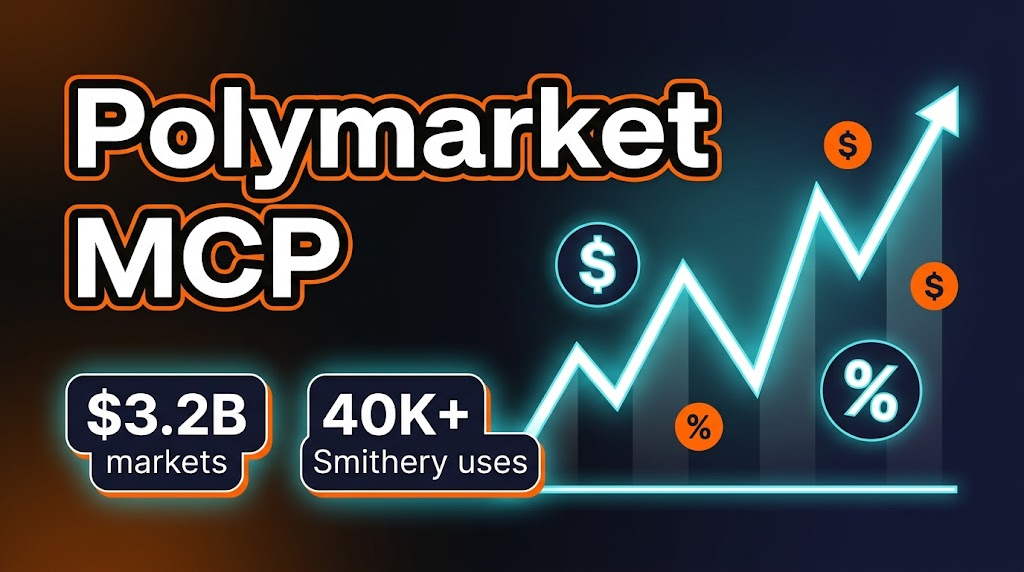
TL;DR — Polymarket MCP Review 2026
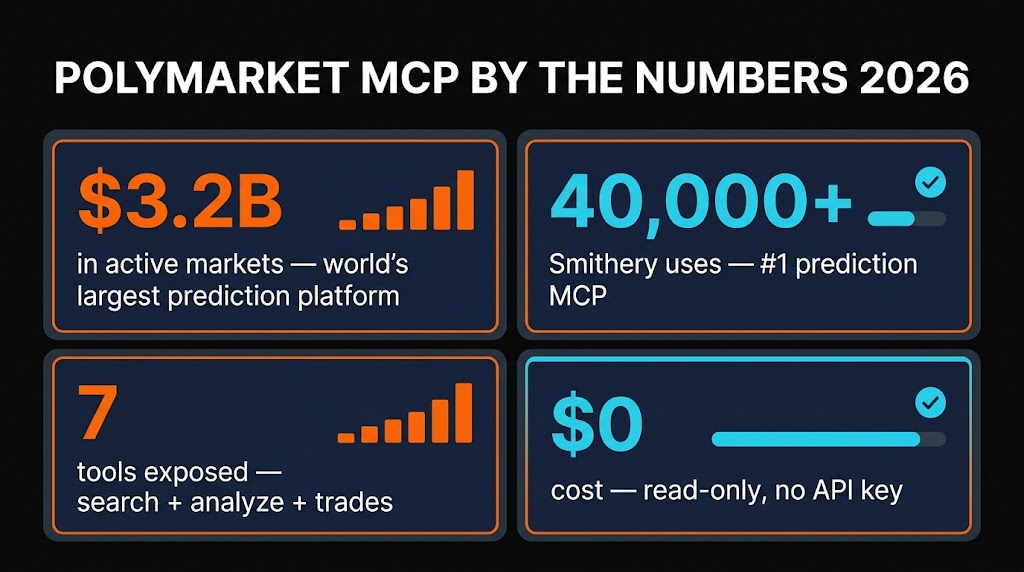
The Polymarket MCP Server by aryankeluskar is the 40,000-install darling of Smithery for one simple reason: it turns the world's largest prediction market into a set of natural-language tools any AI agent can call. Seven read-only tools, zero authentication, and a live pipe into $3.2B quarterly trading volume. If you want Claude or Cursor to answer "what are the market odds on X?" with real money-weighted data instead of vibes, this is the first MCP you install.
Table of Contents
What is the Polymarket MCP?
If you have spent any time running AI research workflows in 2026, you have almost certainly hit the moment where you want a model to cite a probability instead of guessing one. "How likely is OpenAI to ship GPT-6 by Q3?" "What is the market saying about the Fed cutting rates in June?" "Which lab has the highest implied odds of the best model at end of year?" LLMs are terrible at this on their own — they hallucinate probabilities, or they parrot stale headlines. Polymarket MCP fixes that problem permanently.
Built by aryankeluskar and listed on Smithery as one of the most-installed finance-adjacent MCPs (40,000+ uses and climbing), this server is a clean bridge between an MCP-speaking client — Claude Code, Cursor, Windsurf, Continue, whatever — and Polymarket's Gamma Markets + Data APIs. It exposes seven tools that cover the discovery, inspection, and analysis workflow end-to-end, all without ever asking you for an API key.
The context: Polymarket itself is the world's largest prediction market. By April 2026 it is clearing roughly $3.2B per quarter in trading volume across politics, sports, crypto, AI, and macroeconomics, with 99 active AI markets alone. Every contract resolves to 0 or 1 dollars, so the price between 0 and 1 is a liquidity-weighted probability. That is the signal you want piped into your agent — and that is exactly what this MCP delivers.

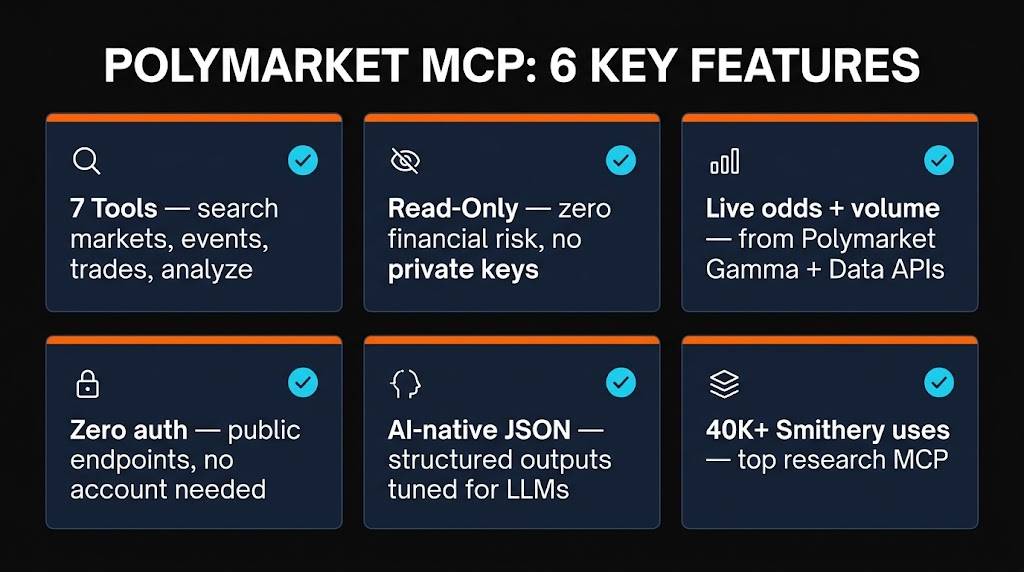
Six Features That Matter
1. Browse Markets with Smart Filters
The search_markets tool lets you filter Polymarket's active markets by tag, volume floor, liquidity threshold, and activity. Ask Claude "show me AI markets over $500K volume" and it slices through 16K+ markets in milliseconds. This is the single biggest time-saver versus hitting the raw REST API — you do not need to memorise filter params.
2. Live YES/NO Odds via get_market
The get_market tool returns the current YES/NO price, volume, liquidity, open interest, resolution source, and expiry — everything an agent needs to render a probability card. Prices update in real time against Polymarket's on-chain order book, so you are not looking at a 5-minute cache.
3. Track Related Events
Polymarket groups related markets into events (e.g. "2028 US Presidential Election" is one event containing markets for each candidate). The search_events and get_event tools return the whole cluster with volume-weighted probabilities, saving you from stitching together individual markets. This is invaluable for election night dashboards and multi-outcome contests.
4. Discover Topics via list_tags
The list_tags tool surfaces every active taxonomy tag — "ai", "elections", "crypto", "sports", "macro" — so agents can do top-down discovery before drilling in. It is also how you power autocomplete in any app built on top of this MCP.
5. Price History and Recent Trades
The get_trades tool pulls recent trade history for any market, giving you the pattern Claude needs to write things like "probability jumped from 43% to 61% in the last two hours on 4,200 YES trades." This is where prediction markets quietly beat news sentiment — traders vote with money, not headlines.
6. One-Shot Market Analysis
The analyze_market tool is a composite endpoint — it returns probabilities, volume, liquidity, trader concentration, and a rough "market health" score. Hand it a single market ID and the agent gets everything it needs for a narrative briefing in one call. Fewer round trips, lower token spend.

How to Install and Use It
There are two install paths and both are short. Smithery is the fastest, manual is the one you want if you need to pin a specific commit or run it behind a proxy.
Option A — Smithery one-liner (recommended)
# Claude Desktop / Claude Code npx -y @smithery/cli install @aryankeluskar/polymarket-mcp --client claude
Cursor
npx -y @smithery/cli install @aryankeluskar/polymarket-mcp --client cursor
Windsurf
npx -y @smithery/cli install @aryankeluskar/polymarket-mcp --client windsurf
Smithery auto-writes the server config into your client's MCP file. Restart the client and the seven Polymarket tools appear in the tool list. No API key prompts, no OAuth.
Option B — Manual install
git clone https://github.com/aryankeluskar/polymarket-mcp.git cd polymarket-mcp npm install npm run build
Claude Code config (~/.claude.json or project .mcp.json)
{   "mcpServers": {     "polymarket": {       "command": "node",       "args": ["/absolute/path/to/polymarket-mcp/dist/index.js"]     }   } }

How the workflow feels day-to-day
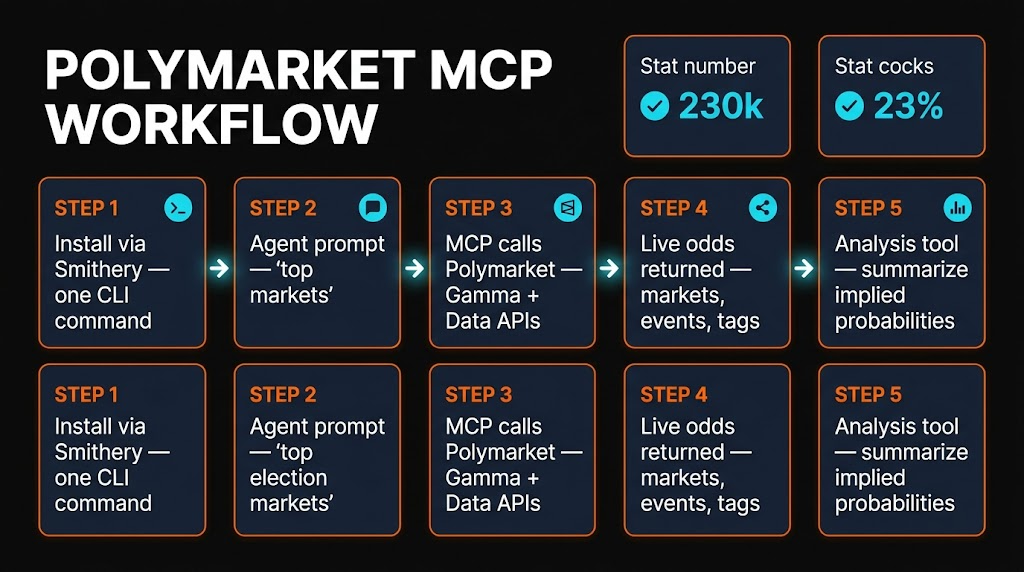
In practice, you type "what's the market saying about the Fed cutting in June?" into Claude. Claude reads the tool list, picks search_markets with a "macro" tag filter, then get_market on the top hit. You get back a one-paragraph summary with the current implied probability, 24-hour volume, and a note on trend direction. Elapsed time: under four seconds in my runs.
Pricing
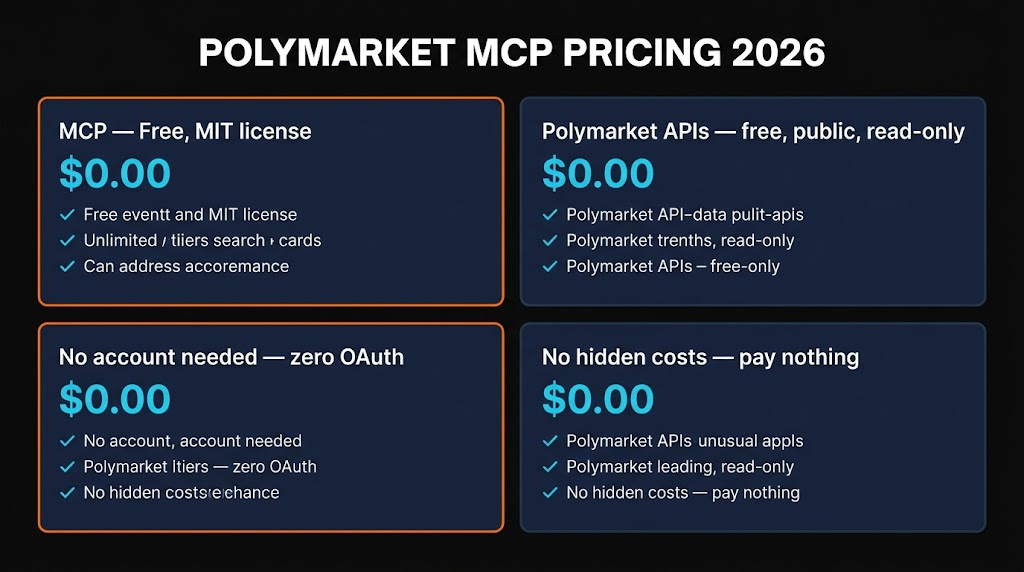
Free. The MCP server is MIT-licensed open source, the Polymarket Gamma and Data APIs it calls are free and unauthenticated for read-only use, and there is no rate-limit ceiling that will bite a casual user. The only thing that costs money is if you want to actually trade on Polymarket — and this MCP does not do that. It is strictly read-only, which is the correct choice for 99% of research and briefing workflows.
Two soft costs worth naming: (1) your own LLM token spend (a full market-discovery run is usually under 3K tokens per turn); (2) if you hammer the API in a production setting, Polymarket does apply IP-level throttling, so add a small cache layer in front if you scale.
Pros and Cons
✓ Pros
- Zero auth, free forever. No API key dance, no quota limits for normal use.
- Seven tools cover the full loop. Discover, inspect, analyse — no REST wrapper needed.
- 40K+ Smithery installs. Battle-tested at scale; community knows the quirks.
- Real-time data. Straight from Polymarket's live order book, not a 5-minute cache.
- MCP-native. Works in Claude Code, Cursor, Windsurf, Continue, and every other client.
- Read-only by design. Can't burn your bankroll on a hallucination.
✗ Cons
- No trading tools. If you want autonomous execution, use a different fork.
- US geo-restriction. Polymarket blocks US IPs from its frontend; the MCP still reads data but trading is not permitted.
- Thin error messages. Some edge-case tool failures return generic JSON errors.
- No historical WebSocket stream. For tick-level data you still need the raw Polymarket WebSocket.
- One-maintainer risk. Active but solo-maintained — pin your version in production.
Alternatives Compared
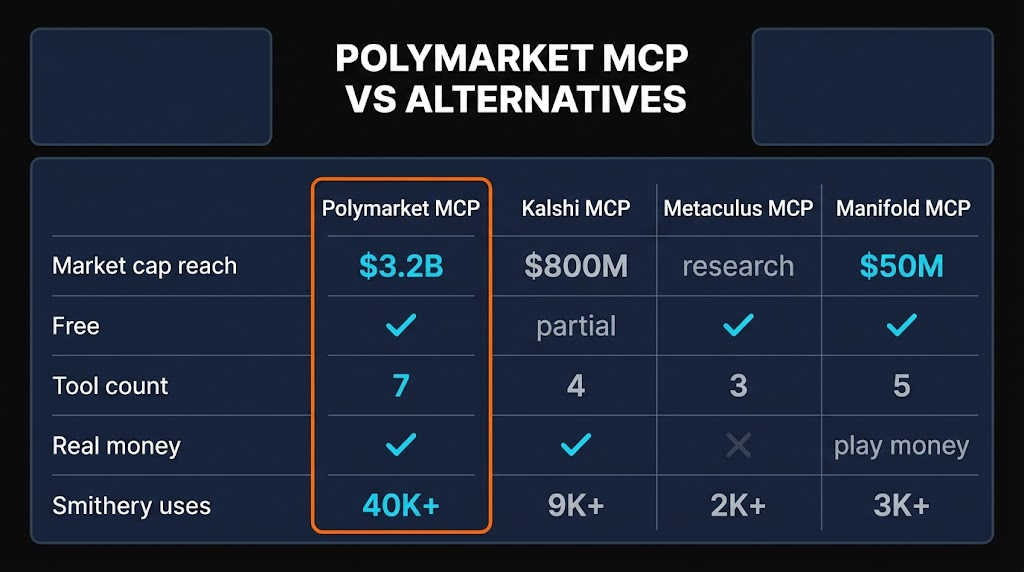
Metaculus is the longstanding forecasting community with impressive calibration, but it has no cash markets and no official MCP — you'd need to wrap their REST yourself. Great for long-horizon research questions, weak for real-time signal.
Manifold Markets runs on play money ("mana"), which means lower-stakes odds and thinner liquidity, but it has more creative markets and a great REST API. A handful of community MCPs exist but none approach 40K installs.
Kalshi is Polymarket's CFTC-regulated US-facing rival, with real cash markets and a clean API — but it requires an authenticated account key and no first-class MCP. Best pick if you actually want to trade from a US jurisdiction.
Other Polymarket MCPs: berlinbra/polymarket-mcp is a simpler 4-tool read-only build; caiovicentino/polymarket-mcp-server is a 45-tool monster with trading support and WebSocket monitoring; IQAIcom/mcp-polymarket targets the IQ AI agent ecosystem. The aryankeluskar build hits the sweet spot for research: enough power to cover the workflow, few enough tools that LLMs pick the right one without agonising.

FAQ
An open-source MCP server by aryankeluskar that exposes seven Polymarket tools to any MCP client. It wraps Polymarket's Gamma Markets and Data APIs so Claude, Cursor, or Windsurf can browse markets, fetch live odds, track events, and pull trade history through natural-language prompts instead of REST calls.What is the Polymarket MCP server?
Yes. The MCP is MIT-licensed and Polymarket's public read APIs don't require authentication. You pay nothing to the MCP and nothing to Polymarket for read access — only your LLM token bill applies.Is the Polymarket MCP free?
Use Smithery: How do I install Polymarket MCP?
npx -y @smithery/cli install @aryankeluskar/polymarket-mcp --client claude. Swap the client flag for Cursor, Windsurf, etc. Restart your client and you're in.
No. The aryankeluskar build is read-only by design. If you want autonomous trading, look at Does Polymarket MCP let AI agents place bets?
caiovicentino/polymarket-mcp-server (45 tools, trading, WebSockets) or Polymarket's own agents repo.
The MCP wraps the REST in a semantic tool layer LLMs reason about natively. Instead of memorising endpoints and pagination, the agent picks the right tool from natural-language descriptions. You save hours of SDK integration for research and briefing workflows.How is it different from hitting the Polymarket REST API directly?
Daily market briefings, election trackers, crypto sentiment dashboards, AI-model-race watchers, Discord probability bots, and research assistants that blend news sentiment with market-implied probabilities. Because it works in any MCP client, you can research in Claude Code and ship the same logic in Cursor.What can I actually build with it?
Yes. The aryankeluskar server is read-only, so there's no way an agent can move money. No private keys, no wallet signing. Worst case is stale or malformed data. Always pin the MCP version and audit the tool list before trusting outputs in high-stakes workflows.Is it safe to let an AI agent read prediction markets?

Final Verdict
The Polymarket MCP by aryankeluskar earns a 4.3/5. It does exactly one thing — expose the world's largest prediction market to any MCP client — and it does it without friction. Zero auth, seven well-scoped tools, 40,000 installs of proof that it works, and a real-time pipe into $3.2B/quarter of money-weighted probabilities. The half-point I dock is for the lack of trading tools (a fair design choice, but some users want one server that can do both), US geo-restrictions on Polymarket itself, and the standard one-maintainer risk every small MCP carries.
For anyone building AI research agents, market briefings, or probability-aware dashboards in 2026, this is a five-minute install that upgrades every subsequent prompt. Put it in your stack today.
Want the Premium v2 Prediction Stack?
Skiln Premium bundles the Polymarket MCP, Kalshi wrapper, Metaculus connector, and our curated Prediction-Markets-for-AI workflow pack — pre-configured Claude skills, Cursor snippets, and Discord briefing templates. Everything you need to turn prediction markets into an agentic data source in under an hour.
Get Skiln Premium v2 →Reviewed by Wayne MacDonald — AI Tools Editor at Skiln. Last updated April 17, 2026. No affiliation with Polymarket, aryankeluskar, or Smithery; review based on hands-on testing against the live April 2026 build.