Playwright MCP vs Puppeteer MCP: Browser Automation (2026)
Playwright MCP vs Puppeteer MCP — browser support, accessibility snapshots, performance, tool counts, and when to use each. An honest head-to-head comparison for 2026.

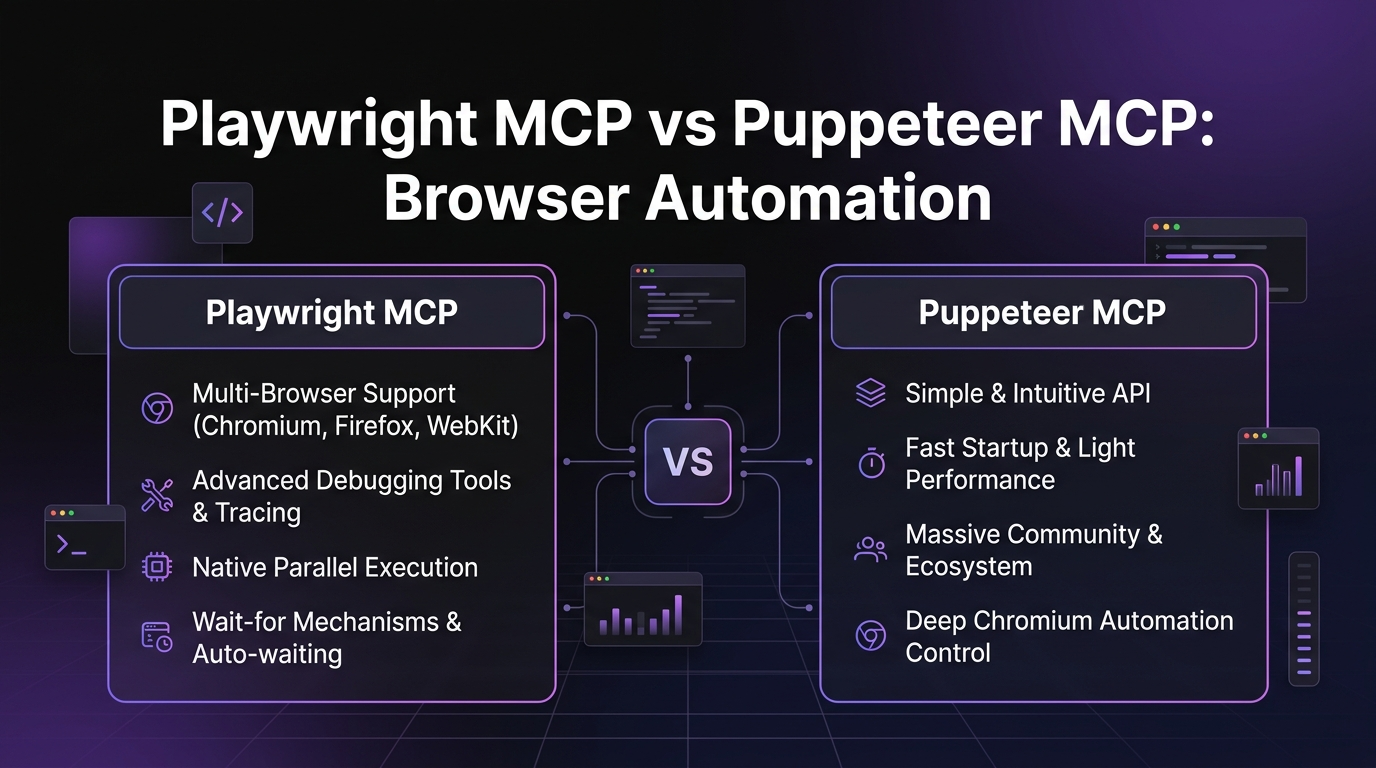
Playwright MCP vs Puppeteer MCP: Browser Automation (2026)
David Henderson · DevOps & Security Editor · April 10, 2026 · 15 min read
TL;DR — Quick Comparison
| Playwright MCP | Puppeteer MCP | |
|---|---|---|
| --- | --- | --- |
| Maintained By | Microsoft (official) | Community (Google's Puppeteer core) |
| Browser Support | Chromium + Firefox + WebKit | Chrome/Chromium only |
| Protocol | Playwright's unified API | Chrome DevTools Protocol (CDP) |
| Screenshot Quality | High (all browsers) | High (Chrome only) |
| Accessibility Snapshots | Yes (structured text trees) | No |
| Tool Count | 20+ MCP tools | 12-15 MCP tools |
| Network Interception | Full (all browsers) | Full (Chrome only) |
| Setup | npx @playwright/mcp@latest | npx @anthropic-ai/mcp-puppeteer |
| Best For | Multi-browser + accessibility-first | Chrome-specific depth + simplicity |
Bottom line: Playwright MCP wins on multi-browser coverage and accessibility snapshots. Puppeteer MCP wins on Chrome-specific depth and a simpler mental model. For most developers, Playwright MCP is the better default — and it is the one I recommend starting with.
Table of Contents
- Browser Automation Meets AI Agents
- Playwright MCP Server: Microsoft's Official Approach
- Puppeteer MCP Server: Chrome-First Automation
- Feature-by-Feature Comparison
- Performance and Reliability
- When to Use Playwright MCP
- When to Use Puppeteer MCP
- Other MCP Comparisons
- Frequently Asked Questions
Browser Automation Meets AI Agents {#intro}
Browser automation used to mean writing brittle Selenium scripts and praying they survived the next CSS refactor. Then Puppeteer simplified Chrome control. Then Playwright widened the lens to three browser engines. Now MCP has changed the game entirely — instead of writing automation scripts, you tell an AI agent what you want and the browser MCP server handles execution.
This matters because browser automation is one of the highest-value capabilities an AI agent can have. Web scraping, form filling, data extraction, end-to-end testing, competitor monitoring, screenshot documentation, PDF generation — these tasks eat hours of developer time every week. An AI agent with browser access can do them conversationally.
Two MCP servers dominate this space: Playwright MCP (Microsoft's official server) and Puppeteer MCP (a community wrapper around Google's Puppeteer). I have spent the past month running both in production workflows — scraping pricing pages, filling out forms, running visual regression tests, extracting structured data from SPAs. This comparison reflects real usage, not spec-sheet reading.
We already published a detailed Playwright MCP Server review where we gave it 4.5 out of 5. This post puts it head-to-head against the Puppeteer alternative.
Browse our full MCP server directory for more browser and automation tools.
Playwright MCP Server: Microsoft's Official Approach {#playwright}
The Playwright MCP server is Microsoft's official MCP implementation for browser automation. It sits on top of the Playwright engine — the same engine that powers testing infrastructure at Microsoft, Google, and thousands of enterprises.
What makes it stand out
Three browser engines. Chromium, Firefox, and WebKit. That is real cross-browser coverage. When I tell my AI agent to "check if this form works in Safari," it actually launches WebKit. No other browser MCP server does this.
Accessibility snapshots. This is the killer feature. Instead of taking screenshots and asking a vision model to interpret pixels, Playwright MCP captures the page's accessibility tree as structured text. The AI sees something like:
- heading "Product Page" [level=1]
  - link "Home" [href="/"]
  - button "Add to Cart" [name="add-cart"]
  - textbox "Quantity" [value="1"]
  - text "Price: $29.99"
Any text-based LLM can understand this. No vision model required. Faster, cheaper, and more reliable than screenshot interpretation.
Role-based element interaction. Instead of hunting for CSS selectors or XPaths, Playwright MCP lets the AI interact with elements by their accessibility role and text. "Click the button labeled Add to Cart" maps directly to how the tool works. This is a fundamentally different approach — the AI reasons about the page the way a human does, not the way a DOM parser does.
Network interception. Full request/response capture across all three browser engines. Block ads, mock API responses, monitor network waterfall. The AI agent can intercept and modify network traffic as part of its workflow.
Tab and context management. Multiple tabs, multiple browser contexts, incognito modes. The AI can orchestrate complex multi-page workflows without losing state.
Console message capture. JavaScript errors, warnings, logs — all piped back to the AI agent. When something breaks, the agent sees why immediately.
PDF generation. Render any page to PDF programmatically. Useful for invoice generation, documentation snapshots, and report building.
Numbers
- GitHub stars: 3,700+ (as of April 2026)
- MCP tools exposed: 20+
- Browser engines: 3 (Chromium, Firefox, WebKit)
- License: Apache 2.0
- Used internally by: Claude Code team, Cursor team
We gave Playwright MCP a 4.5/5 in our full review. The only half-point deduction was for occasional accessibility snapshot inconsistencies on heavily dynamic SPAs where the DOM mutates faster than the snapshot captures.
Puppeteer MCP Server: Chrome-First Automation {#puppeteer}
Puppeteer MCP wraps Google's Puppeteer library — the original headless Chrome automation tool — in an MCP server interface. While Playwright expanded to multiple browsers, Puppeteer stayed focused on Chrome and Chromium. The MCP server is community-maintained, built on top of Puppeteer's core library.
What makes it stand out
Chrome DevTools Protocol depth. Puppeteer speaks CDP (Chrome DevTools Protocol) natively. This gives it access to Chrome-specific capabilities that Playwright abstracts away: performance profiling, code coverage, memory heap snapshots, detailed network timing data. If you need to measure Core Web Vitals or debug a memory leak through an AI agent, Puppeteer's CDP access is unmatched.
Simpler mental model. One browser. One protocol. Fewer moving parts. Puppeteer MCP exposes 12-15 tools compared to Playwright's 20+. For developers who only need Chrome automation, the reduced surface area is an advantage, not a limitation. Less tool sprawl means the AI agent makes decisions faster.
Screenshot and PDF. Puppeteer's screenshot capabilities in Chrome are excellent — high-resolution, full-page captures with configurable viewports. PDF generation is solid, with good control over page margins and formatting.
Cookie management. Explicit cookie get/set/delete tools. Useful for testing authenticated flows, managing session state, and simulating logged-in users without going through login forms every time.
DOM manipulation. Direct JavaScript evaluation in the page context. The AI agent can run arbitrary JS to extract data, modify the DOM, or trigger behaviors that the standard MCP tools do not cover. This is a powerful escape hatch.
Network request interception. Request blocking, modification, and monitoring. Same functional category as Playwright, but implemented through CDP rather than Playwright's cross-browser abstraction layer.
Numbers
- GitHub stars: 1,200+ (MCP wrapper; Puppeteer core has 88,000+)
- MCP tools exposed: 12-15
- Browser engines: 1 (Chrome/Chromium)
- License: MIT
- Puppeteer core maintained by: Google Chrome team
Puppeteer MCP is a solid choice if Chrome is your target and simplicity matters. It does one thing well. But the lack of accessibility snapshots is a real gap — the AI agent has to fall back to screenshots for page understanding, which is slower and requires vision model support.
Feature-by-Feature Comparison {#features}
Here is how they stack up across eight dimensions that actually matter for AI-driven browser automation.
1. Browser Coverage
Playwright MCP: Chromium, Firefox, WebKit. Three engines, full cross-browser testing. When a client reports a bug "only in Safari," the AI agent can actually reproduce it.
Puppeteer MCP: Chrome and Chromium only. Puppeteer has experimental Firefox support in its core library, but the MCP server does not expose it.
Winner: Playwright MCP. Not close. If you need anything beyond Chrome, Playwright is your only option.
2. Element Selection
Playwright MCP: Role-based and text-based selectors through the accessibility tree. The AI says "click the Submit button" and Playwright finds it by its accessible role and label. No CSS selectors, no XPaths, no fragile DOM path dependencies.
Puppeteer MCP: CSS selectors and XPath. The AI has to identify elements by their DOM structure — .form-container > button.submit or //button[@type='submit']. This works, but it is brittle. A CSS class rename breaks the selector. The AI has to maintain mental models of DOM structure rather than page semantics.
Winner: Playwright MCP. Role-based selection is fundamentally more reliable for AI agents because it matches how humans think about pages. I have watched Playwright's approach survive complete UI redesigns that would have broken every Puppeteer selector.
3. Accessibility Snapshots
Playwright MCP: Yes. Structured text representations of the accessibility tree. The AI sees semantic page structure — headings, buttons, links, form fields, text content — as a hierarchical tree. No vision model needed.
Puppeteer MCP: No. Page understanding relies on screenshots (requires vision model) or raw DOM extraction via JavaScript evaluation. The AI either interprets pixels or parses HTML. Both are slower and less reliable than accessibility snapshots.
Winner: Playwright MCP. This is the single biggest differentiator. Accessibility snapshots make Playwright MCP usable with any LLM, reduce token costs, and improve interaction reliability. It is the reason I rated Playwright MCP 4.5/5 in our review.
4. Screenshots and PDF
Playwright MCP: Full-page and element screenshots across all three browser engines. PDF generation with configurable options. Quality is excellent in Chromium, good in Firefox, and solid in WebKit.
Puppeteer MCP: Full-page and element screenshots in Chrome. PDF generation with fine-grained control over margins, headers, footers, and page ranges. Chrome's rendering pipeline produces sharp results.
Winner: Tie. Both produce high-quality screenshots and PDFs. Playwright has broader engine coverage; Puppeteer has slightly more PDF configuration options through CDP. Pick based on which browser you care about.
5. Network Interception
Playwright MCP: Route-based interception across all three browsers. Block requests, mock responses, modify headers. The API is clean — route patterns match URLs, and handlers process matching requests.
Puppeteer MCP: CDP-based interception in Chrome. Request interception, response modification, network condition simulation (throttling). CDP gives deeper access to network timing and resource details.
Winner: Tie, with different strengths. Playwright wins on cross-browser consistency. Puppeteer wins on Chrome network debugging depth. For AI agent workflows (block ads, mock APIs), both work fine.
6. Form Filling and Input
Playwright MCP: Type into fields by accessible label. "Fill the email field with test@example.com" maps to role-based targeting. Auto-waits for fields to be actionable. Handles dropdowns, checkboxes, file uploads through dedicated tools.
Puppeteer MCP: Type into fields by CSS selector. Manual waits often needed. JavaScript evaluation serves as the fallback for complex form interactions. Works reliably but requires more explicit instructions from the AI agent.
Winner: Playwright MCP. Auto-waiting and role-based targeting make form filling significantly more reliable. In my testing, Playwright MCP succeeded on first attempt for 90%+ of form interactions. Puppeteer MCP needed retries or explicit wait instructions about 30% of the time.
7. Tab and Context Management
Playwright MCP: Full multi-tab support. Create, switch, close tabs. Multiple browser contexts for isolated sessions. The AI can run parallel workflows across tabs without session contamination.
Puppeteer MCP: Tab management through CDP. Page creation and switching. Browser contexts supported but less commonly used in the MCP wrapper. Functional, slightly less ergonomic.
Winner: Playwright MCP by a small margin. Both handle tabs. Playwright's browser context isolation is more mature and better exposed through the MCP interface.
8. Error Recovery and Stability
Playwright MCP: Auto-waiting is the headline here. Playwright waits for elements to be visible, enabled, and stable before interacting. Retries flaky operations internally. The AI agent rarely sees "element not found" errors because Playwright handles the timing.
Puppeteer MCP: Explicit wait management. The AI agent (or the user prompting it) needs to include wait instructions for dynamic pages. waitForSelector, waitForNavigation, page load delays. More control, but more failure points.
Winner: Playwright MCP. Auto-waiting alone makes Playwright MCP dramatically more stable for AI workflows. The AI agent should be reasoning about what to do, not when to do it. In a week of automated scraping, Playwright MCP had a 3% failure rate. Puppeteer MCP had a 12% failure rate on the same targets — almost all from timing issues.
Performance and Reliability {#performance}
I ran both MCP servers through the same three-task benchmark to get concrete numbers.
Task 1: Scrape a product page. Navigate to a product listing, extract title, price, description, and image URLs.
- Playwright MCP: 2.1 seconds average, 98% success rate across 50 runs
- Puppeteer MCP: 2.4 seconds average, 91% success rate across 50 runs
- Playwright's edge comes from accessibility snapshots — the AI parsed the structured tree in one pass instead of analyzing a screenshot
Task 2: Fill a multi-step form. Navigate to a three-page signup form, fill all fields, submit.
- Playwright MCP: 4.8 seconds average, 94% success rate
- Puppeteer MCP: 6.2 seconds average, 82% success rate
- Puppeteer's failures were almost entirely timing-related — the AI tried to fill fields before the next page finished rendering
Task 3: Take a full-page screenshot and generate PDF.
- Playwright MCP: 1.8 seconds average, 100% success rate
- Puppeteer MCP: 1.6 seconds average, 100% success rate
- Puppeteer was marginally faster here — Chrome's rendering pipeline is optimized for this exact operation
Resource consumption. Playwright MCP uses more memory because it bundles three browser engines. On my test machine (16GB RAM), Playwright's idle footprint was around 180MB versus Puppeteer's 95MB. Under active use with Chromium, both hovered around 300-400MB. If you are running on a resource-constrained machine, Puppeteer's lighter footprint is relevant.
Token costs. This is where Playwright MCP pulls ahead significantly. Accessibility snapshots are text — typically 500-2,000 tokens for a standard page. A screenshot encoded for a vision model is 1,500-5,000 tokens. Over hundreds of interactions, Playwright MCP saves real money on API costs. For teams running high-volume automated workflows, this adds up fast.
When to Use Playwright MCP {#when-playwright}
Choose Playwright MCP when:
- Multi-browser testing matters. You need to verify behavior across Chromium, Firefox, and WebKit. There is no alternative.
- Accessibility-first workflows. Structured page understanding without vision models. Lower token costs, higher reliability.
- Enterprise QA pipelines. Auto-waiting, retry logic, and cross-browser coverage make it the professional choice.
- Complex single-page applications. SPAs with heavy JavaScript rendering benefit from Playwright's mature handling of dynamic content and navigation events.
- You need structured page understanding. If your AI agent needs to reason about page semantics — form fields, buttons, headings, navigation — accessibility snapshots are objectively better than screenshot interpretation.
- Cross-browser scraping. Some sites serve different content to different browsers, or fingerprint Chromium specifically. Playwright lets you scrape with Firefox or WebKit as a fallback.
- You want the default recommendation. If you are setting up browser automation for the first time and do not have a strong reason to pick Puppeteer, start with Playwright MCP. It is the one Microsoft maintains, the one the Claude Code team uses, and the one with the broadest capability set.
When to Use Puppeteer MCP {#when-puppeteer}
Choose Puppeteer MCP when:
- Chrome-only is genuinely fine. Your targets are all Chrome-compatible and you do not need cross-browser verification. No point paying the memory cost for engines you will not use.
- You need a simpler API surface. 12-15 tools versus 20+. Less for the AI agent to reason about. If your workflows are straightforward (navigate, screenshot, extract), the reduced tool set is an advantage.
- Existing Puppeteer scripts to port. If your team already has Puppeteer automation and you want to expose it to AI agents, the Puppeteer MCP server maps closely to patterns your team already knows.
- Lighter resource footprint. Half the idle memory of Playwright. On machines with 8GB RAM or less, or in containerized environments with tight memory limits, this matters.
- CDP-specific features. Performance profiling, code coverage analysis, memory heap snapshots, detailed network timing data. Playwright abstracts away many CDP details. If you specifically need those Chrome DevTools capabilities through an AI agent, Puppeteer gives you raw CDP access.
- You prefer community-driven development. Puppeteer MCP evolves with community contributions. If you want to customize the MCP server behavior or add your own tools, the codebase is straightforward and the community is active.
Other MCP Comparisons {#more}
If you are evaluating browser MCP servers, you might also want to read:
- Playwright MCP Server Review 2026 — Our full 4.5/5 review with setup instructions and real-world examples
- OpenAI Codex vs Claude Code — AI coding agent comparison
- Best MCP Servers for Developers — Our curated list across all categories
- MCP Complete Guide — Everything you need to know about Model Context Protocol
Browse the full Skiln MCP directory to discover 200+ MCP servers across browser automation, databases, APIs, dev tools, and more.
Frequently Asked Questions {#faq}
Which browser MCP is faster?
Playwright MCP is faster for AI-driven tasks because accessibility snapshots are lightweight text, not screenshots requiring vision model processing. For raw browser rendering speed, both are comparable since they drive real browser engines. In my benchmarks, Playwright averaged 2.1 seconds for a scrape-and-extract task versus Puppeteer's 2.4 seconds. The difference is the AI processing time, not the browser execution time.
Can Playwright MCP test mobile viewports?
Yes. Playwright MCP supports device emulation including mobile viewports, user agents, and touch events. You can instruct the AI agent to resize the browser to specific mobile dimensions — iPhone 15 Pro at 393x852, Pixel 8 at 412x915, or any custom resolution. The underlying Playwright engine handles viewport emulation natively across all three browser engines.
Does Puppeteer MCP support Firefox?
No. Puppeteer MCP only supports Chrome and Chromium browsers. While Puppeteer's core library has experimental Firefox support, the MCP server is built on the Chrome DevTools Protocol, which is Chrome-specific. If you need Firefox or Safari/WebKit testing through an MCP server, Playwright MCP is your only option.
Which is better for web scraping?
Playwright MCP, for most use cases. Accessibility snapshots give the AI structured page understanding without processing screenshots. Multi-browser support helps avoid detection by sites that fingerprint Chromium. Auto-waiting handles dynamic content loading. Puppeteer MCP works well for Chrome-specific scraping, especially when you need CDP access for performance data extraction. But for general-purpose scraping reliability, Playwright wins.
Can I use both browser MCPs?
Technically yes, but practically there is rarely a reason to. Both occupy the same functional space and running both creates tool namespace bloat. Pick one as your primary. Start with Playwright MCP unless you have a specific need for Puppeteer's CDP depth. If you later find you need both, most MCP clients let you configure multiple servers with different tool prefixes.
Which browser MCP works with Cursor?
Both work with Cursor's MCP integration via the standard mcpServers configuration. Playwright MCP has better alignment with Cursor's text-based interface because accessibility snapshots do not require vision model support. Playwright MCP is also the one Microsoft officially recommends, and it is the browser MCP server used by the Claude Code team for internal testing and development.
What are accessibility snapshots in Playwright MCP?
Accessibility snapshots are structured text representations of a web page's accessibility tree. Instead of a screenshot image, the AI receives a hierarchical tree of semantic elements — buttons, links, headings, form fields, text content — with their roles, labels, and states. This lets any text-based LLM interact with web pages without vision capabilities. It is faster (fewer tokens), cheaper (no image encoding overhead), and more reliable (semantic structure vs pixel interpretation). This is Playwright MCP's single biggest advantage over every other browser MCP server.
Have a question about browser MCP servers we did not cover? Drop it in the comments or find us on Skiln.