Obsidian Review 2026: Features, Pricing & Verdict
Honest 2026 Obsidian review after 3 years of daily use. Local-first markdown, 2,700+ plugins, free for commercial use, $4/mo Sync. 4.7/5 with full pros, cons, pricing, and Notion/Roam/Logseq comparison.

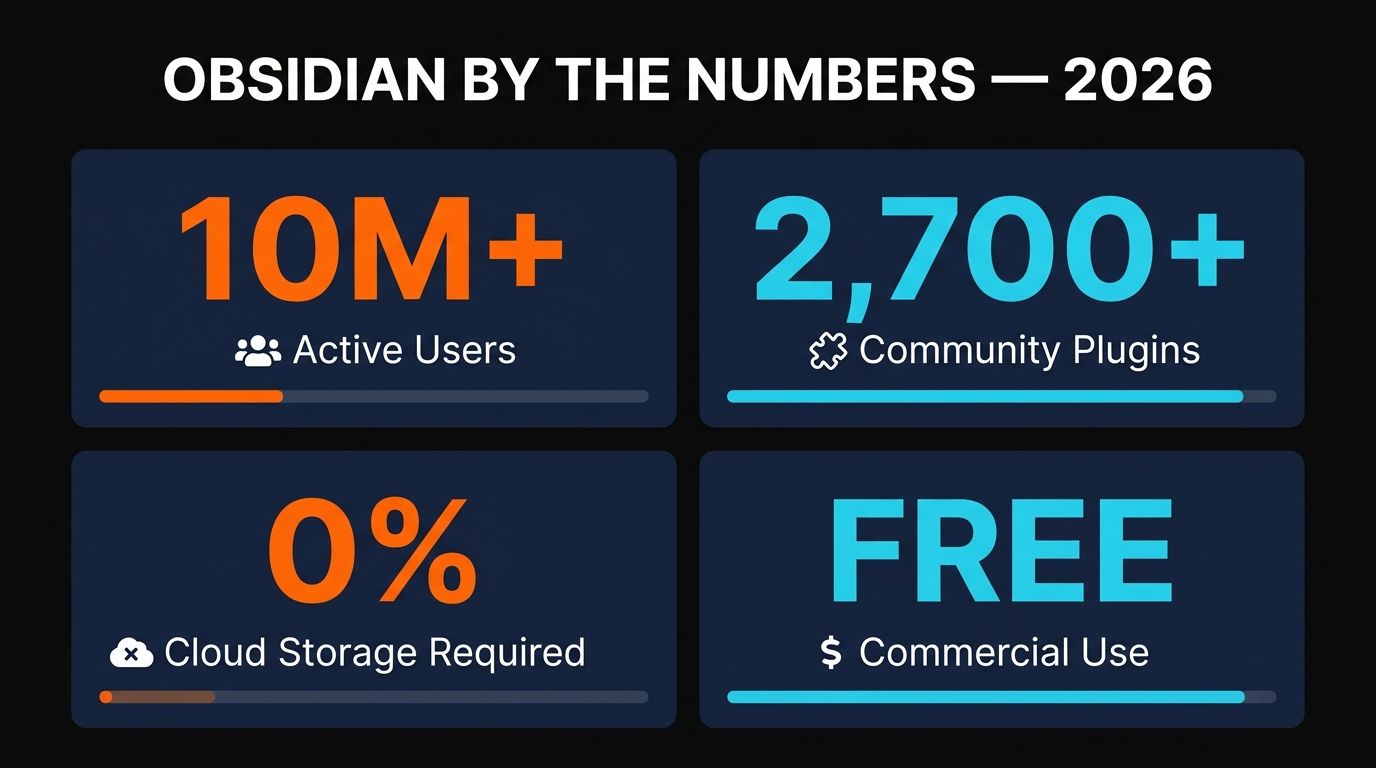
Obsidian is the most honest piece of software I run. It stores my notes as plain markdown files I own forever, links them with backlinks and a graph view, and stays out of my way. It went fully free for commercial use in 2025, has 2,700+ community plugins, and the Sync add-on at $4/month is the only thing I pay for. If you want a tool that compounds for years, this is it. Rating: 4.7/5.
Obsidian Review 2026: Features, Pricing & Verdict
I've been writing this review in Obsidian. That feels appropriate, because after three years of using it as my second brain, I cannot imagine writing anything serious anywhere else. Notes I took in 2023 still open instantly. They are still plain markdown files on my disk. No vendor lock-in has ever rotted them. That single fact is the reason this app has earned my trust in a way no SaaS note tool ever has.
In April 2026 the app is in arguably its best state ever. The team has dropped the commercial license requirement entirely, the Bases feature has finally landed for everyone, the plugin ecosystem cleared 2,700 entries, and there is now a proper CLI in preview. So this is a great moment to write a fresh, opinionated review — not a feature list, but an actual answer to the question "should I bet my note-taking on Obsidian in 2026?"
Short answer: yes, with a caveat I will get to.
What is Obsidian?
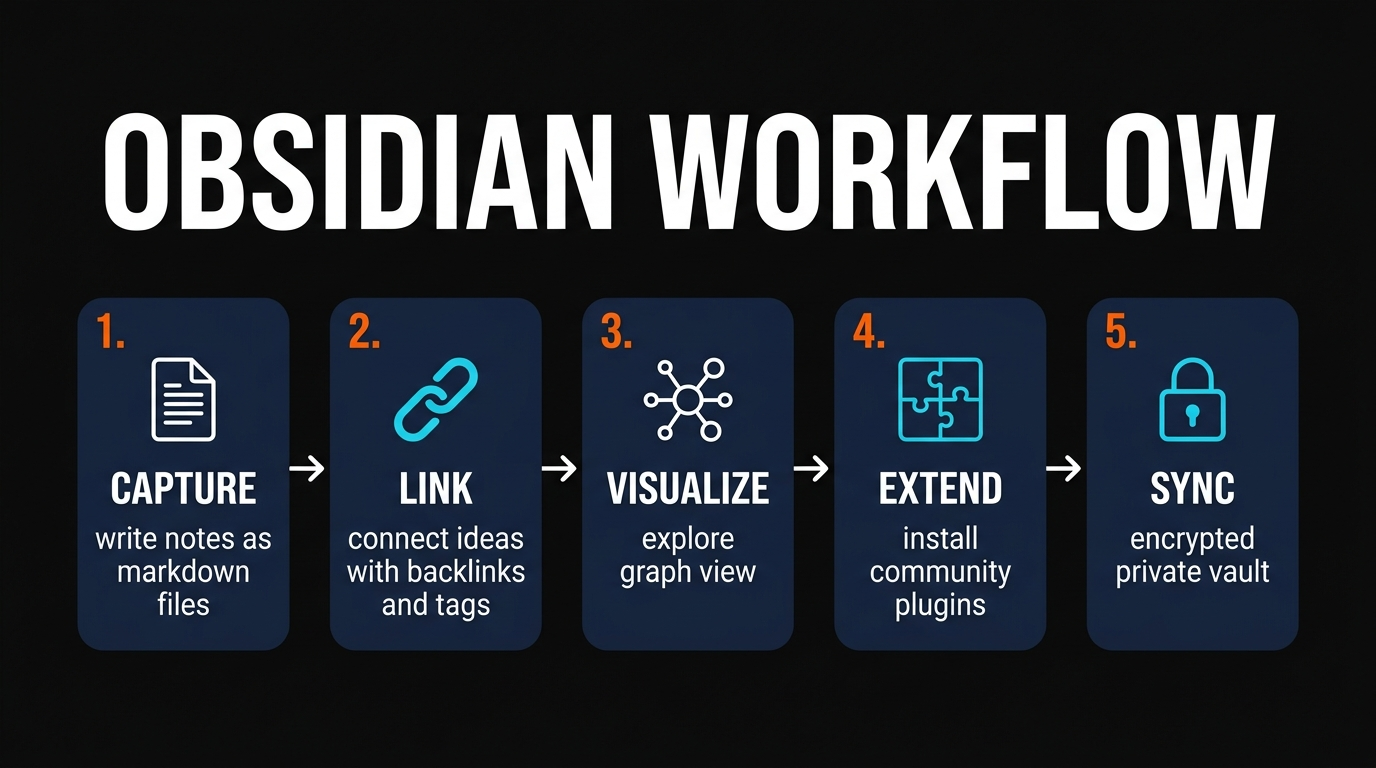
Obsidian is a local-first knowledge management app. You point it at a folder on your computer (called a "vault"), and every note you write becomes a .md file in that folder. That is genuinely the whole architecture. There is no database, no proprietary file format, no cloud you have to trust. If Obsidian disappeared tomorrow, I could open every single note I've ever written in Notepad, VS Code, or cat.
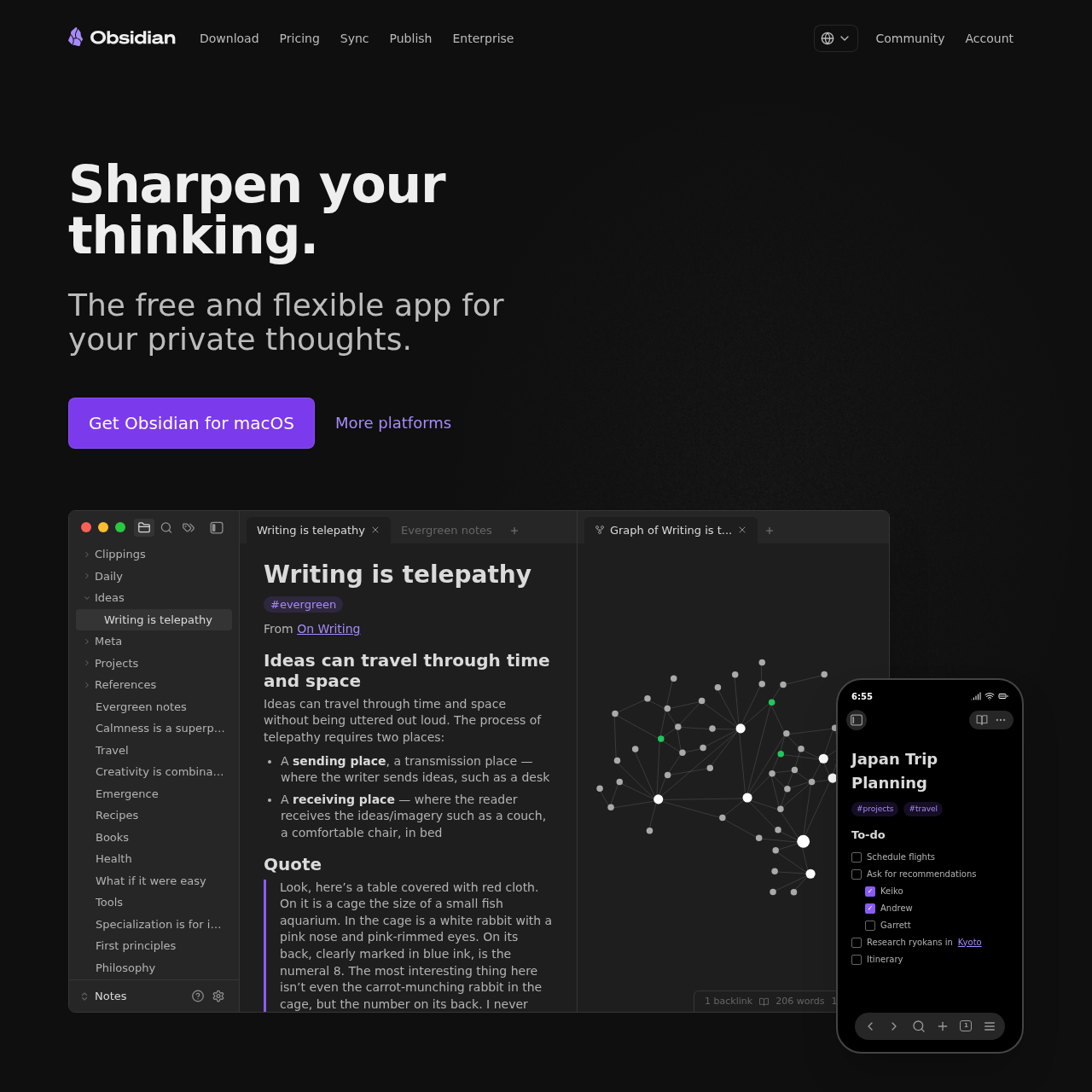
On top of that absurdly simple foundation, the team layered the things that make modern PKM apps interesting: bidirectional links written as [[double brackets]], an animated graph view that shows your knowledge mesh, a Canvas for infinite whiteboarding, a Bases feature for database-style views over your notes, and a community plugin marketplace that has become the real reason most power users stay.
Crucially, Obsidian is built by a tiny team at Dynalist Inc. and has never taken venture capital. That matters. It means there is nobody pressuring them to enshittify the product to hit growth targets. They make money from two optional add-ons (Sync and Publish), and that is it. The contrast with Notion, Roam, and the rest of the cloud-PKM crowd could not be sharper.
For a deeper architecture comparison with Notion's MCP-based approach, I wrote a separate piece on Obsidian MCP vs Notion MCP in 2026 that pairs well with this review.
Key features that actually matter
Most "features" sections in software reviews are useless. They list every checkbox and give equal weight to "dark mode" and "AES-256 encryption". I am going to skip that. Here are the six features I genuinely use every day, and the reason they matter.
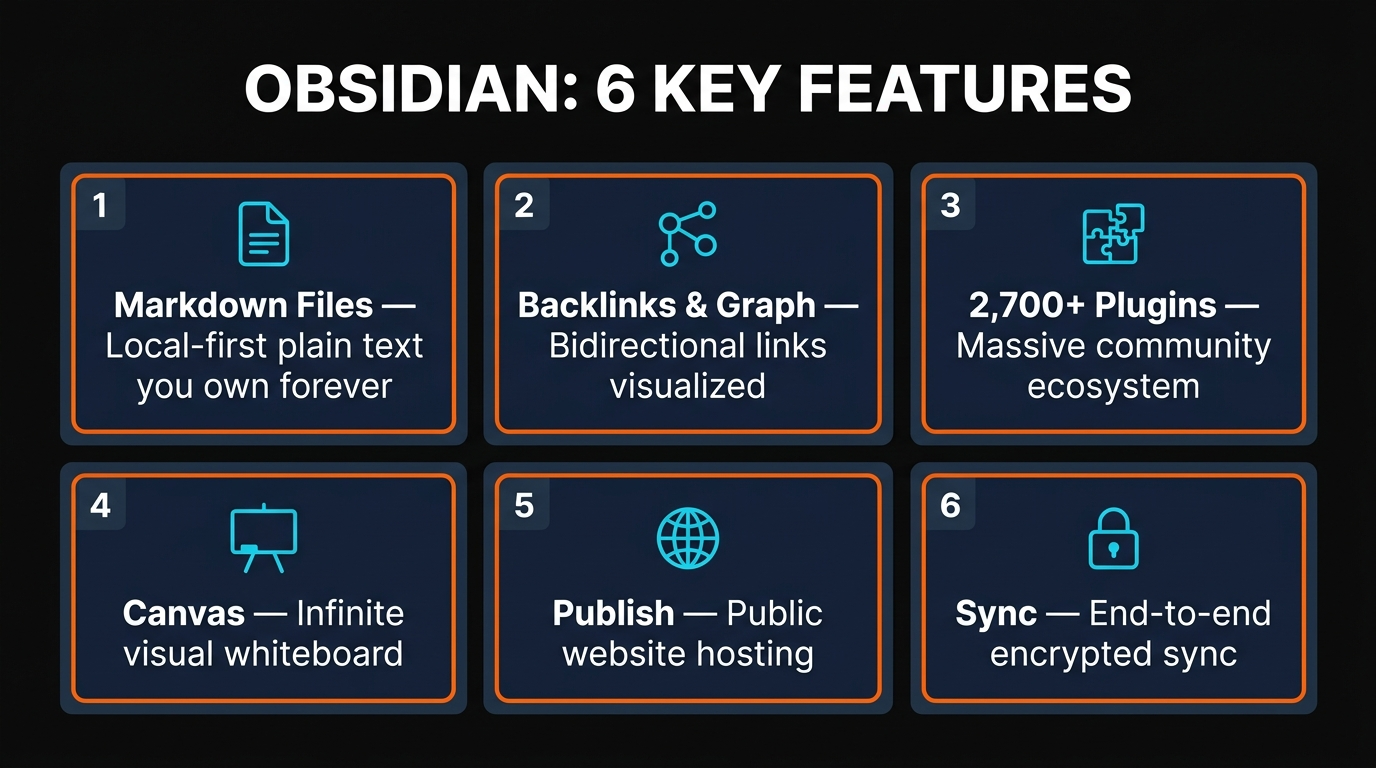
Every note is a .md file in a folder. No proprietary database. You own your data forever — full stop.
Type [[note name]] and Obsidian builds the link both ways. The graph view lets me literally see my knowledge mesh.
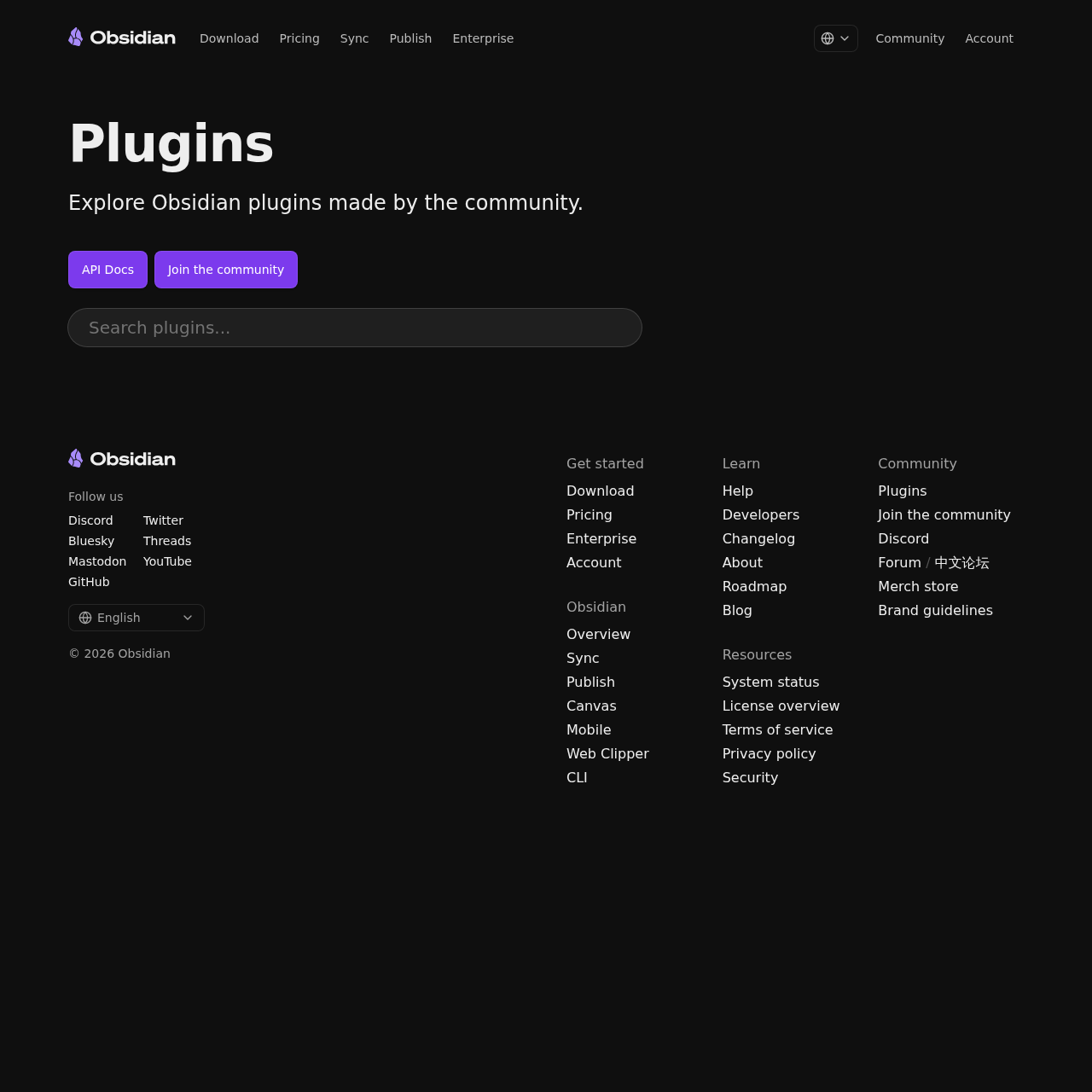
Dataview, Templater, Calendar, Kanban, Excalidraw — the marketplace is where Obsidian really wins. I run twelve plugins daily.
Drag notes onto a 2D plane, draw arrows, group ideas. It's where I plan articles before I write them.
Released in early 2026 — turn any folder of notes into a sortable, filterable, formula-driven table. The Notion-killer feature.
Optional $4/month add-on. Encrypted client-side so even Obsidian's team can't read your notes. Worth every cent.
The feature I keep underestimating is the graph view. It sounds gimmicky in screenshots — "ooh, pretty nodes" — but after about six months of writing notes you start to see the actual shape of how you think. Clusters form. Bridges between unrelated topics emerge. I have had three article ideas this year that came directly from spotting an unexpected backlink in the graph.
How to actually use Obsidian (the part nobody explains)
The biggest mistake new users make with Obsidian is treating it like Notion. It is not Notion. It is not a project tracker, it is not a CRM, it is not a habit tracker. It is a tool for writing notes that link to other notes. The minute you accept that, the app becomes magical. The minute you fight it, you bounce.
Here is the setup I recommend for anyone starting fresh in 2026:
# 1. Pick a folder on your machine that is NOT in iCloud/Dropbox/OneDrive root
mkdir ~/Documents/vault

# 2. Open Obsidian, "Open folder as vault", point it at that folder
# 3. Your first note is just: README.md
Then create exactly four folders inside the vault:
vault/
├── 00_inbox/      # quick capture, gets sorted later
├── 10_notes/      # permanent notes (atomic, one idea each)
├── 20_projects/   # things with deadlines
└── 30_archive/    # done / cold storage
That is the whole structure. Don't make subfolders. Don't try to build a perfect taxonomy on day one. The links are the structure. Tags and folders are for sweeping the floor afterwards.
The five plugins I install on day one of any new vault, in this order:
- Dataview — query your notes like a database (
LIST FROM #project WHERE status = "active") - Templater — date-stamped daily notes and reusable templates
- Calendar — clickable monthly view that creates daily notes on demand
- Excalidraw — hand-drawn diagrams embedded in notes
- Advanced Tables — markdown tables that don't make you want to quit
You can be productive within 20 minutes. You can be addicted within a week.
Obsidian pricing in 2026
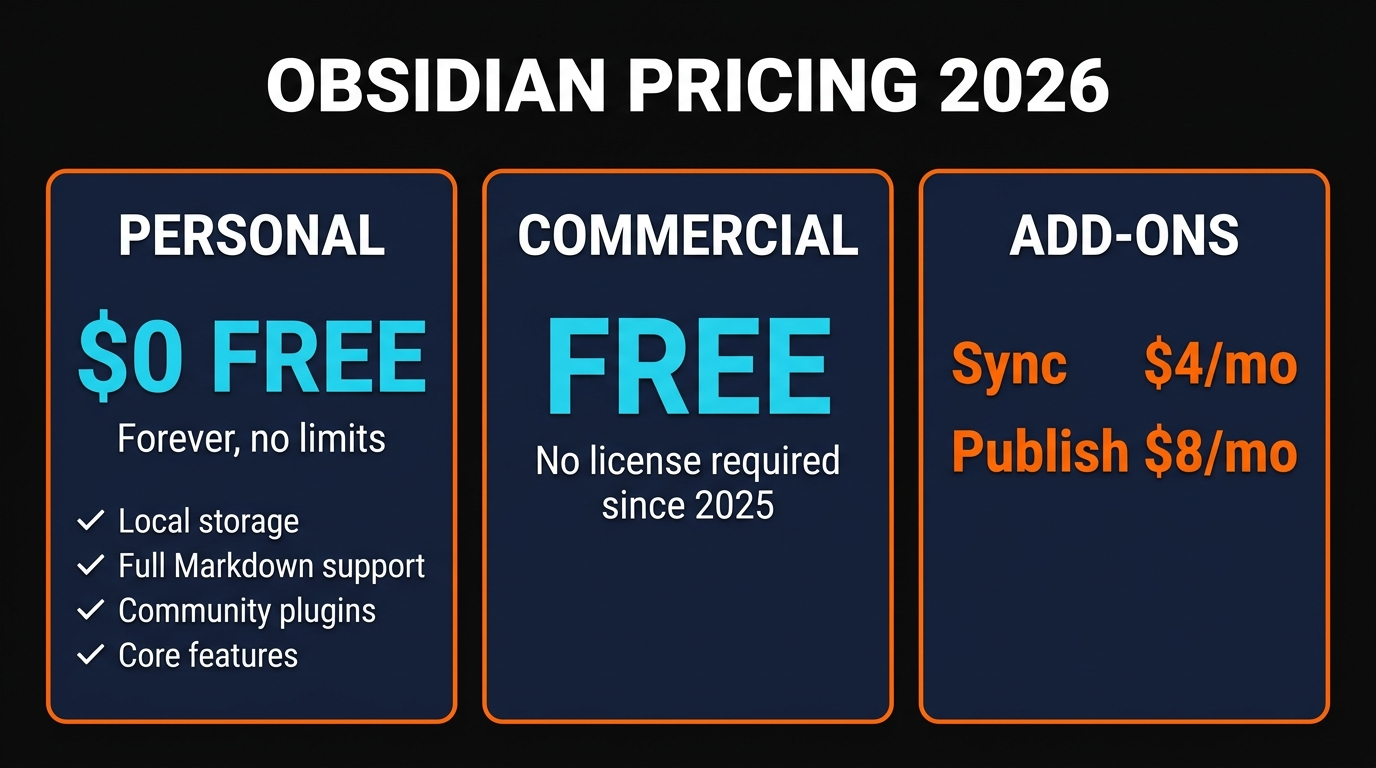
Pricing is the part of this review that has actually changed since 2024, and the change is great news. Obsidian is now free for everyone, including commercial use. The old $50/user/year commercial license requirement was quietly dropped in 2025. The team confirmed it on their forum and updated the licensing page to match. There is no longer a "you must pay if you use this at work" gotcha.
- Unlimited notes & vaults
- All core features
- All community plugins
- Commercial use OK
- 10 GB per vault
- 1 year version history
- Unlimited devices
- Zero-knowledge encryption
- Custom domain
- Graph view in browser
- Backlinks rendered
- One-click publish
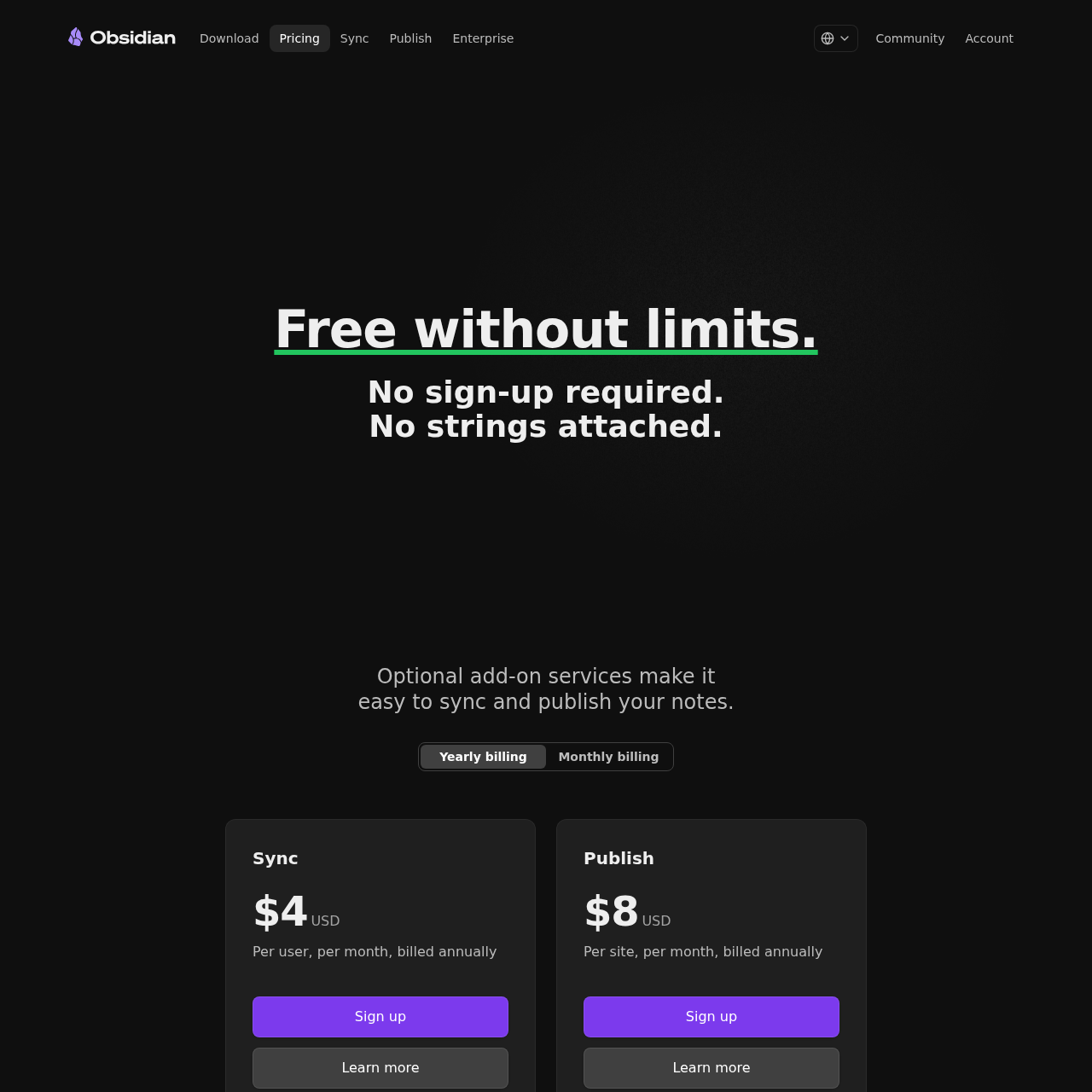
I pay for Sync. I have not paid for Publish — I host my public notes elsewhere — but if you want a frictionless digital garden, $8/month is genuinely cheap for what you get. Compared to Notion at $10/user/month for the entry tier and Roam at $15/month, Obsidian is the best dollar-for-dollar value in PKM, and it's not even close.
Pros and cons
- Plain markdown files I own forever
- Free for personal AND commercial use
- Unmatched plugin ecosystem (2,700+)
- Backlinks + graph view that actually compound over time
- Genuinely fast — opens 10K notes instantly
- Tiny indie team, no VC pressure
- Sync is end-to-end encrypted at $4/mo
- Works fully offline on every platform
- Steep learning curve — you have to invest 5+ hours
- Closed source (the app itself is proprietary)
- Bad at team collaboration — Notion still wins here
- Plugin chaos — easy to over-engineer your vault
- No native AI (you have to wire it up via plugins)
- Mobile app feels secondary to desktop
- The graph view is more "vibes" than utility for first 6 months
The honest weakness is collaboration. If two people need to edit the same note at the same time, Obsidian is the wrong tool. Sync handles single-user multi-device beautifully but it is not a real-time multiplayer system. For a team wiki, use Notion. For your own brain, use Obsidian.
Alternatives I've actually tried
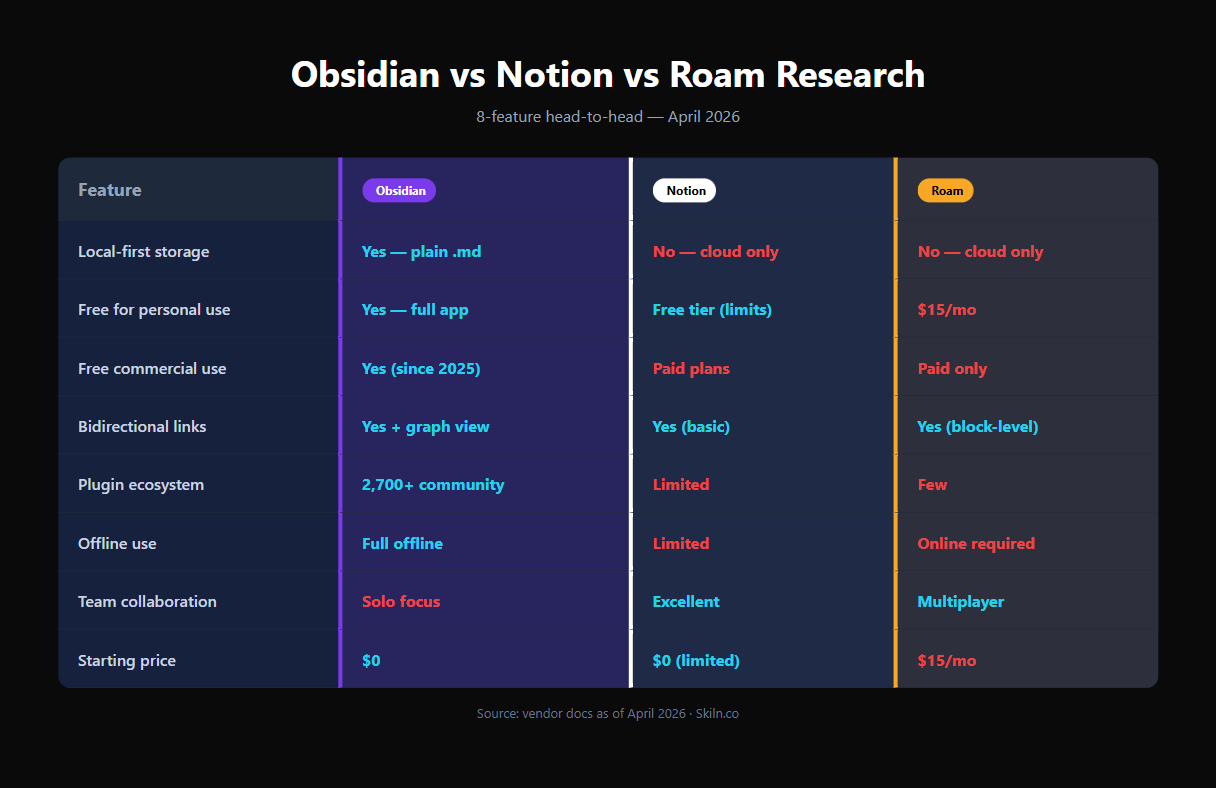
I have spent real money and real hours on every major Obsidian alternative. Here is the unvarnished comparison.
Notion is the only one that beats Obsidian for teams. If you need real-time co-editing, comment threads, and a relational database, just pay Notion. But Notion locks your data in a proprietary cloud, runs slower as your workspace grows, and you don't own anything.
Roam Research is the spiritual ancestor of all this. It pioneered block-level bidirectional linking and the daily-notes flow. If you are a hardcore networked thinker, Roam is still gorgeous. But $15/month for a single-user web app that crashes more than it should is a hard sell in 2026, and it is not local-first.
Logseq is the closest thing to "Obsidian but open source". It is an outliner first, document second — every bullet is a block you can reference anywhere. If you live in daily journals and bullet outlines, Logseq might fit your brain better. The polish is not quite at Obsidian's level yet, but it is genuinely free and genuinely good.
Joplin is the boring, reliable choice. End-to-end encrypted, open source, cross-platform. No graph view, no plugins to speak of, no canvas. If all you want is "Apple Notes but private", Joplin is it.
FAQ
Is Obsidian really free for commercial use in 2026?
Yes. The team dropped the $50/user/year commercial license requirement in 2025. The core app is now free for everyone — personal, business, freelance, agency. The optional Sync ($4/mo) and Publish ($8/mo) add-ons remain paid.
Do I have to pay for Obsidian Sync?
No. You can sync your vault for free using iCloud Drive, Dropbox, OneDrive, Syncthing, or git. Obsidian Sync is just the official, end-to-end encrypted option that handles conflicts smartly. I pay for it because it "just works" across my Mac, Windows, and iPhone.
Is Obsidian open source?
No, the app itself is closed source. But your data is in plain markdown files you fully own, and the file format is an open standard. So while the editor is proprietary, your notes are portable forever. If you want fully open source, Logseq is the closest equivalent.
How does Obsidian compare to Notion?
Different tools for different jobs. Notion wins on teams, databases, and visual all-in-one workspaces. Obsidian wins on speed, data ownership, plugin ecosystem, and long-term cost. I use both — Obsidian for thinking, Notion for project tracking with collaborators.
How many plugins does Obsidian have in 2026?
2,700+ community plugins as of April 2026, plus 200+ community themes. The marketplace is curated and version-pinned so you can roll back updates. Dataview, Templater, and Calendar are the must-installs.
Does Obsidian have AI features?
Not natively. The team has explicitly avoided baking in AI to keep the core local and private. But you can add it via plugins — Smart Connections, Copilot for Obsidian, and Text Generator are the popular options. They let you bring your own API key (OpenAI, Anthropic, local Ollama, etc.).
Is Obsidian worth it for beginners?
Yes, but only if you commit five hours up front to learning it. The learning curve is the only real downside. If you want to start writing notes in 30 seconds, Apple Notes is better. If you want a tool that compounds for a decade, Obsidian is the right investment.
Final verdict

After three years, my honest verdict is this: Obsidian is the best note-taking app you can use in 2026 if you write more than you collaborate. It is fast, free, private, extensible, and — most importantly — built on a foundation that will outlive the company that makes it. Plain markdown files in a folder is not a feature. It is a guarantee. And in a software era defined by enshittification and forced cloud lock-in, that guarantee is rare and valuable.
I am giving it 4.7 out of 5. The 0.3 I am withholding is for the learning curve and the closed-source app binary. Everything else is essentially perfect for the use case the team set out to solve.
If you write for a living, if you research, if you take notes for work or for fun, if you ever want to look back at what you were thinking about in 2026 — install Obsidian today. Pick a folder. Make four notes. Link them. You will not regret it.
Skiln tracks 29,000+ AI tools, MCP servers, Claude skills, and developer extensions across the entire ecosystem. Filter by category, sort by community ratings, and discover the next thing that will compound your workflow — the way Obsidian compounded mine.
Browse the Skiln directory →Wayne MacDonald has been writing about developer tools and personal knowledge management since 2018. He maintains a 12,000-note Obsidian vault and pays for Sync. For more reviews of MCP servers, Claude skills, and AI dev tools, browse the Skiln directory or read the related deep dive on Obsidian MCP vs Notion MCP in 2026.