Google Workspace CLI Review 2026: Command-Line Tool for Gmail, Drive, Calendar
I tested Google's official Workspace CLI (gws) for two weeks across Gmail, Drive, Docs, Sheets, and Calendar. Honest review covering features, install, OAuth setup, pricing, alternatives, and who it's actually for. 4.4/5 rating.
TL;DR — Google Workspace CLI Review
Google Workspace CLI (gws) is Google's first official, open-source command-line tool that puts every Workspace API behind one binary. I ran it for two weeks across Gmail, Drive, Docs, Sheets, and Calendar inside Claude Code, Cursor, and a couple of cron jobs. It is fast, fully scriptable, OAuth-secured, and comes with 40+ pre-built agent skills. The only catch is that it is still pre-1.0, so expect breaking changes between releases.
What is Google Workspace CLI?
Google Workspace CLI — gws for short — is Google's first official command-line interface for the entire Workspace platform. One binary, one auth flow, one consistent command surface, and it covers Gmail, Drive, Docs, Sheets, Slides, Calendar, Chat, Tasks, People, Forms, Keep, Meet, and the Admin SDK. Anything Google ships an API for, gws exposes.
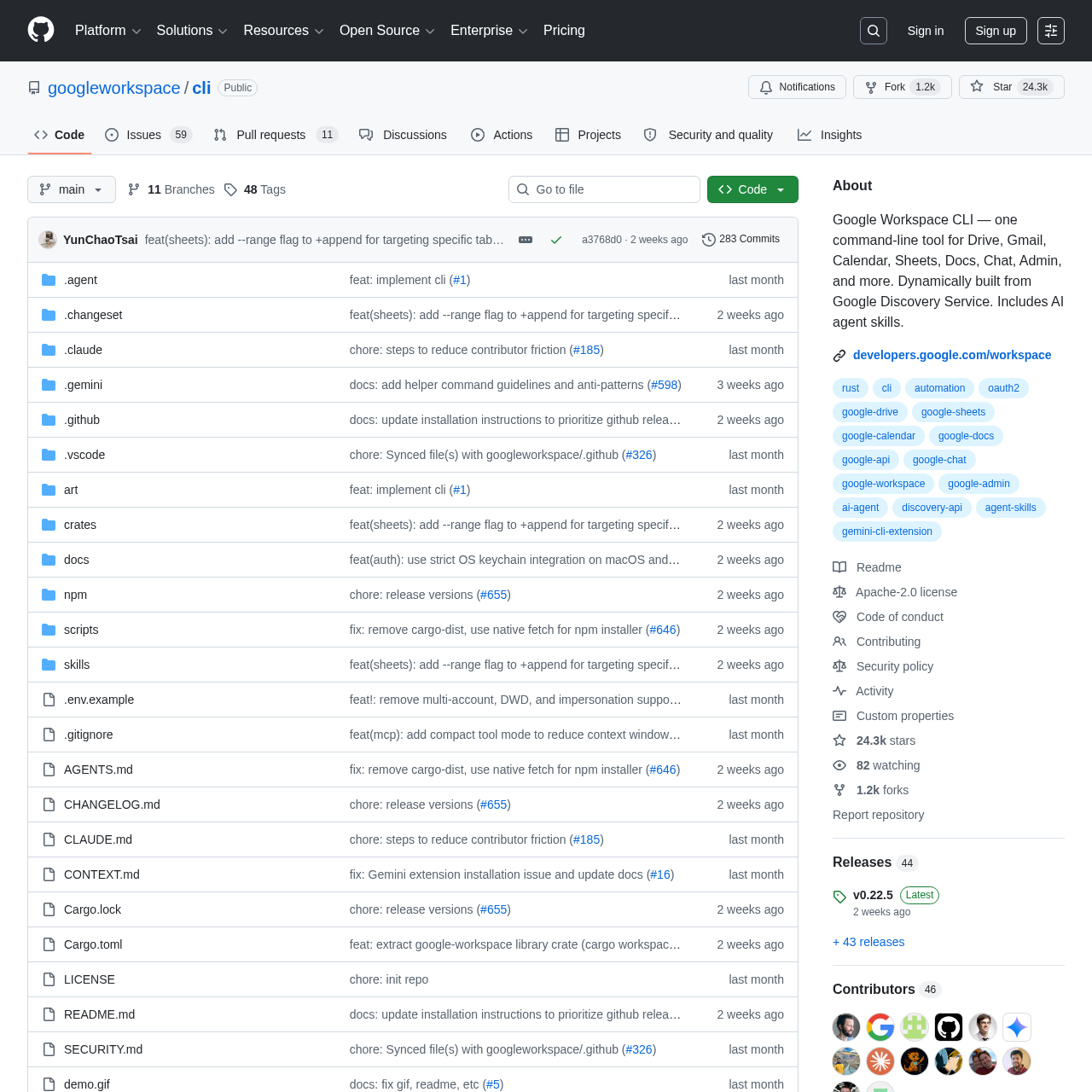
The interesting part is how Google built it. Instead of hard-coding a list of commands, the CLI reads Google's Discovery Service at runtime and constructs the entire command tree dynamically. When Google ships a new endpoint or a new resource on an existing API, gws picks it up automatically without a release. I have not seen another major vendor CLI do this, and after two weeks of using it I am surprised it took this long.
I have been chasing a clean way to script Workspace for years. The honest answer used to be "pick your poison": GAM if you only cared about admin tasks, the google-api-python-client if you wanted to write a real app, a third-party tool like gogcli if you just wanted Gmail in your terminal, or a homegrown OAuth dance with curl if you wanted to suffer. gws finally collapses all of those into one tool with first-party support.
It is also explicitly designed for AI agents. The repo ships with over 40 built-in skills covering everything from "send a Gmail" to "create a Calendar event" to "read a Sheet range." Drop them into Claude Code, Cursor, or Gemini CLI and the model can call the CLI directly without you writing wrapper code. If you have ever tried to give an LLM access to Gmail through MCPs or REST clients, you know how much friction this removes. For more on how skills slot into AI coding workflows, see my piece on the best MCPs and skills on Skiln.
The project is pre-1.0 and Google has been clear that breaking changes are expected. I hit two of them during testing: a flag rename in gws drive files list and a JSON output schema tweak in gws gmail messages get. Neither was painful, but if you are scripting gws in production, pin the version.
Key Features
1. Gmail Management
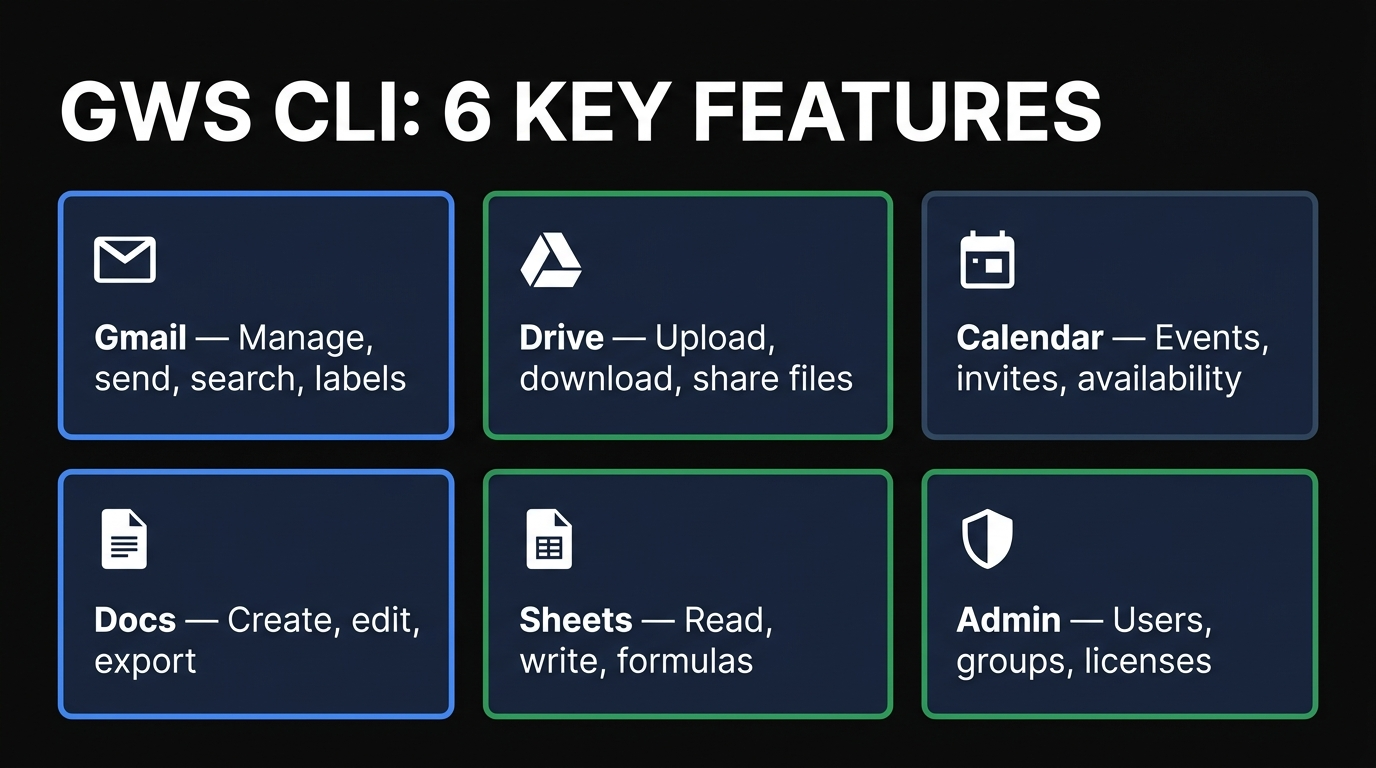
The Gmail surface is the most polished part of the CLI today. gws gmail messages list, send, get, trash, and modify all work the way you would expect. Labels, threads, drafts, attachments, and search queries (yes, the same Gmail search syntax) are first-class. I wrote a 30-line bash script that watches my inbox for any new email tagged invoice, downloads the PDF attachment, drops it into Drive, and posts a link in a Slack channel. It would have taken me an afternoon with the Python SDK. With gws it took 15 minutes.
2. Drive Operations
Drive coverage includes file upload, download, list, copy, move, share, and permission management. The --query flag accepts the full Drive query language so you can do things like gws drive files list --query "mimeType='application/vnd.google-apps.spreadsheet' and modifiedTime > '2026-04-01'" straight from the terminal. Shared drives are supported. Resumable uploads work for large files. The only thing I missed was a built-in sync subcommand similar to aws s3 sync — if you want bidirectional folder sync, you still need to script it.
3. Calendar Events and Scheduling
Calendar is the second most-polished surface. Create events, list events across calendars, send invites, manage attendees, check availability with the FreeBusy API, set reminders, and handle recurring events. I wired gws calendar events create into a CLI that turns plaintext meeting notes into invites. It took me longer to write the natural language parser than to integrate Calendar.
4. Docs and Sheets
Docs supports create, get, batchUpdate, and export. You can render a Doc as PDF, HTML, plain text, or Markdown right from the terminal. Sheets is the killer one for me — gws sheets values get and values update let you read and write ranges like a database, with full formula support. I now use a Sheet as a lightweight job queue for a content pipeline and gws as the worker glue. It is faster to set up than Postgres and infinitely friendlier for non-technical collaborators.
5. Workspace Admin (Users, Groups, Licenses)
If you administer a Google Workspace domain, the Admin SDK coverage is where gws starts replacing GAM. Create users, suspend accounts, manage groups, assign licenses, pull audit logs, fetch usage reports. Domain-wide delegation is supported via service accounts. GAM still has the edge for some niche admin workflows (mailbox migrations, complex bulk operations) but for the 90% case, gws is now competitive.
6. Built-in Agent Skills
This is the feature that makes gws different from every other Google CLI. The repo ships with 40+ pre-built skills under docs/skills/ — small Markdown files that describe how an LLM should call gws for a specific task. There are skills for "send Gmail with attachments," "read a Sheet into JSON," "create a Calendar event with reminders," and so on. Drop the skills folder into Claude Code's skill directory and your AI assistant suddenly has 40 new capabilities. I plugged it into the same setup I use for the Slack MCP comparison and it Just Worked.
How to Install and Use gws
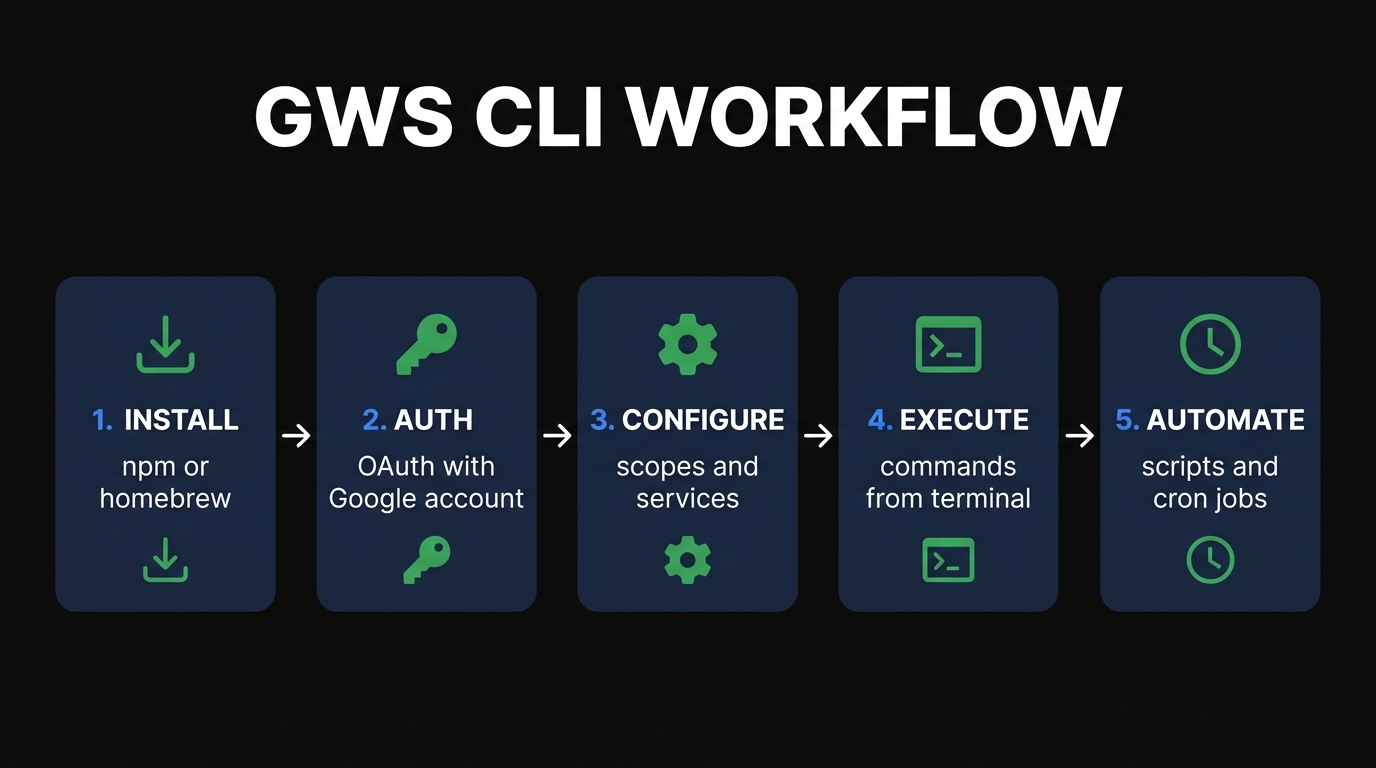
Install takes about a minute. There are four supported routes.
Option 1: Pre-built Binary (Recommended)
Grab the latest release for your OS and architecture from the GitHub Releases page, drop the binary somewhere in your $PATH, and you are done. This is what Google recommends because it does not depend on Node, Python, or anything else.
# macOS / Linux example curl -L https://github.com/googleworkspace/cli/releases/latest/download/gws-darwin-arm64 -o /usr/local/bin/gws chmod +x /usr/local/bin/gws gws --versionOption 2: npm
npm install -g @googleworkspace/cli gws --versionOption 3: Homebrew (macOS)
brew install googleworkspace-cli gws --versionOption 4: Build from Source
git clone https://github.com/googleworkspace/cli.git cd cli go build -o gws ./cmd/gws ./gws --versionAuthentication (OAuth 2.0)
First, set up OAuth credentials. The CLI walks you through it:
gws auth setupThis will prompt you to either create a new Google Cloud project for OAuth or point at an existing one, then guide you through enabling the APIs you want and downloading the client secret. After setup, log in:
gws auth logingws spins up a local loopback server at http://127.0.0.1:8080, opens your browser, you approve the scopes, and the CLI stores a refresh token in ~/.config/gws/. From that point on, every command authenticates silently.
Real Commands You Will Actually Use
Here is a representative slice from my last week.
# List the last 10 unread emails as JSON gws gmail messages list --query "is:unread" --max-results 10 --format json
Send a quick email
gws gmail messages send --to alice@example.com --subject "Lunch?" --body "Free Friday?"
List Drive files modified today
gws drive files list --query "modifiedTime > '2026-04-11T00:00:00'"
Create a Calendar event
gws calendar events create --calendar primary \   --summary "Strategy review" --start "2026-04-15T14:00:00" --end "2026-04-15T15:00:00" \   --attendees "team@example.com"
Read a Sheet range
gws sheets values get --spreadsheet 1AbCdEf... --range "Sheet1!A1:E50" --format json
Export a Doc to Markdown
gws docs export --document 1XyZ... --mime-type text/markdown > notes.md
Dry run anything
gws gmail messages send --to alice@example.com --subject "Test" --body "Hi" --dry-run
The --dry-run flag is the unsung hero. Every mutating command supports it, and you get back the exact API call the CLI would make. I use it constantly when scripting.
Wiring gws into Claude Code or Cursor
Because gws returns structured JSON and supports --dry-run, you can hand it to any AI agent without writing wrappers. The simplest path is to copy the agent skills out of the repo into ~/.claude/skills/:
git clone https://github.com/googleworkspace/cli.git cp -r cli/docs/skills/* ~/.claude/skills/Restart Claude Code and the model now has 40+ Workspace skills available as slash commands. Cursor users can do the same with their custom commands directory. This is the single most useful integration in the whole CLI for me.
Pricing
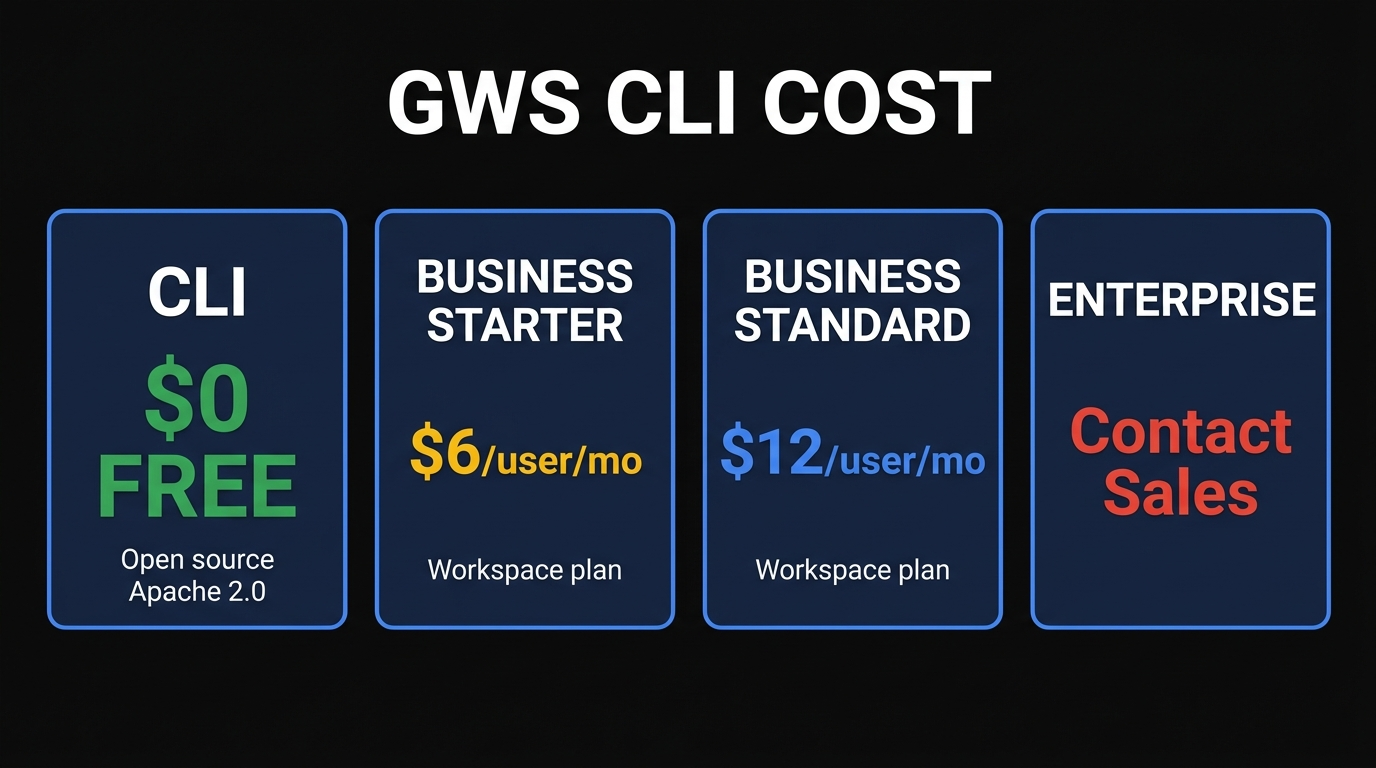
The CLI itself is free and open source under Apache 2.0. There are no usage tiers, no API keys to buy, and no rate-limited free tier you have to worry about hitting. The only cost is the underlying Google Workspace plan if you need a paid one. Personal Gmail accounts work fine at $0.
CLI
FREE
Apache 2.0, open source
Business Starter
$6/user/mo
Workspace plan with custom email
Business Standard
$12/user/mo
2TB storage, recording, more
Enterprise
Contact Sales
Vault, advanced controls
Pros and Cons
Pros
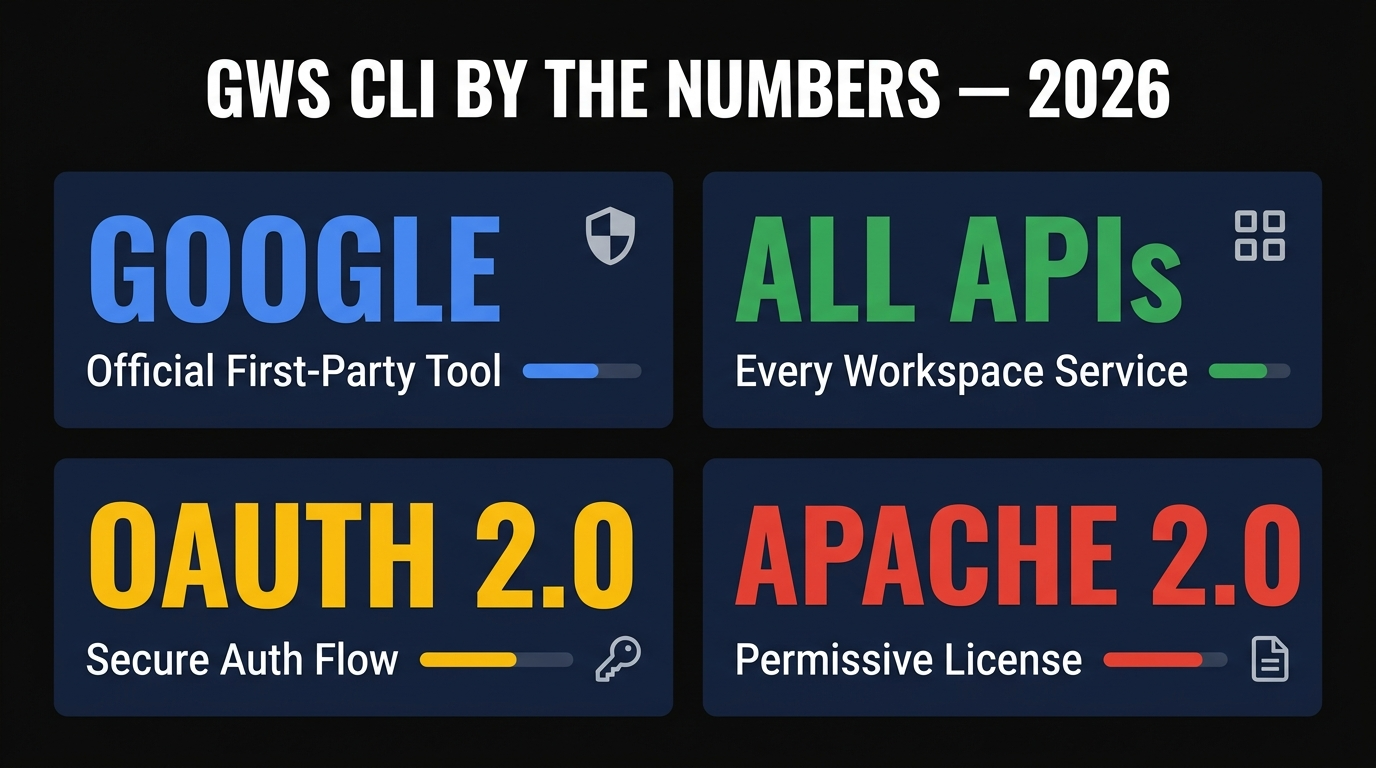
- Official Google tool — first-party support, not a community project that might disappear.
- Covers every Workspace API — Gmail, Drive, Docs, Sheets, Calendar, Chat, Admin, Slides, Tasks, People, Forms, Keep, Meet.
- Dynamically built from Discovery — new endpoints appear automatically.
- Structured JSON output — pipes cleanly into
jq, scripts, and AI agents. - 40+ built-in agent skills — drop them into Claude Code or Cursor and you are done.
- Dry-run preview on every mutation — easy to test before you fire.
- OAuth 2.0 with local loopback — secure, standard, no token gymnastics.
- Apache 2.0 license — commercial-friendly and forkable.
Cons
- Pre-1.0 — expect breaking changes between releases. Pin versions in production.
- Initial OAuth setup requires creating a Google Cloud project, which trips up new users.
- No built-in Drive sync — you still need to script bidirectional folder sync yourself.
- Documentation is sparse in places — you sometimes need to read the underlying API docs.
- GAM is still better for niche admin workflows like complex bulk migrations.
- Windows install is fine but less polished than macOS/Linux.
Best Alternatives
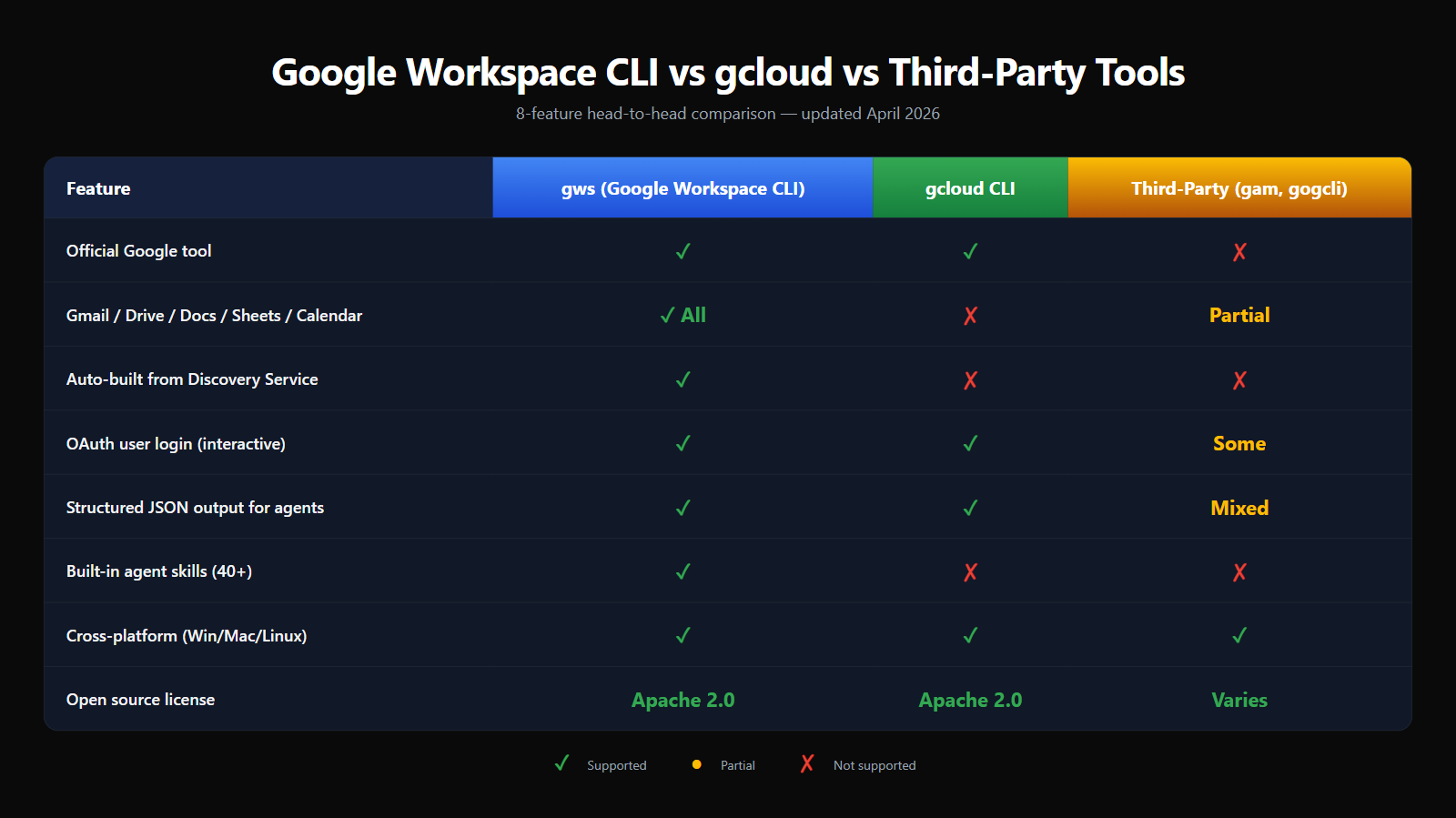
gws stacks up against gcloud and the most popular third-party tools.
gcloud CLI
Google's other big CLI — but for Google Cloud Platform, not Workspace. You will use gcloud for Compute Engine, BigQuery, Cloud Run, Pub/Sub, and IAM. You will use gws for Gmail, Drive, Docs, Sheets, Calendar, and Workspace admin. They are complementary tools, not competitors. Most teams I know now run both side by side, and the muscle memory transfers cleanly because the flag conventions are similar.
GAM (Google Apps Manager)
GAM is the long-standing community CLI for Google Workspace administration. It has a 10+ year track record and a deep, almost arcane feature set for bulk admin operations like mailbox migrations, OU restructuring, and security audits. If you are a Workspace admin running 1,000+ users, GAM is still worth keeping around. For everything else — especially if you want AI agent integration — gws wins on developer experience and breadth.
google-api-python-client
The official Python client library. You should reach for this when you are building a real application that embeds Workspace logic, not when you are scripting the terminal. It is more verbose, requires you to handle OAuth yourself, and has no terminal ergonomics. But if you want full control inside a Python codebase, it is the right tool.
gogcli / gog
A community Go CLI for Gmail, Calendar, Drive, and Contacts. It is lighter-weight than gws and has a friendlier UX for personal Gmail use, but it does not cover the full Workspace API surface and is not Google-maintained. Useful if you only want a quick personal Gmail terminal client.
FAQ
What is Google Workspace CLI (gws)?
Google Workspace CLI is Google's official open-source command-line tool for managing every Workspace service — Gmail, Drive, Docs, Sheets, Calendar, Chat, Admin, and more — from a single binary. It is built dynamically from Google's Discovery Service and ships with 40+ AI agent skills.
Is Google Workspace CLI free?
Yes. The CLI is free and open source under Apache 2.0. You only pay for an underlying Workspace plan if you need a paid one; personal Gmail accounts work at zero cost.
How do I install gws?
Download a pre-built binary from the GitHub Releases page, run npm install -g @googleworkspace/cli, run brew install googleworkspace-cli on macOS, or build from source. Then run gws auth setup followed by gws auth login.
What is the difference between gws and gcloud?
gcloud manages Google Cloud Platform infrastructure. gws manages Google Workspace user productivity services. They are complementary — most teams run both.
Does gws work with AI agents like Claude or Gemini?
Yes. gws was explicitly designed for AI agents. It returns structured JSON, supports dry-run previews, and ships with 40+ pre-built agent skills you can drop into Claude Code, Cursor, or Gemini CLI.
What authentication does gws use?
OAuth 2.0 with a local loopback server. The CLI also supports service accounts for headless environments and admin domain-wide delegation.
Should I use gws or GAM for Workspace admin?
If you run a large domain with complex bulk admin needs, keep GAM around. For 90% of admin tasks — and especially if you want AI agent integration — gws is now the better default.
Final Verdict
Google Workspace CLI is the tool I have wanted for a decade. It collapses a half-dozen overlapping community projects into one official, well-designed binary that covers every Workspace API and treats AI agents as first-class users. The dynamic Discovery-built command tree is the kind of architectural decision you only see when a vendor takes a CLI seriously.
It is not perfect — pre-1.0 means breaking changes, the OAuth setup is a few steps too many for new users, and some niche admin workflows still belong to GAM. But for the 90% case of "I want to script Gmail, Drive, Docs, Sheets, or Calendar from the terminal or from an AI agent," gws is now the answer.
Verdict: 4.4/5. Install it today, pin the version if you put it in production, and start replacing your custom Workspace scripts with one-liners.
Looking for more AI tools and skills like this?
Skiln tracks 16,000+ MCPs, Claude skills, AI coding agents, and CLI tools — all hand-reviewed by our editors. Filter by service, license, AI client, and more.
Explore MCPs & Skills on Skiln →