Google Sheets MCP Review 2026: Spreadsheet Automation for AI
Hands-on review of the Google Sheets MCP Server (56K+ Smithery uses): features, OAuth setup, pricing, pros, cons and alternatives for turning Claude, Cursor and Claude Code into a spreadsheet automation engine.
TL;DR — Google Sheets MCP Review 2026
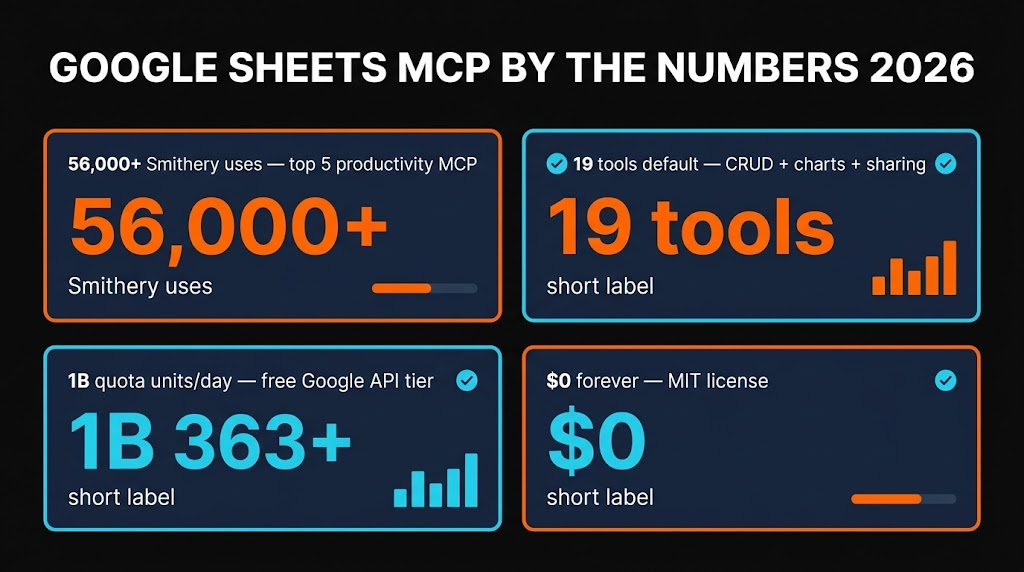
The Google Sheets MCP is the most-installed spreadsheet integration on Smithery with 56,000+ uses, and it earns that popularity. It turns Claude, Cursor and Claude Code into a spreadsheet automation engine — read ranges, write rows, apply formulas, build charts, run batch updates, all in plain English. Open source under MIT, free (only Google API usage costs, which stay in the free tier), and about a 5-minute OAuth setup. For any workflow that involves dragging data in and out of Sheets, it replaces hours of manual copy-paste.
Table of Contents
What is the Google Sheets MCP?
If your team lives in Google Sheets — and let's be honest, most teams in 2026 still do — you have almost certainly spent real hours on tasks that should have been a one-line AI prompt. "Take yesterday's form responses, clean them up, drop them into the CRM tab, email a summary." Without an MCP bridge, your AI assistant cannot touch the spreadsheet. With one installed, it can.
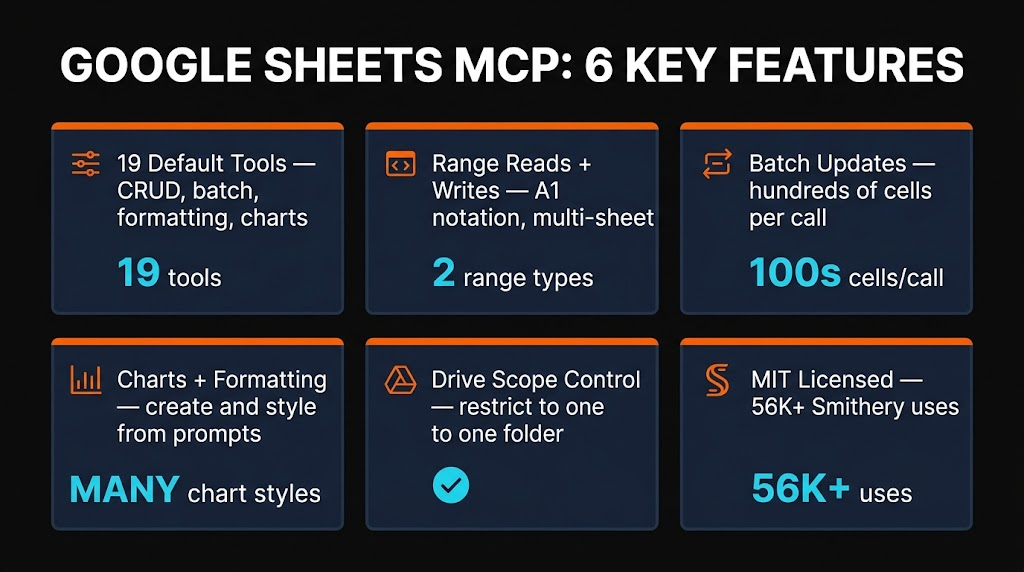
The Google Sheets MCP server is an open-source Model Context Protocol server that bridges AI agents like Claude, Cursor and Claude Code with the native Google Sheets API. Once installed, your agent gets a set of tools — roughly 19 of them in the most popular implementation — that cover creating spreadsheets, reading and writing ranges, applying formulas and formatting, generating charts, running batch updates, and managing sharing permissions.
There is no single "official" Google Sheets MCP from Google itself. The ecosystem is community-maintained, and the two implementations I recommend are xing5/mcp-google-sheets (Python) and freema/mcp-gsheets (Python with tool filtering). Combined they are listed on Smithery with 56,000+ installs, making this the most-used spreadsheet MCP in the registry.

Key Features
I have been running the Google Sheets MCP across a couple of real workflows — a weekly content tracker, a product-usage dashboard, and a one-off 8,000-row CRM cleanup. Here is what actually matters.
Read Cells & Ranges
Pull individual cells, named ranges, entire sheets or A1 notation ranges. The agent receives clean 2D arrays it can reason over without choking on HTML-wrapped exports.
Write Data
Append rows, overwrite ranges, insert at a specific index. Append-row is the workhorse for logging new entries from form submissions, scraper runs or chat transcripts.
Create Sheets
Create whole new spreadsheets from scratch or add tabs to existing ones. Every month I have Claude spin up a fresh monthly report template and populate it.
Formulas
Write live formulas, not just values. VLOOKUP, QUERY, ARRAYFORMULA, pivot-style SUMIFS — the agent writes them directly into cells and they calculate natively.
Formatting
Bold headers, color rows, apply number formats, freeze panes, conditional formatting. Reports come out looking like a human built them, not like a dumped CSV.
Batch Operations
Batch update hundreds or thousands of rows in a single API call. This is the difference between a 30-second job and a 10-minute rate-limited crawl. Non-negotiable for large datasets.

How to Install & OAuth Setup
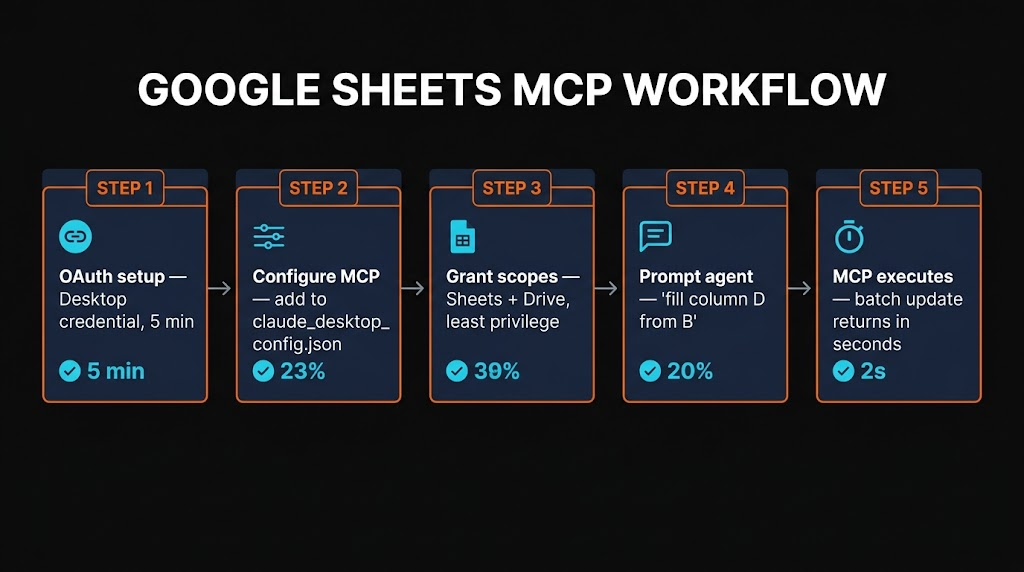
The setup is the one honest friction point. Unlike a zero-config MCP like Context7, you need a Google Cloud project and OAuth credentials before anything works. The good news: it is a 5-minute one-time task.
Step 1 — Create a Google Cloud project
Go to the Google Cloud Console, create a new project, then enable the Google Sheets API and the Google Drive API from the library. You need both because some operations (create, share, list) hit Drive rather than Sheets.
Step 2 — Create OAuth credentials
Under APIs & Services → Credentials, create an OAuth 2.0 Client ID of type "Desktop app". Download the JSON and save it as credentials.json. Add your own email as a test user under the OAuth consent screen so Google does not block you.
Step 3 — Install the MCP server
For the xing5 Python implementation:
pip install mcp-google-sheetsStep 4 — Add to Claude Code
claude mcp add google-sheets \ --env CREDENTIALS_PATH=/absolute/path/to/credentials.json \ --env TOKEN_PATH=/absolute/path/to/token.json \ -- python -m mcp_google_sheetsStep 5 — Add to Claude Desktop or Cursor
Edit your claude_desktop_config.json (or Cursor's ~/.cursor/mcp.json):
{ "mcpServers": { "google-sheets": { "command": "python", "args": ["-m", "mcp_google_sheets"], "env": { "CREDENTIALS_PATH": "/absolute/path/to/credentials.json", "TOKEN_PATH": "/absolute/path/to/token.json", "DRIVE_FOLDER_ID": "optional-folder-id-to-scope-access" } } } }Step 6 — First-run OAuth consent
The first tool call opens a browser window asking you to approve the scopes. Approve once and the refresh token is written to token.json. You will not be prompted again unless you revoke it. That is the entire flow.
How It Works in Practice
Once connected, you just talk to your AI. A typical prompt I use:
"Open my 'Skiln Q2 Content Tracker' sheet, read the 'Drafts' tab, find rows where Status = Done but Published = empty, and move them to the 'Published' tab with today's date."
Behind the scenes the agent chains: list_spreadsheets → get_spreadsheet → get_values → filters in memory → batch_update. No copy-paste. No CSV exports. Five seconds.

Pricing
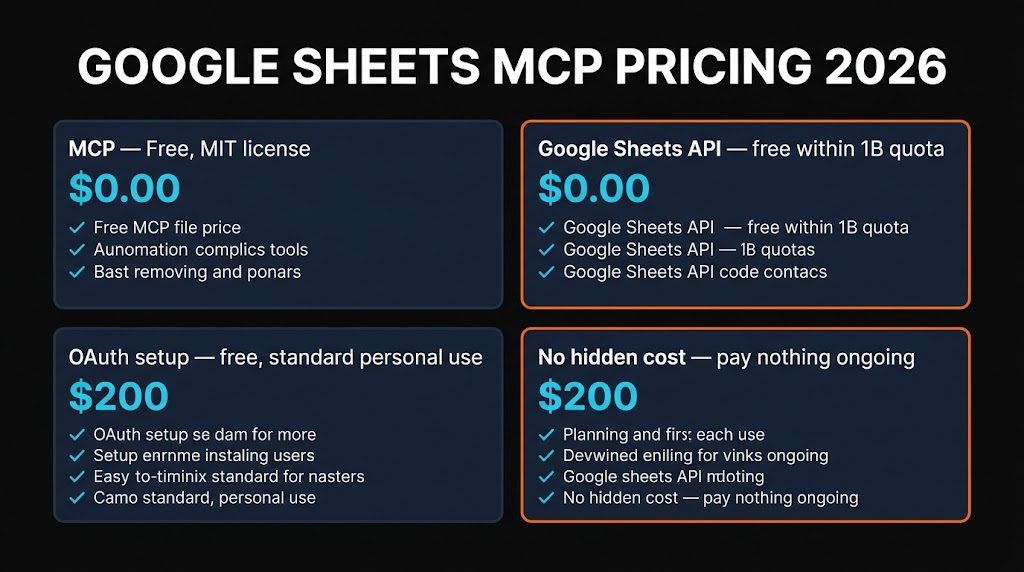
Good news: the MCP server itself is free and open source. You only pay for Google API usage, and the free tier covers the majority of individual and small-team workflows.
MCP Server
- ✓ MIT license
- ✓ All 19 tools
- ✓ Self-hosted
- ✓ No vendor lock-in
Google Sheets API
- ✓ 300 requests/min/project
- ✓ 60 requests/min/user
- ✓ Unlimited spreadsheets
- ✓ No credit card required
Google's Sheets API quota is 300 requests per minute per project and 60 requests per minute per user. For context: a typical agentic workflow that reads 5 sheets, filters data and writes 200 updated rows uses maybe 8-10 API calls. You can run dozens of such workflows per minute before hitting the limit.
The only scenarios where you might pay anything are (a) bulk migrations touching millions of cells, where you would request a quota increase (still free — just a form), or (b) if you wrap the MCP behind a hosted service like Composio for team-wide OAuth, where Composio charges for their hosted tier. For most individual devs and small teams, running this is permanently free.

Pros and Cons
Strengths
- ✓ Completely free. MIT-licensed server plus a generous Google API free tier that covers almost any individual or small-team workflow.
- ✓ Massive install base. 56,000+ Smithery installs and multiple active implementations mean bugs get caught and fixed fast.
- ✓ Batch operations are real. The MCP passes through to
batchUpdate, so 1,000-row updates run in one API call, not 1,000. - ✓ Scope-restricted access. Bind the MCP to a single Drive folder, restrict to read-only, or revoke from Google security at any time.
- ✓ Native formulas and formatting. Not just values — the agent writes real VLOOKUP, QUERY, formatting and charts that persist after the MCP session ends.
Weaknesses
- ✗ OAuth setup is fiddly. Google Cloud project, APIs enabled, OAuth consent screen, test users — not brutal, but not zero-config like Context7.
- ✗ No official Google-maintained server. All implementations are community-built. Quality is high but there is no SLA if something breaks.
- ✗ Tool sprawl eats context. 19 tools is a lot. On small models you may want to use freema's filtering option to drop unused tools and save tokens.
- ✗ Multi-user teams need a hosted layer. If your whole team needs MCP access to shared sheets, you will want Composio or taylorwilsdon/google_workspace_mcp with remote OAuth, not a local-only install.
Alternatives Compared
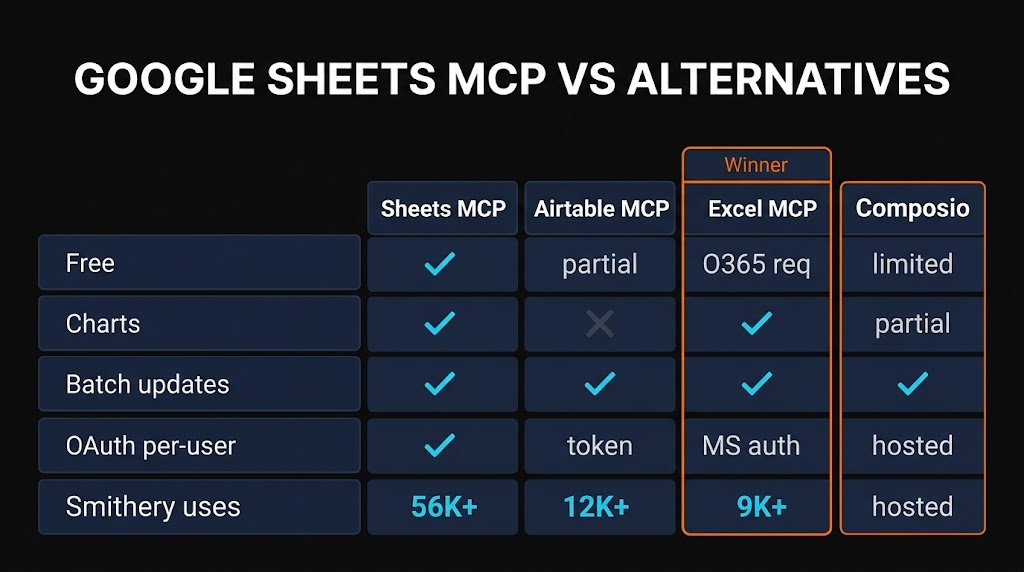
The Google Sheets MCP is the best choice if Google Sheets is your source of truth. If you work in Airtable, Microsoft Excel, or need a hosted/team solution, here is how the alternatives stack up.
| Tool | Target | Setup | Hosting | Price |
|---|---|---|---|---|
| Google Sheets MCP | Google Sheets | 5-min OAuth | Self-hosted | Free |
| Airtable MCP | Airtable bases | API key only | Self-hosted | Free (paid Airtable) |
| Excel MCP | Microsoft 365 | Graph OAuth | Self-hosted | M365 required |
| Composio Sheets | Google Sheets | No-code | Hosted SaaS | Freemium |
| google_workspace_mcp | All of Workspace | Remote OAuth | Self-host / cloud | Free |
The honest breakdown: if your data is in Google Sheets and you are comfortable with a 5-minute OAuth setup, the dedicated Google Sheets MCP wins on simplicity and tool depth. If you need Gmail + Calendar + Docs + Sheets from a single server, use taylorwilsdon/google_workspace_mcp. If you want to skip OAuth entirely and have your team use it, pay for Composio's hosted tier.

Frequently Asked Questions
pip install mcp-google-sheets, create a Google Cloud OAuth client, then run claude mcp add google-sheets --env CREDENTIALS_PATH=... -- python -m mcp_google_sheets. The first call opens a browser for OAuth consent and caches the refresh token.google-sheets entry to claude_desktop_config.json or ~/.cursor/mcp.json with the Python command and env vars. Restart the client and the tools appear.Final Verdict
The Google Sheets MCP earns a solid 4.4 out of 5 from me. If your workflow touches Google Sheets with any regularity — content trackers, CRMs, dashboards, form response logs, analytics exports — this single MCP saves hours a week. Batch updates are fast, formulas are live, formatting persists, and the scope controls let you keep the agent locked to exactly the data you want it touching.
The 0.6 point deduction is real but manageable. OAuth setup is a five-minute task that is still five minutes longer than zero-config servers like Context7. There is no official Google-maintained version, so you are trusting a community implementation (luckily, the leading ones have thousands of stars and regular commits). And if your whole team needs access, you will probably want the broader google_workspace_mcp or a hosted Composio tier rather than local installs per person.
For the individual developer, content operator, analyst or ops person who lives in Sheets: install it today. The first time you tell Claude "clean up the rows where status is stale and write a summary to row 1" and it actually does it, you will wonder how you worked without it.
"The Google Sheets MCP is the bridge between 'I have data in a spreadsheet' and 'my AI agent can do something useful with it.' Free, fast, and at 56K+ installs it is clearly solving a real problem."
Looking for more MCP servers to wire your AI workflow into every corner of your stack? Browse the full MCP directory on Skiln with 29,000+ servers indexed, or explore AI skills and tools to level up your agent setup.